Filed under Product Review, UPnP AV / DLNA media-playback hardware) by simonmackay on 29/01/2011 at 02:23
{no comments}
Introduction
I am reviewing the Pioneer NAC-3 (XW-NAC3) Internet music system with 2 iPod docks. This DLNA-enabled network media unit is a flagship model that heads a series of iPod speaker docks that Pioneer has recently released and is the latest attempt by this company to sell “small-set” audio equipment like portable, clock and table radios.
This Japanese company has always been known for high-quality home audio / video equipment since the 1960s and car audio equipment since the 1970s but has dabbled in the highly-competitive product class at various times through the 70s and 80s, initially selling these goods under the “Centrex” brand in some markets but eventually simply selling them under their own brand. This unit is an example of how Pioneer, along with the other Japanese consumer-electronics companies are trying to get their claws back in to a very competitive product class which is awash with many cheap Chinese-built products that are sold under many different brand names.
As an echo to the earlier attempts in the “small-set” audio product class, this unit has functionality that makes it stand out from the pack. One party piece is to work with 2 iPod or iPhone devices and play tracks from one or both of the devices and another one is to properly implement “three-box” DLNA Network Media functionality where it can be managed by a Windows 7 computer or other DLNA control point.
It will also be the first time I have reviewed a network media device and am implementing these “at-a-glance” tables for this class of device. Regular readers may have noticed that I am implementing these “at a glance” tables when I review laptop computers and printers so people can see the basic facts about these products before they read the review text.

Price
Recommended Retail Price: AUD$699
Functions
| Internet Radio |
vTuner |
| Network Media |
DLNA |
| 3-box DLNA functionality |
Controlled Playback Device
- Content Selection
- Audio Content Playback
- Volume Adjustment (Network media) |
| Local Stored Memory |
USB |
| iPod / iPhone |
2 iPhone docks |
Connections
| Input |
|
| Audio Line input |
1 x 3.5mm stereo jack |
| Output |
|
| Video Line output |
1 x composite RCA jack |
| Network |
|
| Ethernet |
Standard 100BaseT Ethernet |
Speakers and Sound Output
| Output Power |
10 Watts RMS per channel
(8 ohms, 10% THD) |
2 channels (stereo) |
| Speaker Layout |
2.0 stereo layout |
2 x 3” (6.6cm) Full-range
2 x 3” (7.6cm) Passive radiator |
The unit itself

Card-type remote control
This unit has been designed to appeal to the young generation who just want something new rather than your “father’s old station-wagon”. Here, it has a shape that is similar to a banana and is finished in a glossy-white plastic cabinet. It can come with three different speaker-cloth colours – burgundy-red, black or white. As well, it comes with a card-size infrared remote control which you have to use for operating most functions including access to Internet radio.
This unit can play music from 2 iPod or iPhone devices; a Bluetooth A2DP-compliant audio source, a USB Mass-Storage Device or a line-level source as well as material over the network. But this set lacks some functions that I have been used to with most Internet radio units that I have reviewed previously on this site.
One function that it misses is the ability to connect to the host network via Wi-Fi wireless. Here, you have to connect it to the network using an Ethernet cable, but you could use a HomePlug kit or a Wi-Fi-Ethernet client bridge to connect it to the home network and want “around-the-home” flexibility without needing to lay Ethernet wiring. The other function that it lacks is access to regular broadcast radio, whether FM or DAB+ digital radio. This may not be of concern if you are seeing this unit as an Internet-enabled complementary radio / network music terminal / iPod speaker doc while you use your ordinary radio (which most households have plenty of) for listening to regular local broadcast radio.
iPod playback

You can play and charge two iPods or iPhones here
The ability to play and charge 2 iPod or iPhone devices is useful for quite a few applications. For example, a person who has one of those high-capacity “iPod Classic” series devices can still use this device as a “jukebox” alongside their new iPhone 4 that they have just signed a contract for. This is infact the demonstration setup that I used with an iPod Classic and an iPhone that I had borrowed from a teenage boy that is living with me. Similarly, a household with many “iDevices” can this as a charging station for two of these devices. The two-iPod function is augmented by a dual-device shuffle mode which plays tracks from each of these devices sequentially. The iDevices can even be put in to “shuffle” mode so as to allow the unit to randomly pick music across the devices.
Bluetooth A2DP
The system can also work with Bluetooth A2DP audio sources like a lot of mobile phones, tablet computer (including the iPad) or some MP3 players. Here, this worked as a “Bluetooth speaker” for my Nokia N85 mobile phone and had worked as expected. The track navigation and PLAY/PAUSE buttons on the remote control had controlled the music playback on my phone.
The pairing experience was a bit confusing because there was one procedure to set up the paring code but this didn’t make the unit “open for pairing”. You actually had to press the PLAY button on the remote control to achieve this goal and begin the pairing process.
Network functionality
All the media available via the home network connection is accessed when you select “Home Media Gallery” as the function source. This includes the Internet radio as well as music files available from any of the DLNA Home Media servers on your network.
Internet radio
The Internet radio works from the vTuner Internet-radio directory and has the similar directory structure to all of the other radios that I have reviewed. It has the ability to store 30 Internet-radio stations with 10 stations in three “classes”. You will have to use this function once you regularly listen to particular Internet-radio stations because if the set loses connection with the station, you will need to “retune” to that station.
It can handle jitter and latency situations OK but as I have said before, it goes to the “Home Media Gallery” menu once it drops out and loses the connection. This can happen at busy times when the Internet service is oversubscribed and there isn’t proper QoS functionality on the network between the radio station’s server and this set.
DLNA network media
This unit integrates properly with the DLNA Home Media Network. Here, it will work as a network music player where you select your content using the NAC-3’s display and remote control; and it will even list the UPnP AV / DLNA Media Servers that exist on your network when you select the “Home Media Gallery” function so you can start “delving” in to the content on your desired server.
It also works properly as a network-controlled music player when you use a UPnP AV / DLNA control point program like Windows Media Player 12 (Windows 7) or a mobile phone with a DLNA media control program. I have even tried this with my Nokia N85 phone which I use as a personal “Walkman” and have “pushed” music held on the phone to this unit via the home network. As well, unlike some DLNA-compliant media players that are meant to work under network control that I have used, this unit will even play a program of music that you direct it to play from the network-based control device.
Sound Adjustments and Quality
There are bass and treble controls accessible from the remote control but I had kept the bass and treble set at “flat” so as to hear a sound that I can assess fairly. There is a “sound-effect” button which allows the system to be switched between a “vivid” mode with a bit of extra bass and treble, a “Lo-Fi” mode which yields a cheap transistor-radio sound and an “ALC” mode which keeps the sound level constant for use in noisy environments.
Even if I don’t use the sound-effect modes and I have the bass and treble flat, this Internet radio doesn’t sound like a “gutless wonder”. There is still some punchy bass even with popular music that was recorded before there was the desire to make such music sound boomier and louder. Yet you still hear the vocals and instruments that carry the body of the music clearly and distinctly. Even the heavy bass lines from the recent dance tracks that were on the iPod and iPhone that I borrowed from the teenager to try out the dual-iPod functionality didn’t worry this music system much and they still sounded “tight” – there wasn’t that old bass-heavy “jukebox” sound.
Limitations and Points of Improvement
The Pioneer NAC-3 Internet music system could benefit from integrated Wi-Fi wireless-network or HomePlug powerline network connectivity. This is more so because it is the kind of network device that appeals to being taken around the house from room to room.
It could also benefit from a headphone jack because some people use this jack to connect a more-powerful active-speaker system or an amplifier to these devices for increased sound output. As well, the VIDEO output on this unit could be used not just for iPods and iPhones that have a video output. Here, this jack could work with the DLNA network media player to play pictures and video material through a connected TV set.
The Internet radio functionality could have some improvements in the way it operates. It could come back to the “last-tuned” Internet station or attempt to reconnect itself after a dropout. But this may have to be facilitated through a separate “Internet Radio” function on the function selector like what most other Internet radios have.
Conclusion
I would recommend this unit for people who either run two or more iPods or iPhones; a Bluetooth-enabled music-capable phone or have established a DLNA Home Media Network and want a “complementary” transportable device that can get the most out of their digital music library available on their portable devices or home network.
Print This Post
Filed under IP-based broadcasting, UPnP AV / DLNA media-playback hardware) by simonmackay on 16/10/2010 at 17:51
{no comments}
Articles
Sony Intros the Worlds First HDTV Powered by Google TV | eHomeUpgrade
Sony Internet TV & Sony Internet Blu-ray Player Revealed at NYC Event | Sony Insider
My comments
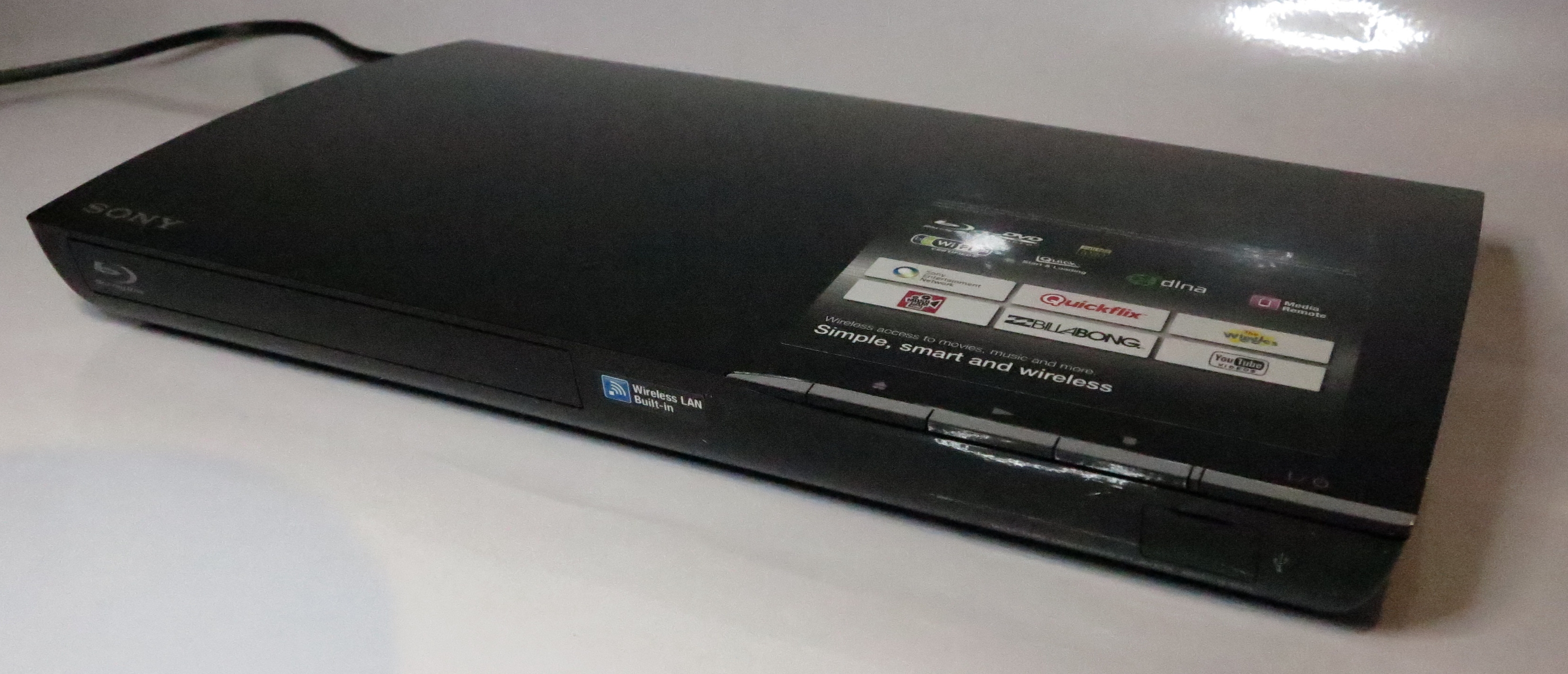
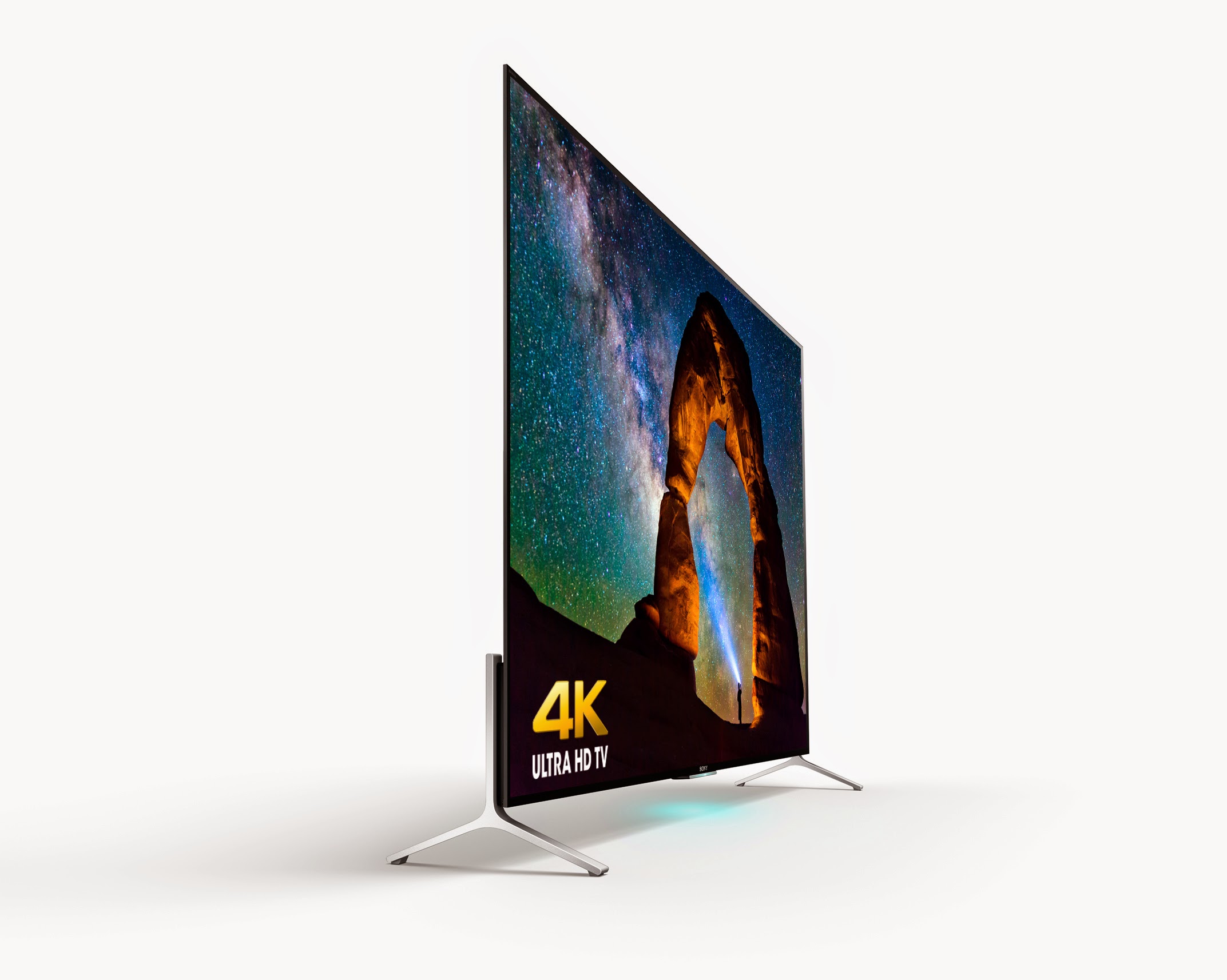
The new Sony TVs and Blu-Ray player have moved from a regular Sony firmware to a firmware based on the Google TV platform with access to the Android Market. This will provide the extensibility that Google TV can provide especially when new “over-the-top” or interactive TV services come on the Internet scene.
There is no mention of any DLNA support for integration with the DLNA Home Media Network devices; but an Android app pitched at Google TV devices could solve the problem.
At the moment, these sets are only available to US market with the market-specific features such as an ATSC tuner with CableCard support and the BD-Live Blu-Ray player only able to play DVD Region 1 and BD Region A discs. But it doesn’t take long for Sony to reconfigure their TV devices for the European, Asian or Australian / New-Zealand markets by adding features that are specific to these markets .
Technorati Tags: HDTVs,Live,player,Google,Sony,Intros,Worlds,HDTV,Internet,Event,Insider,comments,platform,Android,Market,services,DLNA,integration,Home,Network,devices,moment,features,ATSC,CableCard,Region,European,Asian,Australian,Zealand,Articles,firmware
Print This Post
Filed under HomePlug powerline networking, UPnP AV / DLNA media-playback hardware) by simonmackay on 22/09/2010 at 17:31
{no comments}
NETGEAR Rolls Out HD Media Players, UTM and Powerline Products – SmallNetBuilder
My Comments
I have read the attached article and found that most of the devices had impressed me as devices that would work well in a home or small-business network. This was because of particular abilities that had made the devices unique rather than run-off-the-mill devices.
NeoTV network media players

NeoTV 550 network media player
This group of NeoTV network media players may be very similar to the other network media players like WDTV Live that are appearing on the market. This is that they are capable of playing audiovisual media held on a USB memory key, camera card reader or external hard drive; or from a DLNA/UPnP-AV-compliant media server that exists on your network. But one of the models in this lineup, the NeoTV 550, has eSATA connectivity and the ability to be a Blu-Ray Disc player when connected to an optional eSATA-connected Blu-Ray drive. This can benefit people who want to consider running this unit alongside their DVD player as a network media player but may take the plunge for Blu-Ray when they are ready.
At the moment, I am not sure whether this unit can work as a substitute DVD player if it is connected to an eSATA or USB DVD drive or a DVD is loaded in to a connected Blu-Ray drive.
HomePlug AV 802.11n access point

XAVN2001 HomePlug AV 802.11n wireless access point
One device I am pleased to see on the scene is the XAVN2001 HomePlug AV 802.11n wireless access point which work like some of the 802.11g wireless access points that can connect to a HomePlug 1.0 Turbo segment. It is also available as part of the XAVNB2001 kit which includes the Netgear XAV2001 HomePlug AV-Ethernet bridge as well as this access point. Like these other access points, this unit plugs in to the wall and works as a bridge between an Ethernet segment and a HomePlug AV powerline segment as well as being an access point for a 2.4GHz 802.11n wireless network.
This device can work as a way of extending the effective radio footprint of an 802.11n wireless network with the use of an Ethernet or HomePlug AV wired backbone. On the other hand, it could bring an 802.11n wireless network and Ethernet network point in to an outbuilding or static caravan (trailer) in the manner talked about in my feature article “Multi-Building Home Networks”.
Quick extension-access-point setup with WPS
I had done further research about this access point through Netgear’s Web site and found that this unit uses WPS as a way of simplifying the creation of a multiple-access-point wireless-network segment. This kind of segment, also known as an “extended service set” makes use of multiple access points with the same SSID, network operating mode and security parameters so a portable device can move between access points with minimal user intervention. I have written a bit about the concept of using WPS as a way of simplifying setup of a small multi-access-point wireless network in an article I had posted last year on this site at its old location and had moved to the current location.
The user just has to hold down the unit’s ON-OFF button for a few seconds then press the WPS button on the WPS-ready wireless “edge” router to start the configuration routine. A few moments later, they are then able to move the access point to the area where the Wi-Fi network is needed and proceed to connect this access point to the Ethernet or HomePlug AV backbone which the wireless router should be connected to.
Conclusion
If more manufacturers can look towards making affordable and easy-to-use network devices, they can end up with equipment that will appeal to most users and have equipment that is out of the ordinary.
Print This Post
Filed under UPnP AV / DLNA media-playback hardware) by simonmackay on 27/08/2010 at 18:21
{no comments}
News Articles
Sony’s Upcoming SMP-N100 Networked Media Player Packs a Punch | eHomeUpgrade
Hands on: Sony’s $129 N100 Media Player ‘Does More Than Roku | CEPro
My comments
Already have a Sharp LCD TV / Blu-Ray Disc combo or a good LCD TV or projector hooked up to a Blu-Ray player that you like so much? You may want network video playback or access to Internet TV.
This was fulfilled with devices like the WD TV Live or similar devices but if you place heavy value on consumer-electronics brands, you could be interested in the Sony SMP-N100 Networked Media Player. This unit isn’t just a DLNA Networked Media Player but is a dedicated component version of the Sony Bravia Internet Video platform which is what Sony is using to bring Internet video and applications to the lounge-room TV.
It can work with an 802.11g/n Wi-Fi home network, an Ethernet network or a HomePlug network if you use a HomePlug-Ethernet bridge and can play media from USB Mass-Storage Devices but there are still a few questions that need to be answered.
One is whether the device can work properly as a Network Media Renderer where it is controlled by a DLNA-compliant external controller like TwonkyManager, Andromote or PlugPlayer and the other is whether it can handle high-definition media like high-resolution “megapixel” JPEGs or AVC-HD videos properly and quickly on suitable equipment. The former function is one I would consider important if you are using it to play music from your home network and you don’t want to turn on the TV to select what you want to play.
At least this is an example of a way of bringing Internet-based video to most users in a cost-effective way without having to consider replacing video equipment.
Print This Post
Filed under UPnP AV / DLNA media controller hardware, UPnP AV / DLNA media-playback hardware) by simonmackay on 28/06/2010 at 15:07
{no comments}
Article
D-Link’s Xteme N DIR-685 All-In-One Router Gets DLNA Certification and Some Nifty New Features | eHomeUpgrade
Download link:
D-Link’s support website – DIR-685 downloads
My comments
I had previously mentioned the D-Link DIR-685 Wireless-N Broadband Router / Electronic Picture Frame in this site during my coverage of the CES 2009 show in January 2009. This warranted my attention because of a storage router that also worked as an electronic picture frame because of its colour LCD display.
This router also was part of the DLNA Media Network because it could become a DLNA media server for material held on a user-installed hard disk or an external USB-based storage device. But this functionality has been extended through the latest firmware update for it to become a control point in the DLNA Media Network as well as showing pictures held on other DLNA Media Servers on that same network.
By the same token, the screen can be controlled by other DLNA Media control points such as TwonkyManager or a control point integrated in a smartphone like Andromote (Android), PlugPlayer (iOS – iPhone / iPad / iPod Touch) or the one that part of most of the Nokia phones.
At the moment, the utility of this function is limited to digital images because there isn’t any sound-handling functionality in this router.
This could lead to ideas like a “two-box two-screen” network solution for visual merchandising consisting of this router and a Sony or Samsung DLNA-ready TV with images shown on both the router and the TV. Similarly, this device could be seen as another “screen” for pictures to appear in another area but sharing a common pool of pictures in the network.
Therefore this is another example of a common standard breeding product software innovation rather than an imitative design culture.
Print This Post
Filed under Product Review, UPnP AV / DLNA media-playback hardware) by simonmackay on 17/05/2010 at 13:43
{no comments}
I am reviewing the Sony STR-DA5500ES high-end home theatre receiver which is the first network-capable home-theatre receiver that I have reviewed in my blog. At the moment, Sony have supplied me with the SRS-DB500 2.1 powered speaker set which I will be reviewing in a separate article on this blog, for use with this receiver.
Some of you who may not understand sophisticated audio setups will benefit from a reference page which will explain the terms that I will use when describing this receiver and other audio equipment in this blog.
This unit is the second model down from the top-of-the-line STR-DA6400ES receiver in Sony’s high-end “ES” range of home-theatre receivers but is still very capable in its home-theatre-hub role.
Fit and finish
This receiver has the same fit and finish associated with the good-quality Sony hi-fi equipment that has existed for many years/ The controls are smooth and properly responsive and the unit’s finish looks “very polished”.
Usability
This unit excels on useability in a similar manner to most Sony home AV equipment that I have used.It has that very bright vacuum-fluorescent display that is easy to read even at dim levels and the controls are easy to manage.
Normally comes with two remotes – one with many buttons for controlling a home-theatre system’s components and for full control of the receiver; one for GUI-based control of the receiver.
Connectivity and Flexibility
This high-end receiver excels in this field of connectivity and flexibility. There are seven 120W power amplifiers built in to this unit’s chassis. You can set up a 7.1-channel speaker setup so you can properly enjoy movie content on Blu-Ray discs that is mixed to a Dolby Digital EX 7.1-channel sound-mix. On the other hand, you can set up a 5.1-channel speaker setup for Dolby Digital 5.1-channel sound-mixes commonly on digital TV or DVD and use the two spare power amplifiers for different setups.
Firstly, you could have speakers in another room to play another stereo sound source to that room or set up a sophisticated “bi-amp” setup where the tweeters and woofers in a capably-wired pair of front speakers are amplified separately. The limitation with this receiver is that there isn’t the ability to have the crossover functionality or the amplifier levels managed in a bi-amped setup.

An example of very good connectivity options
The multi-zone feature also allows for yet another zone to be catered fro as an audio-only stereo zone but with its own amplifier. Similarly, the secondary zone can be amplified with another amplifier. The line outputs for the extra zones are in fact line-level outputs that are independent of the main volume control and you would have to adjust the sound at the remote amplifiers.
These setups also allow you to “scale up” your sound system as you see fit and can afford the extra equipment. You can even start with a pair of good stereo speakers and, as you can afford them, connect up extra speakers for your surround-sound setup.
There are plenty of audio and video inputs for extra audio and video equipment, Music enthusiasts are even catered for with a phono input for a good turntable as well as two tape loops for recording devices like cassette or MiniDisc decks. These same connections can be used for connecting up a computer’s sound subsystem for recording vinyl or cassettes to the hard disk rather than using those poor-quality USB turntables. Those music enthusiasts who believe that the audio reproduction of a dedicated CD player connected to the analogue inputs is better than that of a DVD or Blu-Ray player connected to the HDMI or optical digital inputs of this receiver can connect the CD player to these inputs.
The front panel provides walk-up connections for 1 regular video source (composite video, stereo analogue audio and optical digital audio) and 1 HDMI video source.
There is a DMPORT connection for use with optional Sony-supplied modules that provide connection to and control of various portable devices. These include Sony Walkman MP3 players, phones that have Bluetooth A2DP functionality like my Nokia N85 as well as Apple iPods and iPhones..
For video displays, there is connection for two HDMI-equipped video display devices so you can run a projector or smaller “operator-console” LCD screen alongside the regular large-screen LCD or plasma display. The receiver also supports video-signal conversion from regular video signals to HDMI signals, which means no need to connect composite or component cables to the main display to gain benefit from legacy video sources.
Network AV
The receiver offers some network-enabled functionality but this is limited to playback of DLNA media content with the user controlling the receiver through its remote control and requiring the video display attached to any of the monitor outputs being on to select toe content. For radio functionality, the unit can only work with Rhapsody or Shoutcast Internet radio services.
This network connectivity is made feasible by the receiver having an Ethernet connection. This means that it can work also with HomePlug AV powerline networks when you use a HomePlug AV-Ethernet bridge; and is my preferred “no-new-wires” network-connection method for connecting home-theatre and hi-fi equipment to a home network.
When you navigate a DLNA media server, you have to choose the kind of content you are after – music, pictures or video. If you browse around the same server for content outside the class you selected, this receiver will not start any of that content.
It could be feasible to select audio content by using the receiver’s built-in display and through the use of either the remote control or controls on the unit’s front panel. For Internet-radio functionality, it could be feasible to select Internet-radio content from vTuner, RadioTime or Reciva directories which include access to local radio from other countries.
Sound quality
The sound quality is as you would expect for high-end Sony gear, where it is not coloured. I even noticed this with my computer’s sound which was fed through the SACD/CD input and out through the Preamp outputs to the SRS-DB500 speaker set. I switched the unit in to regular 2-channel mode, then to “analogue direct” to assess whether the digital circuitry was colouring the sound. The receiver and the active speakers were set to “tone-flat” – bass and treble at centre positions in order to really assess how it sounded and I had played one of the early “Café Del Mar” recordings from my PC.
The reason I use this kind of recording is to assess the equipment from a mature user’s viewpoint and find out how it handles music other than aggressively-amplified pop music. In the context of the home theatre, it would also include being able to yield the whole soundtrack of a movie or TV series.
I haven’t been able to test the receiver with regular passive speakers but the power amplifiers are something worth trying out and using.
Limitations and Points of Improvement
I had mentioned that there could be some points of improvement as far as network operation goes. These include the ability to use the unit’s display and controls to select and control audio material from DLNA servers on the home network, without the need to switch on the TV display. Similarly, the receiver could offer what competing home-theatre receivers offer where you can “tune in to” Internet-radio stations offered by vTuner, Reciva or RadioTime directories.
For operation, a main point of improvement would be to allocate one video monitor as a “control monitor” while the other monitor shows video content. Here, it could allow for a smaller screen to be used for this purpose while the larger screen is used for the primary video.
Conclusion and Placement notes
Save for certain network-media limitations, this receiver would be considered as a worthy candidate for a primary “hub unit” for the main home-theatre area. It is also well-placed for audio enthusiasts or people who have material on legacy formats like vinyl records and want to be able to play these material on good equipment.
Notes:
The cited output power is based on manufacturers’ specifications with an 8-ohm speaker load and 0.09% total harmonic distortion (minimum quoted in the specifications).
Print This Post
Filed under IP-based broadcasting, Product Review by simonmackay on 10/05/2010 at 16:20
{no comments}
I am reviewing another of the Internet radios that are in that “mantel-radio” form factor like the Kogan Internet radio that I previously reviewed. From what I have noticed, it was as though it was the Kogan radio but without an iPod dock and in a glossy white cabinet.
The set is connected to mains power via a mains cord that is attached to the set rather than the usual AC adaptor that plugs in to the set. This is more in line with the traditional mantel radio or most of the clock radios that are currently ins use and will be likely to benefit people who have to deal with crowded power outlets and powerboards,
The set uses a bitmap LCD display which yields a large clock display whenever it is turned off and provides a useable menu display. The knobs are of an equal shape and all the buttons are lined up under the display in a single row. This may impair useability for older people because the labelling is too small.
On the other hand, the volume control is a real analogue volume control rather than the rotary encoder that I have used on most Internet radios and other recent consumer electronics. This will appeal more to mature people who want greater control of the set’s output volume – I have even heard that a sign of a person’s maturity is knowing that the volume control can be turned down rather than always up!!!!
Connectivity

Kogan and OXX Internet radios alongside each other
Like the Kogan table radio, there is an auxiliary input for external audio equipment like MP3 players and Discmans as well as a headphone jack which you can use as an external speaker jack when connected to active speakers.
It also excels on network connectivity through the provision of an Ethernet socket for use with wired networks, including HomePlug powerline networks. The wireless-network connectivity has been improved through support for WPS “push-push” setups as well as network profiles for multiple different wireless networks.
Lately, I had visited another location where this set was in use as a kitchen radio and was setting it up to work with a multiple-access-point wireless network and it shows each access point as a single entity even though the network was set up as an extended-service-set. This is still a problem with the Frontier chipset Internet radios because they are presumed to be kept in a single position rather than moved around the network. As well, the WPS “push-push” setup experience went very smoothly without a problem when I enrolled it with a router that was set up to work as an access point.
Use
There are four preset buttons for each of the operating bands as well as support for integration with the “www.wifiradio-frontier.com” Internet-radio portal. This then allows for a larger list of preferred stations to be kept consistent across multiple sets.
The unit also has improvements in other areas like dead-programme “clean-up” with DAB multiplexes for sets that are moved between towns or whenever the multiplexes are rearranged. Similarly there is also an equaliser function with five tone presets and manual adjustment for bass and treble. There wasn’t a loudness-compensation control on the manual tone adjustment unlike other Frontier radios with similar firmware.
It does work well with DLNA media services, especially the TwonkyMedia Server that is part of the Western Digital MyBook World Edition network hard disk. At the moment, it only works as a media player that can be operated from its control surface.

Bitmap display on OXX radio
When this set is run at a loud volume, it sounds as loud as the Kogan set, which is loud enough to cut over noisy kitchen appliances for example.
Limitations and Points of Improvement
One main limitation that I have experienced is the tendency to work on a small buffer which causes the radio to “start and stop” especially when playing some overseas Internet radio stations. It may be also limited through problems with Wi-Fi networks that may be difficult in some areas. The problem may also become worse as more people “hit on to” Internet radio – the new “short-wave” band, and servers don’t work well for quality of service. Other radios don’t seem to be as sensitive to this problem as much as this model.
A point of improvement that I would like to see would be steps to make the set more ergonomic and easier to use. For example, I would like to make the buttons more prominent so they are easier to find. This is more so for the on-off button and the mode button. As well, the LCD display could be better replaced with one of the monochrome OLED displays to improve on readability, or could be engineered to fill the display panel space more to make better use of that space.
Other than that, there wasn’t any other main limitation with this particular set for its class.
Conclusion
Although there is the limitation with the set working on a small buffer and being more prone to “start-stop” behaviour with Internet radio, it can work well as a tabletop radio / network media player for an office, waiting room, small shop or kitchen. I wouldn’t recommend this set for use in a workshop or similar location because of the glossy finish being more susceptible to damage that occurs in those areas.
Update note – 18 May 2012
I have added some further experience notes about the OXX Digital Classic DAB+ Internet radio since this review was published. This is due to my using a a radio of the same model that had been purchased by someone whose home network I was servicing and optimising.
Print This Post
Filed under UPnP AV / DLNA media-playback hardware) by simonmackay on 26/04/2010 at 15:40
{no comments}
Product Page
AVM FritzWLAN Repeater NG – manufacturer’s page (German language)
My comments
This gadget had intrigued me not just because it was a WDS-compliant Wi-Fi network repeater for all of the Wi-Fi networks but was a DLNA-compliant media player without a control surface.
It plugs in to an AC outlet in a similar manner to a HomePlug wireless access point like a Netcomm NP290W, Solwise ‘85PEW or Devolo dLAN Wireless unit. But this connection only exists to power the unit and, at the moment, is available only to fit the Continental-European power outlet.
The main strength in my opinion is its prowess as a network music player for the DLNA Home Media Network. It can be controlled by Windows Media Player 12, recent Nokia phones, TwonkyMedia Manager, an iPhone running PlugPlayer; and other UPnP AV Control Points or through its Web user interface. That same Web user interface can be used to select between six different Internet-radio streams of your choice but you would have to know the URLs of these streams.
You can connect it directly to a music system via its line input or digital input or enable a built-in “flea-power” FM transmitter to have it play through an FM radio tuned to a frequency that you nominate through the Web interface.
The closest competition to this device would be the Apple Airport Express which works as a USB print server, wireless-only router or network music player that only works with iTunes.
What I would like to see for this device would be to have it able to work beyond Continental Europe i.e. available with plugs to suit North America, UK, Australia and other markets. If extra value were to be applied to this device. It could also be improved with HomePlug AV and Ethernet connectivity in a similar manner to the aforementioned HomePlug wireless access points and work properly in an extended service set with client roaming to latest specifications.
The Internet-radio functionality could be improved by having the FritzWLAN Repeater work with an established Internet-radio directory like vTuner, Reciva or RadioTime to select the radio streams. This could then be taken further with access to the user favourites functions that the directories have.
The main take from this is that AVM have pushed the boundaries by adding a standards-based media player to a Wi-Fi network repeater instead of following the crowd.
Print This Post
Filed under IP-based broadcasting, Product Review by simonmackay on 30/03/2010 at 18:31
{no comments}
I am reviewing the Revo IKON, which is the first Internet radio that I have reviewed to be designed in a similar manner to a classic boombox. Here, it has been designed with that similar footprint in mind and also is equipped with stereo speakers that are angled outwards.
Description
The unit actually has an oval shape and has a pop-out iPod dock on the front, under a colour LCD touchscreen which is the set’s main user interface. The volume knob and the power button are located on top of the set, although the volume knob is a rotary-encoder type which doesn’t show on the display what volume position you have set it to.
Operation and Sound Quality
The colour LCD touchscreen is easy to read and the user interface that it presents to you when you select stations or other options is similar to an automatic teller machine that uses a touch-screen. The home menu shows a list of all the sources available – DAB, FM, Internet, LAST.FM, Media Player (UPnP AV), iPod dock and auxiliary input.
It also comes with a remote control which offers volume control, snooze / sleep control, transport control for the UPnP media player function or attached iPods, LAST.FM song voting as well as the ability to turn the unit on and off. You don’t have the ability to change stations or sources from this remote control.
If you are using the Internet radio mode, you can’t have ready access to the preset stations like you can with DAB or FM where you press a star icon to see the preset list. Instead, you have to meander around the menus to see the preset list. This can be an annoyance to those who tune in to local RF-based radio and are likely to visit Internet radio programs frequently and can be a pain for older users.
The unit works with DLNA-compliant media servers but you have to use the touchscreen or remote control to navigate the DLNA media server. This is common with Internet radios because Frontier or Reciva, who make most of the firmware for these radios don’t support “three-box” operation using UPnP AV Control Points.
The set supports LAST.FM and can allow users to “scrobble” (expose listening habits to LAST.FM) content from LAST.FM content or from content from a UPnP AV / DLNA media server.
The set has a “clean-up function” that makes it easier to manage changes to the DAB station list, which can be of importance if it is taken between locations or the DAB multiplexes in a city are being re-arranged.

iPod dock exposed
The set has a similar tone control to the previously-reviewed Revo Domino, where you can select one of five tone presets or set up a customised tone preset. Here, you have bass and treble controls and a loudness-compensation switch. Infact, the “normal” tone preset is with flat bass and treble settings and with loudness compensation switched on.
Speaking of the sound, the sound quality is very similar to most of the low-end to mid-range portable radios made through the late 1970s to early 1980s. It can also fill a small to medium-size room with sound in an intelligible manner.
Connectivity
The set can work with WiFi networks that use conventional WPA2-PSK passphrases or can be “bonded” to routers that support WPS “push-button” configuration. This function should be made available not as a WiFi network option but as part of the setup wizard. It can store the parameters relating to four different WiFi networks, which can be useful for home networks with more than one SSID or if you take the radio between multiple locations.
This radio also has an Ethernet socket which adds plenty of flexibility to how it is connected to the Internet. Here, you could connect it to a HomePlug or MoCA “existing-wires” segment using the appropriate bridge adaptor, a WiFi network that it can’t connect to using a WiFi-client bridge or directly to to an Ethernet network like in business premises.
There is only one external output socket in the form of an SPDIF optical socket for connection to a digital amplifier, home-theatre receiver or a digital recorder like a MiniDisc deck. This is limiting as far as outputs are concerned because a set like this could benefit from an analogue output like a headphone jack (to connect to headphones or external active speakers) or a line output jack (to connect to another amplifier or a cassette deck).
Advantages
One main advantage with this set is the stereo sound provided by the two speaker systems built in to the unit. This is an advantage compared to the Internet radios that I have been reviewing in the blog so far. The other main advantage that this set has is the ability to work with an Ethernet network rather than just a WiFi wireless network, which opens up a world of flexibility.
Other features that I like include the colour display, improved DAB handling and support for stations that present logos as part of their Internet-radio streams.
Limitations and Points of Improvement
One main limitation with the Internet radio function is the inability to access the preset-station list from all of the Internet-radio screens unlike what you can do with FM and DAB. This limitation could be rectified through a software update and impairs an otherwise very good Internet radio.
The other limitation with this set is the lack of a headphone jack or line-level output. This also limits the flexibility that the set could offer as far as connection to external audio equipment is concerned.
Conclusion and Placement Notes
Other than the few limitations concerning output connectivity and ready access to Internet-radio presets, this radio does have a lot going for it as a general-purpose Internet table radio.
It would work well as a radio for a kitchen, office or small shop, especially if it is used as a direct replacement for an older boombox or iPod dock or as an upgrade from a single-speaker Internet radio like the Revo Domino or Kogan Internet radio.
Print This Post
Filed under IP-based broadcasting, UPnP AV / DLNA media-playback hardware) by simonmackay on 18/03/2010 at 00:53
{one comment}

Kogan Internet table radio - BBC updates now available
Over the last few months, those of you who own a Kogan Internet/DAB+/FM table radio, which I have reviewed in this blog in November, wouldn’t have been able to receive any Internet radio services from the BBC. It may be of concern to UK expats or Anglophiles who have bought this radio primarily to listen to the sound of the BBC radio stations that broadcast there like BBC Radio 4. The symptom was typically in the form of the radio showing “Network Error” when you select a BBC radio service. This was because the BBC were doing a technical re-engineering of their online radio streams and were moving away from the original Real-Audio streams to newer technologies.
vTuner had updated their “master” Internet radio directory which services Frontier-based sets as well as a lot of other Internet-radio designs to reflect the BBC changes. The set manufacturers had to then roll out the updates to each of their set designs through the over-the-air updates. In the case of this Kogan table radio, it took a frustrating long time for the update to materialise because the OEM who makes these sets had to make sure it was working properly before releasing the update.
As of 18/03/2010, Kogan have rolled out the updated directory to these radios and next time you turn on the set and select “Internet radio”, you will have an “update notice” appear on the display. Press the INFO button in response to this “update notice” and wait for the update to complete. The radio must not be disconnected from the power at all during this process. The progress of the update is highlighted with a “fuel gauge” bar that appears on the bottom row of the display and when the set is updated, the display will show “Press SELECT to continue”. At this point, press the large “tuning knob”, and the set will restart and, a while later, the last Internet radio station that you listened to will play.
Then you can tune to the BBC stations using the menu system or recall any BBC stations that you previously allocated to the preset buttons. This update does not affect any other functionality or personal settings that you have established when using this set.
If you had bought one of these radios and the BBC reception problem had made you think of returning the radio to Kogan, now you don’t need to do so because of this update/
Print This Post