Tag: Dell Inspiron 13 7000 2-in-1 computer

This year’s computing improvements from Dell

Articles

Dell XPS 13 Finally Fixes the Nosecam | Tom’s Hardware

Dell G Series Gaming Laptops Get Nvidia RTX Makeover | Tom’s Hardware

From the horse’s mouth

Dell

Press Releases

My Comments

Dell has been improving their value-for-money portable computer product line and premiering some of these new products in Las Vegas at the Consumer Electronics Show 2019. Here I am calling out a few distinct improvements across the different product lines as supplied through their press material.

Some options that have been cropping up include a 1Tb solid-state disk in most product lines, NVIDIA RTX ray-tracing video chipsets in gamimg models and OLED displays in premium 15” models. But there are some computers out there that have some interesting features like a small built-in Webcam or “walk-up and sign-in” operation.

Improvements to the XPS 13 Ultrabook
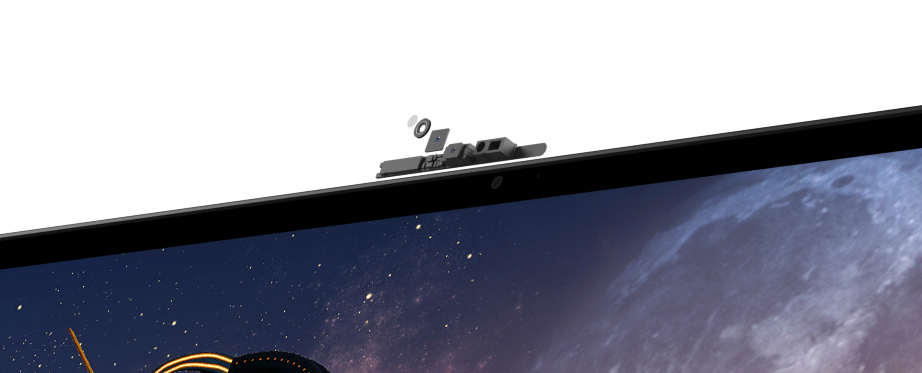
Dell XPS 13 9380 Webcam detail press picture courtesy of Dell Corporation

Thin Webcam circuitry atop display

Dell have been incrementally improving on the XPS 13 Ultrabook by releasing the latest iteration known as the 9380 model. But this iteration isn’t just based around its silicon although it implements Intel 8th-Generation Whiskey Lake technology.

One of the main useability improvements is for the Webcam to be located in its proper position above the screen rather than below the screen as with some previous generations. This avoids videocall situations where your correspondent is looking at the ceiling or your nose when you use the Webcam located at the bottom of the screen. The problem was brought about due to Dell’s InfinityEdge “thin-bezel” approach which didn’t allow for room for a standard Webcam circuit. But it had been solved through the use of a 2.5mm Webcam circuit that allowed for a thin top bezel for the screen.
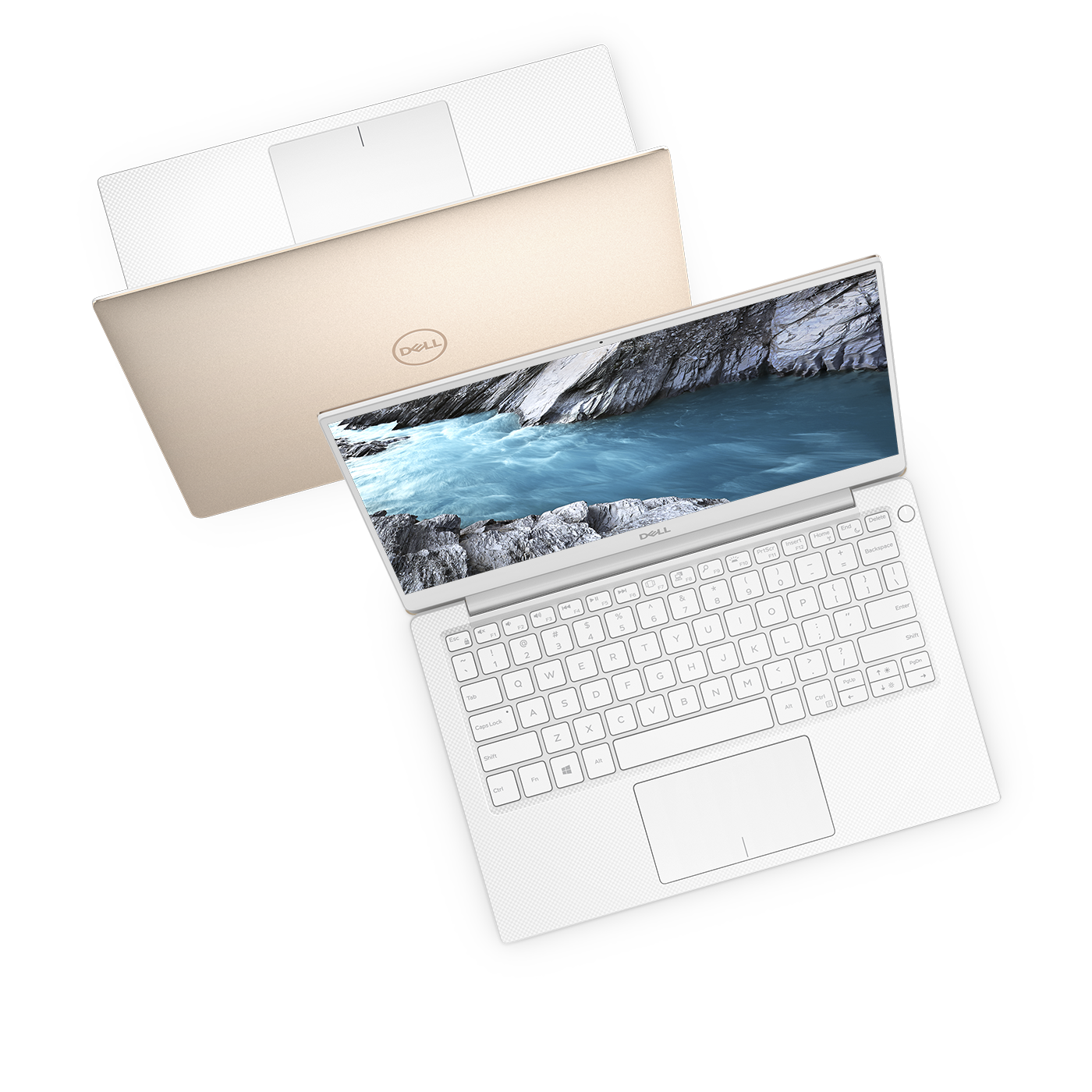
Swll XPS 13 9380 press picture courtesy of Dell Corporation

Now in the “Frost” finish with white keyboard and deck and silver back

It also implements a variable-torque hinge to make it easy to open and close, something that may please older users with hands that may not be all that great thanks to arthritis for example. Another feature that Dell is pushing is to have a fingerprint reader integrated in the power button on the computer.

The latest iteration of the Dell XPS 13 underscores the USB-C connectivity form by having three connections of this kind – two Thunderbolt 2 connections and a USB-C-only connection. This is alongside an audio jack which hasn’t been forgotten about as well as a microSD card reader.

The Dell XPS 13 is available with 8th-generation Intel “Whiskey Lake” Core CPUs (i3, i5 or i7) and Intel UHD 620 integrated graphics. It will have up to 16Gb RAM and 2Tb SSD as non-volatile storage. There will be three display options – a Full HD non-touch screen, a Full-HD touch screen or a 4K UHD touch screen. There is an expected 21-hour battery runtime for an XPS 13 equipped with a Full-HD display which will allow continuous use on one of the new non-stop longhaul flights facilitated by the Boeing 787-9 Dreamliner.

What is being underscored here is the idea of keeping the Dell XPS 13 as the value-for-money Ultrabook that “ticks the boxes” as far as “thin-and-light” clamshell-style portable computers go. Here, it is through implementing the latest technology and answering problems that the user base and computer press have raised about this model.

G-Series gaming-laptop refresh with RTX graphics option
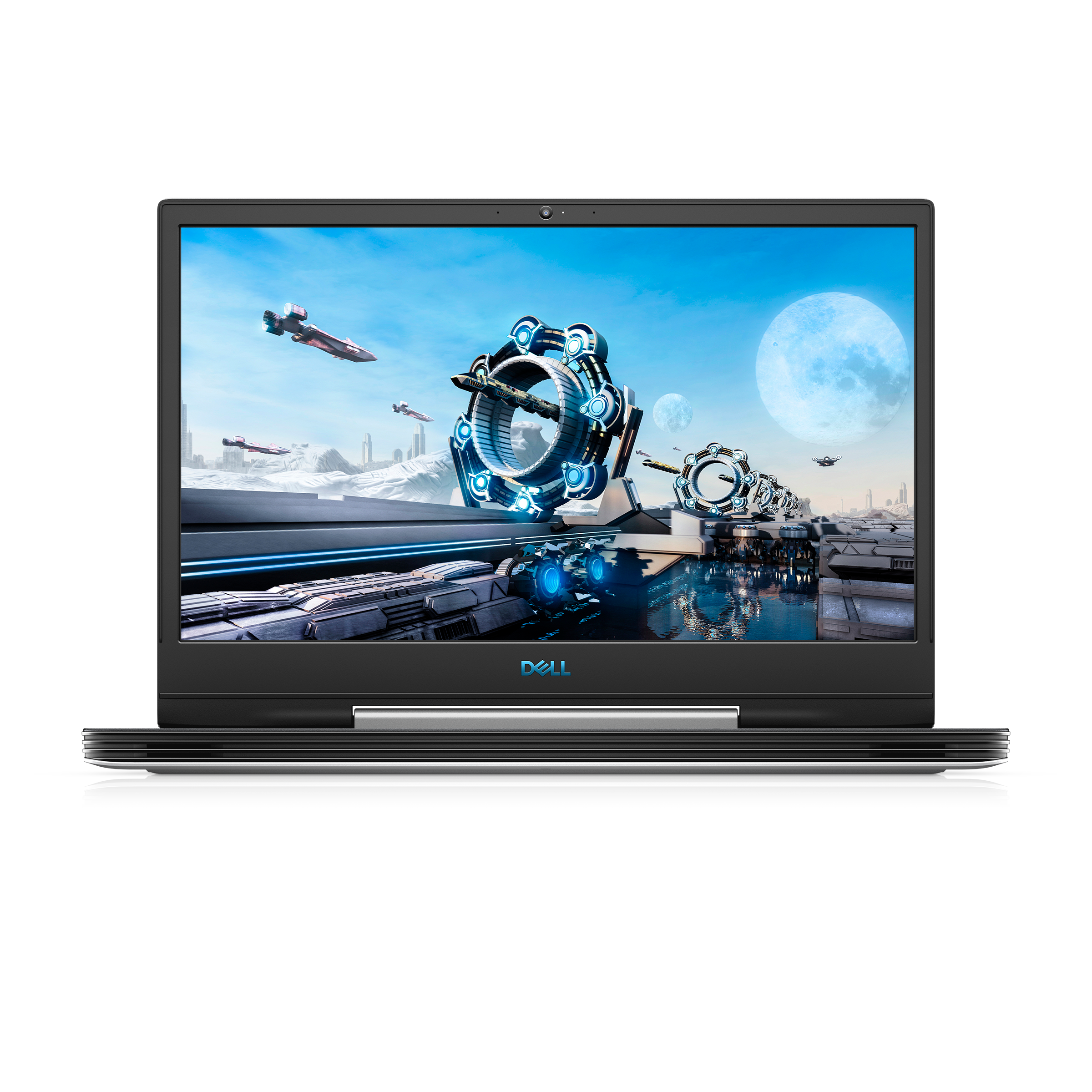
Dell G5 15 gaming laptop press picture courtesy of Dell

The new Dell G Series high-performance gaming-graphics laptops

The CES 2019 exhibition became the time for NVIDIA to premiere their RTX family of ray-tracing-capable graphics processors. Dell was one of the first computer manufacturers to offer a gaming-grade computer as part of their main brand with this silicon as a configuration option.

Here, the G-Series gaming laptop range has effectively been refreshed with new Intel CPUs and the NVIDIA RTX graphics chipsets. The G-series laptops are different from the Alienware gaming brand where they are positioned with a similar approach to the “GT” or “Sport” variants of popular mainstream passenger cars which have the higher-performance powertrains.

But in some ways, these computers can be seen as an entry-level workstation for photo and video hobbyists or students starting on high-end graphics-focused computing like with architecture or statistics.

These systems will be known as the G5 15 with the 15” screen and Core i7 horsepower, the G7 15 with the Core i9 horsepower and 15” screen, and the G5 17 with the same horsepower as the G5 15 but with a 17” screen.

The system RAM can be specced up to 16Gb. This is while the storage options can be specced in the form of a single-device option with a 1Tb 5400rpm hard disk or a dual-device option with up to 1Tb M2 solid-state disk ganged with a choice of 500Gb 7200rpm, 1Tb 5400rpm or 2Tb 5400rpm hard disks.

The economy option for the display subsystem is an NVIDIA GTX 1050Ti GPU but the computer will have the Ethernet port and a USB-C port as its system-specific connections. All of the new G-Series computer can be configured with any of the RTX GPUs which will also have 8Gb of display RAM. They will have the USB-C, Thunderbolt 3 and mini DisplayPort connections as their configuration-specific options.
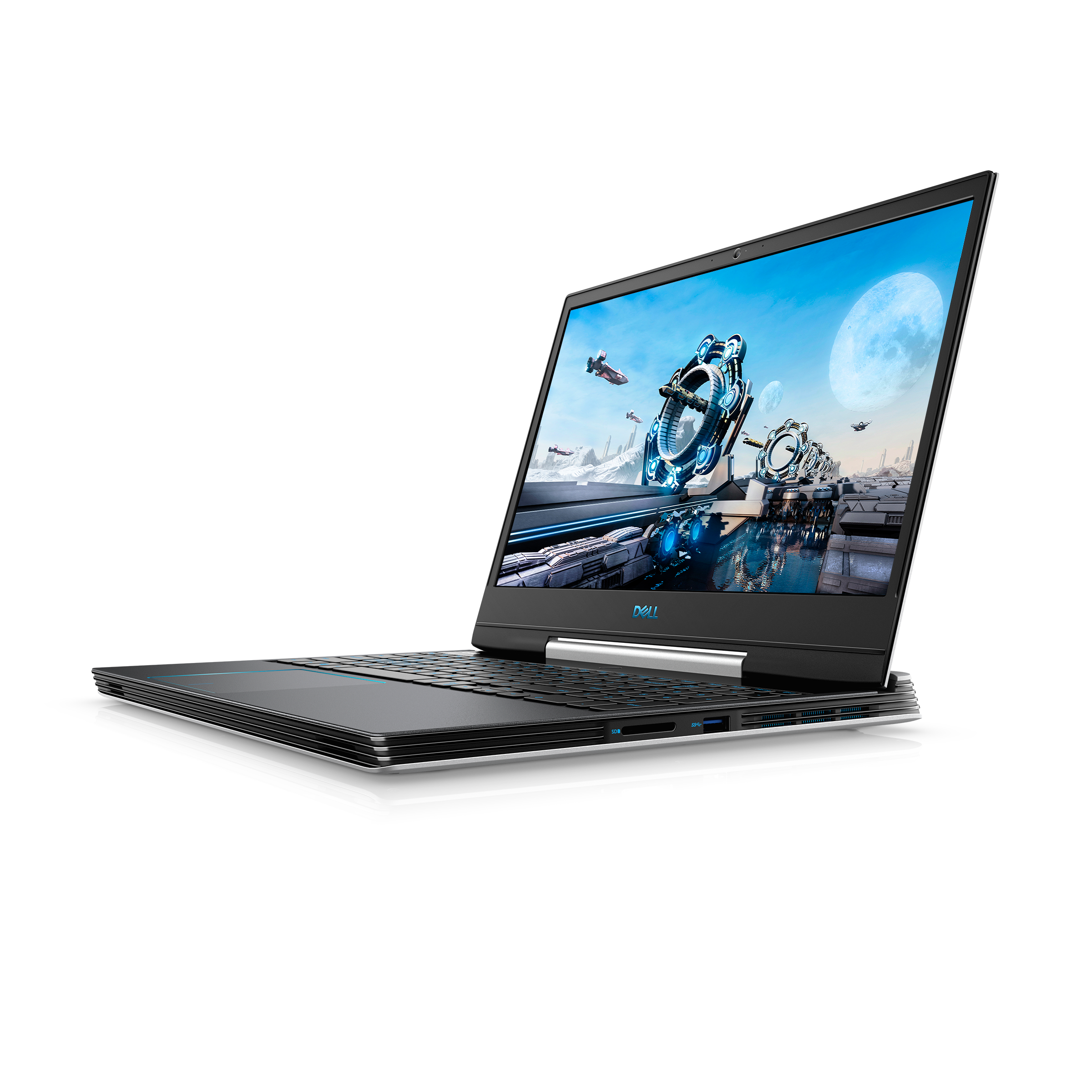
Dell G5 15 gaming laptop press picture courtesy of Dell CorporationThe common connection options would be 3 USB 3.1 Type-A ports, an SD card reader, an audio jack as well as those extra configuration-specific ports.

The 15” models can have a Full HD IPS screen 220nits brightness and 60Hz refresh rate, a similar screen with similar resolution and refresh rate but 300nits brightness, another similar screen with a similar resolution and brightness but a game-friendly 144Hz refresh rate. There is the full-on option of equipping your 15” Dell G-Series with an 4K UHD OLED screen at a 400nits brightness and 60Hz refresh rate, something that would appeal to photo and video enthusiasts.

The 17” model has fewer screen options in the form of a full HD IPS screen with 300nits brightness but a choice of 60Hz or 144Hz refresh rates.

OLED screens as a configuration option for premium Dell laptops

Speaking of OLED display technology, the XPS 15 thin-and-light, Alienware m15 premium gaming and the Dell G7 15  are able to be equipped with OLED displays rather than LCD displays. These will also be able to support high dynamic-range vision using technologies like Dolby Vision. This will make these computers appeal towards photo and video professionals who look out for increased photo-grade dynamic range,

Dell Latitude 7400 business 14” 2-in-1
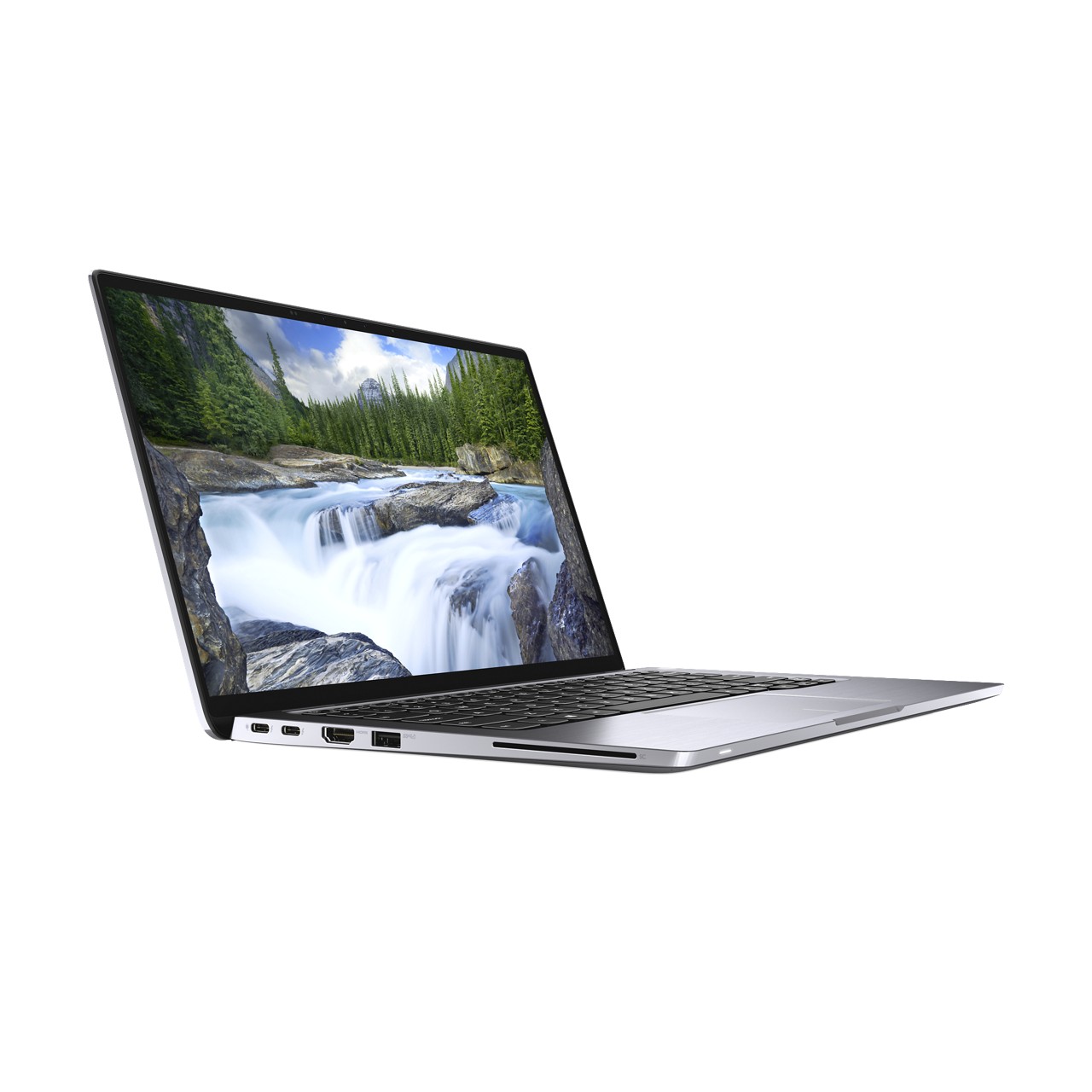
Dell Latitude 7400 14" 2-in-1 laptop press picture courtesy of Dell Corporation

Dell Latitude 7400 14″ 2-in-1 laptop with ExpressSignIn

This is a rare sight for the Consumer Electronics Show where a computer manufacturer is premiering a business-grade computer at a consumer-focused technology fair. But small-business owners may find this of value if they buy their technology through an independent computer store or value-added reseller.

Here, Dell are premiering the Latitude 7400 14” business 2-in-1 which has features that make it stand out from other business computers in its class. Here, this computer which has a Titan Grey finish is the smallest business-grade 14” 2-in-1 convertible laptop on the market.

It also has the ExpressSignIn feature that detects user presence near the machine. When the user comes near, it will wake up and activate the Windows Hello facial-recognition routine to verify that the user is authorised to operate the machine. Then, when the user walks away, the Dell Latitude 7400 will lock the user session.

It has 2 Thunderbolt 3 connections as standard and, as specifiable options, Gigabit LTE mobile broadband, 1Tb solid-state drive, Wi-Fi 6 and Bluetooth 5 connectivity. The 1Tb solid-state drive’s capacity will please those of us who effectively “live out of their briefcase” but want the high performance. As is expected for a premium business laptop, this will have the security and manageability features that would please a corporate IT team or a value-added reseller offering “big-time” IT support to small businesses.

Inspiron 7000 Series 2-in-1s gain significant design improvements

The Dell Inspiron 7000 Series 2-in-1 convertible laptops have undergone some significant revision in their design.

Rather than having an ordinary hinge, these computers have a new hinge design with a place to park the supplied active pen. This means that the pen is presented to the user without it falling out no matter whether the computer is folded over as a tablet, in a partially-folded “tent” or “media-viewer” state or a traditional laptop. It also makes sure that the hinge part looks special, as well as being part of an improved cooling and ventilation approach that understands lifestyle computing needs like bingeing on Netflix in bed or “flipping through” YouTube videos on the couch.

The improved cooling and ventilation approach is also augmented through adaptive thermal-management technology which varies the Inspiron 7000’s performance depending on whether you are moving it around or keeping it still on your desk. This avoids you handling a portable computer that is running uncomfortably hot.

The integrated power switch / fingerprint reader design has opened up a design feasibility for the 15” variant of the Dell Inspiron 7000 Series. Here, it means that the computer can be equipped with a numeric keypad which is a rarity amongst 15” 2-in-1 computers.

Still there is the limitation with this series where the USB-C port on these computers is the standard USB-C port rather than a Thunderbolt 3 port. If the Inspiron 7000 Series came with the Thunderbolt 3 port, it could then mean that these computers could be teamed with an external graphics module for at-home gaming.

Conclusion

Dell is keeping up its name as a value-for-money computer name but is assuring users that they are creating innovative designs rather than copying established ones.
Product Review–Dell Inspiron 13 7000 2-in-1 laptop (Intel 8th Generation CPU)

Introduction

I am reviewing the latest version of the Dell Inspiron 13 7000 8th Generation which replaces the Inspiron 13 7000 7th Generation models that I previously reviewed. Here, this is based around implementing the Intel Kaby Lake Refresh technology which is a step towards making mainstream portable computers capable of doing most computing tasks without being seen as underpowered cousins of desktop computers.

There is also the Dell Inspiron 13 5000 2-in-1 series which omits the USB Type-C connection and the Intel RealSense camera but available at a cheaper price. These are available in three different configurations, one with an Intel Core i5 CPU, 8Gb RAM and 256Gb SSD; a step-up variant with a Core i7 CPU and the top-shelf model with 16Gb RAM and 512Gb SSD storage.

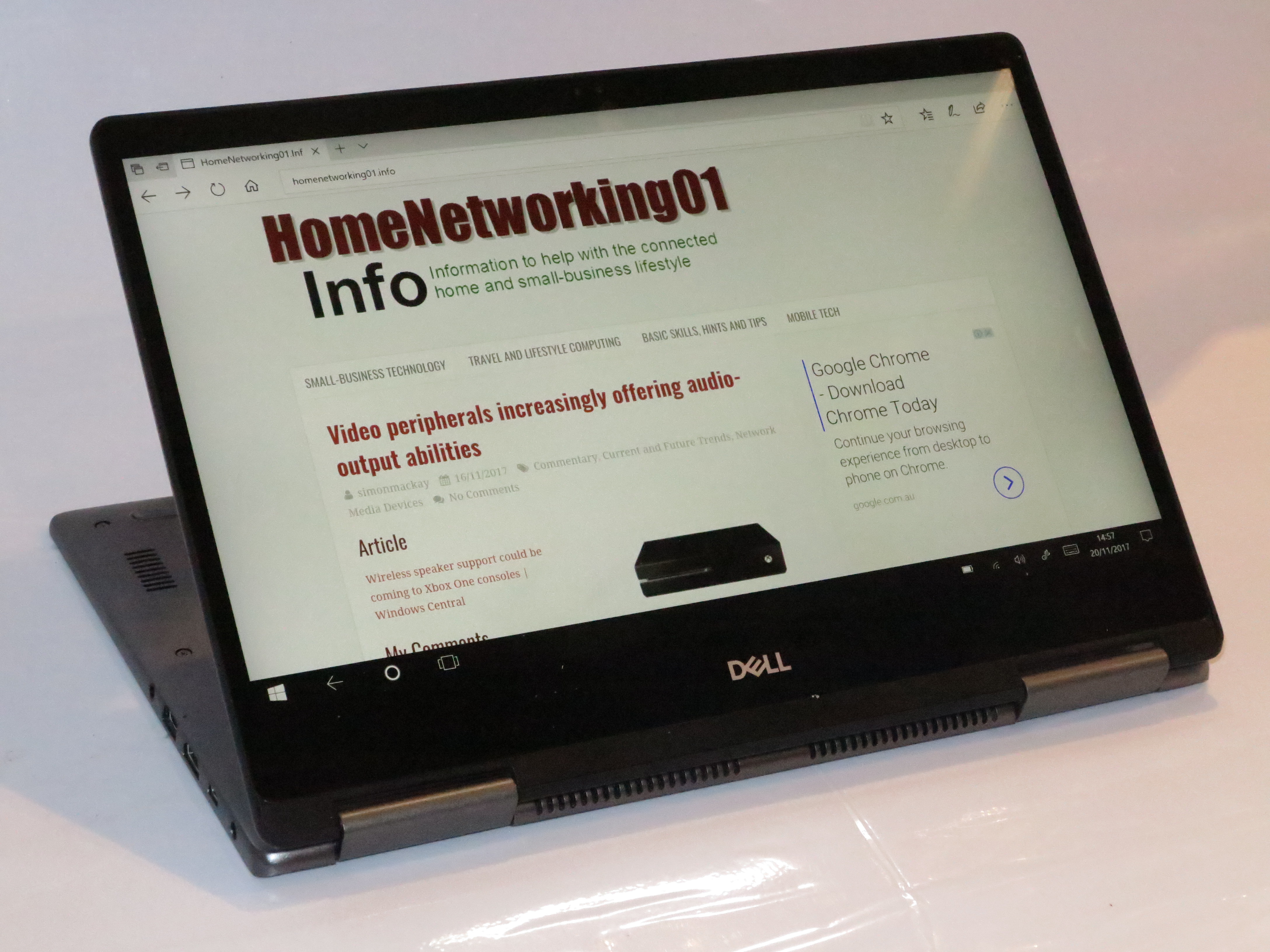
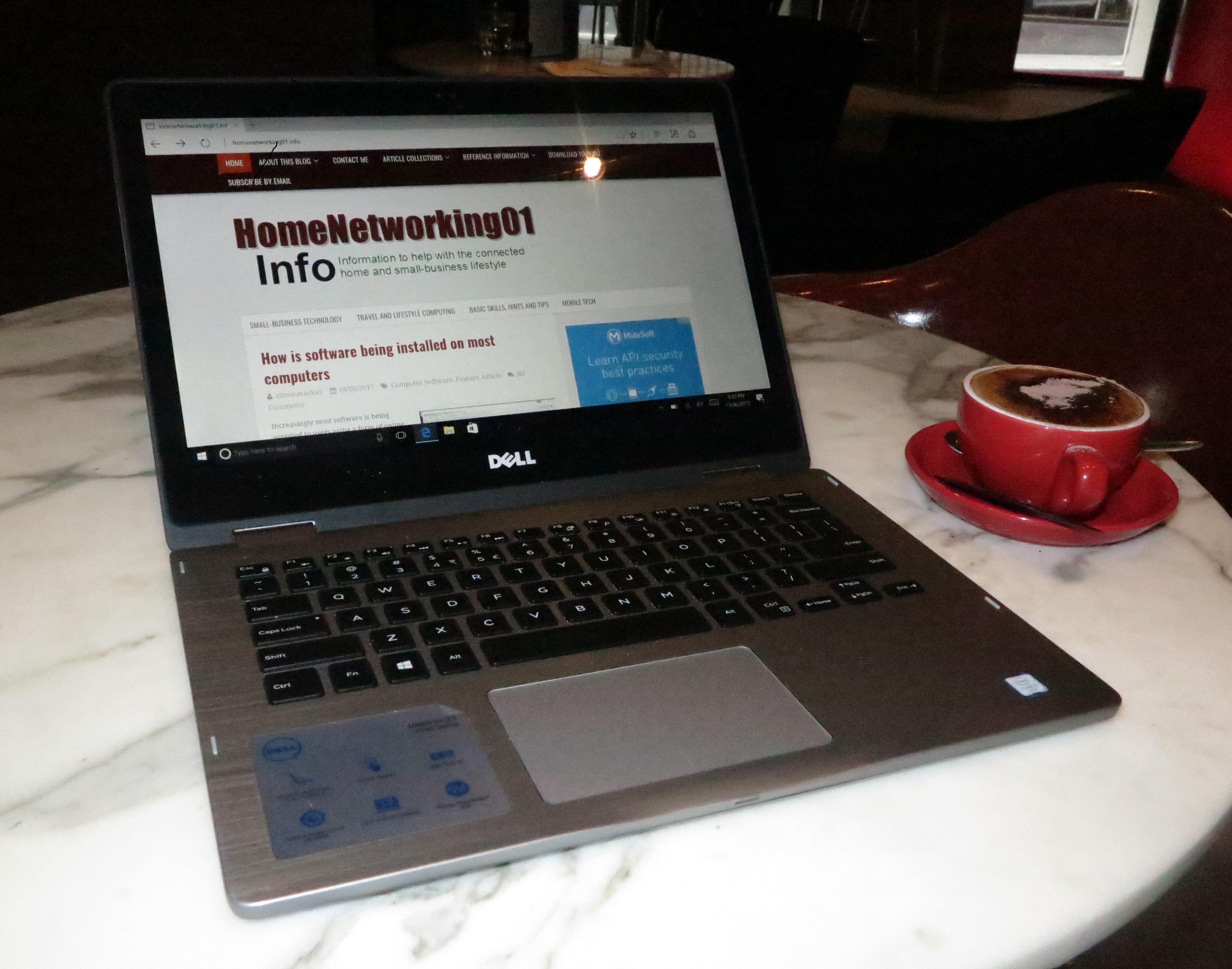
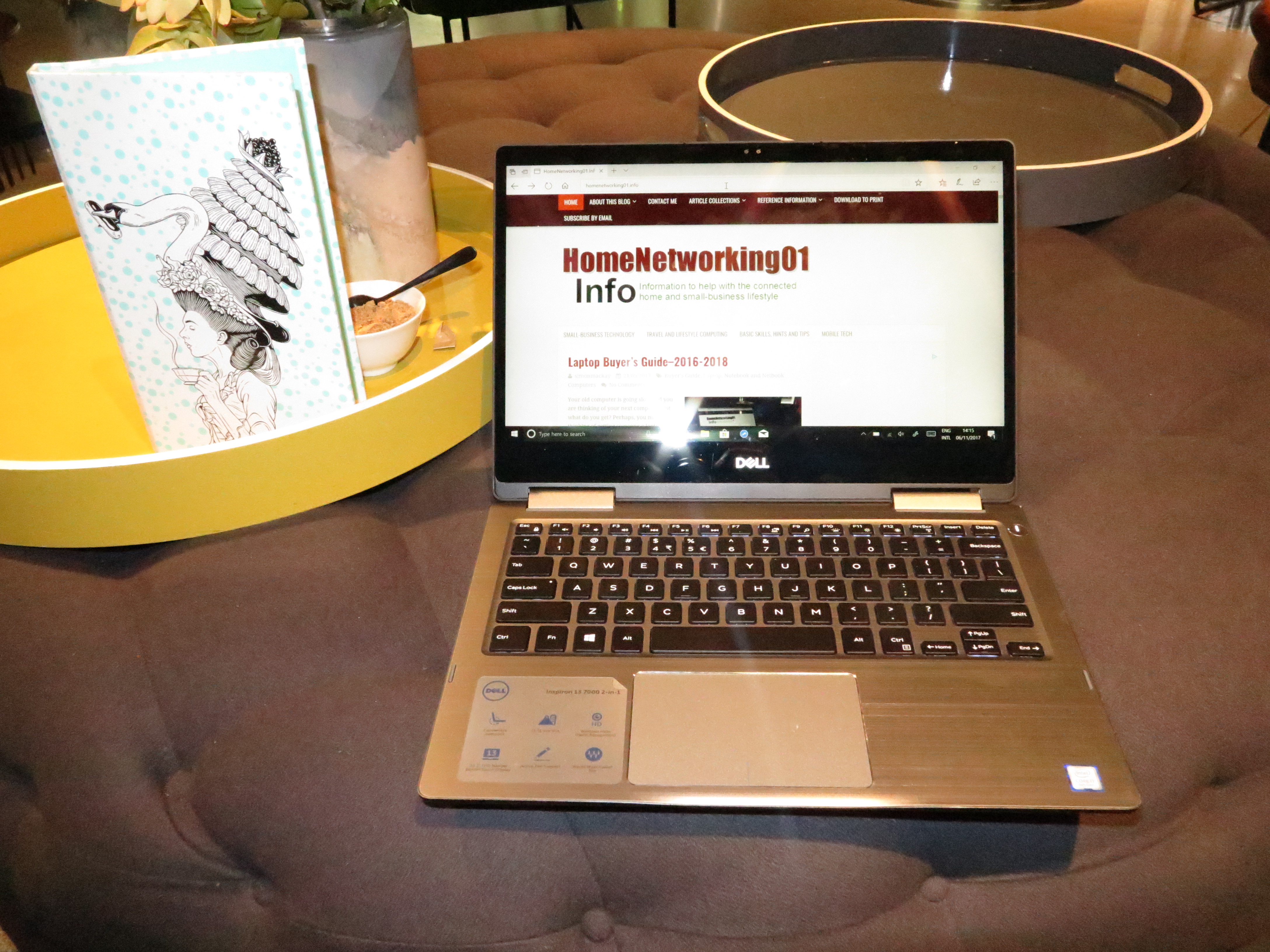
Dell Inspiron 13 7000 2-in-1 Intel 8th Generation CPU at QT Melbourne hotel

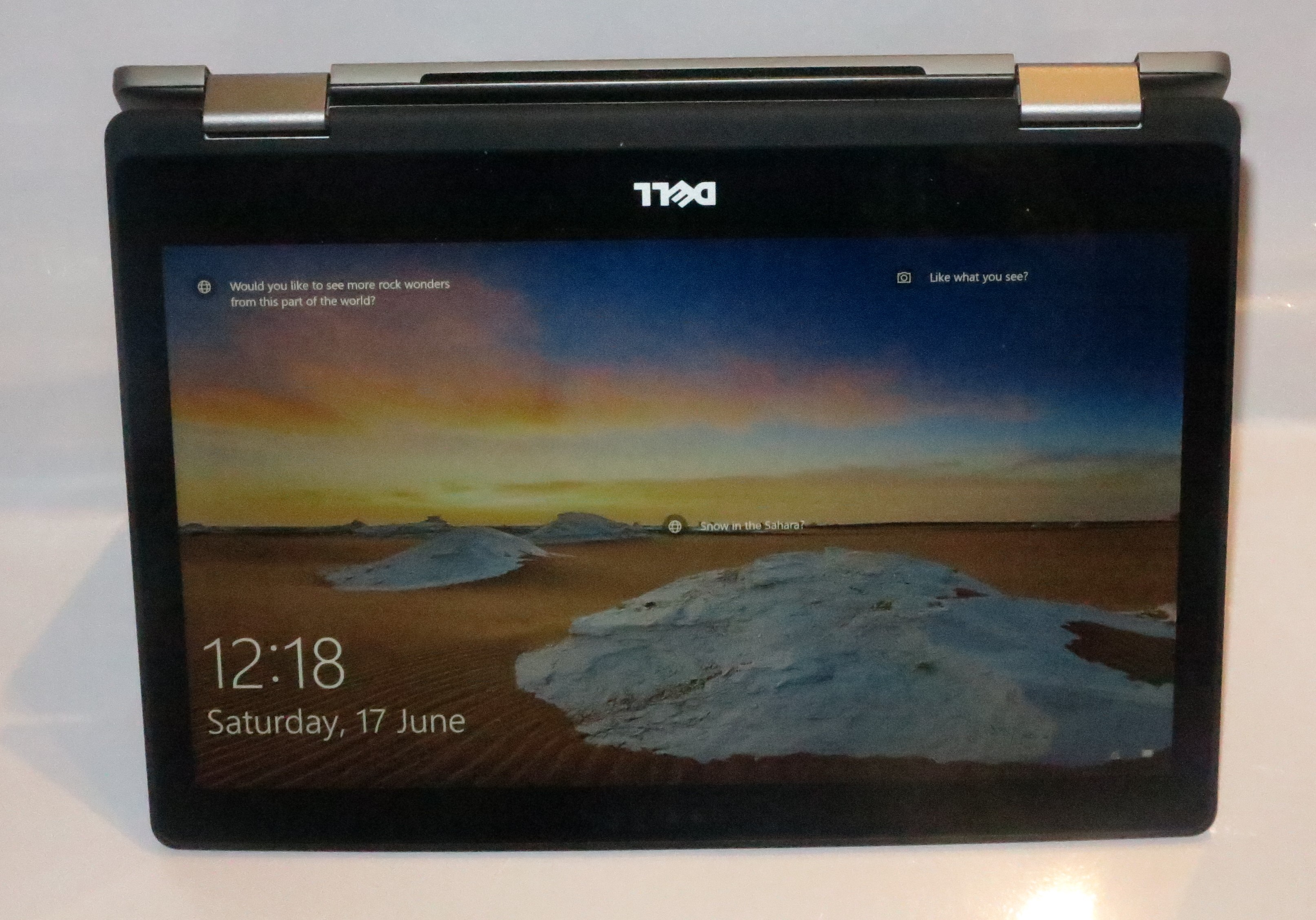
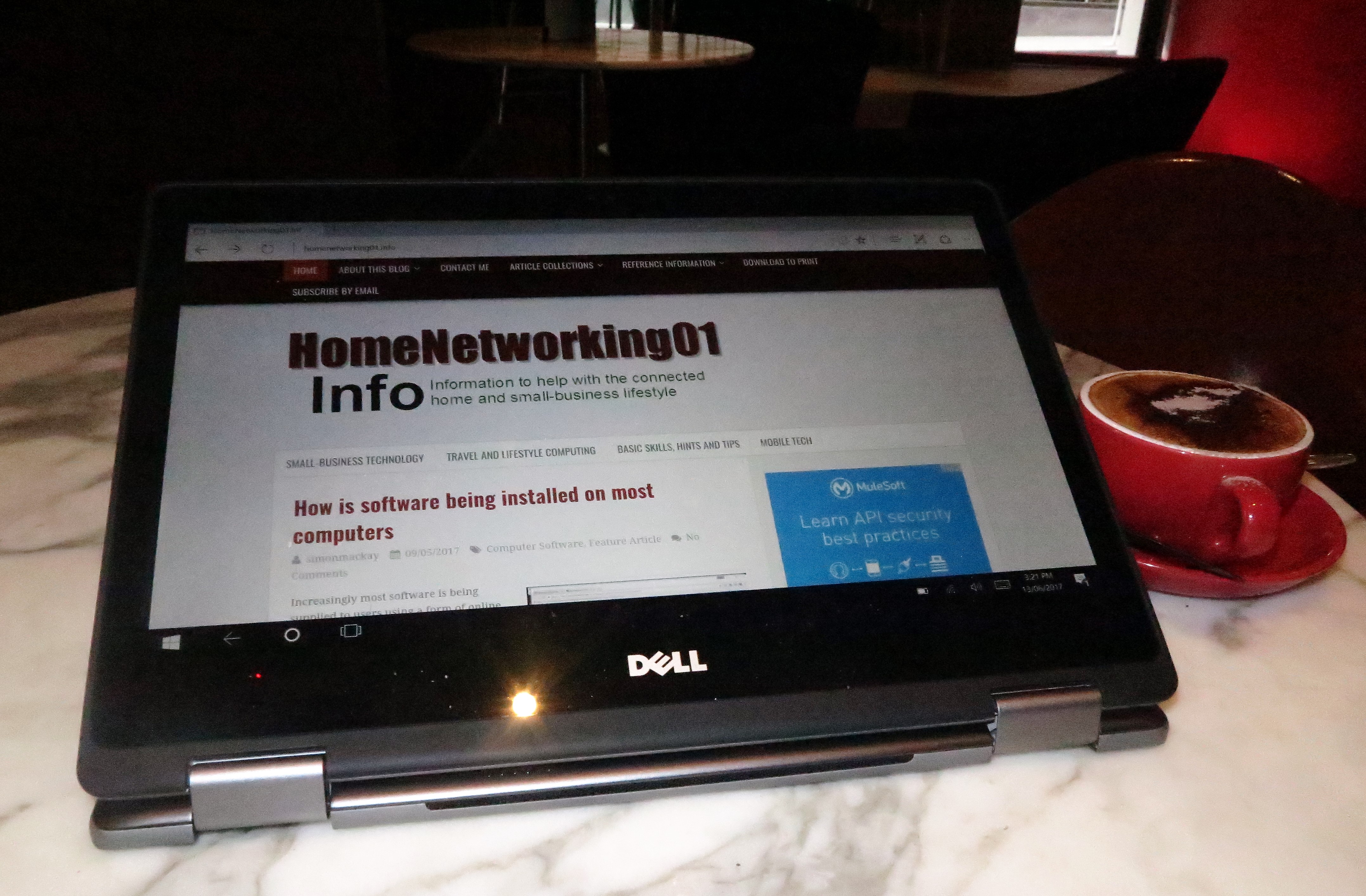
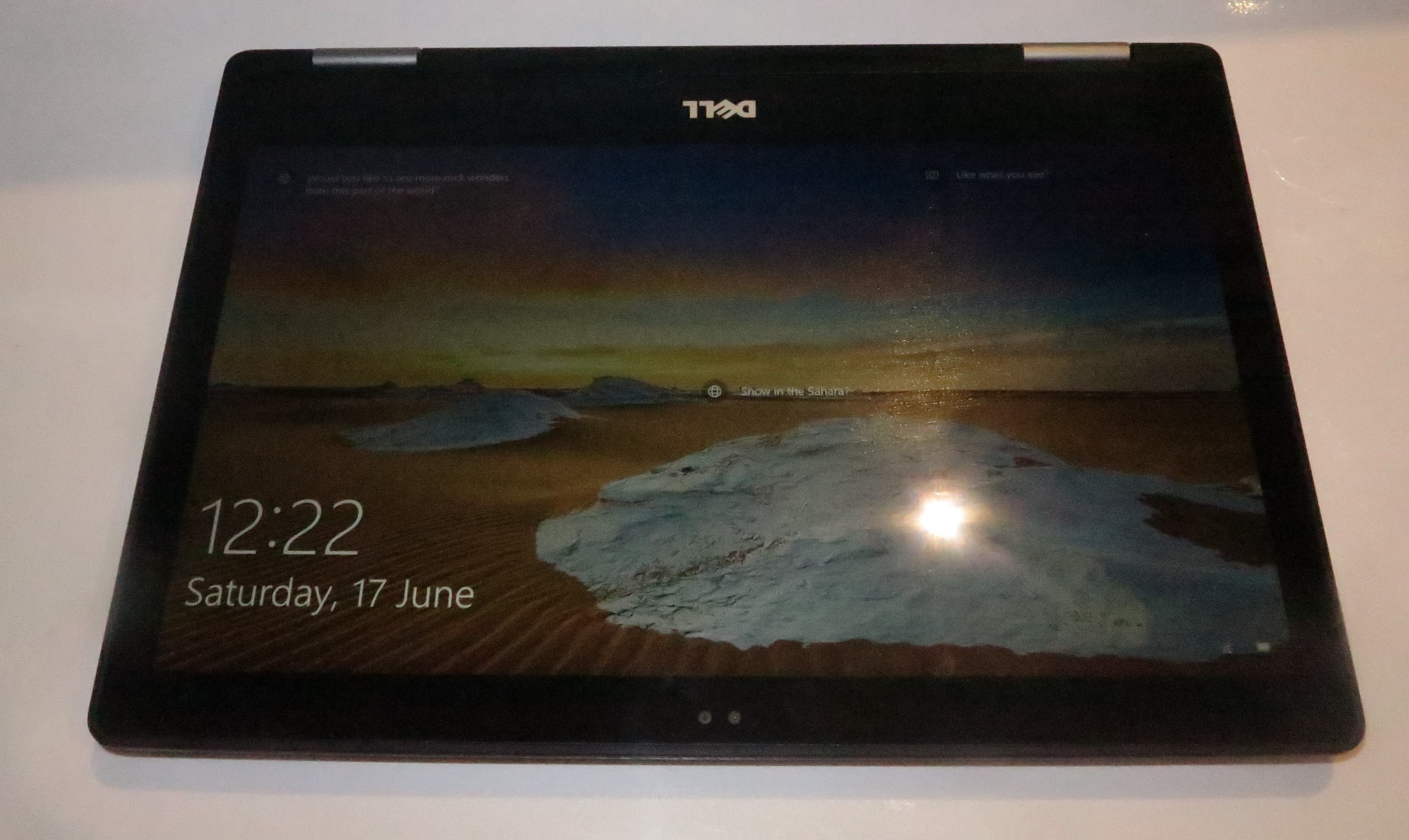
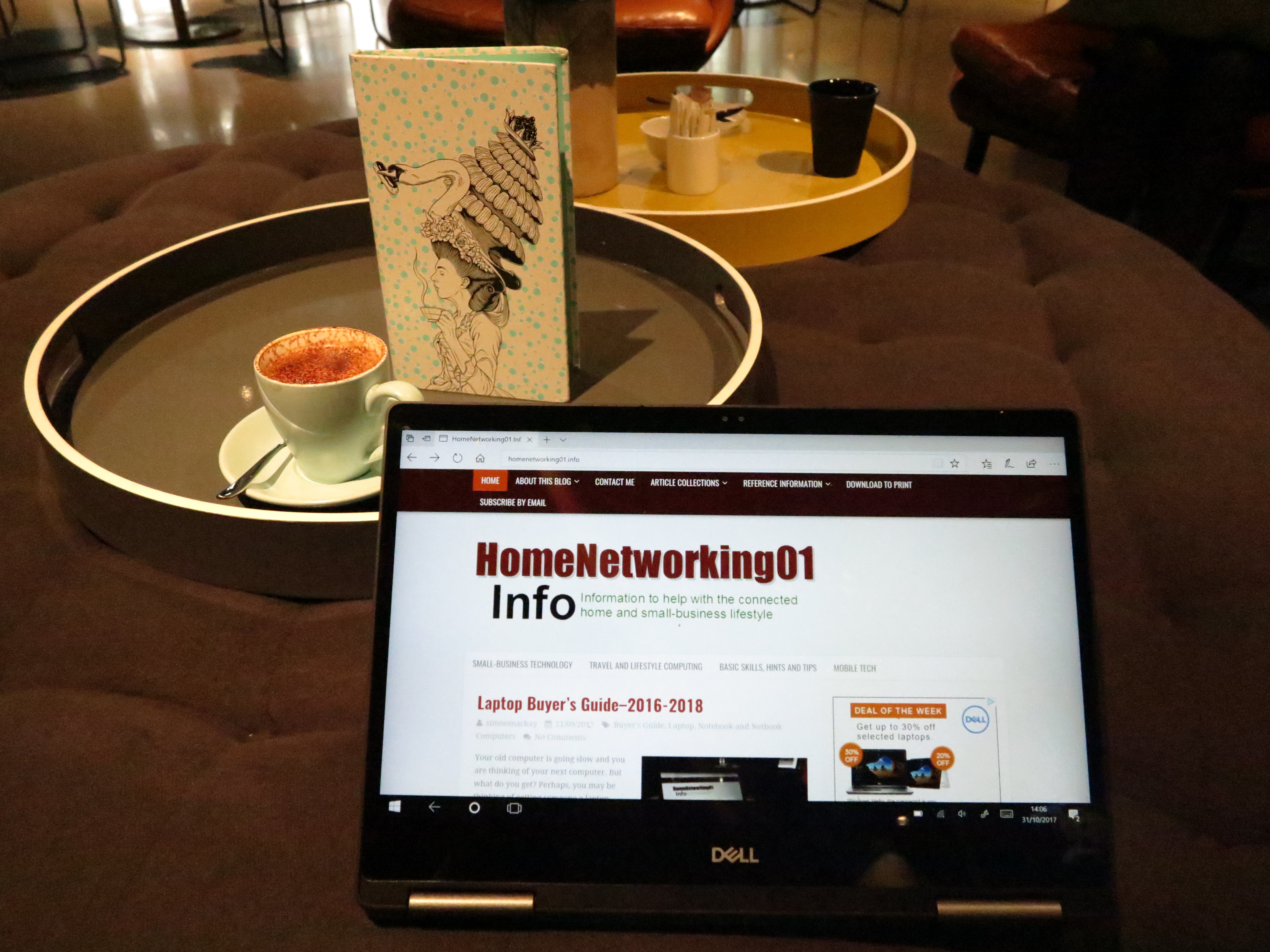
Dell Inspiron 13 7000 2-in-1 Intel 8th Generation CPU at QT Melbourne hotel - presentation mode

Price
– this configuration
AUD$2399
Market Positioning Mainstream consumer laptop
Form Factor Convertible laptop
Processor All CPUs:
Intel Kaby Lake R
Installed option
Core i7-8550U
cheaper option
Core i5-8250U
RAM 16 GB
cheaper option:
8 Gb
Secondary storage 512 GB SSD
cheaper option:
256Gb SSD
SDXC card reader
Display Subsystem Intel UHD 620 Integrated Graphics
Screen 13.3” widescreen touch display (Full HD) LED backlit LCD
Audio Subsystem Intel HD audio
Audio Improvements Waves MaxxAudio
Network Wi-Fi 802.11a/g/n/ac dual-band two-stream
Ethernet
Bluetooth 4.2
Modems
Connectivity USB and Thunderbolt 3 1 x USB-C with Power Delivery and DisplayPort
2 x USB 3.0 (1 with Sleep and Charge)
Other Data Connections
Video DisplayPort via USB-C
HDMI 2.0
Audio 3.5mm input-output jack
Authentication and Security RealSense camera
Operating System in supplied configuration Windows 10 Home

The computer itself

Aesthetics and Build Quality

Now with 8th Generation Intel silicon

Thee Dell Inspiron 13 7000 8th Generation convertible laptop has the same aesthetics and build quality as the previous two generations. This means that it has the same metal finish and housing but also comes across as being very durable. As well, Dell have embraced the narrow display bezel trend started with the XPS 13 Series and implemented it in to this lineup, making for an effectively larger display space in a relatively compact machine.

There is still a smooth action involved when converting it between a laptop and tablet mode which makes for something that can be easily used by most people.

Dell Inspiron 13 7000 2-in-1 Intel 8th Generation CPU - presentation mode

… as a presentation viewer

Like with the prior generation of the Dell Inspiron 13 7000, the cooling vent is located near the hinges yet there is a bit more heat build-up that can occur with basic gaming. It doesn’t exhibit this kind of heat buildup during basic computing tasks. This is even though I am dealing with the newer Intel Core i7 silicon which is known to be more powerful than prior versions.

User Interface

The Dell Inspiron 13 7000 uses an illuminated keyboard that lights up as needed. But it is wide enough to type with accurately and has a shallow key throw but that is enough for proper tactile feedback.

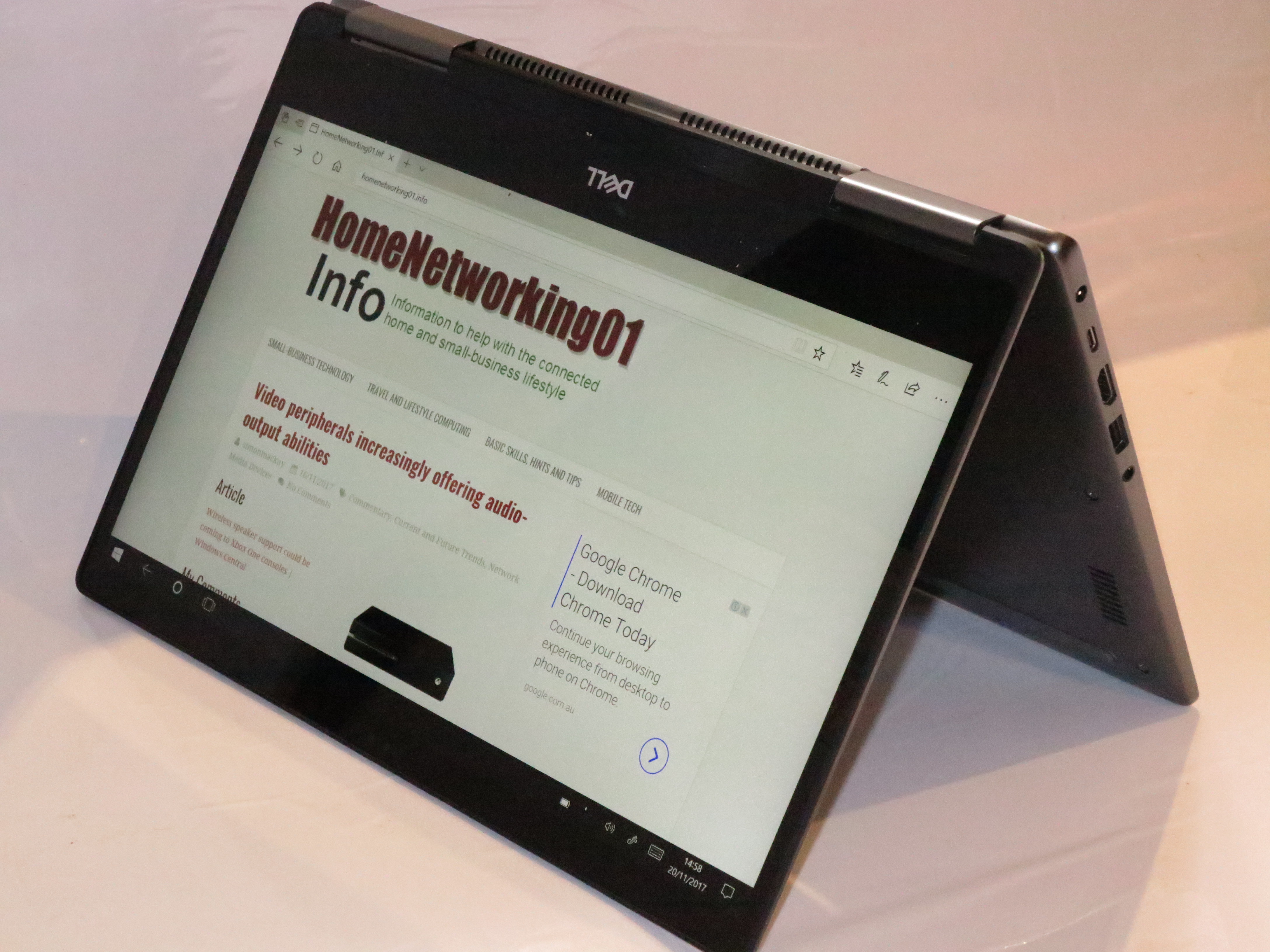
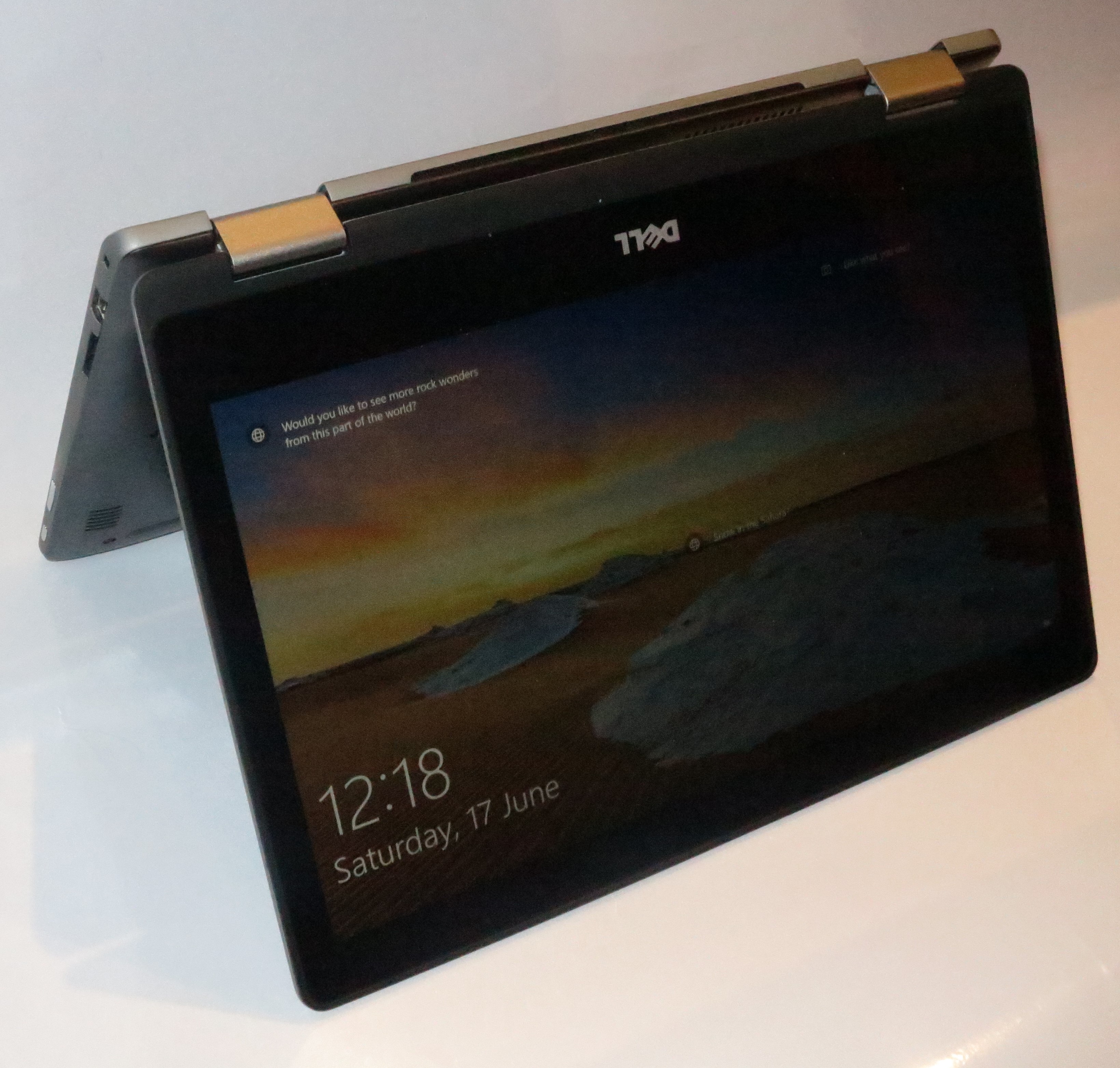
Dell Inspiron 13 7000 2-in-1 Intel 8th Generation CPU - tent mode

… as a tent mode

Like with most laptops, the function keys default to the volume, multimedia and display controls. But with this one, press the Fn key and ESC key to toggle on the normal function-key behaviour.

The trackpad and touchscreen work properly and effectively. In the case of the trackpad, I have not noticed any situation where the pointer moved around while I was typing, thus being less of a distraction.

Audio / Video

The Waves MaxxAudio sound-tuning software does improve the sound but the internal speakers have that tinny sound common with laptops. But I would find best results when you use the Dell Inspiron 13 7000 with with headphones, external speakers or sound system. Most likely, you will end up needing to use headphones to avoid distracting others when you use this computer in a public place for multimedia, videocall, gaming or similar activities.

The Intel UHD 620 integrated graphics provides the kind of performance you would expect for most computing tasks including the occasional gaming and similar tasks that most of us would do. Here, you would see smooth video playhack for most of these tasks.

Like with all consumer-grade computers, there is still the glossy display which can become dirty very quickly and show reflections easily.

Connectivity, Storage And Expansion

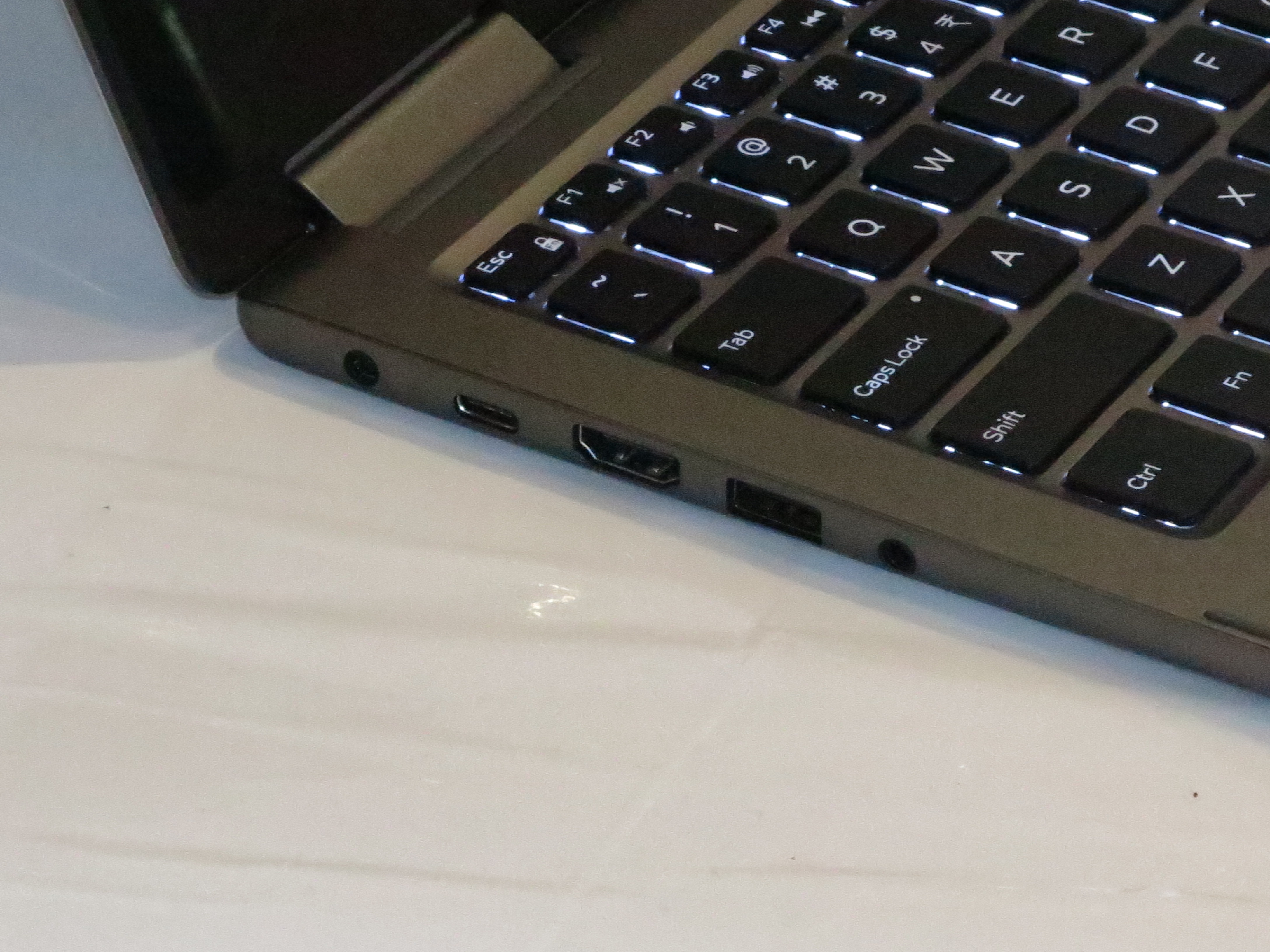
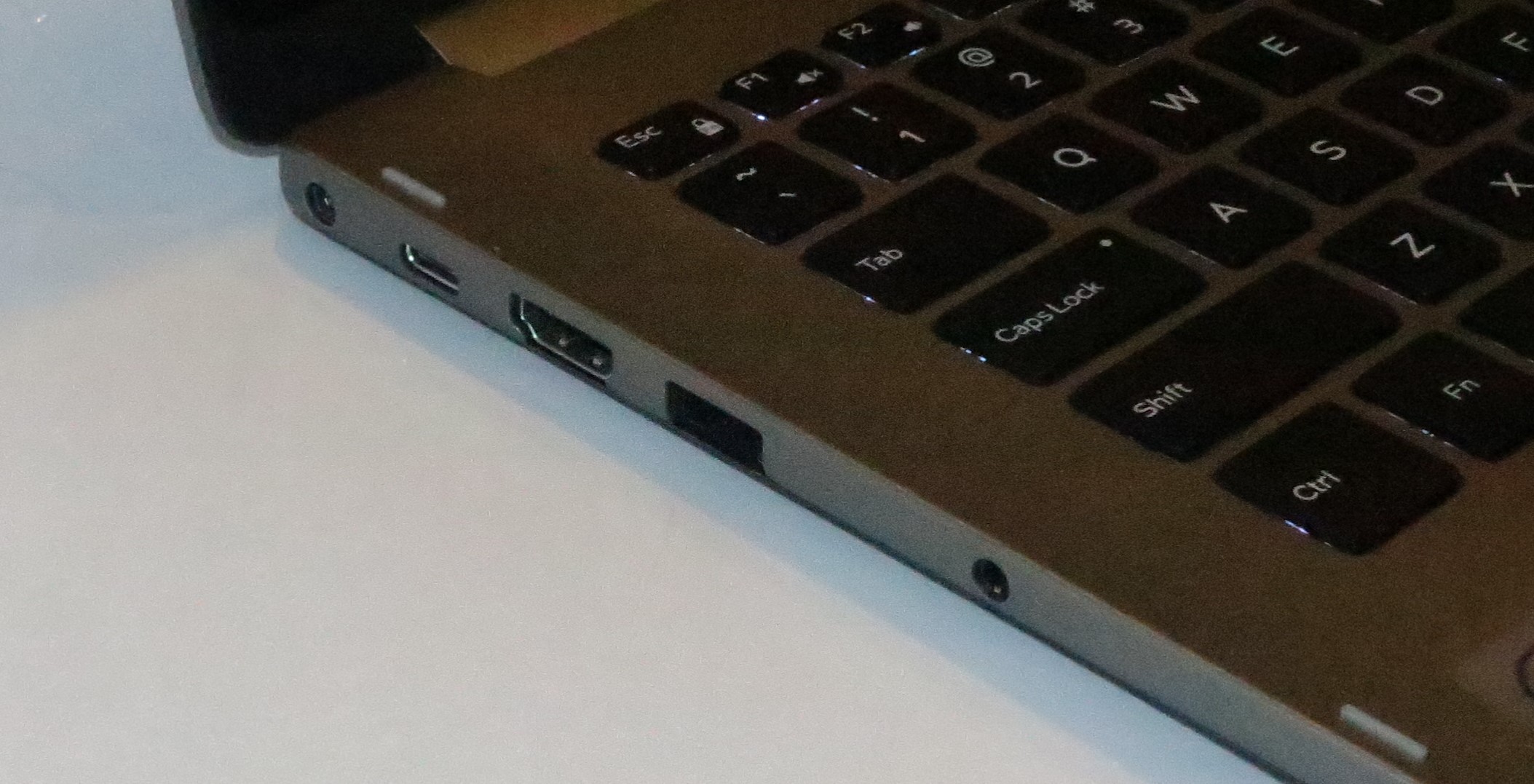
Left-hand side – USB Type-C, USB 3.0 Type A, HDMI 2.0, 3.5mm headset jack

Like with the prior iterations of the Dell Inspiron 13 7000 2-in-1, the connectivity options are essentially the same with the 2 USB 3.0 ports and the 1 USB Type-C port as well as the HDMI video port.

Personally I would like to see Dell implement the Thunderbolt 3 port in the Inspiron 13 7000 Series computers but this will have to wait for a full model-level revision rather than a silicon-level refresh.

Dell Inspiron 13 7000 Intel 8th Generation CPU laptop Left-hand side - USB 3.0 Type A, SD card reader

Right hand side- USB 3.0 port, SD card reader

The whole of the Inspiron 13 7000 range offers the kind of capacity on the solid-state drives that would be expected for most people to benefit from with these drives living up to the promise of quick access. This also includes the fact that even the haseline variants have that healthy 256Gb capacity that would suit most users even as a main or sole computer.

Battery Life

The use of Intel 8th Generation silicon for the CPU and graphics hasn’t made a difference to the Dell Inspiron 13 7000’s battery life although you are really allowing the computer to perform better using the newer technology.

Other Usage Notes

One of the men who run the Melbourne Men’s Shed was impressed with the Dell Inspiron 13 7000’s specifications even though the review sample is the top-shelf model. He was also impressed by the convertible design that this unit has.

Similarly some hotel staff wore impressed by the convertible design and described it as looking similar to a recent iPad when they saw it at first glance.

Limitations And Points Of Improvement

Dell could “carve out” the Inspiron 13 2-in-1 product range for those of us who aren’t necessary after a very light ultraportable 2-in-1 but want something that is portable enough for most applications.

Here, they could implement the 8th-generation Intel Core processors across the range as well as providing some of the premium models in the lineup with Thunderbolt 3 connectivity. This is more so for those of us who want to run them with external graphics modules.

Similarly, Dell could offer one or two configurations with Intel Iris higher-performance integrated graphics as a product differentiator. This would appeal to those of us who want that bit more out of the graphics abilities.

As for enablement of options like PowerShare “sleep and charge” or anything that is only available in the computer’s BIOS, Dell could provide an app that allows some of these options to be manipulated from the Windows interface rather than having to reboot your computer to achieve that goal.

Conclusion

I would recommend this variant of the Dell Inspiron 13 7000 Series 2-in-1 comvertible computer for those of us who want value for money and want something that is powerful for most computing tasks. Even the improvement that Dell offers by implementing the Intel Kaby Lake R silicon still underscores the value for money that they are known for with the products.

Intel’s 8th Generation CPUs give ultraportable laptops more performance

Articles

Computers like these won’t be considered puny when it comes to what they can do thanks to Intel 8th Generation Core horsepower

HP Unveils Its Most Powerful Detachable PC The ZBook x2 | Gizmodo

Dell gives XPS 13 and Inspiron laptops a boost with Intel’s eighth-generation processors | Windows Central

Four Cores for Ultrabooks: Core i7-8550U Review | TechSpot

From the horse’s mouth

HP

ZBook x2 (Product Page, Press Release)

My Comments

Intel are releasing the eighth-generation lineup of CPU processors which have been considered a major step when it comes to performance from the “engines” that drive your computer. This is affecting the the Core i family of processors which are used in most desktop and laptop computers issued over the last few years.

There are three classes of the 8th Generation lineup – the Coffee Lake which is pitched at desktops, the Cannon Lake which is pitched at mobile applications and the Kaby Lake Refresh which also is pitched at most of the ultraportables including the 2-in-1s.

This class of CPU has impressed me more with the arrival of ultraportable computers, especially 2-in-1 detachables and convertibles, that could do more than what is normally associated with this class of computer.

It is brought about through an increase in the number of “cores” or processor elements installed in the physical chip die, similar to the number of cylinders in your car’s engine which effectively multiply the power available under that hood. In this case, the improvements that Intel were providing were very similar to what happened when the “V” configuration was implemented for engine-cylinder layouts that allowed more power from a relatively-compact engine, allowing the vehicle builder to offer increasingly-powerful engines for the same vehicle design.

In this case, there was the ability to use low-power processors like 15-watt designs with the increased “cores” but not sacrifice battery runtime or yield too much waste heat. This opened up the capability for an ultraportable or tablet to be able to do more without becoming underpowered while running for a long time on battery power.

For example, HP just released the ZBook x2 detachable tablet computer which has the kind of power that would work with advanced graphics and allied programs. Some could see this as a typical detachable tablet that could be considered not so powerful but this handheld workstation can use these programs thanks to use of the Intel 8th Generation Core i7 Kaby Lake R processor and NVIDIA Quadro discrete graphics. There is even the option to have it specified with 32Gb of RAM.

Then there’s Dell who have refreshed their XPS and Inspiron ultraportables with Intel 8th-generation horsepower with the XPS 13 benefiting from that extra performance, making the whole XPS 13 clamshell Ultrabook lineup show its relevance more.

What is to happen with the ultraportables is that you won’t need to think of them as being unfit for heavy-duty computing tasks while on the road. You may even find that you could do things like watch a season of downloaded TV episodes or play an intense round of Civilization 6 while you are flying one of the new Qantas non-stop long-distance flights to London or Los Angeles without worrying about the battery dying out.

It will be up to the software vendors to make games and other software that take advantage of these high-performance 2-in-1 computers by exploiting the touchscreens and the higher power offered by these machines. How about a Civilization, SimCity, one of the mobile “guilty-secret” games, or more being available through the Microsoft Store for one to install on that 2-in-1?

Product Review–Dell Inspiron 13 2-in-1 laptop

Introduction

I am reviewing Dell’s attempt to achieve a popularly-priced large 2-in-1 laptop that can appeal to all users. There is the Del Inspiron 13 5000 variant of this 2-in-1 which omits the USB-C and Intel RealSense camera and is sold for $200 cheaper normally. It is a system that reminds me of the first 13″ Dell Inspiron laptop that I had reviewed where there was a sense of value for money along with the durability in that product.

The model I am reviewing is equipped with the Intel 6th Generation Core processor which is the previous generation CPU. You may be coming across these computers through the sales and may want to see this as a chance to assess the bargain that is being offered. But I have quoted prices for the newer models that have been refreshed with the 7th generation (Kaby Lake) hardware.

Dell Inspiron 13 7000 2-in-1 laptop at Rydges Melbourne hotel

Price
– this configuration
Current generation:
AUD$1699 (Intel i5)
AUD$1899 (Intel i7)
Market Positioning Mainstream consumer laptop
Form Factor Convertible laptop
Processor Previous Generation
Intel Core i7-6500U
Current Generation
similar option:
Intel Core i7-7500U
cheaper option
Intel Core i5-7200U
RAM 8 GB
better option:
12 Gb
Secondary storage Previous Generation
256 GB SSD
similar option:
256 Gb SSD
better option:
512 Gb SSD
SDXC card reader
Display Subsystem Intel HD Graphics 620
Screen 13” widescreen touch display (Full HD) LED backlit LCD
Audio Subsystem Realtek HD Audio
Audio Improvements MaxxAudio
Network Wi-Fi 802.11ac dual band
Ethernet
Bluetooth 4.1
Modems
Connectivity USB and Thunderbolt 3 1 x USB-C with Power Delivery
1 x USB 3.0 with Sleep and Charge
1 x USB 2.0
Video DisplayPort via USB-C
HDMI 1.4
Audio 3.5mm input-output jack
Authentication and Security RealSense camera
Operating System in supplied configuration Windows 10 Home

The computer itself

Aesthetics and Build Quality

Dell Inspiron 13 7000 2-in-1 laptop in presentation-viewer mode at Rydges Hotel MelbourneI have found that the Dell Inspiron 13 7000 2-in-1 convertible laptop is well built and uses an aluminium keyboard surround and palmrest that feels cool to the touch.

It has the similar weight to the typical recent-issue 13” mainstream laptop computer thus not being too heavy to carry around. To convert it between a tablet or laptop setup, I have found that it requires the right amount of effort for this process and it works smoothly. The experience would be similar to opening or closing most of the conventional laptops.

Dell Inspiron 13 7000 2-in-1 laptop in tablet modeAn issue that I keep an eye out for with laptops is how they keep their cool. Here, the Dell Inspiron 13 7000 2-in-1 uses vents located near the hinges to disperse waste heat. Here, it also allows the computer to be comfortable to use in all modes. As well, I had not noticed that there was excessive overheating even with playing video content through the computer.

User Interface

Dell Inspiron 13 7000 2-in-1 laptop in tent modeThe Dell Inspiron 13 7000 2-in-1’s keyboard is easy to work with even if you are touch-typing. This illuminated keyboard has the right spacing but also has just enough tactile feedback so you can type quickly. But some users may find that they have to have the illuminated keyboard on to make it easy to see the letters.

The multi-touch trackpad works as expected and isn’t prone to being hair-trigger. Let’s not forget that the touchscreen works properly although it is glossy like on other consumer laptops.

Audio / Video

Dell Inspiron 13 7000 2-in-1 laptop - Left-hand side - Power, USB-C, HDMI video, USB 3.0, 3.5mm audio jack

Left-hand side – Power, USB-C, HDMI video, USB 3.0, 3.5mm audio jack

The Intel integrated video system even could handle video playback from something like a Facebook home video without underperforming. This was even with the Dell 2-in-1 laptop running on its own batteries and sipping the current.

Although this laptop implements the Waves MaxxAudio sound tuning, the sound quality is very typical of most computers of its size. Here, it would be good enough for personal content viewing but don’t expect much especially if you want good-quality music playback whereupon I would prefer to use it with external sound systems.

Connectivity, Storage And Expansion

Dell Inspiron 13 7000 2-in-1 laptop - Right-hand side - USB 2.0, SD card reader

Right-hand side – USB 2.0, SD card reader

The complement of connections on this computer allows for it to be future proof without requiring you to buy extra accessories.

Here, all the variants of the Dell Inspiron 13 2-in-1 have a USB-C socket with Power Delivery both ways, but I would like to see a top-shelf variant of this model offering the Thunderbolt 3 connection rather than the standard USB-C connection. It would then open up the path towards external graphics modules and similar devices as a performance-improvement path. Of course there is the support for connecting monitors using this connection thanks to the DisplayPort alt support the connection has.

This is in addition to a standard HDMI port along with two USB Type-A connections – one being a 3.0 variant for external hard disks and the like and another for larger keyboards and mice. Dell still offers a USB-C expansion module that adds on another HDMI port, a VGA port for that old data projector they continue to use, a Gigabit Ethernet port that can work if your place is wired for Ethernet or with a HomePlug powerline network and a spare USB 3.0 port. This is something I would consider if I was valuing extra connectivity and can be tucked in to your backpack or messenger bag.

The Dell Inspiron 13 2-in-1s offer the right mix of RAM and storage even in their baseline variants. This would be 256Gb for SSD storage and 8Gb RAM which means that you aren’t being starved when it comes to performance and data storage. Here, the SSD on the review sample had lived up to its performance expectations.

For those of you who have digital cameras, the Dell Inspiron 13 2-in-1 comes with an SD card reader so you can easily and quickly download your pictures or footage on to the computer’s storage.

Battery Life

In most situations, the battery was able to last a day of regular computing without the need for me to have the power adaptor connected to the computer.

Other Usage Notes

Most people impressed by the Dell Inspiron 13 2-in-1 as being a representative of the convertible 2-in-1 class of computer.  This is although these computers are not often purchased and once someone buys a touchscreen laptop or a 2-in-1, they will miss these features when they go back to a traditional design.

There are some users, typically those who moved to the Apple environment, who expressed worry about the keyboard on these computers ending up being damaged if the computer is used as a tablet or presentation-viewer setup. It typically represents a staid expectation amongst users when it comes to mobile personal computing where they are comfortable with a traditional clamshell laptop and a mobile-platform tablet.

Personally, I found that if I wanted to browse the Web at a table, I could simply have the computer in the “presentation—viewer” mode so that I am not taking up much room on the table.

I showed the Dell Inspiron 13 7000 2-in-1 computer to a representative from InfoXchange who visited the Melbourne Men’s Shed as part of a digital-literacy survey amongst its members. Here, they were impressed by the touchscreen in the context of older computer users and the use of a tablet as a personal computing device for this user class but liked the idea of the detachable form factor for those who have back issues. She  tried the fold-over aspect but may not have noticed it as offering the same advantage. They appreciated the idea of a keyboard so that these users can also do document-creation work but also liked the idea of the tablet or presentation-viewer modes being suitable for Web browsing or video viewing (think Netflix or catch-up TV).

Subsequently I met up with a new friend of mine who is of an older age group and they were impressed with the Dell Inspiron 13 2-in-1’s form factor including the touchscreen. Here, one of the features that intrigued them was the ability to zoom in to text with their fingers, something that appealed to them as they didn’t have the full vision that we take for granted.

Limitations And Points Of Improvement

One way that Dell could improve on the Inspiron 13 2-in-1 family would be to offer a Thunderbolt 3 connection as an option for the premium variants like the 7000 Series. This is while they use a USB-C with full Power Delivery for the affordable variants like the 5000 Series. It is alongside maintaining the commonly-used connections like the USB 3.0 connections or the HDMI video connection.

But I would still want to see Dell keep the Inspiron 13 2-in-1 family as a value-priced “Yoga-class” convertible computer with the right mix of features that pitches towards what most people want. Here, they need to focus on a well-built affordable machine that can survive a lot of use but can appeal to most people without being the ultra-cool computer that answers Apple’s products.

Conclusion

A well-built 13″ 2-in-1 convertible notebook that represents value for money

Like I have seen with most of the Dell Inspiron laptop computer lineup, I have found that the Dell Inspiron 13 2-in-1 convertible laptops have represented something that offers value for money in its product class.

This is something that is durable but is light enough to carry and is priced in a manner to have you think of it as a main or sole computing device which you can purpose as a large-screen tablet. The RAM and storage capacity offered in the available configurations underscore something that befits this use case whether you choose to run with the package based on the value-priced Intel i5 processor or the one based on the performance Intel i7 variant.

If more of those apps that appear on most iPads could be ported to Windows 10 and made available on the Windows Store, then the 2-in-1s like this Dell could be a viable alternative to the iPad that is kept at home.