Tag: FaceTime

Apple TV to become a group videophone with your iPhone

Article

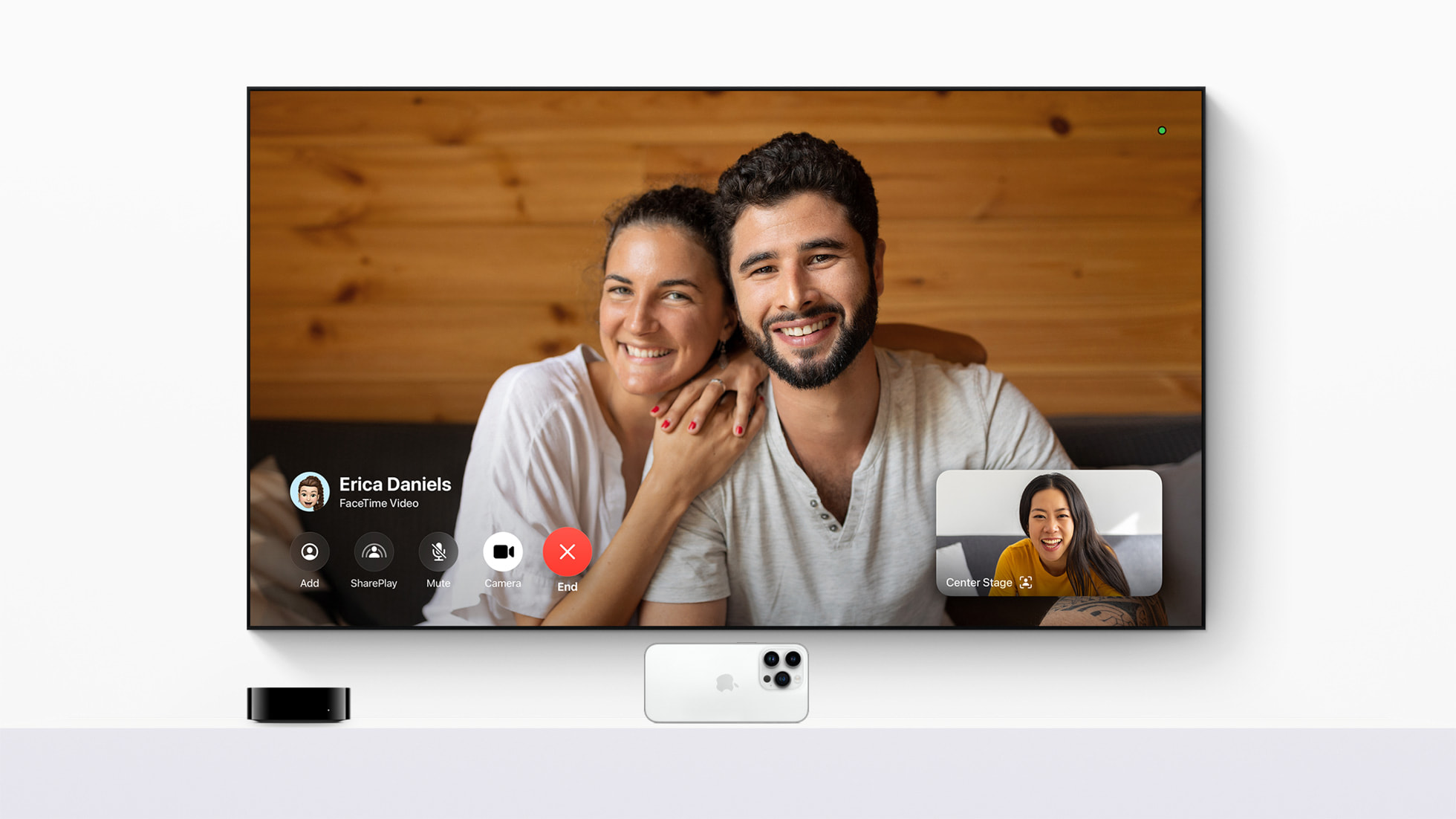
Apple TV FaceTime conversation image courtesy of Apple

Facetime and other videoconferencing apps now feasible for Apple TV with your iPhone as a camera and microphone

You can now FaceTime from your Apple TV | ZDNET

Apple’s TVOS 17 Brings FaceTime to Apple TV, Find My Remote Functionality to Siri Remote – CNET

FaceTime is coming to Apple TV | Engadget

From the horse’s mouth

Apple

tvOS 17 brings FaceTime and video conferencing to Apple TV 4K (Press Release)

My Comments

A device class I always have wanted to see when it comes to videocalling and videoconferencing is a group videophone that connects to an ordinary large-screen TV set or monitor for its display and audio output. The idea behind this display concept for this use case is so that a group of people at one location can participate in a videocall. Example situations include a group of family members at the “family house” making a videocall to distant relatives during Christmas Day; or someone intent on buying a business, meeting with their lawyer at the lawyer’s office and talking with the vendor who is at another location.

A few companies are working on having their platform-based set-top boxes or streaming sticks serve this function by adding group videocall functionality to their set-top platform and it is something I was wanting to see Apple do with their Apple TV set-top box. This function works on Apple TV devices that run the next major version of tvOS i.e. tvOS 17.

As well, an iPhone or iPad running iOS/iPadOS 16 works as the camera and microphone for the Apple TV, thanks to Apple’s “Continuity Camera” functionality that was introduced to MacOS and now being “haked in” to tvOS. This is to be facilitated with a stand that Apple will supply as a first-party accessory so you can have the rear cameras facing you during the video call. The iOS device will link to the Apple TV via a Bluetooth link or the fact it is on the same logical small network thanks to Wi-Fi.

This functionality is to support Apple’s native FaceTime videoconferencing platform but Apple is to provide developer support for software developers who want to build or port desktop videoconferencing software to tvOS. Zoom and Webex will be the first two third-party videoconferencing platforms to have this tvOS support.

There is the ability to use the Apple TV’s Siri Remote to initiate a FaceTime call or you can transfer a FaceTime call you are engaging in to the Apple TV so that the other parties appear on the TV screen and you can hear them on your TV’s sound setup. Most likely third party applications will support a similar process.

In this setup, you will have to use the Apple TV’s Siri Remote to control the videocall such as to mute the iPhone’s camera or microphone, hand the call back to the iPhone to continue it privately or to end the call. If messages come in to the iPhone during the call, a simple notification not attributed to the message’s source will pop up so as to keep the message effectively private.

The SharePlay functionality, which allows you to share what you are currently watching from a video source hosted on your Apple TV will still operate so you can use Apple FaceTime to tantalise another person about that show.

There are still questions to answer regarding how the FaceTime facility will authenticate users who set it up to make or take calls using only the Apple TV Siri Remote, rather than using an iPhone and transferring where necessary. As well, would the ability to transfer a FaceTime call from your iPhone to the Apple TV be only limited to the Apple ID accounts that the Apple TV device is associated with? This can be an issue where the Apple TV device is bound to one Apple ID account to represent the whole household rather than each adult individual registering their Apple ID with the same Apple TV device.

At the moment, this functionality is part of a developer-only beta software package but is expected to be fully established as part of tvOS between September to November 2023.

When should you spontaneously make that videocall

Article

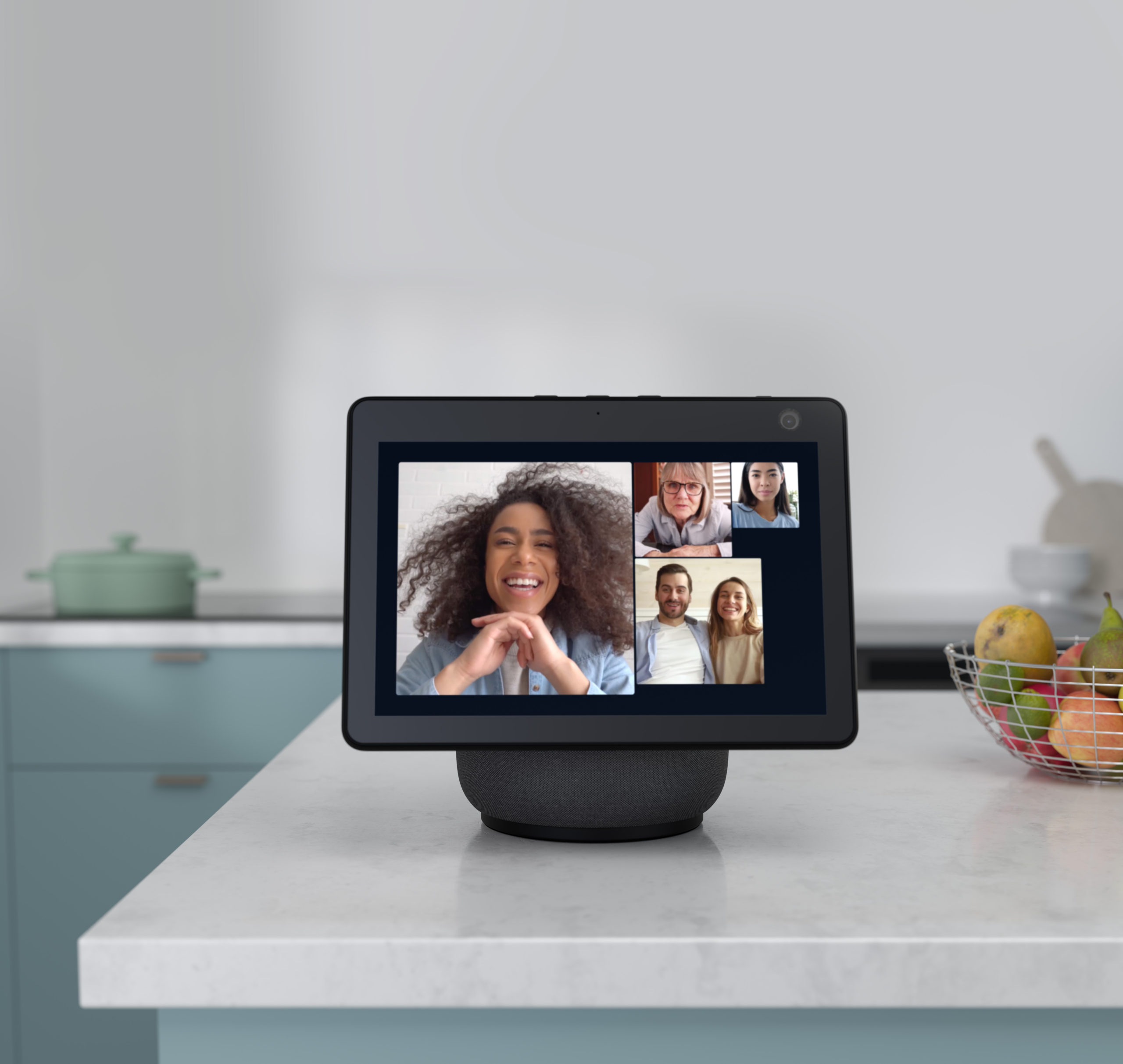
Amazon Echo Show 10 in videocall - press image courtesy of Amazon

You may need to be careful about spontaneously making or taking that videocall if you want to use this communications medium effectively

Don’t spontaneously FaceTime people and expect them to pick up | Mashable

My Comments

Most of us have a preference for seeing people face-to-face but people who are from the Generation Z or younger generations increasing are interested in making and taking videocalls.

The COVID-19 coronavirus pandemic and its associated stay-at-home requirements enacted by many a jurisdiction has had us wanting to make more of the videocalls. This includes participating in multiple-party videoconferences for work, learning or social life using platforms like Zoom, Skype or Microsoft Teams.

How presentable do you look?

As a kid who has shown interest in science-fiction and futurist-technology material, I had seen plenty of reference to videocalls as part of what communications would be about in the future. A lot of this material talked of videocall technology as a “Picturephone” or videophone and illustrated regular use of this mode of calling.

At times I had engaged in conversation about this technology and how it would fit in to our lives. An issue that was raised by some girls and women I talked to was having to “look beautiful or handsome enough” for the videocall. We raised issues like having the need to dress up or to get your hair or face right for that call.

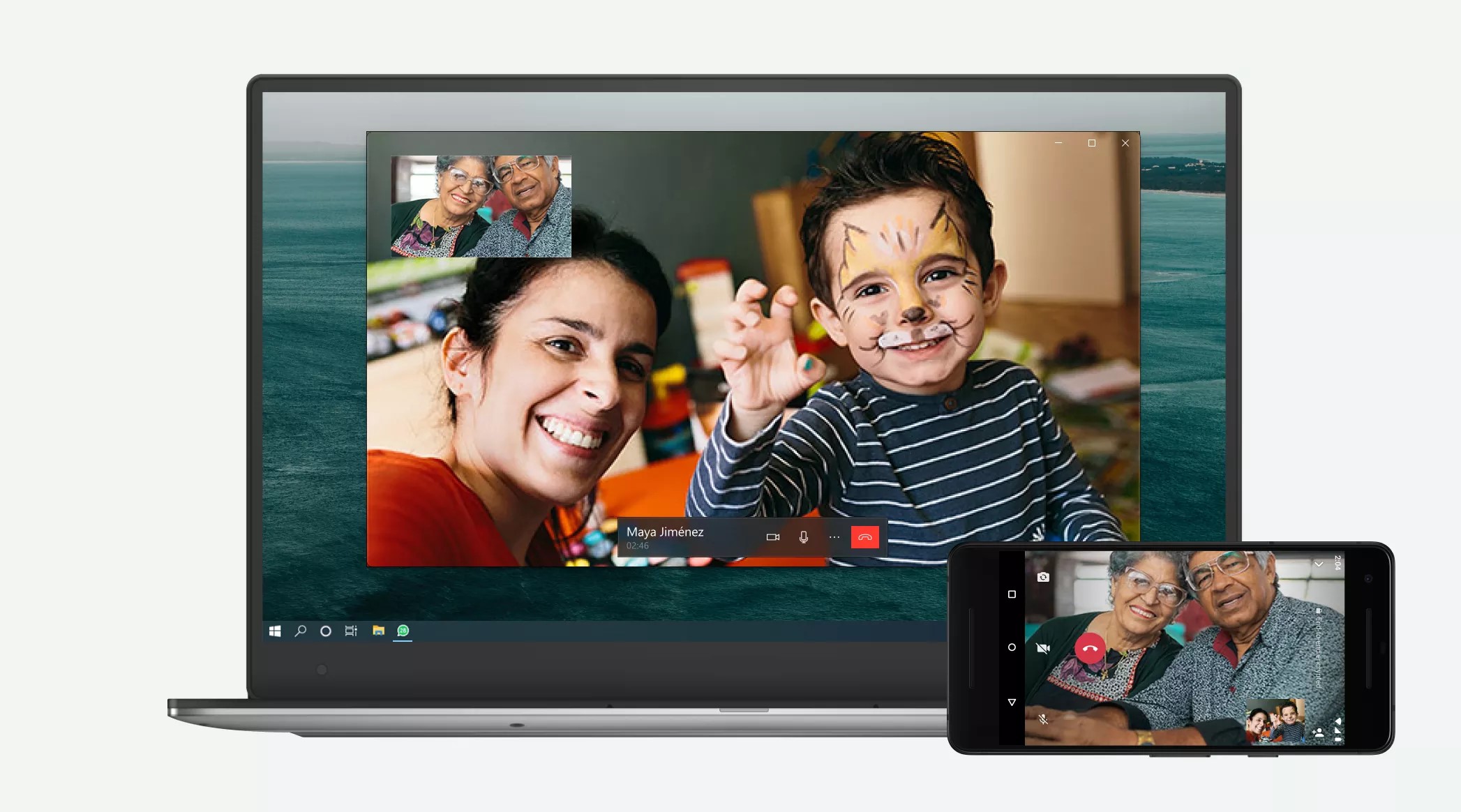
WhatsApp desktop with videoconference support press image courtesy of WhatsApp

Not all times may be right for those videocalls

The Mashable article referenced the situation of the author being in nightwear when the Facetime call came in. Some cultures and communities could see this extend to being dressed in everyday clothing you wear around the house versus the more impressionable clothing you wear when away from home or receiving visitors.

On the other hand, the Bible study group that I am in had a meeting that we had started in a face-to-face manner but it was interrupted due to the venue suddenly not being available. So we decided to continue it later in the day from our homes using Zoom, how we had met regularly during the COVID lockdown era. The videoconference part was seen to be more relaxing due to us being able to join from home in a relaxed mood, with one even wearing her normal “at-home” loungewear to participate. Here, you may consider the attire you wear at home on a daily basis good enough for that videocall or videoconference if you are adopting a relaxed rather than professional approach or aren’t trying to impress others. This situation would apply to that casual long-distance family videocall for example.

In this context, it is about how comfortable you feel in what you are wearing for that videocall or videoconference and how it sits in for the tone of the event.

Here you can take a voice call in a flexible manner. For example, you could be out and about, you could be doing other activities at home or not worrying about being fully dressed up to take the call. The person on the other side of the line doesn’t know what you are doing or how you look.

How emotionally prepared are you?

Another factor raised is how emotionally prepared you should be. Here you would make sure you are emotionally prepared to meet someone face-to-face, similarly you should be emotionally prepared for that videocall. This is the analogy of when someone drops in at your home unexpected with this sudden arrival being very stressful for them.

This is because a videocall can be like a long face-to-face conversation rather than something that can take place quickly. Some callers can use these videocalls to pick up on any facial expressions that you exhibit during the call. As well, if you use a handheld device like a smartphone or a tablet to make or take the videocall, any shakiness that happens with your hands due to nervousness can be magnified as far as the caller is concerned.

Some people even see those Zoom multi-party videoconferences that they take part in for work as something that is very tiring. It can become aggravated where there are frequent videoconferences taking place during the workday for example. This can be about having to concentrate on how each other comes across and the messages they are conveying

How comfortable are you and what impression do you want to convey?

You may also be thinking of making sure you are comfortable before the videocall. It may be whether to sit at a desk or table or relax in lounge furniture like an armchair during the videocall. Some people who use a desk or table may find that an office chair that has a tall backrest and the ability to recline, similar to the front seats in most cars since the 1970s, may suit this need especially if they do it regularly.

Then you think of what the caller sees around you during the videocall as in whether the space conveys the right impression that you want to convey. This may be about having a particular bookcase or picture window behind you during the videocall or whether to go in to the garden or on to the balcony for that videocall.

Some parents of young children may want to leave the toys that their children are playing with lying around. This would be to “set the scene” about their children happily engaging in play. Or someone who loves cooking may leave food they are preparing out but in a neat manner in order to convey their love of food and cookery. Someone who loves making music may have musical instruments, associated equipment or sheet music beside them.

An example often seen on TV news and information programming during the COVID-19 lockdowns was how different presenters set up their “home studios” for their TV appearances when they broadcast from home. A financial presenter on ABC Australia’s nightly news bulletins had a picture window behind him and a set of different books in front of him. Then, on the same channel, an infectious-diseases expert who regularly appeared with commentary about how COVID-19 was to be managed had a large bookcase behind her.

It will also include the privacy of other members of your household especially where the background would show a thoroughfare or area of activity within your home. That is very common with the idea of open-plan interior layouts or having the front door opening directly in to the lounge area.

Even the device you use for a videocall may be important to you. This could be about using a laptop versus a tablet or smartphone for the purpose or even to use that Webcam for the videocall.

What can you do?

A good practice with making videocalls is to make a voice call or send a text message asking whether the caller wants to engage in a videocall with you before making that videocall. Here, it may be about having some warning time to get ourselves ready to make or take the call.

You may want to create an exception to this rule for those times where you and a certain caller may want to engage in impromptu videocalls and do not mind doing that. For example some parents may want to make a point of having their child take part in a videocall with that doting relative or friend perhaps as part of a family ritual.

Conclusion

It is important to consider the videocalls and multi-party videoconferences as a different kettle of fish compared to audio calls or text messaging. Then it simplifies the process of adapting your communications strategies to these different modalities.

Update

Further commentary based on recent experiences during a Zoom session in February 2025.

A call to attention now exists regarding videoconferencing platform security

Article

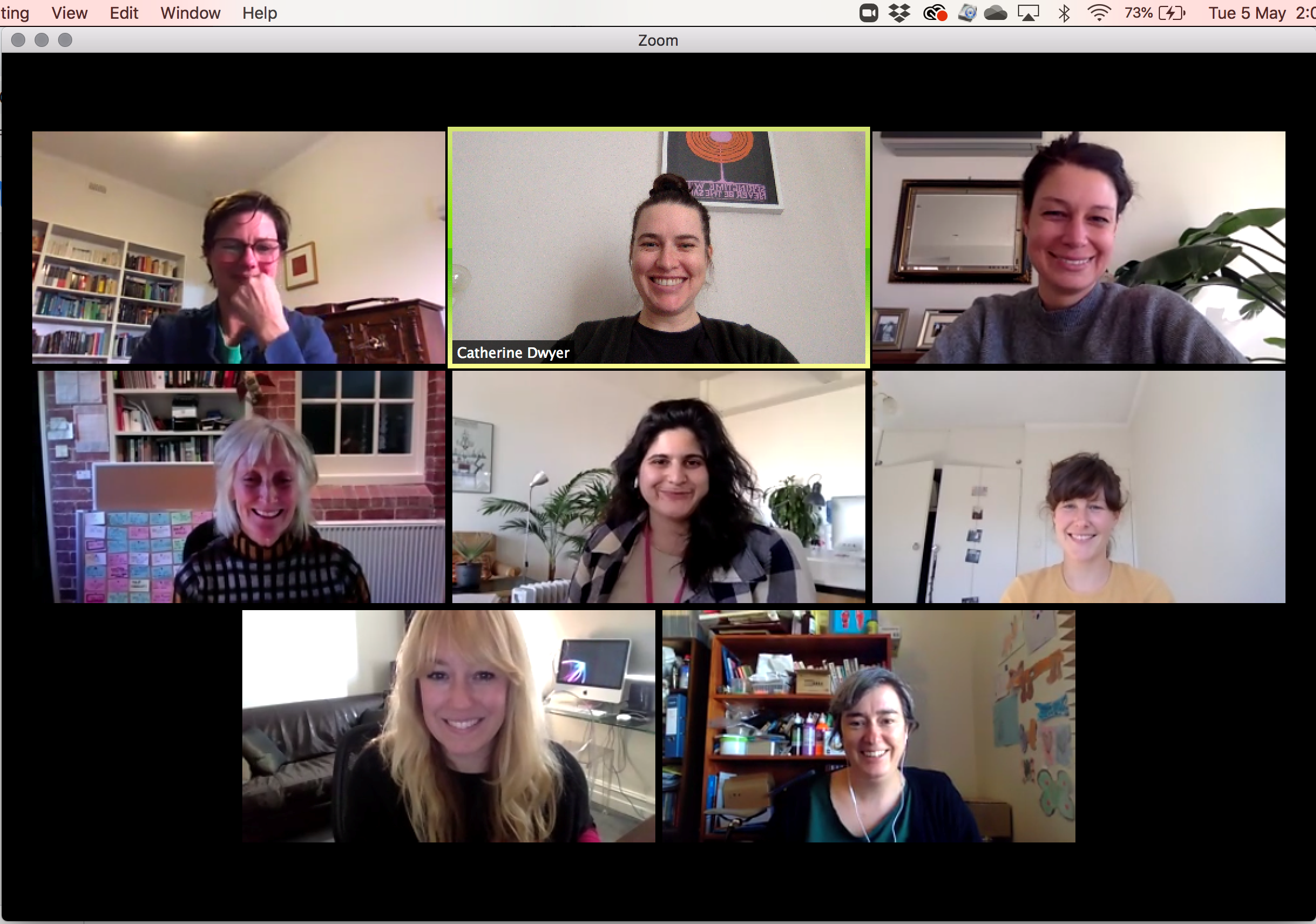
Zoom (MacOS) multi-party video conference screenshot

A call to action is now taking place regarding the data security and user privacy of video conferencing platforms

Privacy watchdogs urge videoconferencing services to boost privacy protections | We Live Security

From the horse’s mouth

Officer Of The Privacy Commissioner Of Canada

Joint statement on global privacy expectations of Video Teleconferencing companies (English / Français)

Press Release (English, Français)

Office Of The Australian Information Commissioner

Global privacy expectations of video teleconference providers – with open letter

Federal Data Protection And Information Commissioner (Switzerland)

Audio And Video Conferencing Systems – Privacy Resource factsheet (English, Français, Deutsch, Italiano)

Open Letter (PDF)

Information Commissioner’s Office (United Kingdom)

Global privacy expectations of video teleconference providers

Open Letter (PDF)

My Comments

Thanks to the COVID-19 coronavirus plague, we are making increased use of various videoconferencing platforms for our work, education, healthcare, religious and social reasons.

This has been facilitated through the use of applications like Zoom, Skype, Microsoft Teams and HouseParty. It also includes “over-the-top” text-chat and Internet-telephony apps like Apple’s Facetime, Facebook’s Messenger, WhatsApp and Viber for this kind of communication, thanks to them opening up or having established multi-party audio/video conferencing or “party-line” communications facilities.

Security issues have been raised by various experts in the field about these platforms with some finding that there are platforms that aren’t fit for purpose in today’s use cases thanks to gaping holes in the platform’s security and privacy setup. In some cases, the software hasn’t been maintained in a manner as to prevent security risks taking place.

As well, there have been some high-profile “Zoombombing” attacks on video conferences in recent times. This is where inappropriate, usually pornographic, images have been thrown up in to these video conferences to embarrass the participants with one of these occurring during a court hearing and one disrupting an Australian open forum about reenergising tourism.

This has led to the public data-protection and privacy authorities in Australia, Canada, Gibraltar, Hong Kong, Switzerland and the United Kingdom writing an open letter to Microsoft, Cisco, Zoom, HouseParty and Google addressing these issues. I also see this relevant to any company who is running a text-based “chat” or similar service that offers group-chatting or party-line functionality or adapts their IP-based one-to-one audio/video telephony platform for multi-party calls.

Some of these issues are very similar to what has been raised over the last 10 years thanks to an increase in our use of online services and cloud computing in our daily lives.This included data security under a highly-mobile computing environment with a heterogeny of computing devices and online services; along with the issue of data sovereignty in a globalised business world.

One of the key issues is data security. This is about having proper data-security safeguards in place such as end-to-end encryption for communications traffic; improved access control like strong passwords, two-factor authentication or modern device-based authentication approaches like device PINs and biometrics.

There will also be the requirement to factor in handling of sensitive data like telehealth appointments between medical/allied-health specialists and their patients. Similarly data security in the context of videoconferencing will also encompass the management of a platform’s abilities to share files, Weblinks, secondary screens and other media beyond the video-audio feed.

As well, a “secure by design and default” approach should prohibit the ability to share resources including screenviews unless the person managing the videoconference gives the go-ahead for the person offering the resource. If there is a resource-preview mechanism, the previews should only be available to the person in charge of the video conference.

Another key issue is user privacy including business confidentiality. There will be a requirement for a videoconferencing platform to have “privacy by design and default”. It is similar to the core data-security operating principle of least privilege. It encompasses strong default access controls along with features like announcing new participants when they join a multi-party video conference; use of waiting rooms, muting the microphone and camera when you join a video conference with you having to deliberately enable them to have your voice and video part of the conference; an option to blur out backgrounds or use substitute backgrounds; use of substitute still images like account avatars in lieu of a video feed when the camera is muted; and the like.

There will also be a requirement to allow businesses to comply with user-privacy obligations like enabling them to seek users’ express consent before participating. It also includes a requirement for the platform to minimise the capture of data to what is necessary to provide the service. That may include things like limiting unnecessary synchronsing of contact lists for example.

Another issue is for the platforms to to “know their audience” or know what kind of users are using their platform. This is for them to properly provide these services in a privacy-focused way. It applies especially to use of the platform by children and vulnerable user groups; or where the platform is being used in a sensitive use setting like education, health or religion.

As well it encompasses where a videoconferencing platform is used or has its data handled within a jurisdiction that doesn’t respect fundamental human rights and civil liberties. This risk will increase more as countries succumb to populist rule and strongman politics and they forget the idea of these rights. In this case, participants face an increased exposure to various risks associated with these jurisdictions especially if the conversation is about a controversial topic or activity or they are a member of a people group targeted by the oppressive regime.

Another issue being raised is transparency and fairness. Here this is about what data is being collected by the platform, how it is being used, whom it is shared with including the jurisdictions they are based in along with why it is being collected. It doesn’t matter whether it is important or not. The transparency about data use within the platform also affects what happens whenever the platform is evolved and the kind of impact any change would have.

The last point is to provide each of the end-users effective control over their experience with the videoconferencing platforms. Here, an organisation or user group may determine that a particular videoconferencing platform like Zoom or Skype is the order of the day for their needs. But the users need to be able to know whether location data is being collected or whether the videoconference is tracking their engagement, or whether it is being recorded or transcribed.

I would add to this letter the issue of the platform’s user-friendliness from provisioning new users through all stages of establishing and managing a videoconference. This is of concern with videoconference platforms being used by young children or older-generation people who have had limited exposure to newer technologies. It also includes efforts to make the platform accessible to all abilities.

This is relevant to the security and user privacy of a videoconferencing platform due to simplifying the ability for the videoconference hosts and participants to maintain effective control of their experience. Here, if a platform’s user interface is difficult to use safely. videoconference hosts and participants will end up opting for insecure setups this making themselves vulnerable.

For example, consistent and less-confusing function icons or colours would be required for the software’s controls; along with proper standardised  “mapping” of controls on hardware devices to particular functions. Or there could be a user-interface option that always exposes the essential call-management controls at the bottom of the user’s screen during a videocall.

This issue has come to my mind due to regularly participating in a Skype videoconference session with my church’s Bible-study group. Most of the members of that group were of older generations who weren’t necessarily technology-literate. Here, I have had to explain what icons to click or tap on to enable the camera or microphone during the videoconference and even was starting it earlier to “walk” participants through using Skype. Here, it would be about calling out buttons on the screen that have particular icons for particular functions like enabling the camera or microphone or selecting the front or back camera on their device.

At least the public-service efforts have come about to raise the consistent security and privacy problems associated with the increased use of videoconferencing software.