Tag: Internet Of Things

Big Mouth Billy Bass to become the start of Alexa-driven novelties

Article

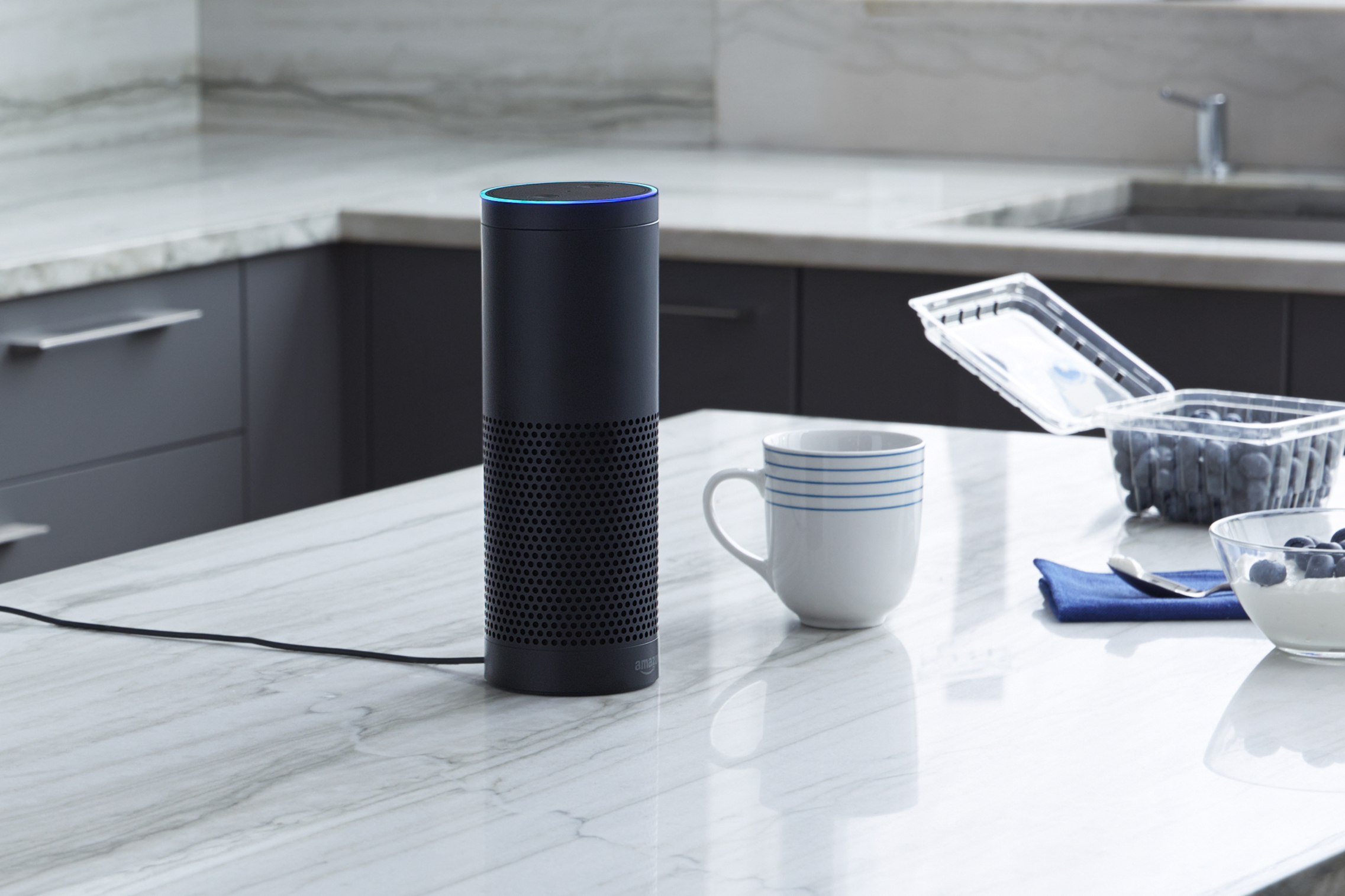
Amazon Echo on kitchen bench press photo courtesy of Amazon USA

Your Amazon Echo will soon be expected to work with a wide range of toys and novelties

The latest Big Mouth Billy Bass is made to be a rockstar with built-in Alexa support | Windows Central

From the horse’s mouth

Amazon

Big Mouth Billy Bass – Compatible With Alexa (Product Page)

Alexa Gadgets Toolkit page

My Comments

Amazon had just polished their Gadgets Toolkit which is an application programming interface for interlinking devices of various kinds with the Alexa voice-driven home assistant platform. This has opened up a path for doing things like interlinking novelties that can show off when you ask Alexa for them to do so.

The first of these is the latest take on the Big Mouth Billy Bass phenomenon of the late 90s and early 2000s.

This novelty is a toy fish that is mounted on a board and starts singing songs like “Don’t Worry Be Happy” or “Take Me To The River” at the touch of a button. This is with the fish’s face swinging around to face the audience and its mouth moving in sync to the lyrics. It brought about other singing-and-dancing novelties that performed to pre-recorded songs in a funny manner.

But this latest iteration of the Big Mouth Billy Bass fish interlinks with any Amazon Echo device via Bluetooth and acts as a speaker for that Echo device. It is programmed to move the mouth in response to speech that comes through the Echo device, be it Alexa, a singer or a podcast author. The fact that it is designed to work tightly with the Alexa ecosystem will mean that if Amazon issues updates, this peripheral will gain these updates.

It will become the first of many toys and novelties that work in conjunction with the Alexa ecosystem. This includes short-form electronics modules that will be pitched to artisans who make giftware such as cuckoo clocks or Christmas decorations for them to include in their projects. Let’s not forget that Google, Apple and others will look towards extending their “smart-home” or similar platforms to work with this class of device.

An issue that will be raised regarding this product class is the fact that connected novelties and toys are being designed with very little thought for household privacy and data security. Infact a lot of IT security experts even suggest that people don’t use or give these devices at all. But this device is designed to work as if it is a peripheral for an Amazon Echo device and only connects to it via Bluetooth.

There will still be issues regarding the design of connected novelties and toys including data security and ease of connectivity. This is more so if they are to be sold through the toy and giftware retail sector where most staff are not likely to have a clue regarding the technicalities associated with these devices.

One way is that if the gadgets are to work alongside a voice-driven home assistant platform or regular computer / mobile operating system, they have to work using a “gadget API” associated with that platform or operating system and developed by the platform’s or operating-system’s developer. This is without the need to write a hefty app to gain the most out of the device. The use of APIs rather than a custom app or skill can also limit the kind of data that is collected via the novelty or toy and provide the end-user with greater control over what the device does.

As well, the “gadget API” has to also support a simple but secure setup process including permissions for various activities like use of microphones, cameras or speakers. This may be a similar process to installing or using an app on your smartphone or mobile-platform tablet where the operating system will ask whether to use the camera, microphone or sensors.  Other issues that will also come about include a “secure by design” approach for the gadget’s firmware including regular update cycles to rectify software vulnerabilities.

Let’s not forget that the “gadget APIs” would also need to support the use of the connected device as a “master clock” if the gadget is to display or react to the current time or date. This is to avoid the need to reset the clock on these devices whenever Daylight Saving Time starts or ends or worry about that clock losing time.

What I see coming about is a relentless push to offer toys, novelties and giftware that are intended to work with the home network and the Internet. But there needs to be a secure simple approach to how these gadgets are designed.

The first Cortana-driven smart appliance is a room thermostat

Articles

GLAS thermostat powered by Windows 10 IoT Core operating system launched | WinCentral

Microsoft’s Glas thermostat knocks Nest with Cortana and air quality monitoring | Digital Trends

From the horse’s mouth

Johnson Controls

GLAS room thermostat

Product Page

Spec Sheet (PDF)

Video – Click or tap to play

Microsoft

Video – Click or tap to play

My Comments

Google’s Nest smart thermostat is facing competition with a unit that is driven by Microsoft technologies. Here, the Johnson Controls GLAS smart thermostat, which works with most central heating and air-conditioning setups that implement standard 24-volt wiring setups, connects to your home network via Wi-Fi and is built on a Windows 10 IoT Core operating system and the Universal Windows Platform.

Here, this means that it works tightly with Bing as its external data source for air-quality and current-local-weather metrics. As well, it works as a Cortana terminal so you can control the heating using your voice, but have access to other information resources you would be able to have access to if you used Cortana from your Windows 10 computer. At the moment, judging from the various YouTube videos I have seen of this device in action, this user experience will be audio-only but future firmware updates could provide visual support for Cortana’s replies.

The GLAS room thermostat implements the usual scheduling abilities that the typical programmable room thermostat offers but allows for preemptive operating for when you arrive or wake up so your home is nice and comfortable for you. There is the ability to know what the indoor and outdoor air quality is to be like as well as letting the current weather forecast be used to affect the system’s setpoint (comfort level). It could provide the answer about whether it is important to take that Ventolin inhaler with you if you are suffering from asthma that is aggravated by pollen or similar allergens.

The user interface is based on a colour OLED touchscreen which is actually a piece of translucent glass so you can effectively see the wall behind the thermostat. This means you are engaging with a user experience similar to that of a smartphone or tablet. As well, it would please those of us who place emphasis on devices that complement our room aesthetics. Let’s not forget that you could manage it from a Web page or your iOS / Android smartphone through a native app.

At the time of publication, the expected retail price for the GLAS Smart Room Thermostat will be US$319 with it expected to be released to the US market in March. Here, it will be available through the Microsoft Store or through Johnson Controls Website and dealers.

But what do I see of this thermostat? I see the possibility of it being one of many “smart devices” that will become a control surface for your smart home. In an increasing number of cases, it could also be a point of interaction for a voice-driven home-assistant platform like Alexa, Cortana or Google Assistant with the integrated display earning its keep for visual-support functionality. This is where you could use this thermostat’s touchscreen or Cortana interaction to manage something like lighting or music, or “call up” information at a glance with the information appearing on that display.

Delivery-consignment storage to be part of the floorplan

House in Toorak

How is online delivery going to be handled securely when no-one’s at home?

Most of us who buy goods on the Internet are likely to run in to situations where they miss a parcel delivery due to, for example, no-one being at home. This includes situations with families that have teenagers that arrive home earlier than the parents and it is desirable that adults sign for packages that have been delivered.

This can also extend to situations where you need to have a courier collect goods from your place, something I have had to do every time I have finished with review-sample products where I return them to the distributor or PR agency. But it would also apply when you have to return unwanted merchandise to an online retailer or send faulty equipment to a workshop to be repaired, or simply to use a messenger service to run printed documents from your home office to a business partner. Here, you have to make sure someone you trust is at home looking after the consignment until the courier arrives to collect it.

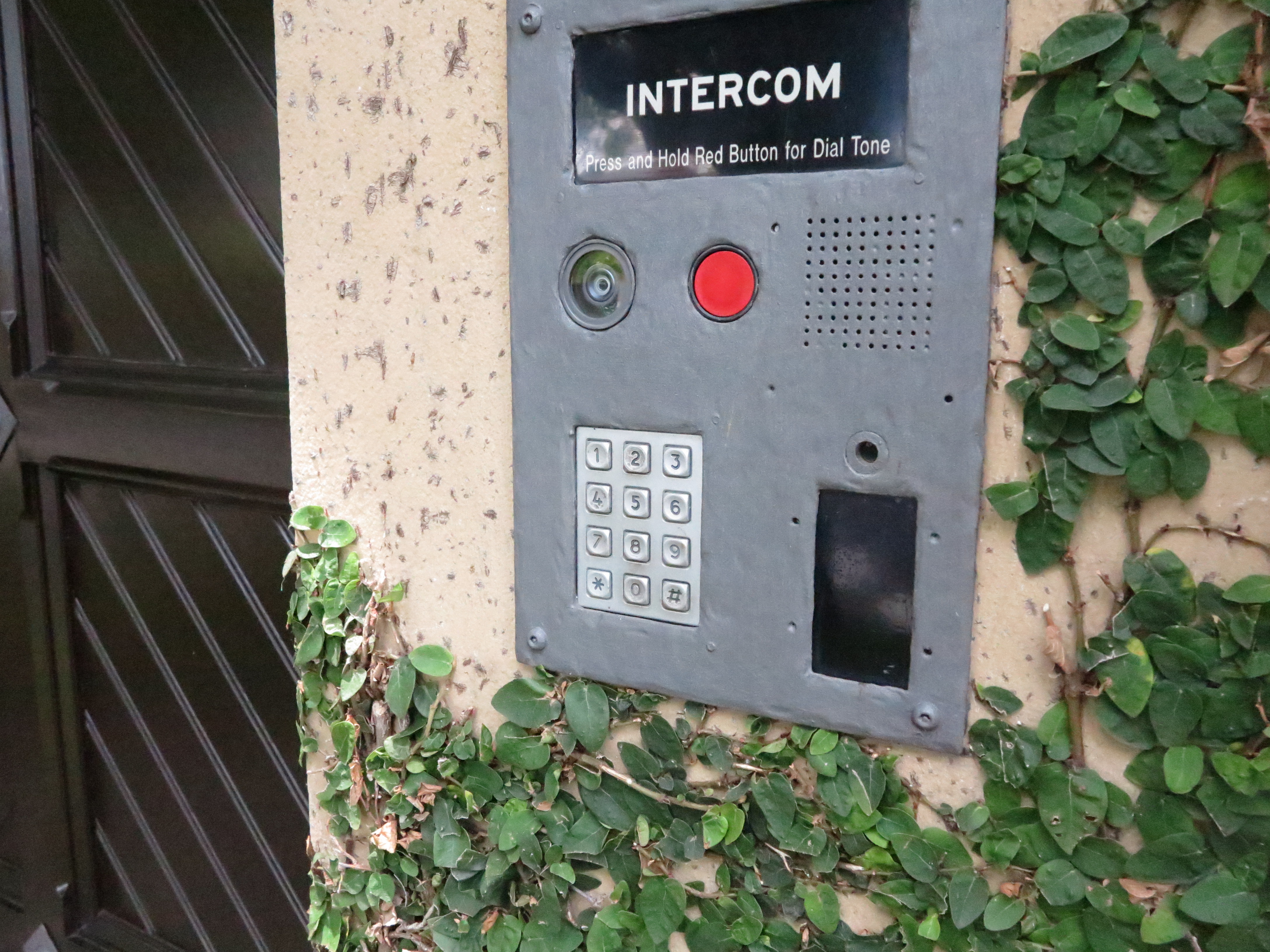
Intercom panel with codepad

These systems may need to be modified to support secure unattended parcel delivery

There has been recent Internet discussion about the Amazon Key product which is a smart-lock ecosystem that allows Amazon couriers to drop off your orders inside your home after you confirm with them that they have your order. The constant issue that was raised was the fact that courier could wander around your home unsupervised after they drop off the order, thus being a threat to your privacy and home security.

But this may raise certain architectural requirements and possibilities to cater for the rise of online deliveries. These requirements and possibilities are about creating secure on-premises storage for these consignments that have been delivered or are to be collected by a courier while you are absent. It is also about making sure that the courier cannot enter your home unsupervised under the guise of dropping off or picking up a consignment.

They will affect how homes are designed whether as a new-build development or as a renovation effort and will affect how apartment blocks and similar developments are designed. It is very similar to the use of specially-installed lock-boxes to keep front-gate or meter-box keys that are only opened by the utility’s meter reader with a special master key when they read your utility-service meter.

Architectural requirements

One of these could be a cabinet or small storeroom located towards the front of your home and used primarily for storage of delivered goods. Of course, you may use these spaces to store items like clean-up tools or solid fuel. Some householders may see a garage or a shed also serve this same purpose.

An alternative would be to implement a small vestibule or porch enclosure with an inner front door and outer front door, Here, these spaces would be secured with a smart lock or access-control system that ties in with secure consignment-drop-off arrangements like what Amazon proposes.

In the case of a vestibule, the inner entry door that leads to the rest of the house would be secured under the control of the household and not be part of these arrangements. This also applies to arrangements where the vestibule opens to other rooms like a home office.

Apartment block in Elwood

Multi-dwelling units like apartment blocks may have to have luggage-locker storage facilities for unattended parcels

For multi-dwelling developments, this could be achieved through the use of a storage facility similar to a cluster of luggage lockers. Here, one or more lockers are shared amongst different apartments on an as-needed basis. In these buildings, they would be located close to or within the mail-room or as a separate storeroom. For those buildings that have multiple entry vestibules for different apartment clusters, it may be plausible to have a group of parcel-delivery lockers in each vestibule.

If your property has a front gate that is normally locked, you may have to use a smart lock or access-control system compliant with the abovementioned secure consignment drop-off arrangements on that gate.

Security requirements for these spaces

All these arrangements would be dependent on a smart lock or access-control system that ties in with the couriers’ or online-delivery platforms’ ecosystems and would be used when you aren’t at home. Such systems would be dependent on consignment numbers that are part of consignment notes or delivery dockets, along with the recipient being notified by the courier of the pending delivery.

But you would be able to have access to these spaces using your own code, card or access token held on your smartphone as expected for all smart-lock setups.

Integration with the courier’s workflow

Such setups would require the household to register them with an online-shopping platform or a courier / messenger platform operated by the incumbent post-office or an industry association. Here, the household would notify whereabouts the secure storage space is on their property

Product delivery

Typically, when you receive a delivery, the courier would ring the doorbell and find that no-one is at home. Or the door is answered by a child and the standing arrangement regarding the chain of custody for deliveries is for the parcel to be received and signed for by a responsible adult.

In this situation, the courier would have to enter details on their handheld terminal about no-one being home. You would then be contacted by email, text messaging or a similar platform regarding the pending delivery and then you use the platform’s companion mobile app or Website to authorise the drop-off of your consignment in the safe storage space.

Then the courier would receive a one-shot authority code which they use to unlock the storage space so they can lodge your parcel there. Once they have delivered the parcel, you would be notified that the parcel is waiting for collection. You would then use your keycode to open up that space to collect your goods when you arrive.

Product collection

There are also times where we require a courier to collect goods from us. This can be situations ranging from returned merchandise, through equipment being collected for repairs, to sending goods out as gifts. In these situations, a responsible adult may not be home to hand over the item and you don’t want to wait around at home or co-ordinate a pickup time for the consignment.

Here, you would organise the consignment paperwork with the courier or the recipient organisation if they are organising the pickup. As part of this, you would receive a consignment number as part of the consignment note, returned-merchandise authorisation or similar document.

Then you would place the goods in the storage space and make sure this is locked. Subsequently you would enter the consignment number in to the smart lock or platform app on your phone or computer. This consignment number works as a one-shot authority code for the courier to open the secure storage space.

When the courier arrives to collect the consignment, they would enter the consignment number in the smart lock to open the storage space in order to collect the goods. Once they have collected the goods, they then lock up the storage space before heading onwards with the consignment. You would then be notified that they have collected the consignment, with the ability to track that parcel as it is on its way.

Issues that need to be raised

Access to a competitive online-retail or parcel-delivery marketplace

It can be easy to bind an unattended-delivery secure-storage platform to an incumbent postal service (including a courier service owned by or a partner with one of these services), or a dominant online retailer like Amazon.

This ends up as a way for the incumbent postal service or dominant online retailer to effectively “own” the online-retail or parcel-delivery marketplace by providing more infrastructure exclusive to their platform. It can also expose antitrust / competitive-access issues where other courier firms or online retailers can’t gain access to self-service unattended-delivery arrangements.

This issue can be answered either through an app-based approach that works with the smart-home / Internet-of-Things ecosystem to interlink with IT systems associated with the goods-delivery industry; or a common platform adopted by the courier / messenger and online-retail industry that integrates unattended-delivery storage as part of the workflow.

Similarly, these systems need to have a level of flexibility such as being able to work with multiple smart locks on the one property. This would be to facilitate a locked gate and / or two or more storage spaces such as a trunk-style cabinet for small items and a larger storeroom for larger consignments; or to provide a private storage space for each dwelling on that property such as a house converted to apartments.

Conclusion

The online retail marketplace has brought about a discussion regarding management and secure storage of consignments that are delivered to unattended addresses.

Another attempt at security for the Internet Of Things

Article

Google and others back Internet of Things security push | Engadget

My Comments

An issue that is perplexing the personal-computing scene is data security and user privacy in the context of dedicated-function devices including the Internet Of Things. This has lately come to the fore thanks to the KRACK WPA2 wireless-network security exploit which mainly affects Wi-Fi client devices. In this situation, it would be of concern regarding these devices due to the fact that the device vendors and the chipset vendors don’t regularly update the software for their devices.

But ARM Holdings, a British chipmaker behind the ARM RISC microarchitecture used in mobile devices and most dedicated-function devices has joined with Google Cloud Platform and others to push for an Internet-Of-Things data security platform. This is very relevant because the ARM RISC microarchitecture satisfies the needs of dedicated-function device designs due to the ability to yield greater functionalities using lean power requirements compared to traditional microarchitecture.

Here, the effort is centred around open-source firmware known as “Firmware-M” that is to be pitched for ARMv8-M CPUs. The Platform Security Architecture will allow the ability for hardware / software / cloud-system designers to tackle IoT threat models and analyse the firmware with a security angle. This means that they can work towards hardware and firmware architectures that have a “best-practice approach” for security and user-friendliness for devices likely to be used by the typical householder.

There is still the issue of assuring software maintenance over the lifecycle of the typical IoT and dedicated-function device. This will include how newer updated firmware should be deployed to existing devices and how often such updates should take place. It will also have to include practices associated with maintaining devices abandoned by their vendors such as when a vendor ceases to exist or changes hands or a device reaches end-of-life.

But at least it is another effort by industry to answer the data-security and user-privacy realities associated with the Internet Of Things.

What is Bluetooth Mesh networking all about

Articles

Bluetooth mesh networking could connect smart devices city-wide | Engadget

Bluetooth Mesh Networking will usher in huge connected environments | Android Authority

From the horse’s mouth

Bluetooth SIG

Blog Post

Video – click or tap to play

My Comments

Bluetooth SIG have publicly launched the Bluetooth Mesh specification which adds on to the Bluetooth Low Energy specification to create a multi-device wireless mesh network, It is in addition to the “one-to-one” Bluetooth topology typically used for linking your smartphone to that Bluetooth speaker or the “one-to-many” broadcast-driven Bluetooth topology used for Bluetooth wayfinding beacons.

Such networks place importance on a “many-to-many” network topology where data can be shared amongst multiple network member devices while a member device can receive data from multiple other member devices. The signal paths effectively represent the lines of wire that make up a piece of wire meshing like “chicken wire” while each corner in that mesh represents the member devices in that network.

The “Internet Of Things” is being seen as a key application driver and I see it as a competing wireless-link technology to Zigbee and Z-Wave which are used for this similar application. Security will be designed in to this network technology to protect data from being listened to or modified by unauthorised parties, thanks to improved link-level encryption technology.

It will still have the same use cases as other technologies pitched at the “Internet-of-Things” space such as the smart home, building automation, health monitoring and industrial automation. But it takes advantage of the fact that Bluetooth technology is commonly integrated into the design of highly-portable host computing devices like smartphones, tablets and laptops, something that has been taken advantage of with some Bluetooth-based “smart-home” devices like the Kwikset Kevo smart deadbolt lock. Here, the host device can interact directly with one or more of these sensor or controller devices no matter how far it is from the host.

What will this mean for existing Bluetooth LE setups

The new Bluetooth Mesh network technology will be based on Bluetooth 4.0 LE Smart technology and extant Bluetooth chipsets that support in-field firmware updates can benefit from this functionality. Issues that may be faced include the memory capacity and computing power that the chipset may have, which may affect some designs, and will raise its head with chipsets deployed in a lot of sensor or controller devices.

Devices like smartphones or computers will need to be equipped with mesh-specific add-on software as part of their Bluetooth application-programming interface. Initially this may be delivered in the form of extra software tied to Bluetooth chipsets. But this functionality would be rolled in to operating systems through a subsequent functionality update.

The act of provisioning new Bluetooth Mesh devices will be driven by a host device running a configuration app or, more likely, an extra setup option in the host’s operating system. This is more about enrolling new devices to a Bluetooth Mesh network as well as removing devices surplus to need from that network, which also includes obliterating security keys associated with that network frim the surplus device.

The Bluetooth Mesh technology will be rolled out over the subsequent few years as newer capable chipsets come on board with this functionality and the firmware is made available for suitable extant chipsets. As well it may require each of the major operating systems to acquire a major functionality update to take place before more host devices can work in the Bluetooth Mesh.

At least the Bluetooth Mesh technology will be on a similar position to Zigbee and Z-Wave for wireless infrastructure that answers the needs of the Internet Of Things.

Designing for highly-compatible Internet Of Things

Article

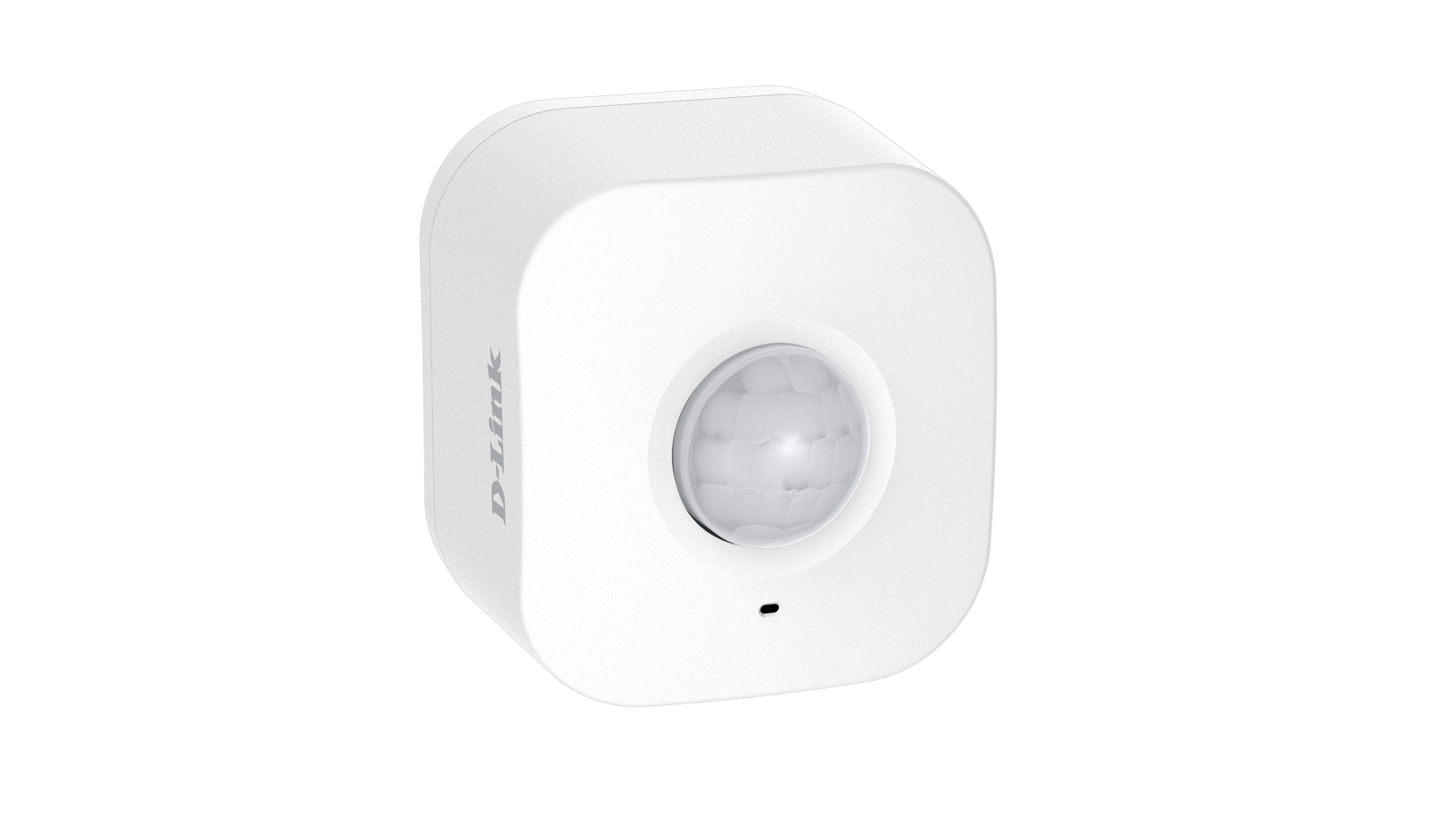
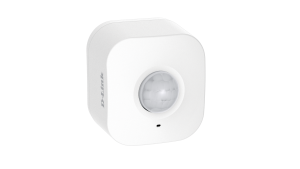
D-Link DCH-3150 myDLink motion sensor

Smart Home and Internet Of Things devices need to be designed for compatibility and security before they become popular

How to bring true interoperability to the Internet of Things | Network World

My Comments

Increasingly, the concept of the “smart home” or Internet Of Things is becoming very real. Here, we are seeing a lot more consumer-electronics devices, home appliances and similar devices become connected to the home network and the Internet.

The “app-cessory” approach to network-controlled devices, where the only way to control these devices via your home network is through a manufacturer-supplied mobile-platform app, has now had its day. This typically asked that the device to be connected to your iOS or Android smartphone or tablet using one of three paths: a Bluetooth connection to the mobile device in the same vein as a Bluetooth headset; a Wi-Fi network created by the device that is controlled by the mobile-platform device; or the home network’s Wi-Fi segment.

The trend that is affecting these devices is to interlink them with a platform-based voice-driven “home assistant” of the Amazon Alexa or Google Home ilk. Here, the requirement is for the manufacturer to provide a “skill” or something similar to the “home-assistant” platform so that Alexa, for example, can interact with the device.

But the article is now highlighting the requirement for increased compatibility with the Internet Of Things. This is where the same device can operate across a range of different network setups and operating platforms.

Use of highly-capable hardware interfaces at the media-connection level

A direction that has assured “out-of-the-box” interoperability for regular-class and mobile-class computer devices along with an increasing number of consumer-electronics devices is to implement one or more multi-mode front-ends when handling the different interface types.

In the case of radio, it can mean being able to handle Wi-Fi, Bluetooth, Zigbee or similar technologies concurrently.With the wired networks, it would be about working with different media protocols over the same kind of wire, being Cat5 unshielded twisted pair, TV-antenna coaxial cable, AC wires used to power your appliances or traditional telephone wires.

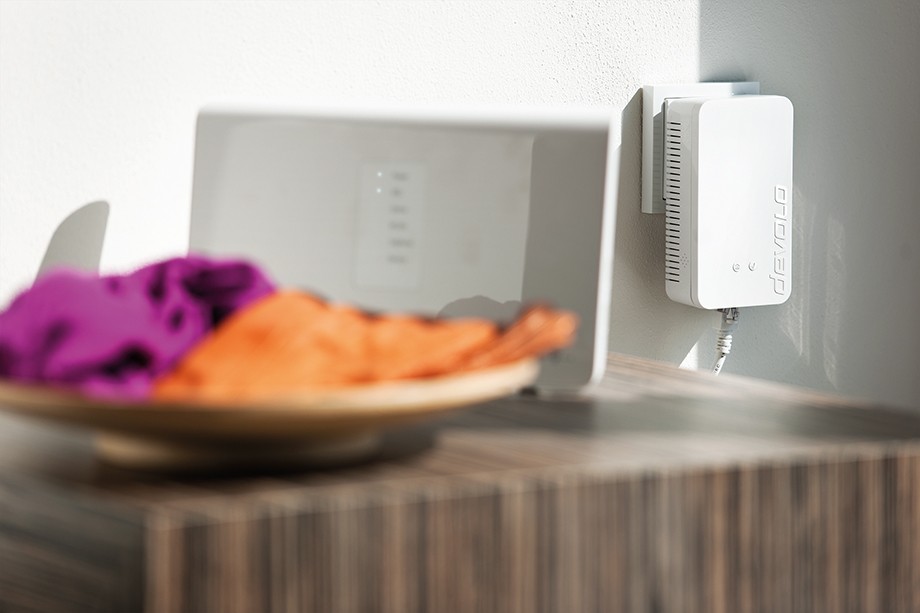
Devolo Home Control Central Unit (Zentrale) press photo courtesy of Devolo

Devolo Home Control Central unit connected to router

In the case of a wireless connection, this is represented by the use of Bluetooth for peripheral-class device connection and Wi-Fi wireless networking to the latest standard for connecting to the home network and the Internet. Smartphones and some tablets will also implement a mobile-broadband modem that works across recent cellular mobile-telephony standards as well. As well, some consumer-electronics devices may implement a multifunction radio front-end that supports Zigbee or Z-Wave, typically to provide support for an RF-based remote control.

There are a significant number of “smart-home” or “Internet Of Things” devices that are designed to work solely with Bluetooth, Zigbee or Z-Wave. Examples of these range from temperature sensors, smart locks and movement sensors. These devices, typically battery-operated devices, use one of these technologies because of the fact that they are very thrifty on battery power thus allowing them to work on up to 3 AA Duracells or a 3V “pill-size” battery for months at an end or to work only on “harvested” power like kinetic energy.

But, if they want to liaise with your home network and the Internet, they have to deal with a gateway device that links between them and the home network. It is because, at the time of writing, no-one has effectively brought a Wi-Fi-capable single-mode or multimode radio front-end chipset that permits a battery-operated device to work in a power-efficient manner.

But another approach being called for is to have an Internet gateway device i.e. a home or small-business router being equipped with support for Bluetooth, Zigbee and / or Z-Wave along with Wi-Fi and Cat5 Ethernet for the home network. To the same extent, a Wi-Fi infrastructure device like an access point or range extender could simply be a bridge between other radio-network types like Zigbee or Bluetooth and the home network facilitated by the Wi-Fi or wired home-network connection.

Some manufacturers even have an “IoT hub” or gateway that links their Bluetooth, Zigbee or Z-Wave devices to your home network via an Ethernet connection. Here, this is offered as part of enabling their devices for online control via a Web dashboard or mobile-platform app. The current situation with most of these hubs is that they have the online-service hub that works with the manufacturer’s device.

There needs to be the ability to facilitate setups involving multiple gateways that link the home network with Zigbee or similar “IoT” radio segments. This is a reality with most of these devices being limited in their radio coverage in order to conserve battery power because they are expected to run on a commodity battery supply like two or three AA Duracells for months at a time or, in some cases, work on harvested electrical energy. You may find that having one of the gateways located near an IoT endpoint device like a smart lock may assure reliable connected operation from that device.

In these setups, there needs to be the ability to see a collection of these “IoT-specific” radio segments as one logical segment, along with the ability to discover and enumerate each device no matter which gateway or bridge device it is connected to and what kind of networks is used as the backbone.

Flexible software to the application level
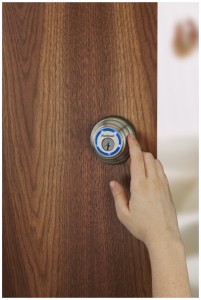
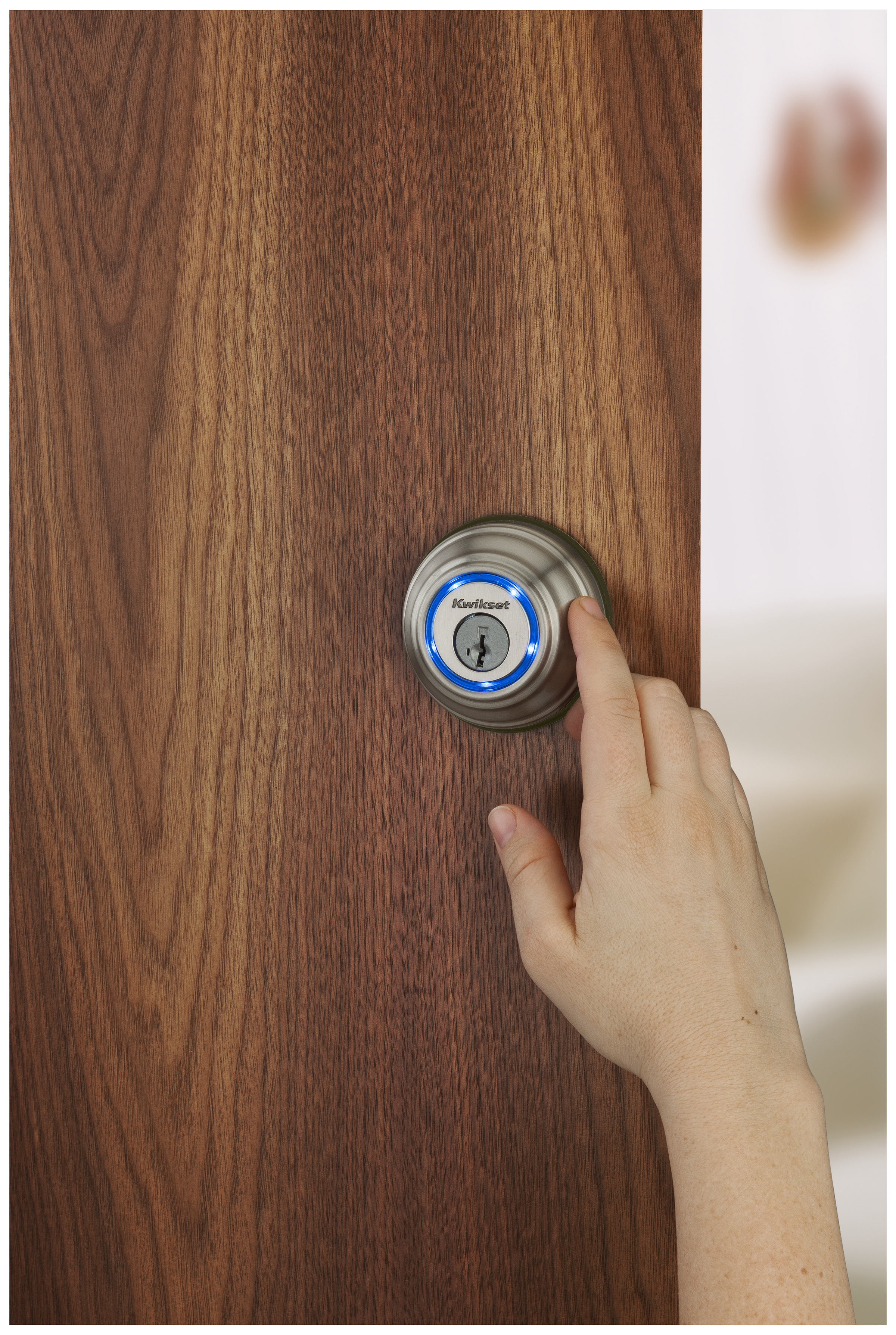
Kwikset Kevo cylindrical deadbolt in use - Kwikset press image

To provide extended monitoring and control to the Kwikset Kevo deadbolt, you have to use a Bluetooth bridge supplied by Kwikset

Another issue raised regarding the Internet Of Things is compatibility across multiple software platforms and protocols.

A design practice that has been known to be successful was for recent network-connected home-AV equipment like Wi-Fi wireless speakers to support Apple AirPlay, Google Chromecast and DLNA “out of the box”. Here, you could stream content to these devices using most computer devices, whether it be your iPhone, Android tablet or Windows computer, or whether it is hosted on your NAS device.

Here, the goal is for a device to support many different software platforms, frameworks and protocols that are needed to do its job. To the same extent, it could be feasible for a device to work with different cloud services like Google Home, Amazon Alexa or IFTTT. What this can mean is that a device can work with different control and display surfaces from different manufacturers. It also means that the data that a piece of equipment shares is set in a known standard so that any software developer working on an IoT project can make use of this data in their code.

For example, the Open Connectivity Foundation’s standards which include the UPnP standards and are supported by the “open-frame” computing community, along with the Apple HomeKit framework will be required to be supported by network-connected devices.

Here, it will be about identifying every one of the standards supported by the physical medium that the IoT device uses to link with other devices and the network. Then implementing all of the current standards supported by that medium in a vendor-agnostic manner.

Secure by design

An issue that has been raised recently is the issue of data security practices implemented by the software that runs Internet-Of-Things and dedicated-purpose devices. Situations that have come to the fore include the Mirai botnet that scoped in network videosurveillance cameras and home-network routers to perform distributed denial-of-service attacks against online resources like the Krebs On Security Website and the DNS records held by Dyn, a dynamic-DNS provider, affecting a large number of Internet household names.

Here, the issue being called out is designing the software in this class of device for security along with a continual software-maintenance cycle. But it also includes the implementation of secure-software-execution practices not uncommon with the latest desktop and mobile operating systems. This includes secure-boot, trusted-execution and sandboxing to prevent unwanted code from running along with data-in-transit protection and authentication at the network level.

The concept of a continual software-maintenance approach where the firmware and other software associated with the Internet Of Things is always updated with these updates installed “in the field” as they are available, allows for the removal of software bugs and security exploits as they become known. It also allows the software to be “tuned” for best performance and manufacturers can even roll out newer functionality for their devices.

In some cases, it could even lead to a device being compatible with newer and revised standards and protocols rather than seeing one that ends up being limited because it doesn’t support the newer better protocol. But there can be the question about this kind of software update being used as a way to enforce unpopular device-design requirements upon an existing installed base of devices and changes how they operate. This could be brought about by a government mandate or an industry expectation, such as an eco-requirement for HVAC equipment required by a state energy-conservation department or a digital-rights-management expectation required at the behest of Hollywood.

To make the IoT hardware and software ecosystem work properly, there needs to be an underscored requirement for compatibility with prior and newer devices along with the ability to work securely and with properly-maintained software.

Frigidaire offers a window-mount room air-conditioner that connects to your home network

Article

Google Home welcomes 12 new partners in big smart home update | CNET

Frigidaire Cool Connect uses app-linked smarts to chill hot homes | CNet

Dreading summer already? Frigidaire’s smart window air conditioner lets you cool on demand | Digital Trends

From the horse’s mouth

Frigidaire USA

Frigidaire Smart Room Air Conditioner with Wifi Control

Product Page (8000 BTU model / 10000 BTU model / 12000 BTU model )

My Comments

Typically, the traditional single-piece room air-conditioner that was installed through a window or a wall cut-out was never seen as anything special by their manufacturers. These noisy boxes that kept your room cool (or warm in the case of reverse-cycle units) didn’t come with anything special as far as their features were concerned.

Recently-issued models started to come with remote control abilities but could be controlled using your home network thanks to a Tado or similar “virtual-remote-control” kit. But Frigidaire raised the ante for this class of air-conditioner by offering a model that can directly work with your home network.

The Frigidaire Cool Connect air-conditioner can be installed in a window like the rest of these beasts but this is where the similarity stops. Here, it looks very similar to one of the advanced network-capable multiroom speakers thanks to a mesh-like grille that covers the bottom half of the unit. The top edge of the unit has the output vents that blow the air upwards and may limit its installation to somewhere up to halfway up the wall.

As well, the essential controls such as to turn it off and on or adjust the comfort level are simply touch-buttons on the top edge towards the front while the temperature is shown through the front of the unit. There is also a card remote control that you use for managing the essential functions from afar.

But the difference with this room air-conditioner compared to the others out there is that can connects to your home network via Wi-Fi and be controlled using an iOS or Android app. Here, you can control the essential functions or set the 24-hour timer for pre-emptive scheduled cooling such as to have your place cool before you arrive. Here, these functions can be managed over the Internet, which can be good for starting the Frigidaire Cool Connect air-conditioner to get the home cool well before you arrive as a way of dodging that heat-wave.

A feature that impressed me about the Frigidaire Cool Connect air-conditioner is that you can have a cluster of these units controlled as a group. This can be of use with larger areas where a single unit isn’t enough to cool a room or premises down. Or you have individual units installed in particular rooms like a bedroom and the living room but want to manage them both at once for actions like dropping that heat-wave temperature down or turning them off when it’s cold enough.

Let’s not forget that you can use a device that supports the Google Home or Amazon Alexa voice-driven home assistants to control the Frigidaire Cool Connect air-conditioner. Here, you could issue commands for the essential functions like turning the system on or off or increasing or decreasing the comfort level.

What has been shown here is that Frigidaire, now a part of the Electrolux appliance behemoth, is raising the bar for an appliance class often overlooked by many other appliance manufacturers. Here, they have offered a single-piece window-mount room air-conditioner that can be part of the connected home.

Google demonstrates their Google Home concept during Super Bowl 2017

Part of the experience of watching American Football’s annual ultimate playoff that occurs every February is to see the ads that are run during the commercial breaks. This is because, a company has to stump up at least US$5 million per “spot” to get an ad in front of the USA’s many eyeballs who will be watching the Super Bowl. Here, it is also the time that advertisers pull out the stops to show the most impressive and memorable commercials that could end up being run when they want to extend the campaign further.

Google used this year’s Super Bowl to demonstrate the concept of their Google Home voice-activated home assistant platform competing with Amazon Alexa. But is shows what these voice-operated home assistants are all about. Most of the functionality you will see in this ad will require you to install smart-home devices that control your existing lighting or heating.

Have a look at this if you missed it during this year’s “ad parade”.

NETGEAR have fixed security exploits in some of their newer routers

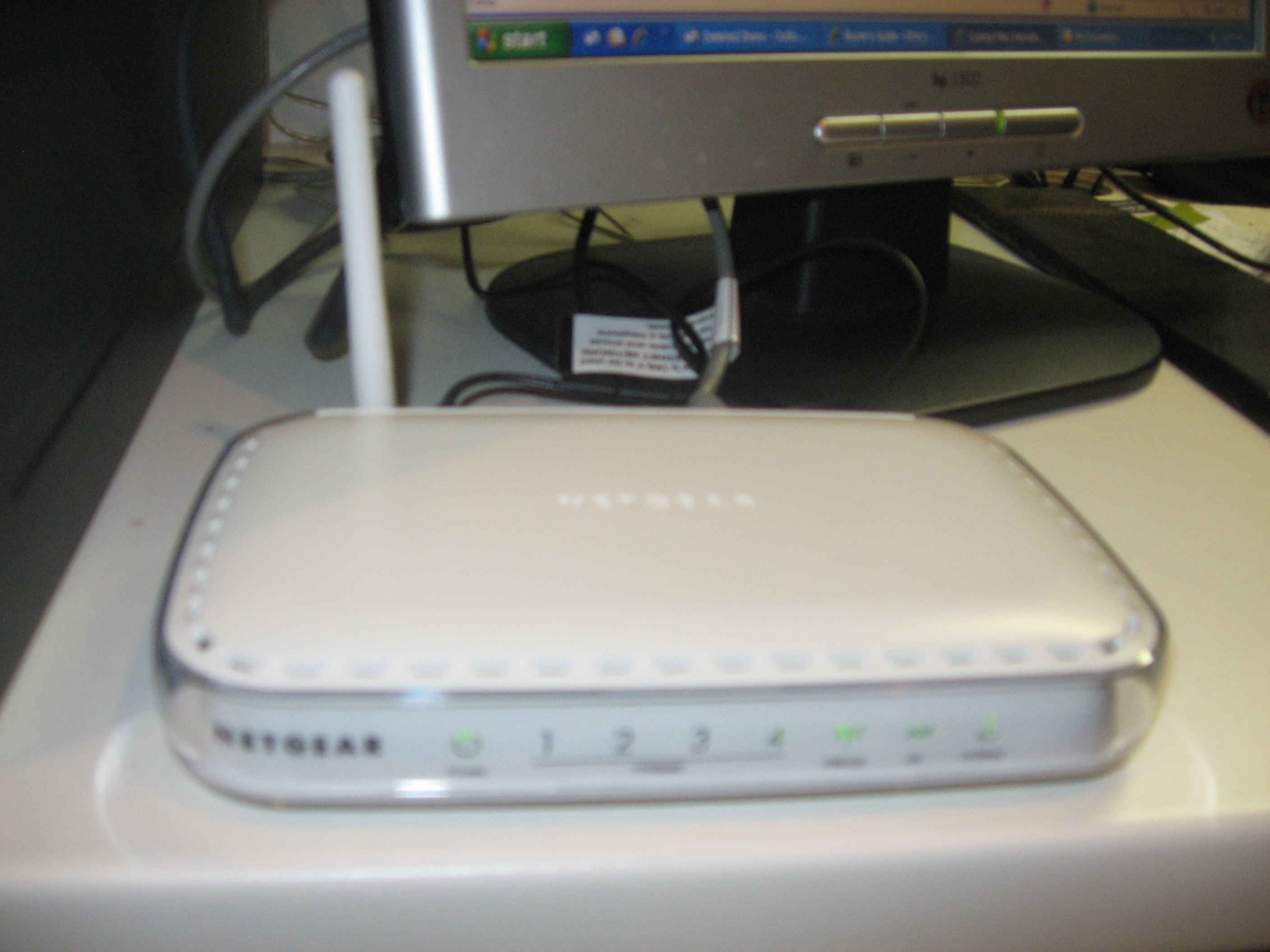
Netgear DG834G ADSL2 wireless router

If you are running a recent NETGEAR router, make sure its firmware is up to date

Article

Netgear Patches Its Router’s Security Holes, Download Your Updated Firmware Today | Lifehacker

From the horse’s mouth

NETGEAR

Original Security Advisory

Models affected
Smart Wi-Fi Router AC1600 R6250
AC1750 Smart Wi-Fi Router – 802.11ac Dual Band Gigabit R6400
Nighthawk AC1900 Smart Wi-Fi Router R7000
Nighthawk X6 – AC3200 Tri-Band Wi-Fi Gigabit Router R8000
Nighthawk AC1750 Smart Wi-Fi Router – Dual Band Gigabit R6700 Beta firmware
Nighthawk AC1900 Smart Wi-Fi Router R6900 Beta firmware
Nighthawk 4G LTE Modem Router R7100LG Beta firmware
Nighthawk DST – AC1900 DST router
HomeNetworking01.info coverage
R7300DST Beta firmware
Nighthawk X6 – AC3000 Tri-Band Wi-Fi Gigabit Router R7900 Beta firmware
Wi-Fi VDSL2+/ADSL2+ Modem Router D6220 Beta firmware
AC1600 WiFi VDSL/ADSL Modem Router – 802.11ac Dual Band Gigabit D6400 Beta firmware

My Comments

NETGEAR had faced a serious problem with some of its recent-model routers due to a security exploit in the firmware that drives these network-Internet “edge” devices. Previous coverage about this issue had required you to use another router for your home network to stay secure.

This has had NETGEAR rush out firmware updates for each of these affected routers in order to mitigate the recently-discovered security exploit.

A problem that besets most of the commonly-available home-network bardware is that firmware updating requires you to visit the manufacturer’s site, download the firmware as a special file package for your device, then upload that package to your device via its Web-based management interface. This can daunt some computer users who haven’t much experience with these kind of hardware maintenance tasks.

Personally, I would like to see steps taken to support automatic firmware upgrades such as what AVM are doing with their Fritz!Box devices, or at least the ability to click on a button in the management interface to start the download and update process for the device’s firmware. This is a practice that is being implemented in most of the European-made modem routers, along with most consumer-electronics devices like Smart TVs and set-top video peripherals.

There is also the issue of protecting the update files so that you aren’t installing malware on your device and it may involve processes like authenticity checks for software delivered as part of a firmware update or functionality add-on.

The update procedure

The update procedure will require you to download the updated firmware package using your regular desktop or laptop computer. Here, they recommend that you connect your regular computer directly to the router using an Ethernet cable if you can do so for the download and update process to be sure that this process works reliably.

Follow the link listed in this article to the NETGEAR-hosted support page for your router’s model. You will see the link for the firmware package you need to download. Here, you download that firmware package to your “downloads” folder.

Then, once you have downloaded the firmware from the NETGEAR site, you log in to your router’s management page from that same computer using your favourite Web browser. For these routers, the URL is http://www.routerlogin.net. Subsequently, you have to visit the ADVANCED tab, then the Administration option, then the Firmware Upgrade option.

In that screen, you click the Browse button, which will pop up a file-system dialog box where you have to find the firmware file that you downloaded in your “downloads” folder. Once you have selected the firmware file, click the Upload button to transfer the firmware to your router, whereupon it will commence the updating process. Leave the router alone during this process so as not to interrupt this critical process. You will see a progress bar to indicate how the upgrade is progressing.

Once this update procedure is done, a good practice would be to regularly visit NETGEAR’s support pages for your particular router and check for newer firmware on a regular basis. Then, if there is newer firmware available for your device, update it following the instructions on their Website or the general instructions listed in this article.

Conclusion

The increased awareness by industry and computer media regarding software quality and data security for dedicated-purpose devices connected to the Internet along with consumer / small-business network-infrastructure devices is going to make companies who design these devices or the software that runs them wake up regarding these issues.

Passive Wi-Fi–a new trend for battery-operated Wi-Fi network devices

Articles

‘Passive Wi-Fi’ researchers promise to cut Wi-Fi power by 10,000x | PC World (IDG)

New “Passive Wi-Fi” Could Drastically Cut Power Needs For Connected Devices | Fortune

Passive WiFi – 10,000 times less power consumption than trad WiFi | Telecom TV

US engineers unveil Passive Wi-Fi, which consumes 10,000 times less power | Android Authority

Video (Click / Tap to play)

My Comments

A new direction that is being looked at for the Wi-Fi wireless-network ecosystem is the use of “passive Wi-Fi”. This is where Wi-Fi endpoints will not be needing the use of analogue RF amplification circuitry and can simply reflect these wireless signals back to access points or routers.

Traditional active Wi-Fi setups work analogously to a torch (flashlight) that is being used where it is actively putting out the light thanks to its batteries. But passive Wi-Fi works in a similar vein to a mirror that simply reflects the light without using any energy.

The advantage here with passive Wi-Fi is that devices implementing that technology don’t need to draw lots of current for them to operate on the network. This is so appealing towards mobile devices implementing it as a battery-saving measure.

But it also appeals towards how devices related to the smart home or Internet-Of-Things will be designed. This is because these devices can be designed to work for a long time on up to three AA or AAA Duracells or a coin battery, or could use energy-harvesting technologies like solar power or kinetic energy but work with a Wi-Fi network rather than the Bluetooth LE, Zigbee or Z-Wave networks that are optimised for low energy.

Here, it may be feasible to directly connect these devices to your home network and the Internet without the need to use bridge devices to achieve this goal. This is although it can be feasible to integrate Bluetooth LE, Zigbee and/or Z-Wave bridging functionality in to a Wi-Fi-capable router or access point, especially if there is a market expectation to have these devices also serve as “smart-home” or “IoT” hubs.

At the moment, passive Wi-Fi can work between 30-100 feet on a line-of-sight or through walls while passing a bandwidth of up to 11Mbps. The prototypes have been demonstrated with traditional Wi-Fi network equipment including a router and smartphone and this has proven that they can work in a standard Wi-Fi network. But there have been issues raised about requiring routers and access points to broadcast a “wake-up” call for these devices to report their presence and status.

A question that can be asked as this technology is designed is whether it could be feasible to design a Wi-FI front-end to switch between active and passive mode. Here, it could appeal to devices that enter passive mode simply to save energy but “go active” while in use with obvious use cases being mobile devices or Wi-Fi-based handheld controllers.

What it could lead to is that the goal to optimise all of the building-wide wireless-data technologies for low-power use has been nearly completed with the ability to have devices that exploit these technologies able to run for a long time on ordinary batteries.