Tag: Internet Of Things

Internet Of Things connectivity issues

Article

Don’t get sidetracked: Connecting the residential IoE | The Beacon (Wi-Fi.org)

My Comments

Saeco GranBaristo Avanti espresso machine press picture courtesy of Philips

Appliances like this coffee machine are now working with dedicated mobile platform apps.

As the “Internet Of Things” or “Internet Of Everything” becomes ubiquitous in one’s lifestyle, there will always be some key issues with implementing this concept. It doesn’t matter whether it is for our health, wellbeing, convenient living or security that these issues will come in to play.

The core issue around the initial complexities will be due to use of network transports that don’t work on Internet-Protocol methodologies that have been established well before the Internet came to fruition in the mid-1990s. Rather, some of these implement an industry-specific data transport that requires the use of a so-called “bridge” between the non-IP transport and the IP transport.

Current implementation issues

Filling your computing devices with apps for each device and cloud service
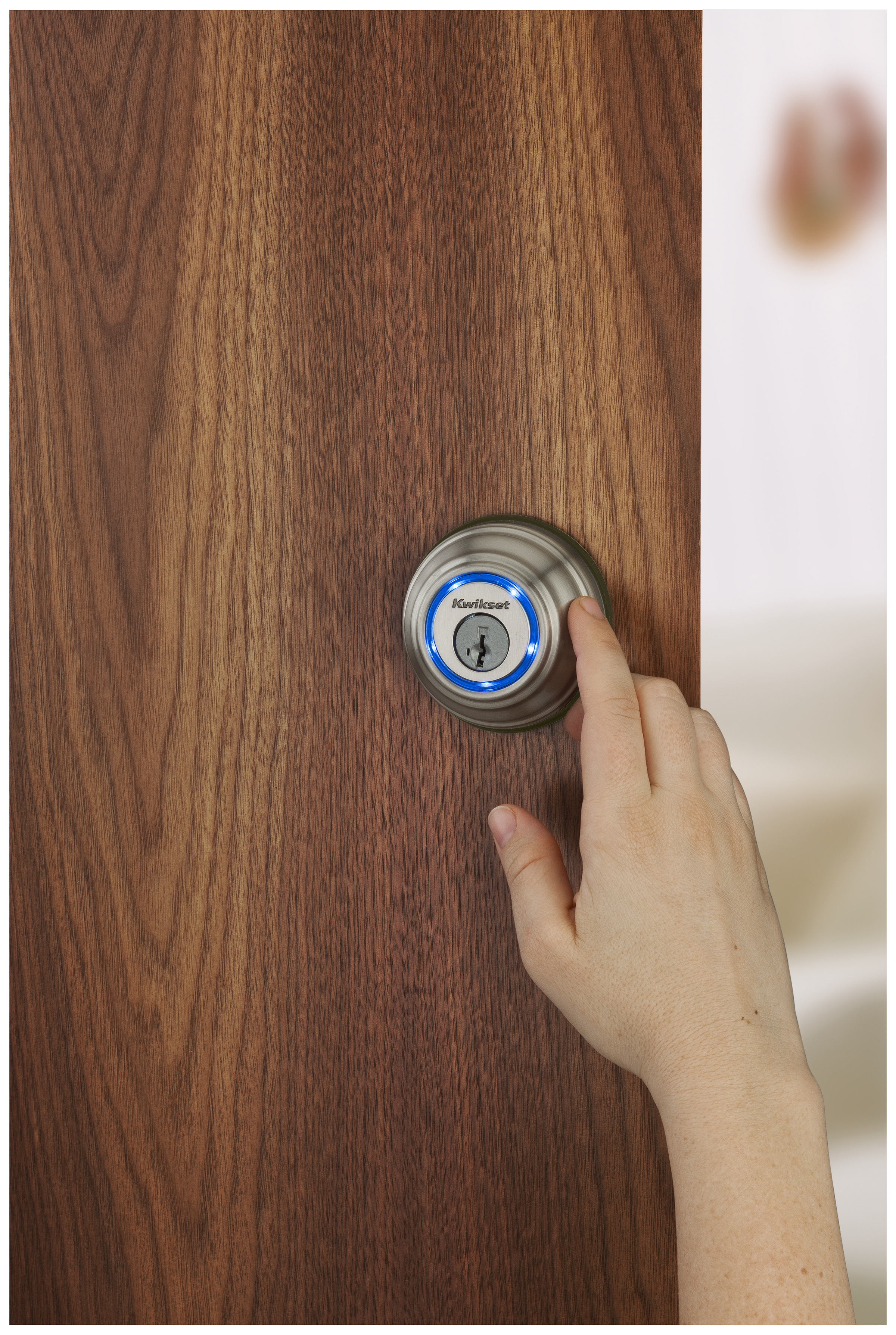
Kwikset Kevo cylindrical deadbolt in use - Kwikset press image

The Internet Of Things should be about allowing these smart locks to work with other home-automation devices

At the moment, a lot of devices that offer control by smartphone require the use of vendor-developed apps and as you add more devices with this capability to your network, you end up filling your mobile device with many different apps. This leads to user confusion because you end up with having to work out which app you use to work with which device.

The same issue also affects cloud-based services where each vendor impresses on users to use the vendor’s supplied apps to benefit from these services. Again this leads to operator confusion which typically we would have noticed when we use social-media, over-the-top messaging or cloud-storage front-ends on our computing devices for each social-media, messaging or cloud-storage service.

This kind of situation makes it harder for one to develop software that makes best use of a device’s functions because they have to engineer a device to work specifically with a particular vendor’s devices. It brings us back to the days of DOS-based software where games vendors had to write the driver software to allow their software to interface with the computer system’s peripherals. This made it harder for customers to determine if that program they are after was to be compatible with their computer hardware.

Home-control systems and the home network

One issue that was highlighted was linking devices that use non-IP networks like Zigbee, Z-Wave or Bluetooth to the IP-based home network which works on Cat5 Ethernet, Wi-Fi and/or HomePlug. Typically this requires the use of a network-bridge device or module that connects to one of the Ethernet ports on the home-network router to link these devices to your home network, the Internet and your mobile devices.

Multiple bridge devices being needed
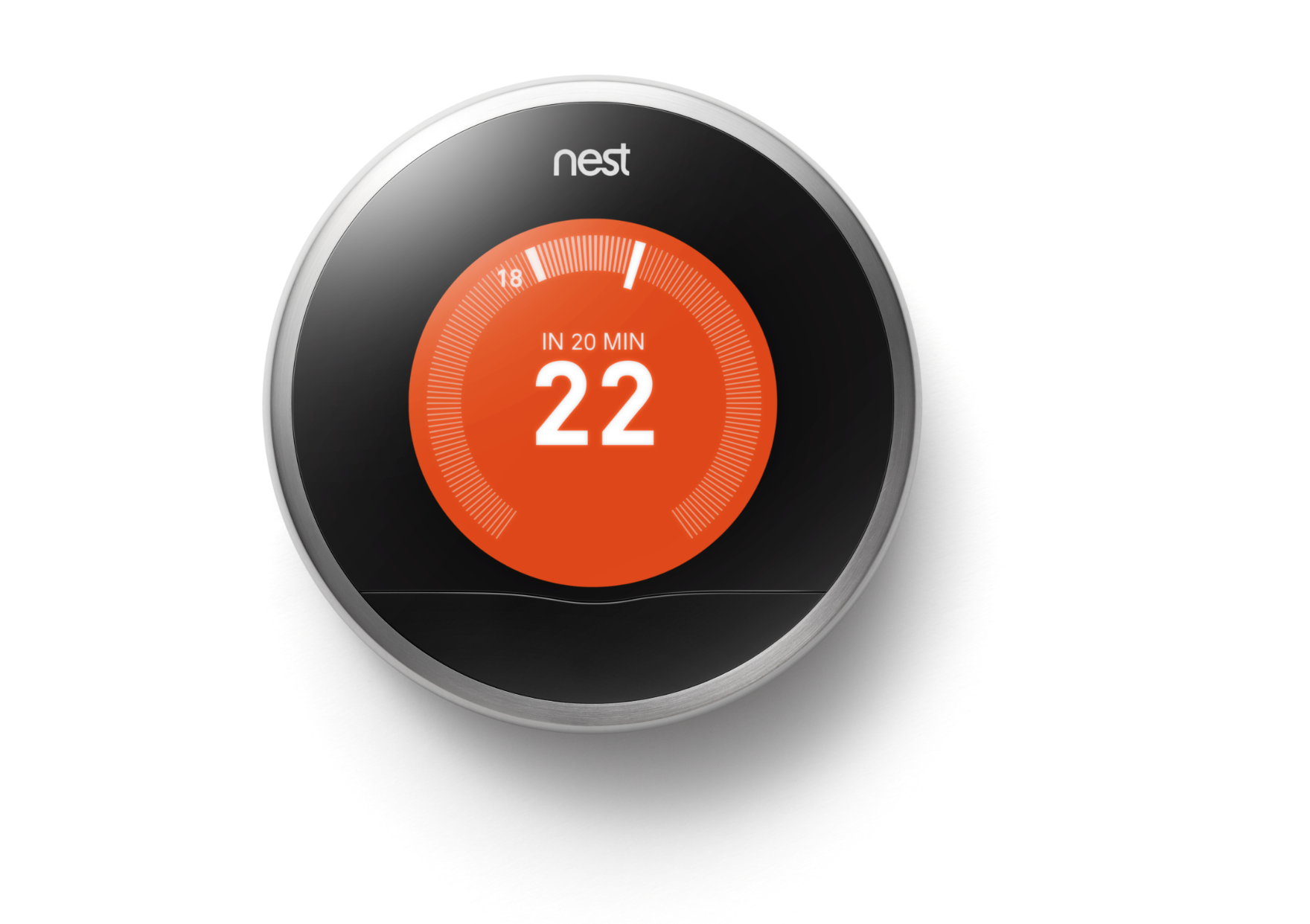
Nest Learning Thermostat courtesy of Nest Labs

… such as this room thermostat

The main question that was raised was whether we would end up with multiple bridge devices because each non-IP sensor or controller system was working in a proprietary manner, typically bound to a particular vendor’s devices or, in some cases, a subset of the devices offered by that vendor.

The worst-case scenario is a vendor who implements a Zigbee-based distributed heating control system for a UK-style hydronic central heating system that has thermostatic radiator valves for each radiator. In this scenario this system’s components will only link to the Internet and home network using the network bridge supplied by that vendor even though it works on the Zigbee network. But if you introduce a lighting system provided by another vendor that uses Zigbee technology, this system may require the use of another bridge that is supplied by that vendor for network-based lighting control.

Support for gradual system evolution

Also there is the issue of installation woes creeping up when you install or evolve your home-automation system. Some of us like the idea of “starting small” with local control of a few devices, then as funds and needs change, will change towards a larger more-capable system with Internet and mobile-device connectivity. The issue that is raised here is that a vendor could impress upon us to buy and install the network bridge before we start out installing the home-automation devices rather than enrolling the network bridge in to an established control system at a later date. In some cases, you may have to perform a reset operation upon all of the existing components and re-configure you system when you install that network bridge.

This also underscores the situation where a vendor may allow in-place upgrading and integration of a device known to have a long service life like most major appliances, HVAC or building-security devices. This is typically achieved through the use of an expansion module that the user or a technician installs in the device and this device gains the extra functionality. Here, it should be required for the device to be integrated in to the “Internet Of Things” network without you having to reset your network or do other difficult tasks.

To the same extent, one could easily start a system around one or more older devices, yet install newer devices in to the system. For example, you have a UK-style central heating system that is based around an existing boiler that has support for an advanced heating-control system if you choose to have a control module retrofitted to that unit and this module has an LCD touchscreen as its user interface.

You purchase this module and ask the central-heating technician to install it in your boiler so you can save money on your fuel bills. Here, this system uses a room thermostat which you start out with but also can work with thermostatic radiator valves and you buy and attach these valves to the radiators around the house to improve the heating efficiency and these devices work together properly, showing the results on the module’s LCD touchscreen.

Subsequently the boiler reaches the end of its useful life and you replace it with a newer more efficient model that has integrated support for the heating-control system that you implemented but in a newer form. Here, you don’t want to lose the functionality that the room thermostat or the thermostatic radiator valves offered, but want to fully benefit from what the new unit offers such as its inherent support for modulated output.

Needs

Task-focused application-level standards

The needs highlighted here are to implement task-focused application-level standards that work for the purpose of the device and support a simplified installation routine. As well, the role of any bridge device implemented in an “Internet Of Things” setup is to provide a proper application-level bridge between different medium types independent of device vendor.

But what are these task-focused application-level standards? These are IT standards that are focused on what the device does for that class of device rather than the device as being a particular model from a particular vendor. An “Internet Of Things” example would be a smart thermostat that is known to the other devices as a “HVAC thermostat” with attributes like current temperature, setpoint (desired-comfort-level) temperature, setpoint schedules and other comfort-control factors. This makes it easier for other devices to interact with these devices to, for example set up a situation-specific “preferred” room temperature for your heating when you use a particular user-code with your building alarm system or have a weather-forecast service cause the temperature to be adjusted in a manner to suit an upcoming situation.

Some good examples of the application-level standards are the UPnP Device Control Protocols for IP networks, or the Bluetooth application profiles. In one case, the Bluetooth Human Interface Device profile used for the Bluetooth keyboards, mice and remote controls was based on the USB Human Interface Device standards used for these similar devices. This simplified the design of host operating systems to design interoperability with Bluetooth and USB input devices using code that shared the same function.

Ability for a fail-safe network

An issue that is starting to crop up regarding the Internet Of Everything is being sure of a fail-safe network. This is in the form of each device in the network always discovering each other, control devices controlling their targets every time and sensor devices consistently providing up-to-date accurate data to their target devices.As well, a device that has a “standalone” function must be able to perform that function without being dependent on other devices.

Some devices such as smart locks have to he able to perform their essential functionality in a standalone manner if they lose connectivity with the rest of the network. This can easily happen due to a power cut or a network bridge or the Internet router breaking down.

Network bridges that work with multiple non-IP standards

As well, manufacturers could be challenged to design network bridges that work with more than two connection types such as a bridge that links Zigbee and Z-Wave home-automation devices to the one IP network using the one Ethernet connection.

This would include the ability to translate between the different non-IP standards on a task-based level so that each network isn’t its own silo. Rather, each device could expose what it can do to or the data it provides to other devices in the same logical network.

This may come to the fore with the concept of “meshing” which some standards like Zigbee and Z-Wave support. Here, a network can be created with each node being part of a logical mesh so that the nodes carry the signals further or provide a fail-safe transmission path for the signals. The “bridges” could work in a way to create a logical mesh with IP networks and networks that work on other media to use these other paths to create a totally fail-safe path.

Conclusion

It will take a long time for the “Internet Of Everything” to mature to a level playing field as it has taken for desktop and mobile computing to evolve towards to that goal. This will involve a lot of steps and place pressure on device manufacturers to implement these upgrades through the long working life of these devices.
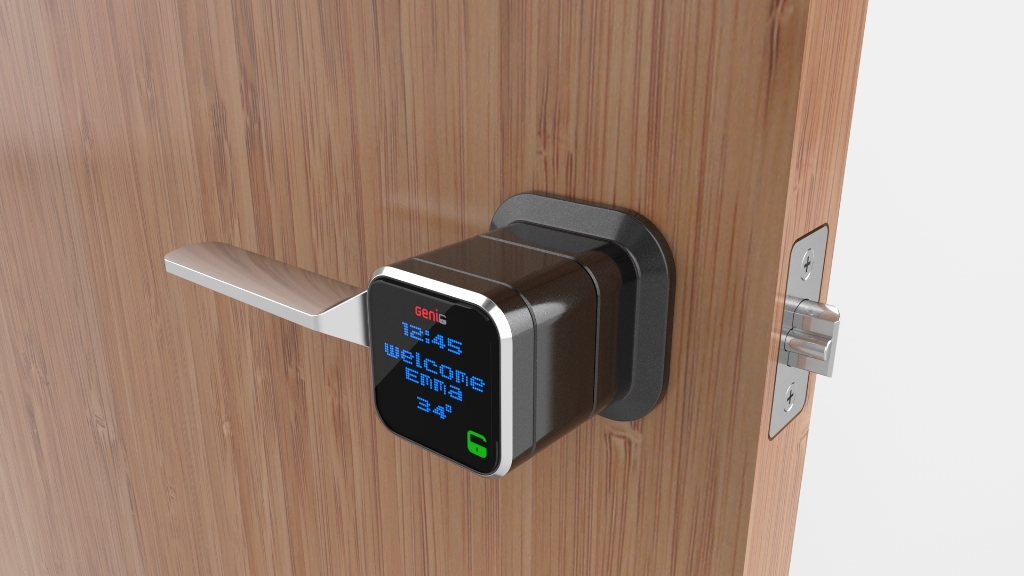
The smart-lock arrives in the key-in-knob form factor

Article

Genie Smart Lock Opens Doors with Your Phone | Tom’s Guide

From the horse’s mouth

Genie Smart Lock

Product Page

My Comments

Genie Smart Lock - press image courtesy of Genie

Genie Smart Lock – as a door latch

Most of the “smart-locks” that work with your smartphone, home-automation setup or home network, and are being pitched through the technology press come in the “bore-through” cylindrical deadbolt form. This style of lock typically has the cylinders (in a double-cylinder setup) or outside cylinder and inside turn-knob integrated in a tapered housing with a deadbolt coming out from the door’s edge.

Some of these “smart-locks” are “new-install” types that either are to replace an existing deadbolt and make its keys redundant where as some come as a retrofit kit that is installed in lieu of the turn-knob on an existing single-cylinder deadbolt without making its keys redundant. This is most likely because this form-factor is very popular in North America as a residential front-door lock and most of these “smart-lock” products are designed in that area.

At last someone has offered a highly-capable “smart-lock” that is in a different form-factor i.e. a “key-in-lever” lockset that is intended to replace the main door latch. Locks based on the form factor typically had a locking mechanism integrated in to a door-latch mechanism, typically with a “push-to-lock” button or thumb-turn and access from the outside via a key cylinder integrated in the outside knob or handle.

Here, the Genie Smart Lock works like these “key-in-knob” units but allows you to unlock the door either with your smartphone running a Genie-supplied app, a Bluetooth key fob or the traditional metal key. This setup is installed in that same “bore-through” manner as what is expected for most residential door hardware in America and some other countries. For some people, the usage experience may be very close to the card-driven lock on their room door when they stay at their favourite hotel.

This smart lock will offer the typical “asked-for” functionality with access logging, integration with smartphones and the Wi-FI home network, and the ability to “send” keys to others. But it even runs rings around most other residential and commercial access control setups by providing a display on the front surface that shows more than “success” or “failure” information. Here, this unit shows the current time and temperature and the name of the user who just unlocked that device. Personally I see this feature as an opening for a programmable text or graphics display on these units such “special-occasion-text” or “reminder-text” applications.

What I see of the Genie Smart Lock is a device that brings uncharted territory to the smart-lock device class, whether reaching to another common form factor or adding a programmable display to these devices. But do I still see the smart door lock still become the “tech-head’s” door-accessory-to-have rather than something that most of us can accept as part of the home?

Honeywell answers the Nest with their own smart thermostat

Articles

The Honeywell Lyric: This Is the Thermostat the Jetsons Would Own | Gizmodo

Honeywell’s Lyric thermostat has the looks and smarts to take on Nest | Engadget

Honeywell Finally Has a Thermostat That Can Compete With Nest | Mashable

From the horse’s mouth

Honeywell

Press Release

Product Page

Lyric microsite

My Comments

The success of the Nest Wi-Fi-connected home thermostat which has the “learning” abilities and the distinctive round shape was bound to bring on an imitator.

Honeywell came up with the Lyric Wi-Fi thermostat which works in a similar manner to the Nest but also capitalises on their round-shaped room thermostat that was popular during the 1950s suburban housing boom.

This unit can work with most central heating and cooling systems offered in most countries where the furnace, heat pump or other equipment is managed via a low-voltage thermostat. It can link to most Wi-Fi-based small networks with a single passphrase for Wi-Fi segment security.

The network connectivity is to allow your iOS or Android smartphone to become a remote control for your heating or air-conditioning as with the Nest.

There is the ability to support GPS-driven “geo-fencing” to have the heating go to the “AWAY” temperature when you are away from your home or start “coming to” your comfort temperature as you get nearer to home, and can also work with multiple smartphone apps to allow all of the hosuehold to benefit from the “geo-fence” functionality. This may also have a limitation with households where there is that risk of one leaving their phone behind as they rush out quickly and could throw the “geo-fencing” functionality a bit. 

It works with the AccuWeather weather-forecast service to optimise the HVAC system to assure consistent humidity no matter which part of the US you are in

The Lyric system supports the ability to set up preset comfort settings for particular situations such as to have stronger heat or cooling and a high fan speed when you host a party for example. There is even a reminder function with the app where you are let known when to change the system filter or to book a service call to keep that furnace behaving properly and safely.

But most of these devices work on their own “app-cessory” island where they only work with a smartphone app developed by the manufacturer. As well, not many of these smart thermostats are optimised to permit advanced control of the more sophisticiated HVAC setups which implement energy-saving behaviours like modulating burners or variable-speed heat pumps.

This will be the way these devices will work until there are application-level “device classes” that permit other member of the smart home ecosystem or “Internet Of Things” to exchange status data with each other.

Tado Cooling brings the smart thermostat concept to the typical air conditioner

Article

Make your air conditioner modern with Tado’s smart thermostat | Engadget

From the horse’s mouth

Tado Cooling

Kickstarter Page

My Comments

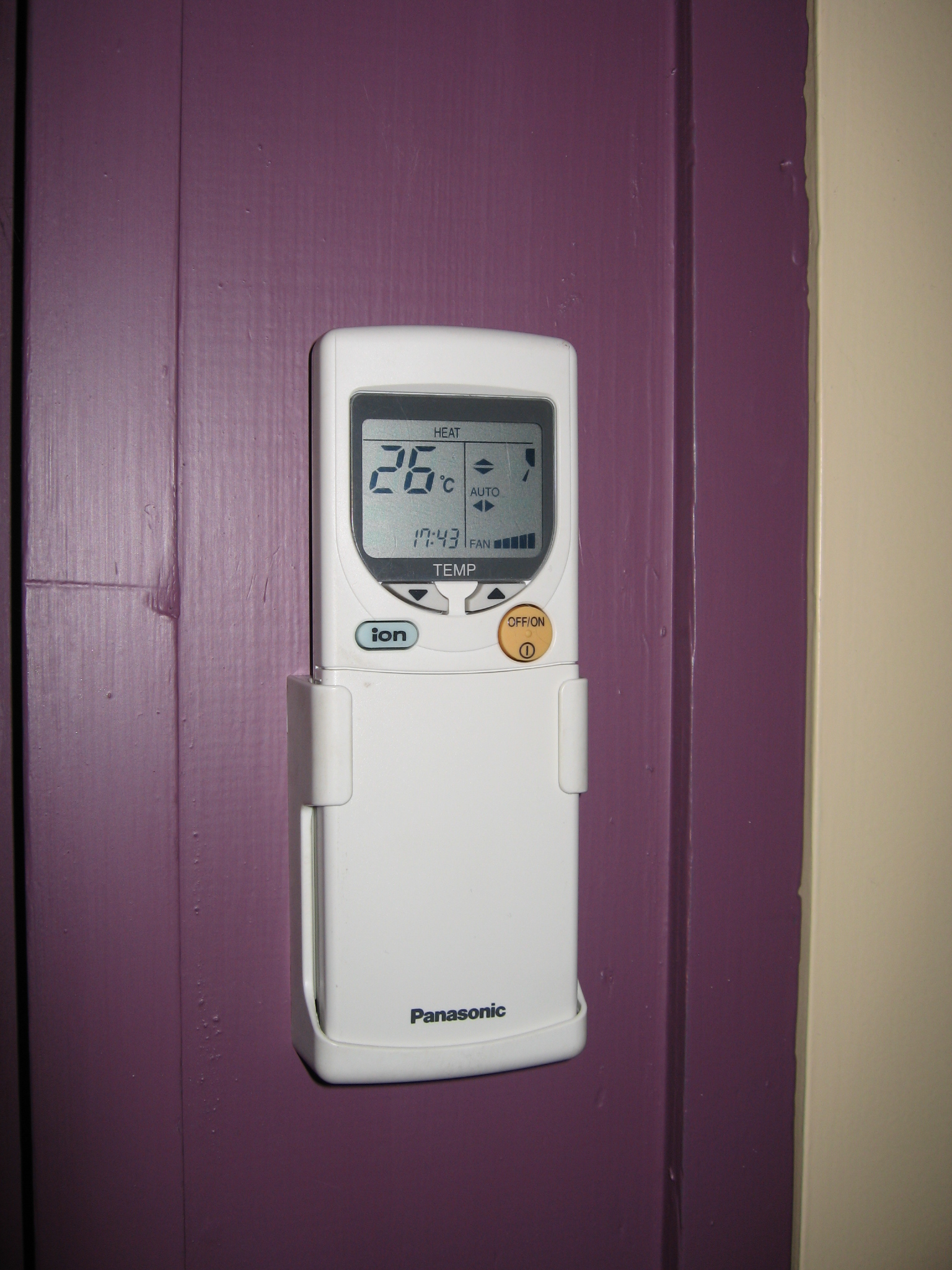
Air-conditioner remote control

The Tado smart thermostat works as a smart alternative to these air-conditioner remote controls

Most smart thermostats like the Nest thermostat are being pitched at central heating and cooling systems but there are a lot of places where the standalone air-conditioner is seen as a preferred option to heat or cool the home.

Typically these are either in the form of a classic single-piece unit installed through a window or wall or the increasingly-popular “ductless-split” system with an outdoor unit connected to a wall-mounted indoor unit via refrigerant pipes.  But these systems, especially the units pitched at the residential market, aren’t able to be controlled by a thermostat that can be hard-wired in to a central-heating or central-cooling system. Rather they are either controlled using knobs on the device itself in the case of older single-piece systems or an infra-red remote control in the case of most newer systems and the temperature sensor is integrated in these systems.

What Tado Cooling is working on in their current project is a “smart thermostat” that transmits infra-red control signals to remote-controllable air conditioners to have them work to a user-determined schedule or sense when a person has entered or left the room in order to have them not running when no-one’s there. These devices, like the smart thermostats used for central-heating systems, also connect to the home network to allow you to control them (and the air conditioner) from your smartphone or or work the air conditioner to provide cooling just before you arrive while having it off while you are out of the premises.

The capital for the project is being raised through the Kickstarter crowdfunding arrangement with the ability for people to have these controllers at a cheaper price so they can have better control of their air conditioners.

At least it is another way to bring the concept of smart HVAC and the “Internet Of Everything” to the large installed base of ductless-split air conditioners.

UPnP+ links non-IP devices to wide-area networks

Article

UPnP+ links non-IP devices to wide-area networks | EETasia

My Comments

The recent extension of the UPnP Device Architecture specifications, known as UPnP+ is being worked on at the moment by the UPnP Forum. This is to extend the reach of the UPnP Device Architecture specification sets to satisfy certain new realities.

One key reality is to make UPnP work properly with the “Internet Of Everything” concept. This is where devices are able to interlink with each other and share their information in a manner not dissimilar to the concept associated with the Internet.

It will be achieved with native support for IPv6 across IP networks. This takes advantage of the huge number of addresses this standard offers compared to the legacy IPv4 which most of the Internet works on at the moment.

As well, a SensorBridge Device Class will be defined. This caters for the “bridge” device that links sensors and similar devices that work on non-IP networks with IP-based networks. The article talked of the non-IP wireless-sensor networks as being Zigbee, Z-Wave and ANT which take advantage of low-power low-overhead operation suited for those fields. These devices could be represented by “black-box” devices that stand between an Ethernet or Wi-Fi-based home network and the sensors or controllers such as the Honeywell Evohome Mobile Access Kit, but could also be represented as software integrated in either a router that also has a Zigbee or Z-Wave interface or a smartphone, tablet or laptop with Bluetooth 4.0 Smart interface.

There will also be inherent support for cloud-based “hosted” services to be part of the UPnP ecosystem. Of course, I find that the term “cloud” alludes a lot to services hosted by other parties away from the main home network, typically to provide remote access from smartphones, tablets and other computers connected via the Internet. In the context of “Internet Of Everything”, it could extend to service providers like utilities or monitored-alarm companies using this data to participate in the “Smart home” concept.

I would see this come in to its own with home and other networks that are operating along the line of “Internet Of Everything” and this could be supported with newer devices that have newer UPnP+ firmware in place.

One of the first smart thermostats now arrives in the UK

Articles

Nest thermostat arrives in the UK ahead of an ‘aggressive’ European expansion | The Verge

Nest’s Learning Thermostat lands in the UK for £179 | Engadget

Nest débarque au Royaume-Uni | 01Net.com (France – French language / Langue française)

From the horse’s mouth

Nest Labs

Product Page

My Comments

Nest Learning Thermostat courtesy of Nest Labs

The Nest Learning Thermostat now can work with that central-heating boiler

Nest Labs have been associated with a room thermostat that is described as the “iPhone of thermostats”. This unit, which was available in the USA for the last few years, connects to your home network and your central-heating system  This also allows for a continual “learning-mode” for its operation and your computer or mobile devices work as extra control surfaces whether through a Web front or a client-side app.

But the UK has a different central-heating-control need especially as most houses use a boiler which heats up water which is pumped to radiator panels located in each room of the house. These systems also heat up the household’s domestic-hot-water supply either through the boiler itself or a heat-exchange tank located upstairs in the house.

A lot of these systems are managed by a time switch located near the boiler as the main control surface and may not have a room thermostat, with the householder overriding or “playing around” with the time switch for the heat to satisfy their comfort requirement. This kind of system has become a challenge for anyone designing a smart thermostat that is intended to work with any residential heating system and I have previously wrote an article about a network-enabled thermostat system targeted specifically at these systems.

Nest have modified this network-capable thermostat to cater for the UK central-heating system by implementing a control module that is connected to the boiler. The thermostat uses a wireless link to control the boiler to provide heat as necessary. At the moment, it doesn’t have the ability to manage the domestic-hot-water function that these heating systems also provide.

It is released now with an installed price of GBP£249 or a “do-it-yourself” price of GBP£179. This has also been the chance for Nest to release their Nest Connect connected smoke/carbon-monoxide alarm which also implements a “dashboard” on your smartphone. As well, Nest releasing their online smart thermostat in to the UK market is the start of them “getting their claws” in to the rest of Europe where most countries their implement this kind of heating system.

Personally it is the sign of a trend where this year could be the availability of smart heating controls for the UK and European markets.

Show Report–Connect 2014

On Thursday and Friday this past week, I had visited the Connect 2014 technology convention as an expo visitor mainly to observe key trends affecting business and personal computing that were surfacing over the past few years.

IP-based telephony

A few companies had shown some IP-based telephony systems at Connect 2014. This is due to telephony moving from the traditional circuit between the local exchange (central office) and the customer’s premises towards Internet-based packet-driven end-to-end connectivity. The trend is being assisted by the goal for reduced operating costs, increased competition in the telephony space and the move towards next-generation broadband infrastructure. It is also being assisted by the prevalence of various “over-the-top” IP telephony programs for mobile devices like Skype and Viber.

One company even showed a desktop IP videophones with wired handsets along with  IP DECT cordless-phone bases. I even raised the issue of integrating Skype in these videophones because this is seen as the preferred “consumer, small-business and community-organisation” video telephony solution. One path that organisations would have to use is an IP PBX server with a Skype video “trunk” which likes Skype to the videophones. On the other hand, he showed me one of the desk videophones which had an app platform of some sort and mentioned that a Skype front-end could be deployed in these units.

Mobile-device computing in the workplace

A key workplace computing trend is to implement mobile computing devices like smartphones and tablets. This can be as a fleet of equipment owned by the organisation or a “bring-your-own-device” model where employees bring their own devices to the workplace and use them for their job. Here, they may be seen as supplanting regular desktop and laptop computers or serving as a highly-portable adjunct to the regular computers.

If these devices were used in the workplace, they would either work with document-viewing and communications tools, and a Web browser to support office tasks typically performed on a regular computer. On the other hand, they would ether work with a purpose-built device-side app or a Web front (task-specific Web page) as part of a business-specific workflow or system.

A few companies were showcasing mobile-device management systems, typically pitched at large corporate and government customers. These worked on a platform-independent manner yet allowed data security whether by implementing a managed “business realm” and “business app store” on a BYOD device or providing a highly-locked-down device.

BlackBerry have set up presence at Connect 2014 in order to show that they are moving from a hardware-based operation to something that is more software-based. This means that they can provide managed mobile computing to all of the platforms such as iOS, Android and Windows and covering all management arrangements ranging from a totally managed and locked-down fleet to a BYOD setup with a managed “business space” on the employee’s device.

In my conversation with a BlackBerry representative, I raised the issue of small businesses and community organisations neither knowing nor defining their intellectual property. We were raising the issue in relationship to these organisations neither being careful or wise about their data security nor being interested in corporate-grade information-security products and services. He stated it in a simple way as being whatever information places your organisation at risk if it falls in to the wrong hands.

A lot of these systems don’t embrace what I covered in the last paragraph because they are pitched at a larger business with its own IT department and significantly-sized server equipment. An effort that I would like to see achieved is the development of “small-business” variations that can run on a hosted cloud service or on-premises using modest equipment like “business-in-a-box” servers or classic “tower-style” server PCs. They would also have to implement a user interface that simplifies this kind of management for a small-business owner.

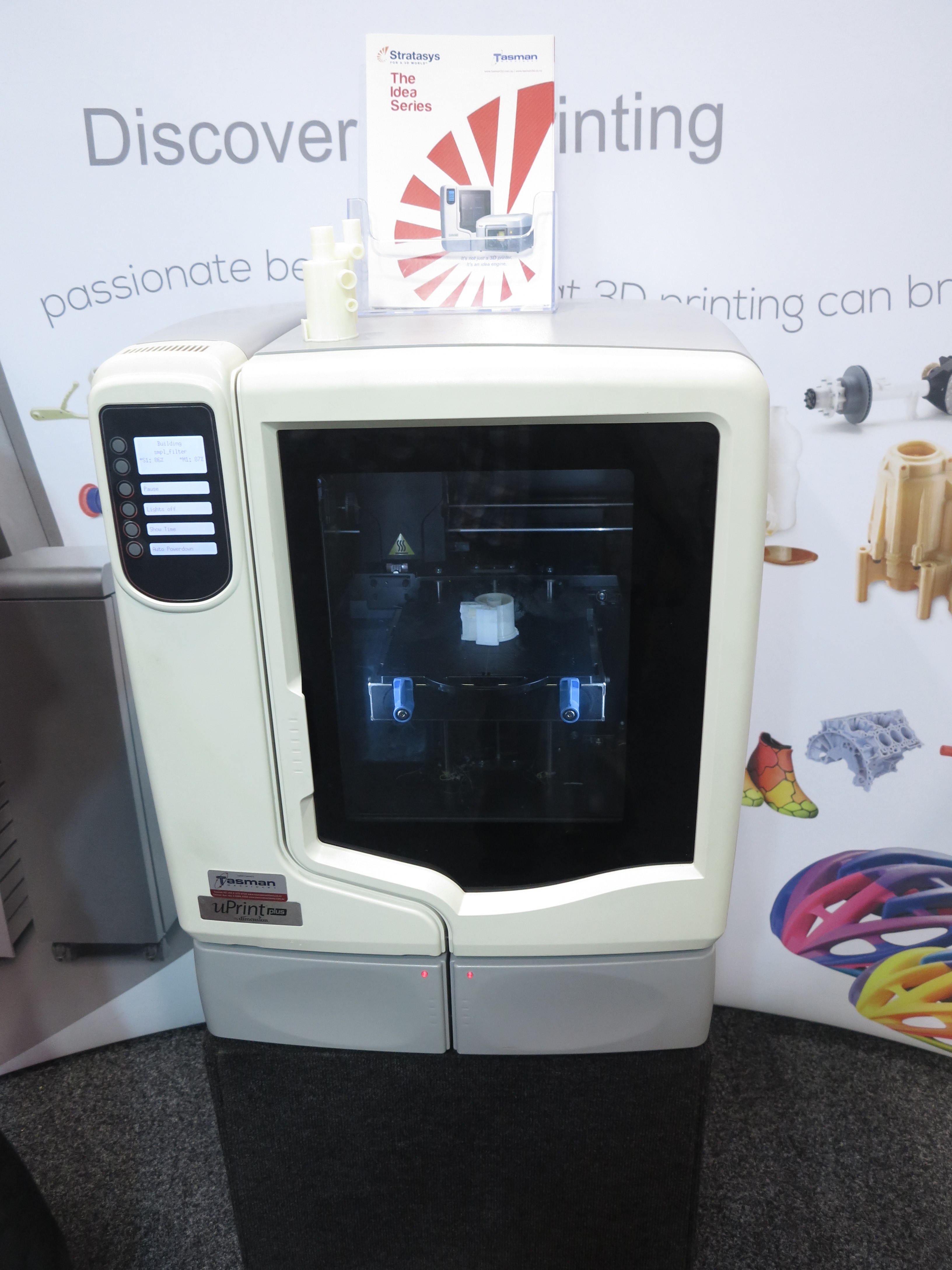
3D Printing

3D printer in action

Heated 3D printer in action

A technology that has been given a fair bit of Web coverage of late is 3D printing. This is where a single-piece object is constructed using a special machine that builds up that object in layers. An analogy of this is the “3D Jigsaw” which had cardboard pieces that were stacked in a particular way to become a known object, typically a figurine.

There were a few companies who were presenting 3D printers that were in action turning out various pieces. One of these machines, which was a freestanding one the same size as those larger gas barbecues that have adorned may Aussie backyards, is able to “paint” colour on to a piece it is printing using an inkjet system. Another machine, this time about the size of a small fridge, used a heated environment to improve accuracy and reliability.

I had a conversation with a representative of one of the companies who do 3D printing and he and I reckoned that the technology would suit a wide range of short-order fabrication jobs. One application I was even thinking of was the ability to reconstruct a replacement part even though the part is no longer manufactured in quantity. One example that came to mind was a mechanism that has a highly-worn or damaged component that needs to be replaced, something encountered by people who are restoring late-20th-century consumer electronics, especially record players, tape recorders and the like, as a hobby. Here, he could scan the component using a 3D scanner and effectively “re-design” that component to what it was like when new, then make it with the 3D printer for reinstallation in that mechanical subsystem.

Similarly, the car-restoration scene could benefit from 3D printing at least when it comes to re-constituting vehicle detail-work such as marque badges and hood ornaments which have been often damaged or stolen from vehicles. This could allow a vehicle owner to make sure their pride and joy is still complete even if any of the detail-work went missing.

The connected home

It was often said that the connected home concept was “nearly there but not complete”. The problems hightlghted here were lack of a desire by industry to implement application-level standards for home-automation setups. This is manifesting in the form of manufacturers developing their own control apps for mobile platforms, making it harder for customers to use competing “smart devices” at the one location or establish task-appropriate control setups in a “smart-home” environment.

Similarly, the home-AV market is being centered around content producers tying up deals with smart-TV and video-peripheral manufacturers or connected-AV platforms. This affects consumers because they are not sure if their favourite content producers or distributors, or their favourite titles are going to appear on a particular connected-AV platform that they intend to buy into. Similarly, it affects content producers and distributors who want to run an IPTV or video-on-demand service because they have to obtain deals with various equipment manufacturers and connected-AV platforms.

Both these situations effectively have the manufacturers, content producers and other companies effectively owning the consumers and stifling innovation and competition in the connected-home space.

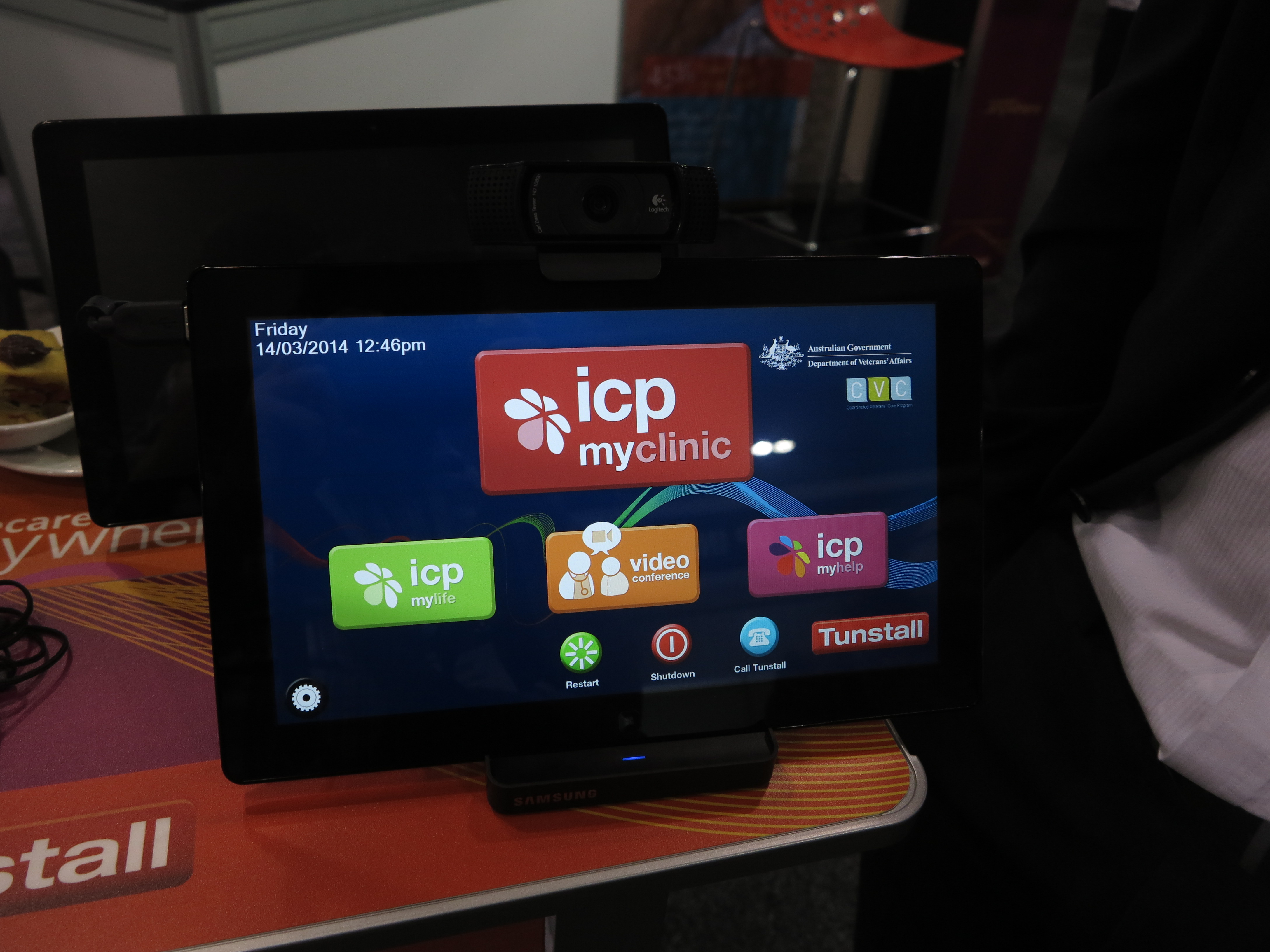
In-home telemedicine

tablet computer used as part of in-home telemedicine setup

A tablet used as part of an in-home telemedicine setup

One concept that was being shown at Connect 2014 was in-home telemedicine, known also as in-home telehealth or simply as telecare. This is something I have covered in this Website in relation to standing for access to proper broadband in rural and peri-urban communities. Here, this technology allows people in these sparse communities access to continual specialist medical care without the need for the patient or caregiver to frequently travel between home and larger towns or cities when clinical supervision is needed.

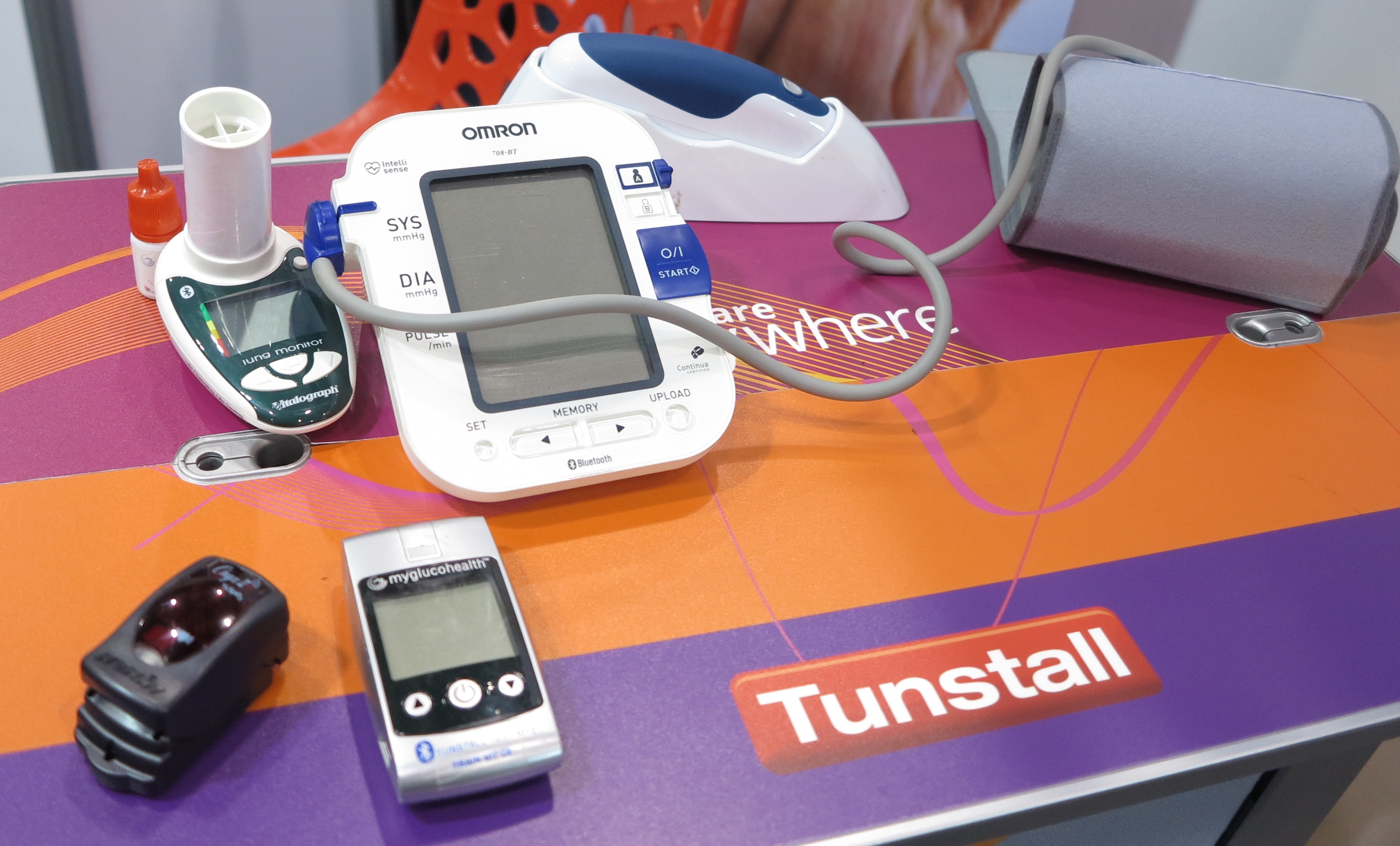
Bluetooth-connected medical sensors

Bluetooth-connected medical sensors

A functioning demonstration setup which is currently used in the field involved the use of medical-parameter sensors like a blood-pressure monitor or pulse oximeter linked to a tablet via Bluetooth with this setup at the patient’s home. This, in turn was linked to the clinic via mobile-broadband technology and the staff at the clinic were able to look at what’s going on using a Web-based dashboard that highlights critical conditions affecting patients in their care.

Bluetooth-connected pulse oximeter

A Bluetooth-connected pulse oximeter in action

It is being pitched at community-care organisations and would typically be seen as being useful for rural applications. But there have been some Melbourne hospitals implementing this as part of a “hospital-at-home” program for managing certain chronic diseases. But there was a setup being shown that allowed this kind of telemedicine setup to work as part of an “independent ageing” setup to assure older people the ability to live independently but know they are still being looked after, which is also being factored as the baby boomers become the ageing population.

Conclusion

These technologies that were presented at Connect 2014 are being more about what the connected work and home life is all about with the current technologies.

Alliance to provide a level playing field for Internet Of Things

Articles

A New Alliance Will Let "Internet Of Things" Devices Talk To Each Other  | Fast Company

Home Appliance Makers Connect Open Source Internet Of Things | PC World

From the horse’s mouth

AllSeen Alliance

Web site

My Comments

As the hype builds up about the “Internet Of Things” where devices can use a heterogenous network for exchanging data or receiving commands, there is oomething that can easily go wrong here. This is where particular vendors see the “Internet Of Things” as being the “Internet Of Things Around Our Products”, something that can stifle competition and, especially, innovation.

But steps have been taken towards creating a truly heterogenous Internet Of Things which is similar to what has happened with Bluetooth and Wi-Fi wireless technologies. Here, it involved the creation of industry-based multiple-vendor alliances who put forward what is required for all devices working to a technology to communicate with each other.

The Linux Foundation have set up the AllSeen Alliance in conjunction with Qualcomm with their AllJoyn protocol which was just lately made “open-source”. The goal is about implementing heterogenous transport layers that work without need for Internet connectivity and work in a vendor-independent manner.

At the moment, they are working on modular services that look at the following functions: discovery, pairing / set-up, message routing, and data security. THis will include proper user interface requirements including a rich user experience with the Internet of Things; along with an application-specific requirement  for streaming audio over many connected speakers.

There will still need to be an effort to assure secure interoperability on a function-based level so that a system based on units from different vendors can work as a system rather than having he need for software or hardware function bridges to allow devices of one manufacturer to work with those of another.

Once this happens, this can allow the Internet Of things to be affordable for most users and be a breeding ground of innovation.

Bluetooth 4.1 to support Internet Of Things

Article

Bluetooth 4.1 Will Offer Better Connections | Tom’s Hardware

Bluetooth 4.1 prepares headsets and more to connect to the ‘Net | PC World

From the horse’s mouth

Bluetooth SIG

Press Release

Specification Guide

My Commenbts

Sony VAIO Duo 11 slider-convertible tablet

Sony VAIO Duo 11 with Bluetooth 4.0 connectivity that can be upgraded to Bluetooth 4.1 through a software update

Recently, the Bluetooth Special Interest Group have released the Bluetooth 4.1 specification which is intended to capitalise on the low-power devices application that Bluetooth 4.0 was known for, but improve on useability and reliability.

With Bluetooth 4.0, it allowed the development of low-powered “Bluetooth Smart” devices that work with a “Bluetooth Smart Ready” device like a smartphone or tablet that serves as a hub for these devices.

This is intended to be a software-based upgrade so that an operating system, device firmware or driver software update could bring a Bluetooth 4.0 device up to date to this newer standard. It is compared to previous Bluetooth standards which affected the silicon that was installed in the device.

But what are the improvements?

Reliability

Kwikset Kevo cylindrical deadbolt in use - Kwikset press image

This Bluetooth 4.0-capable smart deadbolt can work with “hub” devices that are updated to Bluetooth 4.1 specification

A Bluetooth 4.1 subsystem can co-exist with an LTE cellular connection used for mobile broadband services without suffering or causing near-band interference which could ruin the user experience. This is catering to the increased rollout of the LTE-based 4G mobile-broadband services by many cellular-telephony carriers, the integration of LTE-based 4G modems in well-bred smartphones and tablets and the popularity of these services amongst users.

This is also augmented by use of longer time windows for inter-device handshaking so that there is less risk of the connections between devices being “dumped” and requiring users to manually pair the devices to each other again. The devices also connect with each other when they are in proximity to each other without extra user intervention beyond just powering-on devices that were powered off.

Functionality

One ability that Bluetooth 4.1 adds to Bluetooth Low Power devices is to support bulk data transfer in this class of device. One commonly highlighted application is for a sensor device to capture data while away from a “hub” device for an amount of time then upload it to the hub device. The situation that is described is someone who uses a heart-rate monitor during a physical activity, especially swimming. Then, after they have completed that activity, they upload the data to their smartphone or tablet which has the fitness-tracking ap.

I also see this as being useful for updating a Bluetooth Smart device’s firmware without the need to connect the device to a computer for this purpose. This could be to add functionality to a device like a smartwatch or improve on a device’s reliability and security.

A smartphone like this one here that has Bluetooth 4.0 hardware support can head towards Bluetooth 4.1 through a software update

A smartphone like this one here that has Bluetooth 4.0 hardware support can head towards Bluetooth 4.1 through a software update

Another ability would be for a device to be both a Bluetooth Smart peripheral device and a Bluetooth Smart Ready hub device. This is obviously targeted at the smartwatches which are effectively the descendents of those 1980s-era many-function digital watches. Here, these devices could serve as an extra display for a smartphone or be a display and data-capture unit for a health monitor or another “key fob” device for the Kwikset Kevo deadbolt.

To the same extent, this functionality could allow for peer-to-peer setup with Bluetooth Smart Ready devices such as a “smartphone and tablet” or “smartphone and laptop” setup; or a quick data share setup between smartphones or tablets to work taking advantage of what Bluetooth Low Energy has to offer. This would lead to increased battery runtime for devices used in these setups.

Extra functionality has been added to the core Bluetooth 4.1 specification to support IP-based high-level data transfer especially to the IPv6 standard. This is essential for integrating Bluetooth devices in the “Internet Of Things” which is about devices beyond regular and mobile computing devices benefiting from the same kind of communication advantages that the Internet has offered.

This is becoming more important where we are seeing sensor and controller devices being part of personal health and wellbeing; and a convenient secure and energy-efficient lifestyle.

Conclusion

Bluetooth 4.1 could be a path for the Bluetooth specification to mature its role in the support of low-power devices whether they integrate with each other or with other so-called full-powered devices especially as the concept of the “Internet Of Things” matures.