Tag: smart home

What is happening with driver-free printing

What is driver-free printing?
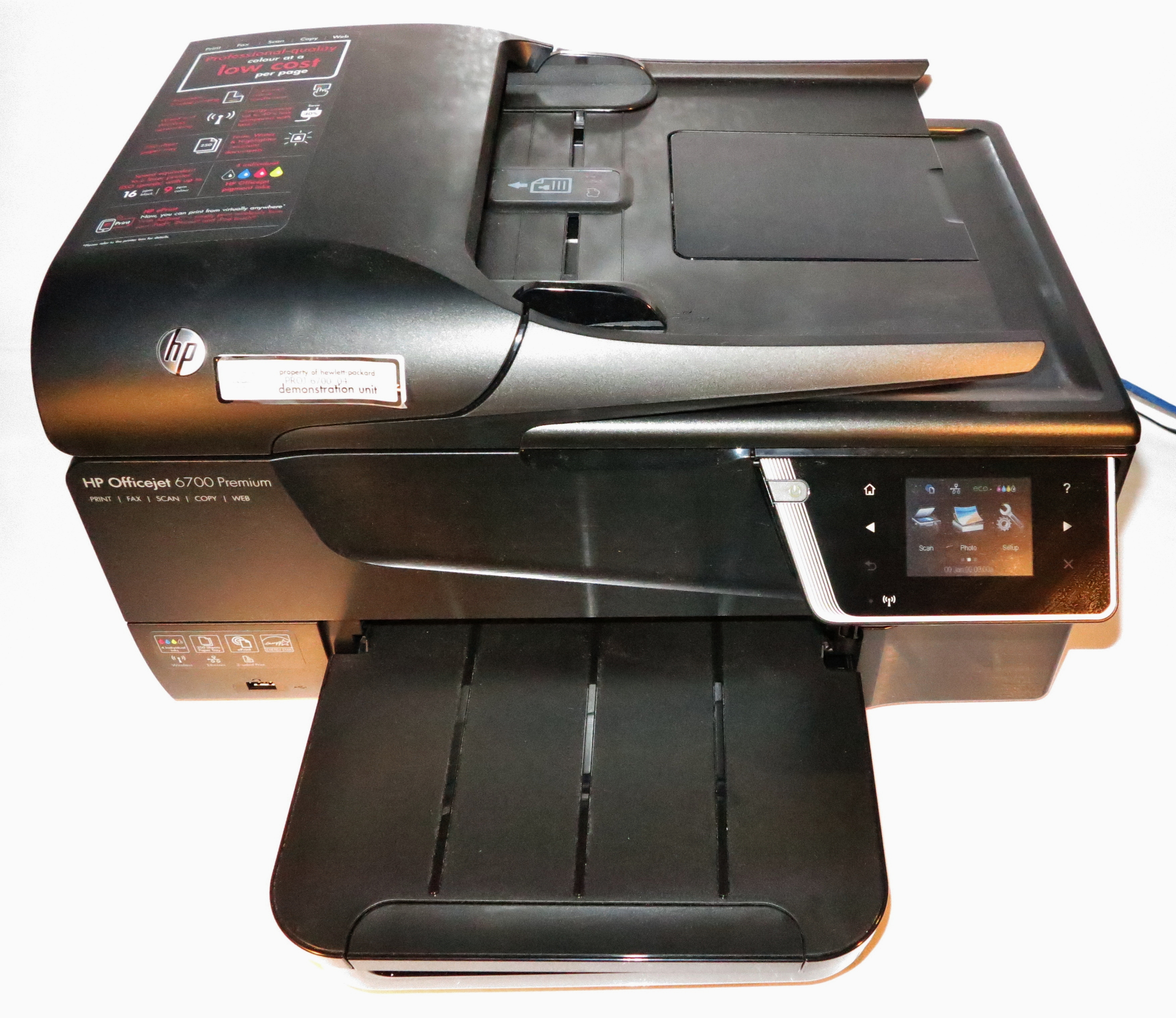
HP OfficeJet 6700 Premium business inkjet multifunction printer

Driver-free printing like AirPrint allows for use of printers like this HP OfficeJet without the need to install drivers or extra software on host computers

This is to be able to use a printer with a host computing device without the need to install drivers or additional software on that device.

The current situation with most operating systems is that since the rise of page-based printers, you had to install additional driver software to get all the software on your computer to work with your printer.

This involves one having to know what make and model the printer was and how it was connected to the host device. Then one would be  downloading the software from the printer manufacturer’s Website or the computer platform’s app store and installing it on that computer or loading it from media supplied with the printer by the manufacturer.

Of course, how your printer connects to your computer or mobile device, be it through a USB cable, a Bluetooth link or a network is about the physical link to that printer. Most of the standards associated with these connection methods don’t provide support for driver-free printing.

Why is there an imperative for driver-free printing?

Mobile computing
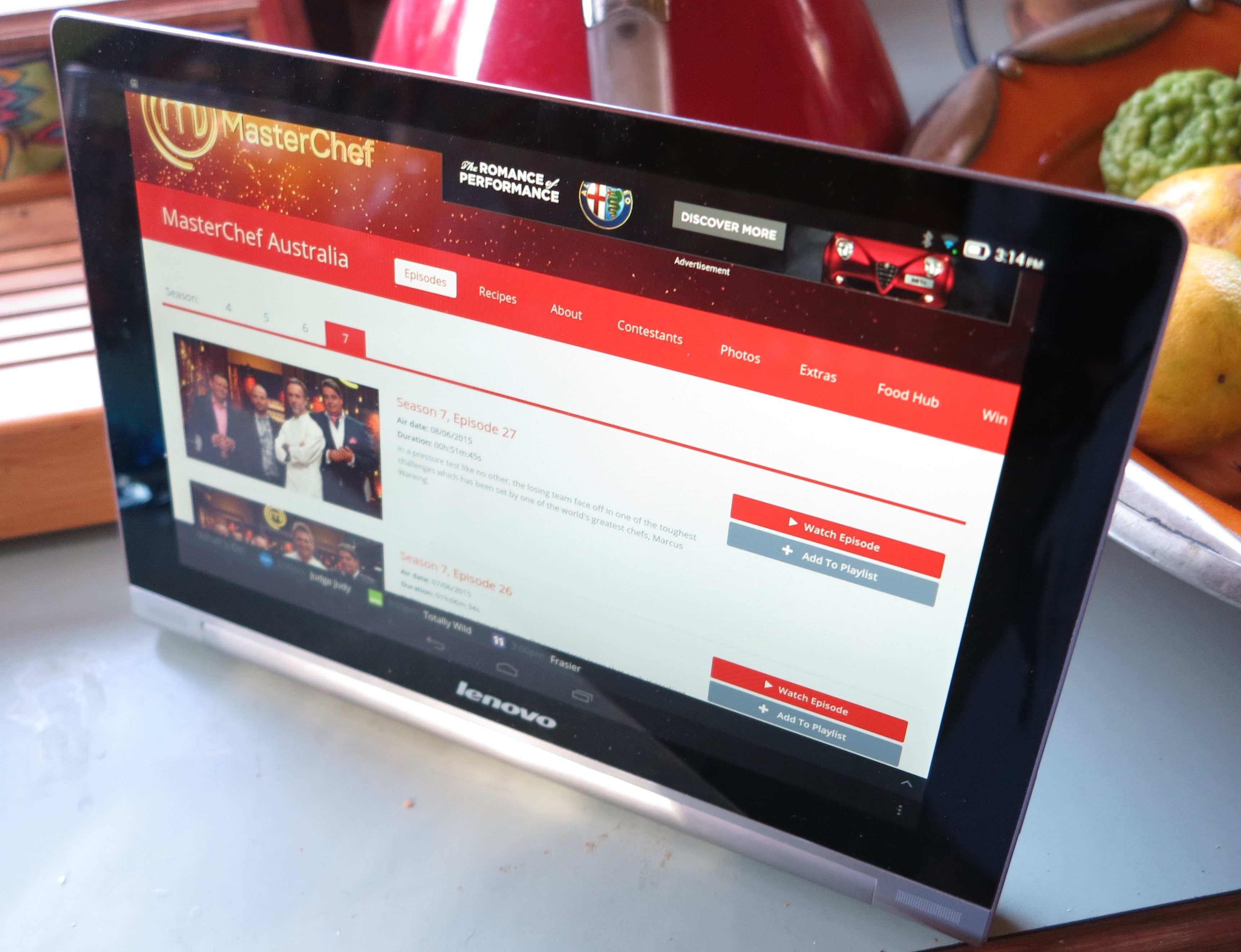
You could print from a mobile-platform tablet like this Lenovo to a range of printers without installing lots of extra apps. Infact you can use Mopria to print from this Lenovo Android tablet driver-free.

A key imperative behind driver-free printing is the concept of mobile computing. It is about using highly-portable computing devices like laptops, smartphones and tablets for personal computing no matter wherever you are. This may include being able to use someone else’s printer or a public printing facility to get that document or photo printed there and then.

Similarly it can be about paying a service provider to perform advanced printing tasks such as bulk printing and document finishing for a small business or community organisation, or a photo lab to turn out a special photo as a large high-quality print on glossy paper.

Dedicated Computing Devices

Furthermore, it can be about the idea of providing a computing device, especially a dedicated computing device with printing abilities. A key application would be interactive TV supported by a smart-TV or set-top-box platform. In this scenario, a viewer could do something like print out a recipe from a cooking show that they view on demand just by using the remote control.

Business users may find that driver-free printing may benefit point-of-sales technology especially if they are dealing with pure-play devices like cash registers and payment-card terminals. As well, this class of device would benefit exceptionally due to the goal not to admit any more software than is necessary and having the requirement to use only previously-vetted software.

Similarly, it can also benefit the concept of complementary-capability printing amongst multiple printers by allowing one to, for example, make a colour copy using the scanning functionality of a monochrome laser multifunction printer and a pure-play colour printer,

Accessible Computing

In the case of accessible computing, some blind users are using PDA devices which use tactile data input similar to a Perkins Braille typewriter and voice or Braille tactile output. Here, these users want to yield information in hard-copy form for sighted users but these devices have the same software requirements as a dedicated computing device. Typically they would have to work according to common standards for driver-free printing.

Similar devices are being constructed to allow people to live a life independent of particular disabilities and these will benefit from driver-free hard-copy output.

Efforts that have taken place to achieve this goal

In the early days of personal computing, Epson used their ESC/P codes as a defacto standard for determining how dot-matrix impact printers format the characters they print if anything beyond ordinary ASCII text was required. This was effectively used by every manufacturer who offered dot-matrix and similar printers whether through licensing or emulation.

A similar situation took place with Adobe with PostScript and HP with PCL as common page-description languages for laser and inkjet page printers. Again, other manufacturers took this on with licensing or emulation of the various language-interpreter software for their products.

These standards fell away as GUI-based operating systems managed printing at the operating-system level rather than at the application level. This was underscored with some printer manufacturers working with Microsoft to push forward with GDI-based host-rasterised printing leading towards cost-effective printer designs.

There have been some initial efforts taking place for driver-free printing in particular application classes, especially where dedicated-function devices were involved. This was through the persistence of ESC/P and the ESC/POS derivative printer-control protocol within the point-of-sale receipt printer space, along with the use of PictBridge as a driver-free method for printing photos from consumer digital cameras.

Similarly some managed-business-printing and service-based-printing platforms implemented a “single-driver” approach for printing using these platforms. This was to achieve a goal towards one installable program needed to become part of the platform and print to any machine the user is authorised to print to regardless of make and model. But it didn’t really answer the need for true driver-free operation for a printing environment.

As the home network became more common and was seen as part of the home-entertainment technology sphere, the UPnP Forum and DLNA made attempts at driver-free printing as part of their standards. It was positioned as a way to allow, for example, Smart TVs, electronic picture frames and set-top boxes to yield hard-copy output of photos for example. HP were the only vendor whose mid-tier and premium consumer printers answered these standards as I have discovered while reviewing some of their products.

The Printer Working Group started working on IPP Everywhere as a way to achieve driver-free printing via the network or direct connections for both consumer and business applications. This even was about exposing printer capabilities and features without the need of adding in special software to do something like stapling or supporting PIN-driven secure job release.

One of the standard page-description languages specified for IPP Everywhere was the Adobe PDF format which is infact used for “download-to-print” situations. This is because it is seen as a file format that represents “electronic hard copy” and the common practice in the “download-to-print” use case is to prepare a document as a PDF file before making it available. The IPP Everywhere approach also included and defined a use case of “printing by reference” where the printer “fetches” the PDF document off the Web server via a known URL for printing rather than the user downloading it to their computing device in order to turn out a hard copy of it.

Apple iPad Pro 9.7 inch press picture courtesy of Apple

Most iPhones and iPads implement AirPrint to allow for driver-free mobile printing

Apple was the first to make a serious breakthrough for driver-free printing and the IPP Everywhere goal when they added AirPrint to the version 4.2 of the iOS platform. This was important for iOS due to the desire not to add any extra machine-specific code for particular printers since the iPad, iPhone and iPod Touch were mobile devices with constrained memory and storage space.

Google initially achieved something similar with their Google Cloud Print ecosystem which was being pitched for ChromeOS and Android. But this worked as a cloud-driven or hosted variation of print management solutions pitched at enterprises which offered a form of driverless or universal-driver printing to that user base.

But the Mopria Alliance have made a serious step closer with driverless printing by creating a network-based printing infrastructure for the Android platform. Google followed up the Cloud Print program with the Android Print Service software ecosystem which uses “plugins” that work in a same way to drivers. Here, the Mopria Alliance, founded by Canon, HP, Samsung and Xerox, worked towards a single plugin for driver-free printing and had these companies install firmware in their machines to present themselves across a logical network to Mopria-compliant hosts as well as process print jobs for these hosts.

What needs to happen

All printers that work with any network need to support AirPrint, IPP Everywhere and Mopria no matter what position they hold in a manufacturer’s product lineup. This will then incentivise the idea of driver-free network printing.

The IT industry also needs to investigate the use of device classes / profiles within the USB and Bluetooth standards to facilitate driver-free direct printing. This is because USB and Bluetooth are seen as connection types used for directly connecting a peripheral to a host computer device rather than connecting via a network. As well, driver-free direct printing could open up more use cases involving printing from dedicated-function devices.

Similarly, Microsoft needs to implement Mopria and/or IPP Everywhere in to Windows as part of a default print driver delivered with the desktop operating system. This would then allow for truly-portable printing from laptops, tablets and 2-in-1s running the Windows operating system.
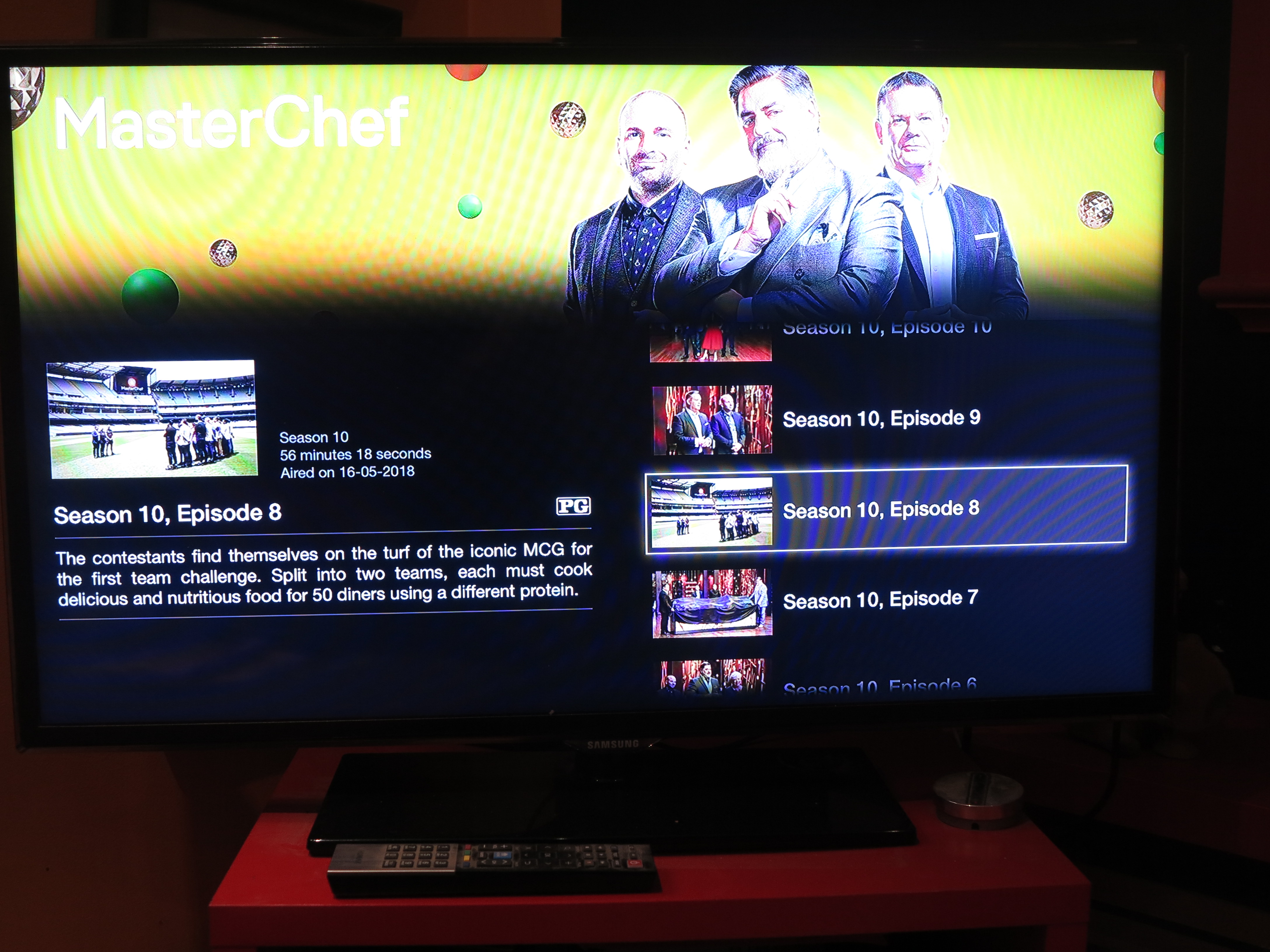
Driver-free printing could come in to its own with interactive TV especially when you are dealing with cooking shows like MasterChef

A use case that needs to be put forward for driver-free printing is its relevance with interactive TV. In this case, it could be about watching a TV show whether linearly or on-demand, including watching content held on Blu-Ray discs and being able to, at a whim, print out resources relating to that show. Situations that can come up include printing a “white paper” associated with a public-affairs show or printing a recipe that was demonstrated in a cooking show. Even advertising could lead towards the ability for users to print out coupons in response to advertised specials, something that would be valued in the USA where clipping coupons for special deals is the norm; or complete a booking for an advertised event with the printer turning out the tickets. Such a concept can also extend to other “lean-back” apps offered on a smart-TV platform by providing a printing option to these apps.

But this would be about achieving a user experience that is about selecting the resource to print and instantiating the print job from a 10-foot “lean-back” user experience using a limited remote control. It would also include advertising the fact that printable resources exists for that show that you can print using the interactive-TV platform. Similarly, interactive-TV platforms like HBBTV, media-storage platforms like Blu-Ray, and smart-TV / set-top-box platforms like tvOS, Android TV or Samsung Smart Hub would need to support one or more of the driver-free printing platforms. In the case of tvOS, Apple could simply add AirPrint functionality to that set-top operating system so you could print from your Apple-TV-based setup.

The idea of driver-free printing will also be relevant to the smart home especially if it is desirable for devices therein to be able to provide hard copy on demand. For example, kitchen appliances that have access to online recipe libraries, an idea positioned by most of the big names in this field, may benefit from this feature because you could configure them to be set up for a particular recipe while your printer turns out the actual recipe with the ingredients list. But this concept will need to be driven by the use of “print by reference” standards for access to online resources.

As well, a driver-free printing setup should be able to recognise label and receipt printers in order to permit transaction-driven printing using these devices. For example, address labels could be turned out as a sheet of paper with all the labels on a regular printer or as a run of labels emerging from a label printer.

How could this affect printer design and product differentiation

The use of driver-free printing won’t deter printer manufacturers from improving their products’ output speed and quality. Infact, the use of standard page-description languages will lead towards the development of high-speed coprocessors and software that can quickly render print jobs sent to them in these formats.

There will also be a competitive emphasis on the number of functions available at a multifunction printer’s control panel with this being driven by app platforms maintained by the various printer manufacturers. Like with smart TVs, it could lead towards third parties including alliances developing app platforms for manufacturers who don’t want to invest in developing and maintaining an app platform.

Let’s not forget that printer manufacturers will maintain the “horses for courses” approach when it comes to designing printer models for both home and business use. But it will lead to an emphasis on refining the various product classes without needing to think about shoehorning driver and print-monitor software for the various host devices.

Conclusion

Once we see driver-free printing, it can lead towards simplified real plug-and-play printer setup for all kinds of users. Similarly it opens up printers towards a large class of device types beyond mobile and desktop computing devices.

Delivery-consignment storage to be part of the floorplan

House in Toorak

How is online delivery going to be handled securely when no-one’s at home?

Most of us who buy goods on the Internet are likely to run in to situations where they miss a parcel delivery due to, for example, no-one being at home. This includes situations with families that have teenagers that arrive home earlier than the parents and it is desirable that adults sign for packages that have been delivered.

This can also extend to situations where you need to have a courier collect goods from your place, something I have had to do every time I have finished with review-sample products where I return them to the distributor or PR agency. But it would also apply when you have to return unwanted merchandise to an online retailer or send faulty equipment to a workshop to be repaired, or simply to use a messenger service to run printed documents from your home office to a business partner. Here, you have to make sure someone you trust is at home looking after the consignment until the courier arrives to collect it.

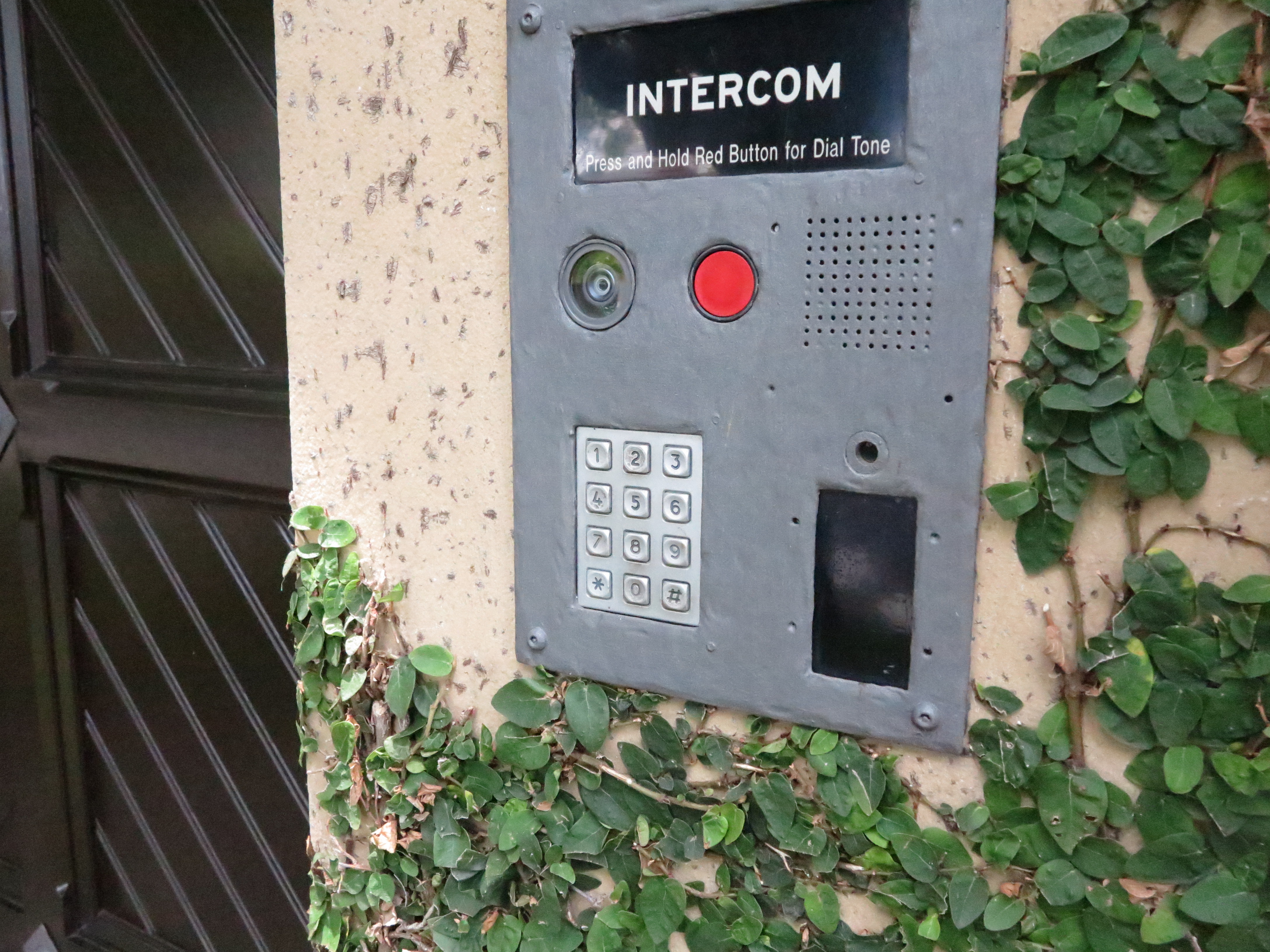
Intercom panel with codepad

These systems may need to be modified to support secure unattended parcel delivery

There has been recent Internet discussion about the Amazon Key product which is a smart-lock ecosystem that allows Amazon couriers to drop off your orders inside your home after you confirm with them that they have your order. The constant issue that was raised was the fact that courier could wander around your home unsupervised after they drop off the order, thus being a threat to your privacy and home security.

But this may raise certain architectural requirements and possibilities to cater for the rise of online deliveries. These requirements and possibilities are about creating secure on-premises storage for these consignments that have been delivered or are to be collected by a courier while you are absent. It is also about making sure that the courier cannot enter your home unsupervised under the guise of dropping off or picking up a consignment.

They will affect how homes are designed whether as a new-build development or as a renovation effort and will affect how apartment blocks and similar developments are designed. It is very similar to the use of specially-installed lock-boxes to keep front-gate or meter-box keys that are only opened by the utility’s meter reader with a special master key when they read your utility-service meter.

Architectural requirements

One of these could be a cabinet or small storeroom located towards the front of your home and used primarily for storage of delivered goods. Of course, you may use these spaces to store items like clean-up tools or solid fuel. Some householders may see a garage or a shed also serve this same purpose.

An alternative would be to implement a small vestibule or porch enclosure with an inner front door and outer front door, Here, these spaces would be secured with a smart lock or access-control system that ties in with secure consignment-drop-off arrangements like what Amazon proposes.

In the case of a vestibule, the inner entry door that leads to the rest of the house would be secured under the control of the household and not be part of these arrangements. This also applies to arrangements where the vestibule opens to other rooms like a home office.

Apartment block in Elwood

Multi-dwelling units like apartment blocks may have to have luggage-locker storage facilities for unattended parcels

For multi-dwelling developments, this could be achieved through the use of a storage facility similar to a cluster of luggage lockers. Here, one or more lockers are shared amongst different apartments on an as-needed basis. In these buildings, they would be located close to or within the mail-room or as a separate storeroom. For those buildings that have multiple entry vestibules for different apartment clusters, it may be plausible to have a group of parcel-delivery lockers in each vestibule.

If your property has a front gate that is normally locked, you may have to use a smart lock or access-control system compliant with the abovementioned secure consignment drop-off arrangements on that gate.

Security requirements for these spaces

All these arrangements would be dependent on a smart lock or access-control system that ties in with the couriers’ or online-delivery platforms’ ecosystems and would be used when you aren’t at home. Such systems would be dependent on consignment numbers that are part of consignment notes or delivery dockets, along with the recipient being notified by the courier of the pending delivery.

But you would be able to have access to these spaces using your own code, card or access token held on your smartphone as expected for all smart-lock setups.

Integration with the courier’s workflow

Such setups would require the household to register them with an online-shopping platform or a courier / messenger platform operated by the incumbent post-office or an industry association. Here, the household would notify whereabouts the secure storage space is on their property

Product delivery

Typically, when you receive a delivery, the courier would ring the doorbell and find that no-one is at home. Or the door is answered by a child and the standing arrangement regarding the chain of custody for deliveries is for the parcel to be received and signed for by a responsible adult.

In this situation, the courier would have to enter details on their handheld terminal about no-one being home. You would then be contacted by email, text messaging or a similar platform regarding the pending delivery and then you use the platform’s companion mobile app or Website to authorise the drop-off of your consignment in the safe storage space.

Then the courier would receive a one-shot authority code which they use to unlock the storage space so they can lodge your parcel there. Once they have delivered the parcel, you would be notified that the parcel is waiting for collection. You would then use your keycode to open up that space to collect your goods when you arrive.

Product collection

There are also times where we require a courier to collect goods from us. This can be situations ranging from returned merchandise, through equipment being collected for repairs, to sending goods out as gifts. In these situations, a responsible adult may not be home to hand over the item and you don’t want to wait around at home or co-ordinate a pickup time for the consignment.

Here, you would organise the consignment paperwork with the courier or the recipient organisation if they are organising the pickup. As part of this, you would receive a consignment number as part of the consignment note, returned-merchandise authorisation or similar document.

Then you would place the goods in the storage space and make sure this is locked. Subsequently you would enter the consignment number in to the smart lock or platform app on your phone or computer. This consignment number works as a one-shot authority code for the courier to open the secure storage space.

When the courier arrives to collect the consignment, they would enter the consignment number in the smart lock to open the storage space in order to collect the goods. Once they have collected the goods, they then lock up the storage space before heading onwards with the consignment. You would then be notified that they have collected the consignment, with the ability to track that parcel as it is on its way.

Issues that need to be raised

Access to a competitive online-retail or parcel-delivery marketplace

It can be easy to bind an unattended-delivery secure-storage platform to an incumbent postal service (including a courier service owned by or a partner with one of these services), or a dominant online retailer like Amazon.

This ends up as a way for the incumbent postal service or dominant online retailer to effectively “own” the online-retail or parcel-delivery marketplace by providing more infrastructure exclusive to their platform. It can also expose antitrust / competitive-access issues where other courier firms or online retailers can’t gain access to self-service unattended-delivery arrangements.

This issue can be answered either through an app-based approach that works with the smart-home / Internet-of-Things ecosystem to interlink with IT systems associated with the goods-delivery industry; or a common platform adopted by the courier / messenger and online-retail industry that integrates unattended-delivery storage as part of the workflow.

Similarly, these systems need to have a level of flexibility such as being able to work with multiple smart locks on the one property. This would be to facilitate a locked gate and / or two or more storage spaces such as a trunk-style cabinet for small items and a larger storeroom for larger consignments; or to provide a private storage space for each dwelling on that property such as a house converted to apartments.

Conclusion

The online retail marketplace has brought about a discussion regarding management and secure storage of consignments that are delivered to unattended addresses.

Another attempt at security for the Internet Of Things

Article

Google and others back Internet of Things security push | Engadget

My Comments

An issue that is perplexing the personal-computing scene is data security and user privacy in the context of dedicated-function devices including the Internet Of Things. This has lately come to the fore thanks to the KRACK WPA2 wireless-network security exploit which mainly affects Wi-Fi client devices. In this situation, it would be of concern regarding these devices due to the fact that the device vendors and the chipset vendors don’t regularly update the software for their devices.

But ARM Holdings, a British chipmaker behind the ARM RISC microarchitecture used in mobile devices and most dedicated-function devices has joined with Google Cloud Platform and others to push for an Internet-Of-Things data security platform. This is very relevant because the ARM RISC microarchitecture satisfies the needs of dedicated-function device designs due to the ability to yield greater functionalities using lean power requirements compared to traditional microarchitecture.

Here, the effort is centred around open-source firmware known as “Firmware-M” that is to be pitched for ARMv8-M CPUs. The Platform Security Architecture will allow the ability for hardware / software / cloud-system designers to tackle IoT threat models and analyse the firmware with a security angle. This means that they can work towards hardware and firmware architectures that have a “best-practice approach” for security and user-friendliness for devices likely to be used by the typical householder.

There is still the issue of assuring software maintenance over the lifecycle of the typical IoT and dedicated-function device. This will include how newer updated firmware should be deployed to existing devices and how often such updates should take place. It will also have to include practices associated with maintaining devices abandoned by their vendors such as when a vendor ceases to exist or changes hands or a device reaches end-of-life.

But at least it is another effort by industry to answer the data-security and user-privacy realities associated with the Internet Of Things.

Visual support–now a key trend for voice-activated home assistants

Article

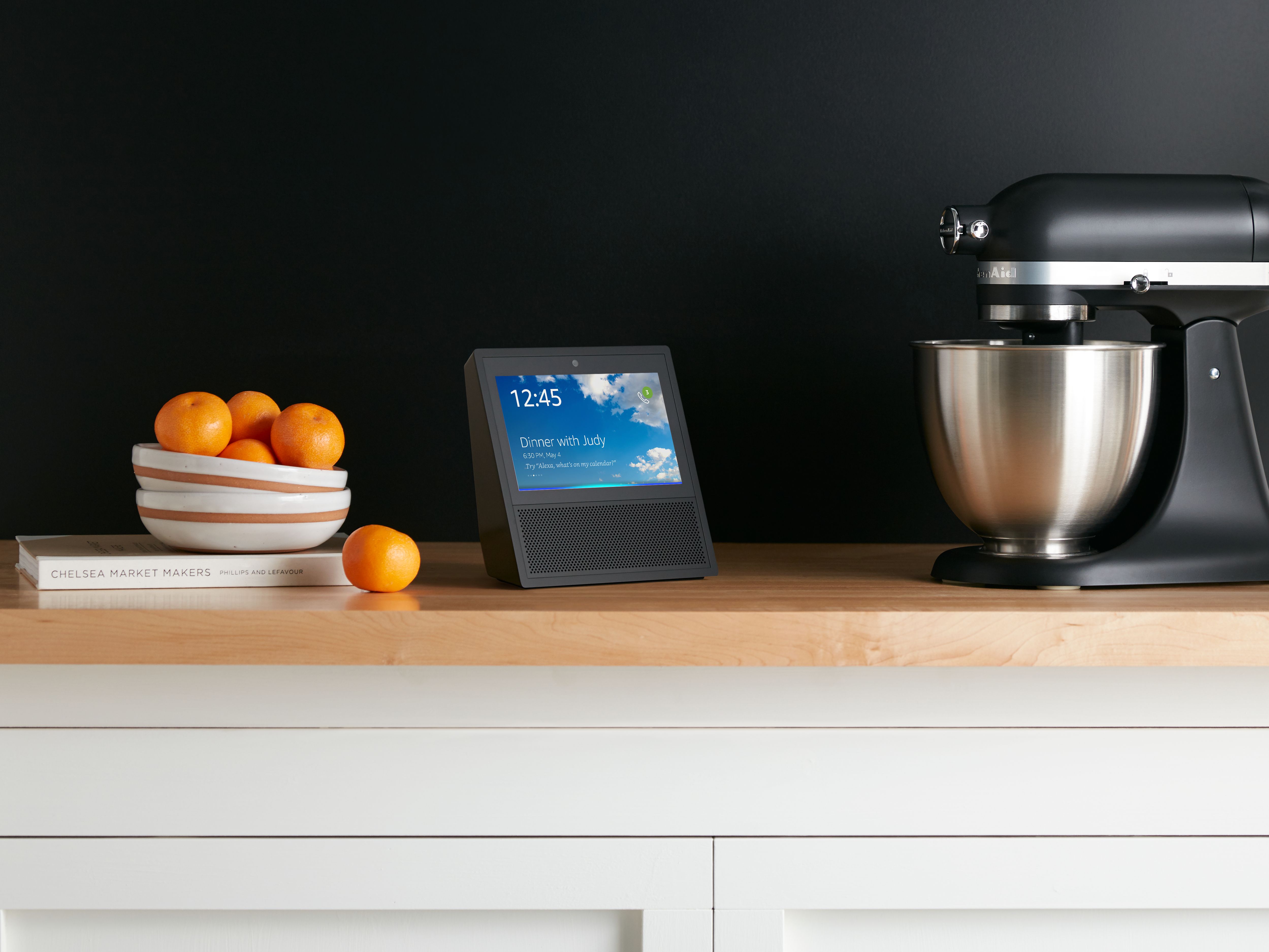
Amazon Echo Show in kitchen press picture courtesy of Amazon

The Amazon Echo Show – the first to prove the idea of an augment visual interface for the voice-driven home assistant

Amazon’s Echo Spot is a cuter version of the Echo Show | Engadget

From the horse’s mouth

Amazon

Amazon Introduces a New Member of the Echo Family: Echo Spot (Press Release)

My Comments

A trend that is surfacing for the voice-activated home assistant device is for these devices to provide a display which works alongside the voice-activated assistant by providing some sort of visual feedback. The display can be physically integrated in the smart speaker or similar device or appear on another device that ties in with the home-assistant device such as a TV equipped with a Chromecast or similar dongle.

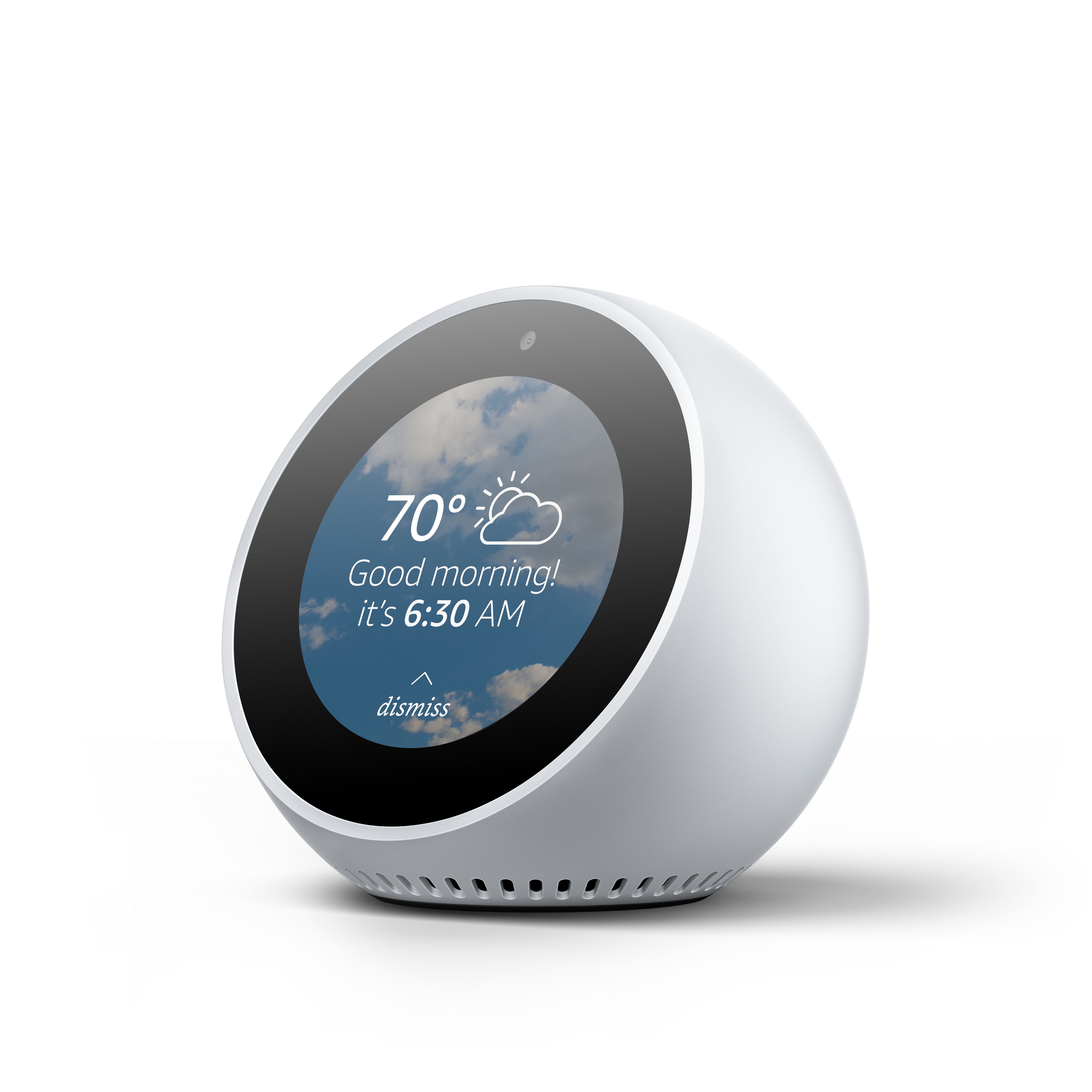
Amazon Echo Spot press picture courtesy of Amazon

Amazon Echo Spot – the smaller brother of the Echo Show

Amazon kicked this off with the Echo Show that has an integrated colour touchscreen and augments Alexa replies with visual information as well as being an IP-based videophone. Then Sony integrated a clock display in to their Google Assistant speaker that was being premiered at IFA this year.

Now Amazon premiered their Echo Spot which is about the size of a traditional alarm clock and uses a circular touchscreen as its display. This device was being offered as the smaller bedroom-friendly version of the Echo Show.

But what is this functionality about?

This functionality is about providing visual support to a user’s interaction with a device that is based on a voice-driven home assistant platform. This can range from constantly-displayed information like the current time or the weather to written information that augments an answer offered by Alexa or the Google Assistant. It can also be information that is dependent on current or upcoming events like reminders, information about the music that is playing through the device or the status of an appliance or other device connected to your smart-home setup.

Setups that implement a colour graphical display, whether integrated or as an outboard screen, could take this concept further with photos, album cover art and other material that are part of the visual interface. Examples of this could be Alexa showing pictures of restaurants in response to a query about the best-value eats in town or the device being an electronic picture frame, referring to a collection of photos hosted on the network or the cloud. Let’s not forget that devices with a colour graphical display would implement the screen as a display for a compatible network video-surveillance camera or video intercom.

Of course, whoever programs the skills for Alexa, Google Assistant or other similar platforms will be wanting to write in the visual support and have to provide text as a baseline visual display. Personally I would see this feature as part of how Amazon Alexa, Google Home, Cortana and Siri will evolve in the voice-activated home assistant context.

Companies now to support multiple voice-driven home assistants

Articles

Harman now has smart speakers for Alexa, Cortana and Google Assistant | Engadget

The Sonos smart speaker with microphone hits the FCC | The Verge

Sonos to announce new smart speaker on October 4th | The Verge

From the horse’s mouth

Harman

WHEN VOICE MEETS SOUND (Press Release)

Introducing JBL® LINK Series: Immersive JBL Sound Now Available with the Google Assistant (Press Release)

HARMAN introduces Harman Kardon Allure with Amazon Alexa to the Voice Activated Speaker Family (Press Release)

My Comments

Harman Allure smart speaker press image courtesy of Harman

Harman Allure smart speaker powered by Amazon Alexa

The Internationaler Funkaustellung trade show has been and gone but this time more manufacturers were premiering smart-speaker products based on either the Amazon Alexa or Google Assistant platforms.

One of these is the Sony LF-S50G speaker that looks like Apple’s Siri-based HomePod smart speaker but has an integrated display while Panasonic were also launching the GA10 which is a box-like smart speaker. Both of these speakers work with Google Assistant.

But a few companies have put their feet in multiple ponds by supporting two or more platforms. One way is to offer different models or product ranges that are based on different platforms. The other is to attempt to have the one smart speaker able to be set up to work on one of many platforms that the user chooses.

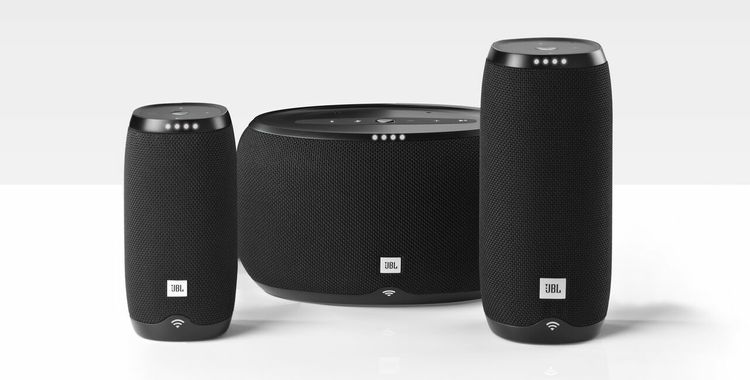
JBL Link smart speaker range press picture courtesy of Harman

JBL Link smart speaker range powered by Google Assistant

The former approach has been taken by Harman who have multiple names of respect in the hi-fi, sound-recording, PA and allied industries under their wings. Initially, they offered the Invoke smart speaker that is based on the Microsoft Cortana platform. Now the premiered the JBL Link range of smart speakers that work on the Google Assistant platform as well as offering the Harman-Kardon Allure smart speaker that is based on the Amazon Alexa platform.

Pioneer and Onkyo recently underwent a “Renault-Nissan” merger of their home audio and AV businesses and offered a few smart speaker models based on the different platforms. Here, Pioneer premiered the Smart Speaker F4 which is based on the Amazon Alexa platform while Onkyo launched the Smart Speaker G3 based on the Google Assistant platform while maintaining the Alexa-based VC-FLX1 smart speaker that was launched at CES 2017.

The latter approach has been taken by Sonos with their S13 prototype smart speaker that is intended to be released on October 4. Here, they put forward the idea of having the user to have this speaker work with Siri, Alexa or Google Assistant rather than being stuck with one platform. It is seen as a premium-level attack at the Apple HomePod which will be based on Siri.

The approach of a manufacturer supporting different voice-driven-assistant platforms like Alexa or Google Assistant in different product ranges may appeal to companies who see one of the platforms offer a particular premium-level cachet which can tie in with their premium product ranges. This is while a popular platform like Alexa or Google Assistant could end up being focused on to popularly-targeted products.

Compare this with the idea of having multiple platforms supported by the same smart-speaker or similar device. Here, it can appeal to TVs, hi-fi / home-theatre components and allied devices that are expected by customers to run for the long haul or with premium network speaker products.

Either trend could be support by many different manufacturers while the devices that you interact with for these platforms could end up being more than just the cylindrical benchtop speakers.

Amazon chasing the numbers when it comes to Alexa’s Skills

Article

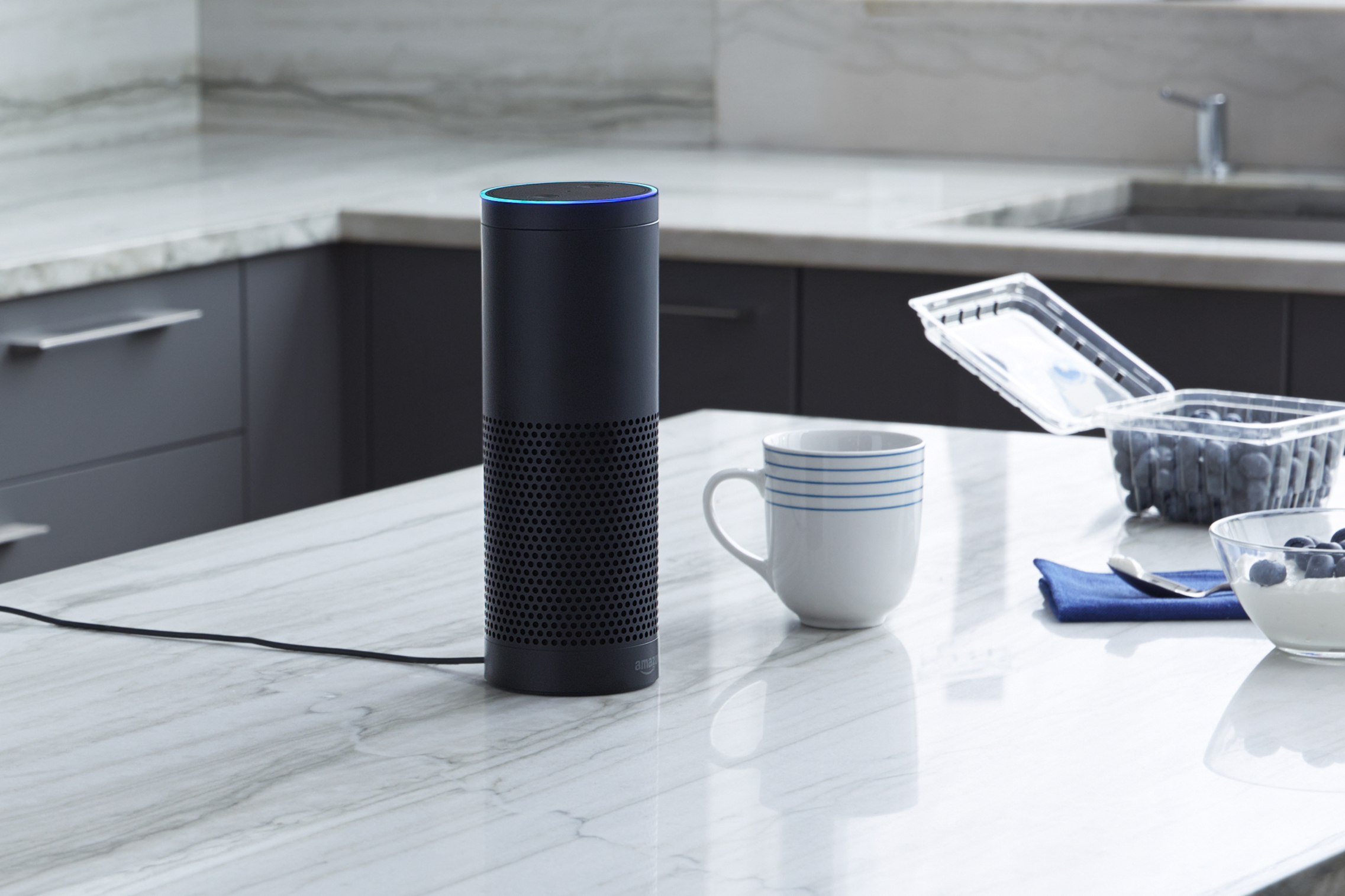
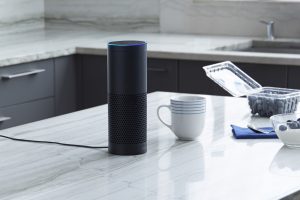
Amazon Echo on kitchen bench press photo courtesy of Amazon USA

Amazon needs to assure quality for the skills they offer to Echo users

Alexa is learning more new skills every day | Engadget

My Comments

At the moment, Amazon is adding many skills to the Alexa voice-activated home assistant ecosystem every day with at least 15,000 skills available for your Echo by the time this article is published. This is in contrast to Google offering 378 apps and Cortana offering 65 apps. Apple yet hasn’t shown up the number of skills or apps that they have added to Siri as part of her role as a voice-driven home assistant.

But the problem with this approach is that Amazon can easily end up “chasing the numbers” where they don’t care about software quality. This is very similar to what has happened with the app stores like Microsoft Store where these stores filled up with many poor-quality and, in some cases, worthless apps. Here it is seen as a quick way for Amazon to dominate the voice-driven home assistant landscape alongside offering the multiple devices and extra capabilities.

Amazon yet haven’t had much experience in building up a platform app store with a goal towards achieving a significant number of quality apps. This is compared to Google, Microsoft and Apple who have learnt by experience when it came to building up their platform app stores which Google Home, Cortana and Siri will be based on. In most cases, it was about leaving the gates wide open and admitting too much trash or “dribbling in” very little software and putting across an image of very little choice. It is symptomatic of a technology being at an immature state where much hasn’t been worked on to have the right mix of features and software.

As regards with the software quality of skills or apps for a voice-driven home assistant platform, there will be issues about preserving proper software behaviour, assuring proper taste and decency in a family environment, along with assuring end-users’ data-security and privacy. It is more so with the fact that these skills will be relating to smart-home devices and these devices can be used to represent a household’s lifestyle. This will need to be achieved through software and consumer-protection policies and a feedback loop between end-users and the platform developer.

Of course, there needs to be the ability for Amazon and co to highlight high-quality skills and apps to users such as through an “editor’s choice” or “product spotlight”, along with a user review and rating system.

Other issues yet to be raised include how a developer can monetise a skill, whether through having customers buy the skill through Amazon’s storefront or through an advertising platform. In the case of advertising, there will be issues regarding user privacy, the kind of advertising that appears along with when the ads appear in your interaction with that skill.

I would see the sign of maturity for the voice-driven home assistant technology as higher-quality skills or apps being available along with the platforms being offered in more territories on more devices with the expected feature sets.

Amazon gives Alexa intercom abilities for their Echo devices

Article

Amazon Echo on kitchen bench press photo courtesy of Amazon USA

The Amazon Echo to replace that intercom you bought from Radio Shack

Amazon is turning every Echo device into an intercom | Engadget

Your Amazon Echo-Filled House Now has an Alexa Intercom System | Droid Life

Amazon wants the Echo to replace your home intercom | VentureBeat

My Comments

As the battle heats up between Amazon, Google and, very soon, Apple and Microsoft for the voice-driven home assistant platform, there is a strong likelihood that these platforms will acquire new features “out of the box” at a regular pace without the need to add a “skill” or app.

Initially Amazon added a telephony function to their Alexa platform with video telephony for the Echo Show videophone device.  Now they are introducing an intercom function for their Echo devices. It is due to the fact that a lot of the households that buy Amazon Echo devices will end up equipping their home with many of these devices, such as to kit out a pair of computer speakers or old boombox with an Echo Dot.

This may be similar to an intercom system that you may have used in your home, be it that little portable box that plugs in to the wall and uses your AC wiring as a communications path or that fancy radio-intercom setup integrated in your home with one of the units having an integrated radio tuner.

Here, you have to name each Echo device with a room-unique name when you set it up or revise its settings. Then you have to enable the “drop-in” functionality on the Alexa app, whereupon you can tell Alexa to call a specific device. You can set up the “drop-in” functionality to monitor a particular room such as to monitor a sleeping baby or hear if your older parent is calling out.

The system even works across the Internet rather than just your home network, which can come in handy with families and neighbours who want to keep in touch with each other in the same community.

You can upgrade your existing Amazon Echo equipment towards this functionality by simply updating the software in the Echo devices and the Alexa app to the latest version. But I wouldn’t put it past Amazon to roll this function out to other devices that are based on the Alexa platform or to work out ways to improve on it. Similarly, I wouldn’t put it past Google, Apple and Microsoft to answer Amazon with an intercom feature of their own.

You don’t need to use an iOS or Android smartphone to manage Amazon Echo

Article

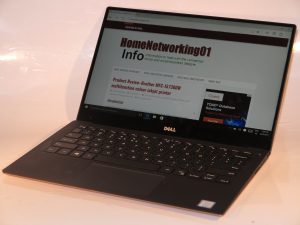
Dell XPS 13 Kaby Lake Ultrabook

You can set up an Amazon Echo with just this kind of computer

How to set up a smart home using Windows 10 and Amazon Echo | Windows Central

My Comments

If you are dabbling with the idea of a voice-controlled smart-home assistant, you may find that some of these setups are dependent on you running an app on an iOS or Android mobile device to set them up or manage them. There are some users out there who may not be able to or want to use a mobile device that works on those two platforms.

For example, there are people like a lot of the older generation who prefer to work with a baseline mobile phone or a landline phone service as well as a regular computer for the communications and personal IT needs. There are also some of us who run a smartphone that is based on Windows 10 Mobile or a similar platform.

This is not so with the Amazon Echo and most other devices that work on the Amazon Alexa platform. When they are in action, they are not dependent on you running a mobile-platform app to have them work properly, rather you just talk to Alexa, the voice-driven home assistant. It is also underscored by the fact that you could purchase the Amazon Echo Dot module which works with a set of powered speakers or a stereo system equipped with an AUX or similar line-level input for US$49.

Most of this interaction in managing your Amazon Echo devices is through the Alexa website (http://alexa.amazon.com), which you can visit using any Web browser.

Adding Amazon Echo devices

Amazon Echo on kitchen bench press photo courtesy of Amazon USA

This Echo doesn’t need to be managed by an iPhone or Android smartphone

Other Alexa-based devices may work through a different setup procedure, perhaps through an on-device Website, Android / iOS mobile app or the device’s control surface.

  • If you are adding an Echo device, you just need to log in with your Amazon account credentials. Then plug in and turn on your Amazon Echo device.
  • The ring light on your Amazon Echo device will glow orange while it is listed on the abovementioned Web site. This is also because the Echo device is pre-registered to your Amazon account when you bought it through Amazon.
  • You may then have to click the “Set up a new device” option to start enrolling it with your home network. On the other hand, you may just need to proceed to the next step.
  • Then you hold down the Action button on the Echo device for five seconds. This is whereupon you will see a list of Wi-Fi networks that the Echo can connect to.
  • Here, you select your home network’s SSID (Wi-Fi network name) and click Connect. You may be asked for your network’s Wi-Fi password which you subsequently enter to come on board. There is an option for this to be saved securely to your Amazon account, which can come in handy if you are dealing with multiple Echo devices.
  • Once the ring light is blue, feel free to talk to Alexa.

Managing Skills and Smart Home devices

The Amazon Alexa Website is also where you can manage what your Amazon Echo or Alexa-compliant device does.

The Skills option allows you to add “skills” which provide an audio-based link to various smart-home hardware and online services. This can also include the ability to book a Uber or other taxi/hire-car service that has a suitable Alexa Skill for example.

As well, some smart-home devices that you add to your home network whether directly or via a hub cam be detected by the Amazon Echo through the “Smart Home” option in the Alexa Webpage.

To get the best out of this resource, create a Favourite / Bookmark in your Web browser or a desktop or similar shortcut in your operating system to the Amazon Alexa Website so you know where to go if you want to manage that Echo or add that Alexa Skill.

But you are not needing to use a mobile-platform app to have your Alexa-based devices how you want, rather simply using your favourite Web browser on your favourite computer device.

Designing for highly-compatible Internet Of Things

Article

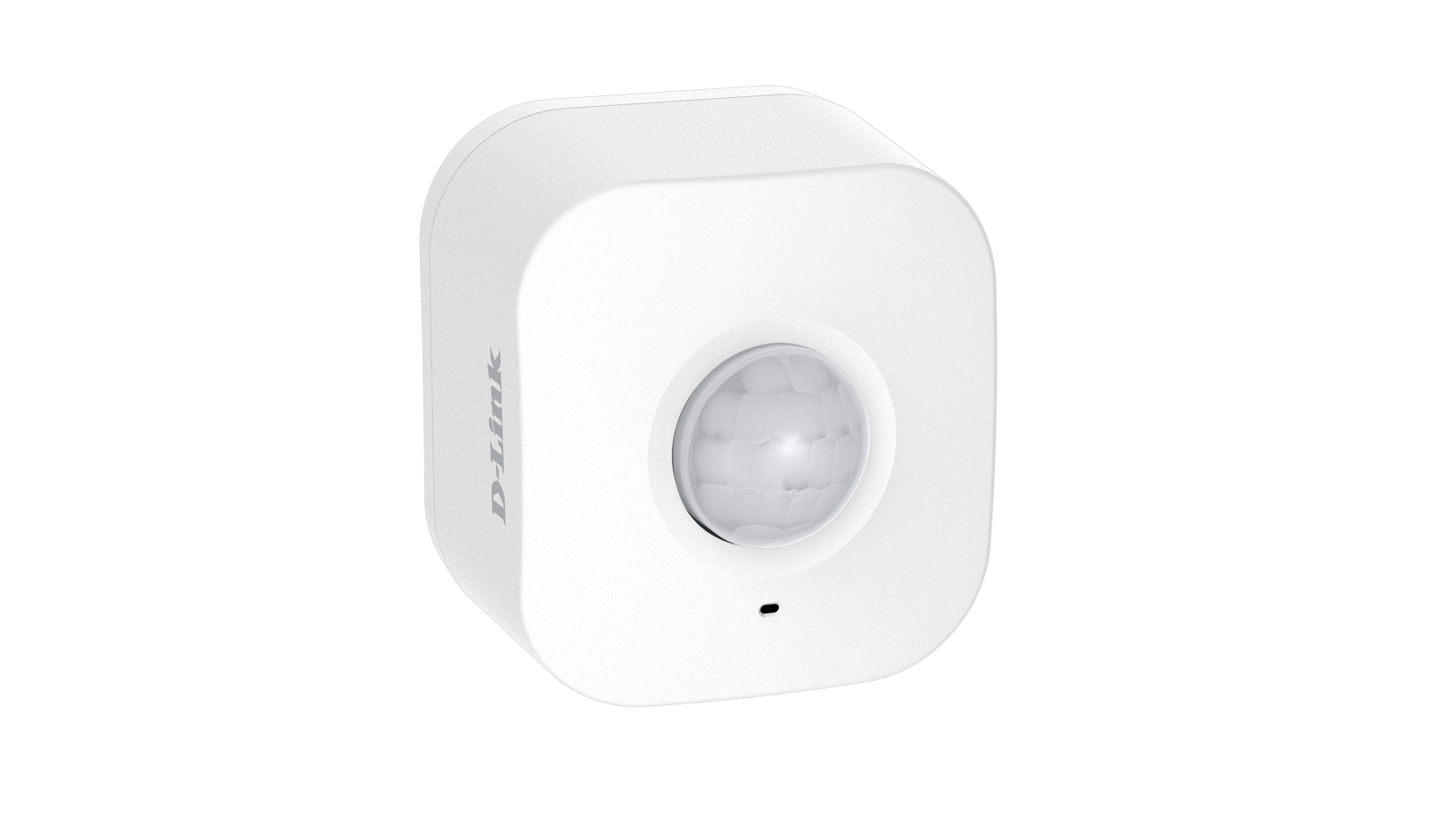
D-Link DCH-3150 myDLink motion sensor

Smart Home and Internet Of Things devices need to be designed for compatibility and security before they become popular

How to bring true interoperability to the Internet of Things | Network World

My Comments

Increasingly, the concept of the “smart home” or Internet Of Things is becoming very real. Here, we are seeing a lot more consumer-electronics devices, home appliances and similar devices become connected to the home network and the Internet.

The “app-cessory” approach to network-controlled devices, where the only way to control these devices via your home network is through a manufacturer-supplied mobile-platform app, has now had its day. This typically asked that the device to be connected to your iOS or Android smartphone or tablet using one of three paths: a Bluetooth connection to the mobile device in the same vein as a Bluetooth headset; a Wi-Fi network created by the device that is controlled by the mobile-platform device; or the home network’s Wi-Fi segment.

The trend that is affecting these devices is to interlink them with a platform-based voice-driven “home assistant” of the Amazon Alexa or Google Home ilk. Here, the requirement is for the manufacturer to provide a “skill” or something similar to the “home-assistant” platform so that Alexa, for example, can interact with the device.

But the article is now highlighting the requirement for increased compatibility with the Internet Of Things. This is where the same device can operate across a range of different network setups and operating platforms.

Use of highly-capable hardware interfaces at the media-connection level

A direction that has assured “out-of-the-box” interoperability for regular-class and mobile-class computer devices along with an increasing number of consumer-electronics devices is to implement one or more multi-mode front-ends when handling the different interface types.

In the case of radio, it can mean being able to handle Wi-Fi, Bluetooth, Zigbee or similar technologies concurrently.With the wired networks, it would be about working with different media protocols over the same kind of wire, being Cat5 unshielded twisted pair, TV-antenna coaxial cable, AC wires used to power your appliances or traditional telephone wires.

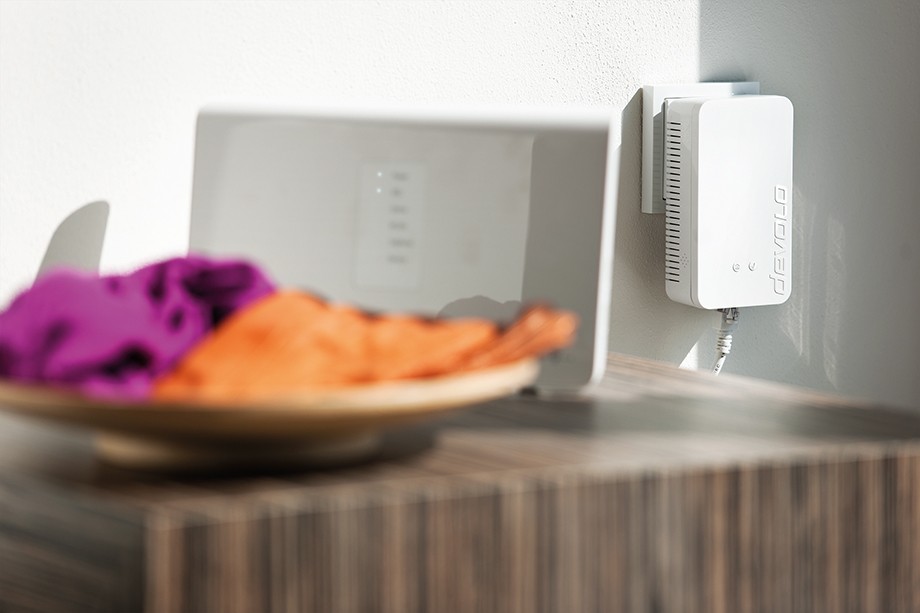
Devolo Home Control Central Unit (Zentrale) press photo courtesy of Devolo

Devolo Home Control Central unit connected to router

In the case of a wireless connection, this is represented by the use of Bluetooth for peripheral-class device connection and Wi-Fi wireless networking to the latest standard for connecting to the home network and the Internet. Smartphones and some tablets will also implement a mobile-broadband modem that works across recent cellular mobile-telephony standards as well. As well, some consumer-electronics devices may implement a multifunction radio front-end that supports Zigbee or Z-Wave, typically to provide support for an RF-based remote control.

There are a significant number of “smart-home” or “Internet Of Things” devices that are designed to work solely with Bluetooth, Zigbee or Z-Wave. Examples of these range from temperature sensors, smart locks and movement sensors. These devices, typically battery-operated devices, use one of these technologies because of the fact that they are very thrifty on battery power thus allowing them to work on up to 3 AA Duracells or a 3V “pill-size” battery for months at an end or to work only on “harvested” power like kinetic energy.

But, if they want to liaise with your home network and the Internet, they have to deal with a gateway device that links between them and the home network. It is because, at the time of writing, no-one has effectively brought a Wi-Fi-capable single-mode or multimode radio front-end chipset that permits a battery-operated device to work in a power-efficient manner.

But another approach being called for is to have an Internet gateway device i.e. a home or small-business router being equipped with support for Bluetooth, Zigbee and / or Z-Wave along with Wi-Fi and Cat5 Ethernet for the home network. To the same extent, a Wi-Fi infrastructure device like an access point or range extender could simply be a bridge between other radio-network types like Zigbee or Bluetooth and the home network facilitated by the Wi-Fi or wired home-network connection.

Some manufacturers even have an “IoT hub” or gateway that links their Bluetooth, Zigbee or Z-Wave devices to your home network via an Ethernet connection. Here, this is offered as part of enabling their devices for online control via a Web dashboard or mobile-platform app. The current situation with most of these hubs is that they have the online-service hub that works with the manufacturer’s device.

There needs to be the ability to facilitate setups involving multiple gateways that link the home network with Zigbee or similar “IoT” radio segments. This is a reality with most of these devices being limited in their radio coverage in order to conserve battery power because they are expected to run on a commodity battery supply like two or three AA Duracells for months at a time or, in some cases, work on harvested electrical energy. You may find that having one of the gateways located near an IoT endpoint device like a smart lock may assure reliable connected operation from that device.

In these setups, there needs to be the ability to see a collection of these “IoT-specific” radio segments as one logical segment, along with the ability to discover and enumerate each device no matter which gateway or bridge device it is connected to and what kind of networks is used as the backbone.

Flexible software to the application level

Kwikset Kevo cylindrical deadbolt in use - Kwikset press image

To provide extended monitoring and control to the Kwikset Kevo deadbolt, you have to use a Bluetooth bridge supplied by Kwikset

Another issue raised regarding the Internet Of Things is compatibility across multiple software platforms and protocols.

A design practice that has been known to be successful was for recent network-connected home-AV equipment like Wi-Fi wireless speakers to support Apple AirPlay, Google Chromecast and DLNA “out of the box”. Here, you could stream content to these devices using most computer devices, whether it be your iPhone, Android tablet or Windows computer, or whether it is hosted on your NAS device.

Here, the goal is for a device to support many different software platforms, frameworks and protocols that are needed to do its job. To the same extent, it could be feasible for a device to work with different cloud services like Google Home, Amazon Alexa or IFTTT. What this can mean is that a device can work with different control and display surfaces from different manufacturers. It also means that the data that a piece of equipment shares is set in a known standard so that any software developer working on an IoT project can make use of this data in their code.

For example, the Open Connectivity Foundation’s standards which include the UPnP standards and are supported by the “open-frame” computing community, along with the Apple HomeKit framework will be required to be supported by network-connected devices.

Here, it will be about identifying every one of the standards supported by the physical medium that the IoT device uses to link with other devices and the network. Then implementing all of the current standards supported by that medium in a vendor-agnostic manner.

Secure by design

An issue that has been raised recently is the issue of data security practices implemented by the software that runs Internet-Of-Things and dedicated-purpose devices. Situations that have come to the fore include the Mirai botnet that scoped in network videosurveillance cameras and home-network routers to perform distributed denial-of-service attacks against online resources like the Krebs On Security Website and the DNS records held by Dyn, a dynamic-DNS provider, affecting a large number of Internet household names.

Here, the issue being called out is designing the software in this class of device for security along with a continual software-maintenance cycle. But it also includes the implementation of secure-software-execution practices not uncommon with the latest desktop and mobile operating systems. This includes secure-boot, trusted-execution and sandboxing to prevent unwanted code from running along with data-in-transit protection and authentication at the network level.

The concept of a continual software-maintenance approach where the firmware and other software associated with the Internet Of Things is always updated with these updates installed “in the field” as they are available, allows for the removal of software bugs and security exploits as they become known. It also allows the software to be “tuned” for best performance and manufacturers can even roll out newer functionality for their devices.

In some cases, it could even lead to a device being compatible with newer and revised standards and protocols rather than seeing one that ends up being limited because it doesn’t support the newer better protocol. But there can be the question about this kind of software update being used as a way to enforce unpopular device-design requirements upon an existing installed base of devices and changes how they operate. This could be brought about by a government mandate or an industry expectation, such as an eco-requirement for HVAC equipment required by a state energy-conservation department or a digital-rights-management expectation required at the behest of Hollywood.

To make the IoT hardware and software ecosystem work properly, there needs to be an underscored requirement for compatibility with prior and newer devices along with the ability to work securely and with properly-maintained software.

Google demonstrates their Google Home concept during Super Bowl 2017

Part of the experience of watching American Football’s annual ultimate playoff that occurs every February is to see the ads that are run during the commercial breaks. This is because, a company has to stump up at least US$5 million per “spot” to get an ad in front of the USA’s many eyeballs who will be watching the Super Bowl. Here, it is also the time that advertisers pull out the stops to show the most impressive and memorable commercials that could end up being run when they want to extend the campaign further.

Google used this year’s Super Bowl to demonstrate the concept of their Google Home voice-activated home assistant platform competing with Amazon Alexa. But is shows what these voice-operated home assistants are all about. Most of the functionality you will see in this ad will require you to install smart-home devices that control your existing lighting or heating.

Have a look at this if you missed it during this year’s “ad parade”.