Tag: user privacy

What is the Declaration For The Future Of The Internet about?

Articles

Lenovo ThinkPad X1 Carbon Ultrabook

Internet services now under a worldwide declaration

US signs Declaration for the Future of the Internet alongside 60 global partners | Windows Central

US Pledges to Keep an Open Internet With Dozens of Other Countries – CNET

Governments Pledge to Keep an Open Internet, Not Russia, China (gizmodo.com)

From the horse’s mouth

The White House, USA

FACT SHEET: United States and 60 Global Partners Launch Declaration for the Future of the Internet | The White House

Declaration-for-the-Future-for-the-Internet_Launch-Event-Signing-Version_FINAL.pdf (whitehouse.gov)

My Comments

The US, European Union, Canada, UK, Australia, New Zealand and many other countries signed a declaration regarding the Internet. This declaration, called the “Declaration For The Future Of The Internet” is an effort by the Biden White House to reinforce what the Internet is to be about as an open network of networks with a fair playing field.

This is a response by these countries against digital authoritarianism that has been shown by authoritarian regimes like Russia, China, Iran and North Korea. It encompasses domestic and international online repression efforts like censorship along with international political destabilisation efforts like election / referendum interference, disinformation campaigns and cyberattacks.

There is also the same fear that due to populist strongman politics taking place ins some Western and other countries not associated with that kind of politics, the Internet as a symbol of freedom of expression could be under threat in those countries.

It is a reference for public policymakers, citizens, the business community and civil society organisations, but is non-binding. This is seen as a sticking point amongst some because sone countries like the USA aren’t toeing the line when it comes to a free and open Internet with issues like civilian surveillance. But some policymakers in some governments, international organisations and civil society could see this as a “gold standard” for what the Internet should be about.

The goal in this Declaration is to maintain what the Internet was about when it came about in the 1990s – an open network of networks that is freely accessible to all.

It is about protecting fundamental human rights and freedoms for all people in the online space. As well, it is about the global Internet that facilitates the free flow of information for citizens and businesses. That also includes inclusive and affordable connectivity to the Internet, which also factors in access from rural and remote areas. As well, there should be an increase in our digital skills so we can work the Internet competently.

Trust in the global online ecosystem is also underscored, including protection of the privacy and confidentiality of end-users. This is about safe secure private Internet use. For businesses of all sizes, it is about allowing them to compete, innovate and thrive in their own merits.

This goal is to be facilitated using reliable secure interoperable and sustainable infrastructure around the world. Here it would be managed in a multiple stakeholder approach to assure common benefit.

An issue that will need to he looked at is how online services are operated by the private sector. This is with expectations regarding end-user privacy along with their operation as a social good. It may also have to include support for healthy competition between online service providers so as to support innovation and service affordability.

I do see a strong possibility that the Declaration For The Future Of The Internet as a “Gold Standard” for what is expected of the Internet as part of a democratic society.

European Union to establish own DNS infrastructure

Article Map of Europe By User:mjchael by using preliminary work of maix¿? [CC-BY-SA-2.5 (http://creativecommons.org/licenses/by-sa/2.5)], via Wikimedia Commons

EU wants to build its own DNS infrastructure with built-in filtering capabilities – The Record by Recorded Future

My Comments

Europe is working on another Internet-focused effort to maintain some sovereignty over its online affairs.

The DNS is the Internet’s equivalent of the traditional White Pages telephone book where when you would look up someone’s name in that book to find their phone number. Here, it is about looking up the domain name part of a Web address like “homenetworking01.info” and identifying the IP address of the Webserver that hosts the Website. This process is very similar for looking up the IP address for the email server that is listed after the “@” part of an email address.

Here, the European DNS4EU effort is about creating a network of DNS servers that are based in Europe. It is essentially about European data sovereignty where this Internet-essential function is in European hands and fully subject to European laws and norms rather than in the hands of a few non-European companies.

For example, this DNS effort is run compliant to the European Union GDPR user-privacy directive and avoids issues to do with the USA’s CLOUD Act which can place online data use subject to US authorities’ investigative requirements even if it is used overseas as long as the servers are owned by a company based in the USA.

The DNS4EU DNS service will also have powerful filtering abilities to work against cyber attacks. This can include blocking DNS name resolution for domains associated with malware or phishing sites. But there are questions about which kind of Internet user this would be mandatory for like the public sector, financial services or essential services or whether EU-based or all European based ISPs will be required to take advantage of this new DNS4EU infrastructure.

This same project also assures compliance with court orders against access to prohibited content like child-sexual-abuse imagery or pirated content. But this kind of protection may be limited to the European Union or a wider area like the Euripean Single Market or even the countries under the Council Of Europe’s scope.

Another benefit often seen with this is increased speed for European DNS queries due to the proximity of the DNS4EU servers to European citizens and businesses. It is also a way that Europe can carve out its own online identity amongst their own citizens rather than relying on other areas for its IT needs.

As I have said before, there could be questions raised about the kind of geopolitical reach that the European Union’s new DNS infrastructure would have. But it could be seen as one of many attempts for Europe to have its own IT infrastructure and work in a manner independent of countries like the USA.

Google to participate in setting standards for mobile app security

Articles – From the horse’s mouth

Google

A standard and certification program now exists for mobile application security

A New Standard for Mobile App Security (Google Security Blog post)

Internet Of Secure Things Alliance (ioXT)

ioXt Alliance Expands Certification Program for Mobile and VPN Security (Press Release)

Mobile Application Profile (Reference Standard Document – PDF)

My Comments

There is a constant data-security and user-privacy risk associated with mobile computing.

And this is being underscored heavily as a significant number of mobile apps are part of “app-cessory” ecosystems for various Internet-of-Things devices. That is where a mobile app is serving as a control surface for one of these devices. Let’s not forget that VPNs are coming to the fore as a data-security and user-privacy aid for our personal-computing lives.

Internet of Secure Things ioXT logo courtesy of Internet of Secure Things Alliance

Expect this to appear alongside mobile-platform apps to signify they are designed for security

But how can we be sure that an app that we install on our smartphones or tablets is written to best security practices? What is being identified is a need for an industry standard supported by a trademarked logo that allows us to know that this kind of software is written for security.

A group called the Internet of Secure Things Alliance, known as ioXT, have started to define basic standards for secure Internet-of-Things ecosystems. Here they have defined various device profiles for different Internet-of-Things device types and determined minimum and recommended requirements for a device to be certified as being “secure” by them. This then allows the vendor to show a distinct ioXT-secure logo on the product or associated material.

Now Google and others have worked with ioXT to define a Mobile Application Profile that sets out minimum security standards for mobile-platform software in order to be deemed secure by them. At the moment, this is focused towards app-cessory software that works with connected devices along with consumer-facing privacy-focused VPN endpoint software. For that matter, Google is behind a “white-box” user-privacy VPN solution that can be offered under different labels.

This device profile has been written in an “open form” to cater towards other mobile app classes that need to have specific data-security and user-privacy requirements. This will come about as ioXT revises the Mobile Application Profile.

Conclusion

The ioXT Internet-of-Secure-Things platform could be extended to certifying more classes of native mobile-platform and desktop-platform software that works with the Internet of Everything. The VPN aspect of the Mobile Application Profile can also apply to native desktop VPN-management clients or native and Web software intended to manage router-based VPN setups.

At least a non-perpetual certification program with a trademarked logo now exists for the Internet of Everything and mobile apps to assure customers that the hardware and software is secure by design and default.

Zoom to introduce end-to-end encryption

Articles

Zoom (MacOS) multi-party video conference screenshot

Zoom to provide end-to-end encryption for those video conferences

Zoom end-to-end encryption is finally rolling out next week | Android Authority

Zoom to preview free end-to-end encryption for meetings | ITNews

Zoom Is Adding End-To-End Encryption to Your Endless Meetings | Gizmodo

Zoom finally rolls out end-to-end encryption, but you have to enable it | Mashable

From the horse’s mouth

Zoom

Zoom Rolling Out End-to-End Encryption Offering (Blog Post)

My Comments

Since the COVID-19 coronavirus plague had us housebound even for work or school, we have ended up using videoconferencing platforms more frequently for work, school and social life. The most popular of these platforms ended up being Zoom which effectively became a generic trademark for multiparty videoconferencing.

But the computer press and consumer-privacy regulators identified that most of these videoconferencing platforms had security and user-privacy / company-confidentiality weaknesses. One of these that has beset Zoom was the lack of end-to-end encryption for multiparty videocalls. This ended up being a key issue due to most of us ending using these platforms more frequently and the increased use of Zoom and similar platforms for medical and legal telexonsultations.

Now Zoom, as part of its recent Zoomtopia feature-launch multiparty videoconference, has launched a number of new features for their platform. These include virtual participant layouts similar to what Microsoft Teams is offering.

But the important one here is to facilitate end-to-end encryption during multiparty videoconferences. This will be available across all of Zoom’s user base, whether free or paid. For the first 30 days from next week, it will be a technical preview so they can know of any bugs in the system.

The end-to-end encryption is based around the meeting host rather than Zoom generating the keypairs for the encryption protocol, which would occur as a videoconference is started and as users come on board. It is a feature that Zoom end-users would need to enable at account level and also activate for each meeting they wish to keep secure. That is different from WhatsApp where end-to-end encryption occurs by default and in a hands-off manner.

At the moment, updated native Zoom clients will support the end-to-end encryption – you won’t have support for it on Zoom Web experiences or third-party devices and services that work with Zoom like the smart displays or Facebook’s Portal TV videophone. This situation will be revised as Zoom releases newer APIs and software that answers thsi need.

If a meeting is operating with end-to-end encryption, there will be a green shield with a lock symbol in the upper left corner to indicate that this is the case. They can click on the icon to bring up a verification code and have that confirmed by the meeting host reading it out loud.

Free users will be required to use SMS-based verification when they set up their account for end-to-end encryption. This is a similar user experience to what a lot of online services are doing where there is a mobile phone number as a second factor of authenticity.

At least Zoom is taking steps towards making its multiparty videoconference platform more safe and secure for everyone.

A call to attention now exists regarding videoconferencing platform security

Article

Zoom (MacOS) multi-party video conference screenshot

A call to action is now taking place regarding the data security and user privacy of video conferencing platforms

Privacy watchdogs urge videoconferencing services to boost privacy protections | We Live Security

From the horse’s mouth

Officer Of The Privacy Commissioner Of Canada

Joint statement on global privacy expectations of Video Teleconferencing companies (English / Français)

Press Release (English, Français)

Office Of The Australian Information Commissioner

Global privacy expectations of video teleconference providers – with open letter

Federal Data Protection And Information Commissioner (Switzerland)

Audio And Video Conferencing Systems – Privacy Resource factsheet (English, Français, Deutsch, Italiano)

Open Letter (PDF)

Information Commissioner’s Office (United Kingdom)

Global privacy expectations of video teleconference providers

Open Letter (PDF)

My Comments

Thanks to the COVID-19 coronavirus plague, we are making increased use of various videoconferencing platforms for our work, education, healthcare, religious and social reasons.

This has been facilitated through the use of applications like Zoom, Skype, Microsoft Teams and HouseParty. It also includes “over-the-top” text-chat and Internet-telephony apps like Apple’s Facetime, Facebook’s Messenger, WhatsApp and Viber for this kind of communication, thanks to them opening up or having established multi-party audio/video conferencing or “party-line” communications facilities.

Security issues have been raised by various experts in the field about these platforms with some finding that there are platforms that aren’t fit for purpose in today’s use cases thanks to gaping holes in the platform’s security and privacy setup. In some cases, the software hasn’t been maintained in a manner as to prevent security risks taking place.

As well, there have been some high-profile “Zoombombing” attacks on video conferences in recent times. This is where inappropriate, usually pornographic, images have been thrown up in to these video conferences to embarrass the participants with one of these occurring during a court hearing and one disrupting an Australian open forum about reenergising tourism.

This has led to the public data-protection and privacy authorities in Australia, Canada, Gibraltar, Hong Kong, Switzerland and the United Kingdom writing an open letter to Microsoft, Cisco, Zoom, HouseParty and Google addressing these issues. I also see this relevant to any company who is running a text-based “chat” or similar service that offers group-chatting or party-line functionality or adapts their IP-based one-to-one audio/video telephony platform for multi-party calls.

Some of these issues are very similar to what has been raised over the last 10 years thanks to an increase in our use of online services and cloud computing in our daily lives.This included data security under a highly-mobile computing environment with a heterogeny of computing devices and online services; along with the issue of data sovereignty in a globalised business world.

One of the key issues is data security. This is about having proper data-security safeguards in place such as end-to-end encryption for communications traffic; improved access control like strong passwords, two-factor authentication or modern device-based authentication approaches like device PINs and biometrics.

There will also be the requirement to factor in handling of sensitive data like telehealth appointments between medical/allied-health specialists and their patients. Similarly data security in the context of videoconferencing will also encompass the management of a platform’s abilities to share files, Weblinks, secondary screens and other media beyond the video-audio feed.

As well, a “secure by design and default” approach should prohibit the ability to share resources including screenviews unless the person managing the videoconference gives the go-ahead for the person offering the resource. If there is a resource-preview mechanism, the previews should only be available to the person in charge of the video conference.

Another key issue is user privacy including business confidentiality. There will be a requirement for a videoconferencing platform to have “privacy by design and default”. It is similar to the core data-security operating principle of least privilege. It encompasses strong default access controls along with features like announcing new participants when they join a multi-party video conference; use of waiting rooms, muting the microphone and camera when you join a video conference with you having to deliberately enable them to have your voice and video part of the conference; an option to blur out backgrounds or use substitute backgrounds; use of substitute still images like account avatars in lieu of a video feed when the camera is muted; and the like.

There will also be a requirement to allow businesses to comply with user-privacy obligations like enabling them to seek users’ express consent before participating. It also includes a requirement for the platform to minimise the capture of data to what is necessary to provide the service. That may include things like limiting unnecessary synchronsing of contact lists for example.

Another issue is for the platforms to to “know their audience” or know what kind of users are using their platform. This is for them to properly provide these services in a privacy-focused way. It applies especially to use of the platform by children and vulnerable user groups; or where the platform is being used in a sensitive use setting like education, health or religion.

As well it encompasses where a videoconferencing platform is used or has its data handled within a jurisdiction that doesn’t respect fundamental human rights and civil liberties. This risk will increase more as countries succumb to populist rule and strongman politics and they forget the idea of these rights. In this case, participants face an increased exposure to various risks associated with these jurisdictions especially if the conversation is about a controversial topic or activity or they are a member of a people group targeted by the oppressive regime.

Another issue being raised is transparency and fairness. Here this is about what data is being collected by the platform, how it is being used, whom it is shared with including the jurisdictions they are based in along with why it is being collected. It doesn’t matter whether it is important or not. The transparency about data use within the platform also affects what happens whenever the platform is evolved and the kind of impact any change would have.

The last point is to provide each of the end-users effective control over their experience with the videoconferencing platforms. Here, an organisation or user group may determine that a particular videoconferencing platform like Zoom or Skype is the order of the day for their needs. But the users need to be able to know whether location data is being collected or whether the videoconference is tracking their engagement, or whether it is being recorded or transcribed.

I would add to this letter the issue of the platform’s user-friendliness from provisioning new users through all stages of establishing and managing a videoconference. This is of concern with videoconference platforms being used by young children or older-generation people who have had limited exposure to newer technologies. It also includes efforts to make the platform accessible to all abilities.

This is relevant to the security and user privacy of a videoconferencing platform due to simplifying the ability for the videoconference hosts and participants to maintain effective control of their experience. Here, if a platform’s user interface is difficult to use safely. videoconference hosts and participants will end up opting for insecure setups this making themselves vulnerable.

For example, consistent and less-confusing function icons or colours would be required for the software’s controls; along with proper standardised  “mapping” of controls on hardware devices to particular functions. Or there could be a user-interface option that always exposes the essential call-management controls at the bottom of the user’s screen during a videocall.

This issue has come to my mind due to regularly participating in a Skype videoconference session with my church’s Bible-study group. Most of the members of that group were of older generations who weren’t necessarily technology-literate. Here, I have had to explain what icons to click or tap on to enable the camera or microphone during the videoconference and even was starting it earlier to “walk” participants through using Skype. Here, it would be about calling out buttons on the screen that have particular icons for particular functions like enabling the camera or microphone or selecting the front or back camera on their device.

At least the public-service efforts have come about to raise the consistent security and privacy problems associated with the increased use of videoconferencing software.

Apple advises against Webcam shields on its newer Macbooks–could this be a trend that affects new low-profile laptops?

Article

Apple MacBook Pro running MacOS X Mavericks - press picture courtesy of Apple

Apple advises against using camera covers on their recent MacBooks.

Apple: Closing MacBooks with camera covers leads to display damage | Bleeping Computer

Previous coverage on HomeNetworking01.info

Keeping hackers away from your Webcam and microphone

My Comments

Apple has lately advised its MacBook owners to avoid buying and using accessory Webcam covers on their computers.

These Webcam shields are being seen as a security asset thanks to malware being used to activate the Webcam and microphone to surveil the computer’s user. But Apple advises against them due to the MacBook having the Webcam integrated with the circuitry for the screen and built in a very fragile manner. They also mention that the Webcam is used by macOS as an ambient light sensor and for advanced camera functionality.

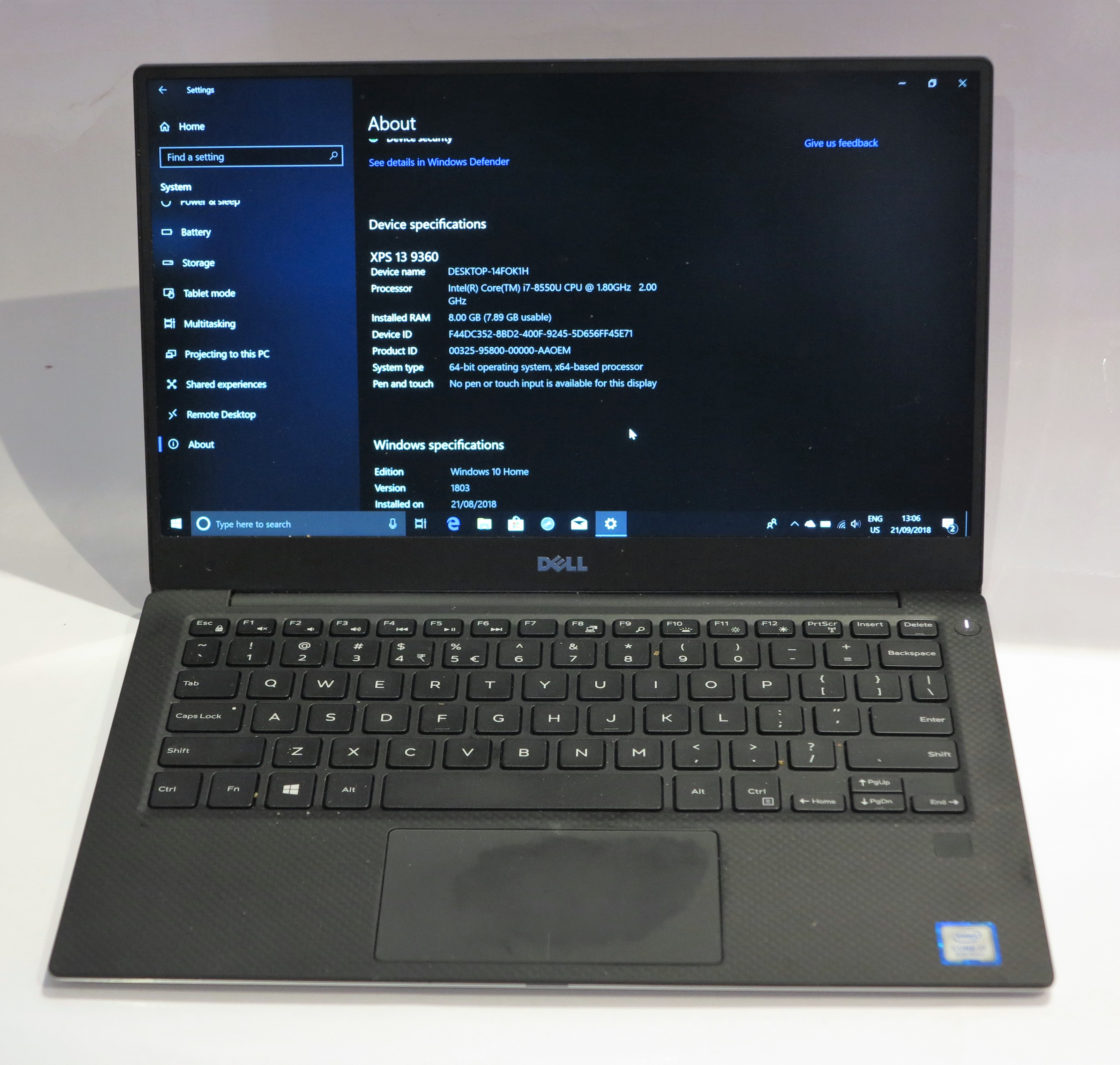
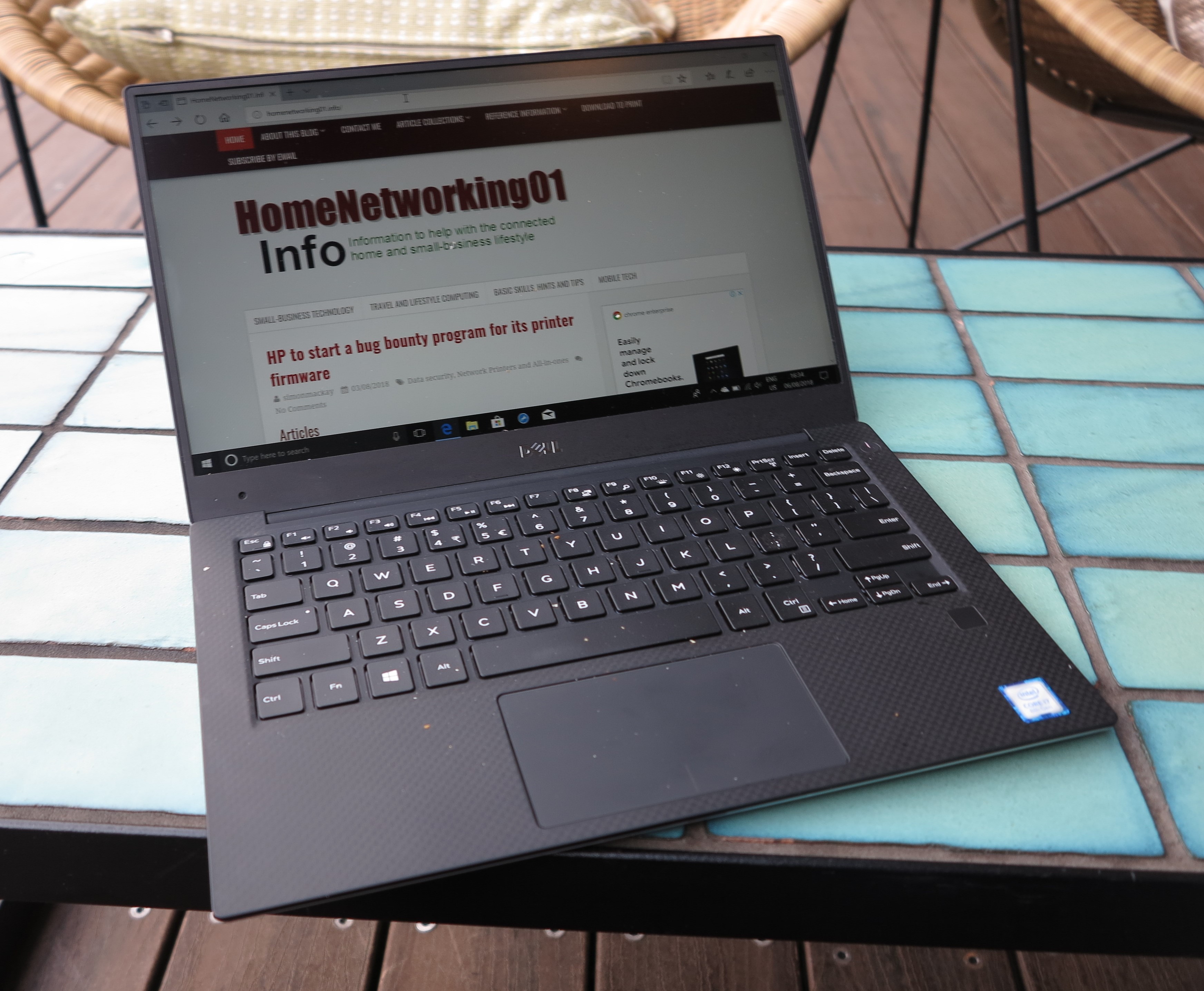
Dell XPS 13 9360 8th Generation clamshell Ultrabook

with similar advice that could apply to other low-profile thin-bezel laptops like the Dell XPS 13

They recommend that if you use a device to obfuscate your Webcam, you use something as thin as a piece of ordinary printing paper and isn’t adhesive. This is because the adhesive can ruin your camera’s picture quality when you want to use it. As well, they recommend that you remove the camera-cover device before you close up your MacBook at the end of your computing session.

I also see this as a key trend that will affect other low-profile laptop computers like Ultrabooks and 2-in-1s that have very thin screen bezels like recent Dell XPS 13s. This is due to manufacturers designing the in-lid electronics in a more integrated manner so as to reduce the lid’s profile. Let’s not forget that with an increasing number of computers, the Webcam is part of facial-recognition-based device-level authentication if its operating system supports this function.

But you still need to protect your privacy when dealing with your laptop’s, all-in-one’s or monitor’s integrated Webcam and microphone.

Primarily, this is about proper computer housekeeping advice like making sure the computer’s operating system, applications, security software and any other software is up-to-date and with the latest security patches. As well, make sure that you know what is installed on your computer and that you don’t install software or click on links that you aren’t sure of.

You may find that your computer or monitor with the integrated Webcam will have some hardware security measures for that camera. This will be in the form of a shutter as used with some Lenovo equipment or a hardware switch that disables the camera as used with some HP equipment. Or the camera will have a tally light that glows when it is in use which is part of the camera’s hardware design. Here, make use of these features to protect your privacy. But you may find that these features may not affect what happens with your computer’s built-in microphone.

As well, you may find that your computer’s operating system or desktop security software has the ability to monitor or control which software has access to your Webcam, microphone or other sensors your computer is equipped with. Here, they may come with this functionality as part of a continual software update cycle. Let’s not forget that some Web browsers may bake camera-use detection in to their functionality as part of a major feature upgrade.

MacOS users should look at Apple’s support page for what they can do while Windows 10 users can look at Microsoft’s support page on this topic. Here, this kind of control is part of the fact that today’s desktop and mobile operating systems are being designed for security.

If your operating system or desktop security software doesn’t have this functionality, you may find third-party software for your computing platform that has oversight of your Webcam and microphone. One example for MacOS is Oversight which notifies you if the camera or microphone are being used, with the ability to detect software that “piggybacks” on to legitimate video-conferencing software to record your conversations. But you need to do some research about these apps before you consider downloading them.

Even if you are dealing with a recent MacBook or low-profile laptop computer, you can make sure your computer’s Webcam and integrated microphone isn’t being turned into a listening device.

Why do I consider a digital fax vault an important feature for multifunction printers?

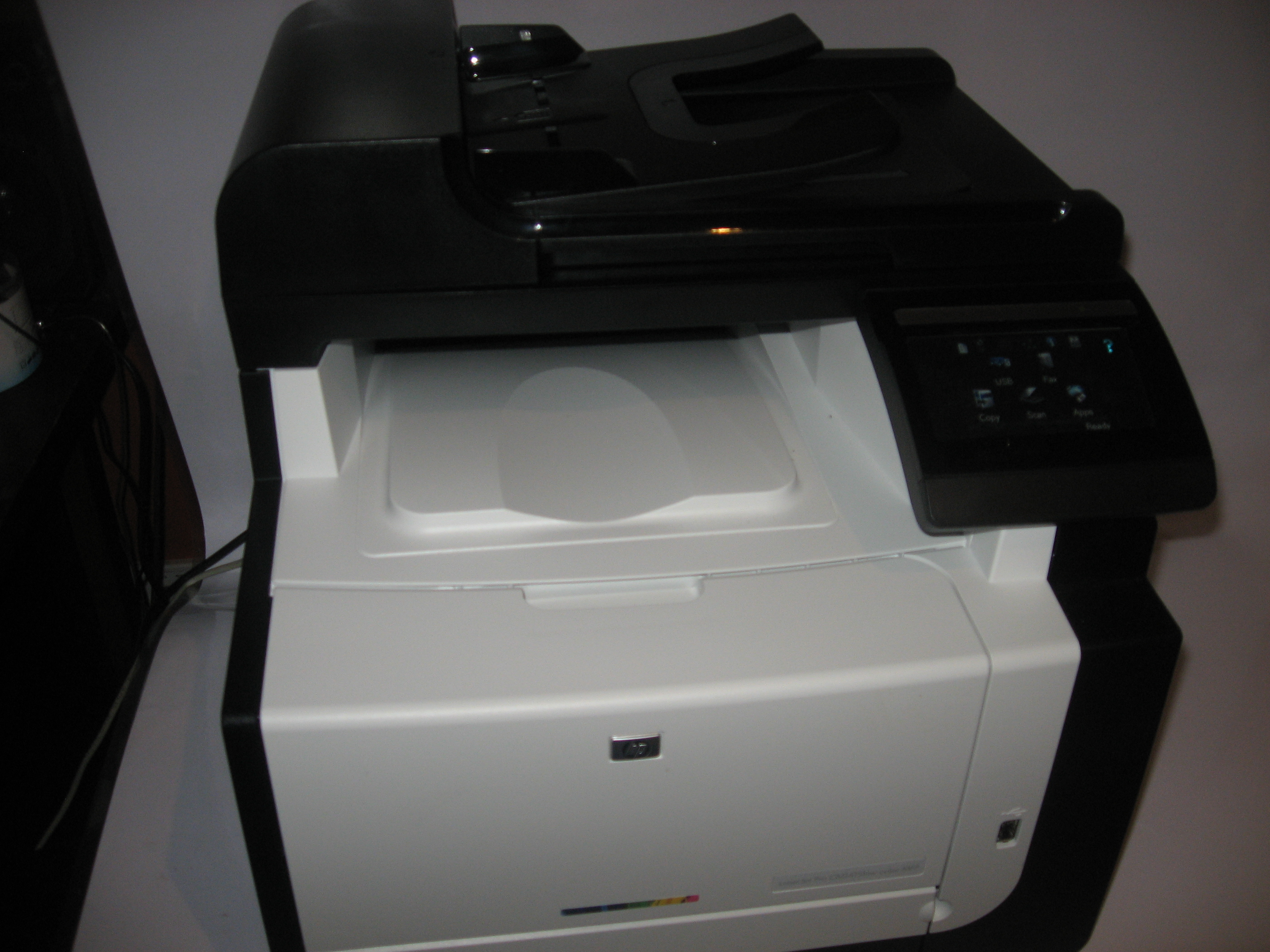
HP LaserJet Pro CM1415fnw colour laser multifunction printer

HP LaserJet Pro CM1415fnw colour laser multifunction printer – an example of a fax-capable multifunction that implements flash memory and fax-vault functionality

Nearly every multifunction printer that is pitched towards small businesses and SOHO operations is equipped with basic Group 3 fax functionality at least. Most will have the high-speed Super Group 3 functionality while most multifunctions that print colour will support colour faxing.

This is a feature still considered of value by people who work in the legal, medical and allied professions because they see it as the preferred way to exchange documents “over the wire”, especially in the context of requiring other parties to sign and send the documents.

But inbound documents that arrive via these machines can be seen by people other than the intended recipients which is something that can betray the required confidentiality that most of these documents require. This is an important issue as far as client confidentiality and privacy are concerned when it comes to legal, medical or similar issues; but can also be of concern with the intellectual property that most organisations accrue such as customer / member lists or financial reports.

This can be of concern in traditional workplace environments like clinics where you have people like late-night workers or contract cleaners existing in the office beyond normal business hours. It can also be exacerbated for small-time professionals who share or sub-let office space or use serviced offices.

It can also extend to people who maintain a home office, something that is an increasing trend for small-time practitioners or people who maintain a small public storefront at other premises. In this case, even though the business operator’s household respects the business’s confidentiality requirements, there is the issue of houses being occupied by house-sitters, couch-surfers and the like who may not respect that level of confidentiality even though you trust them. It includes tradespeople who come in to your home to perform work that you require.

What is a “fax vault” and how could this feature answer these situations?

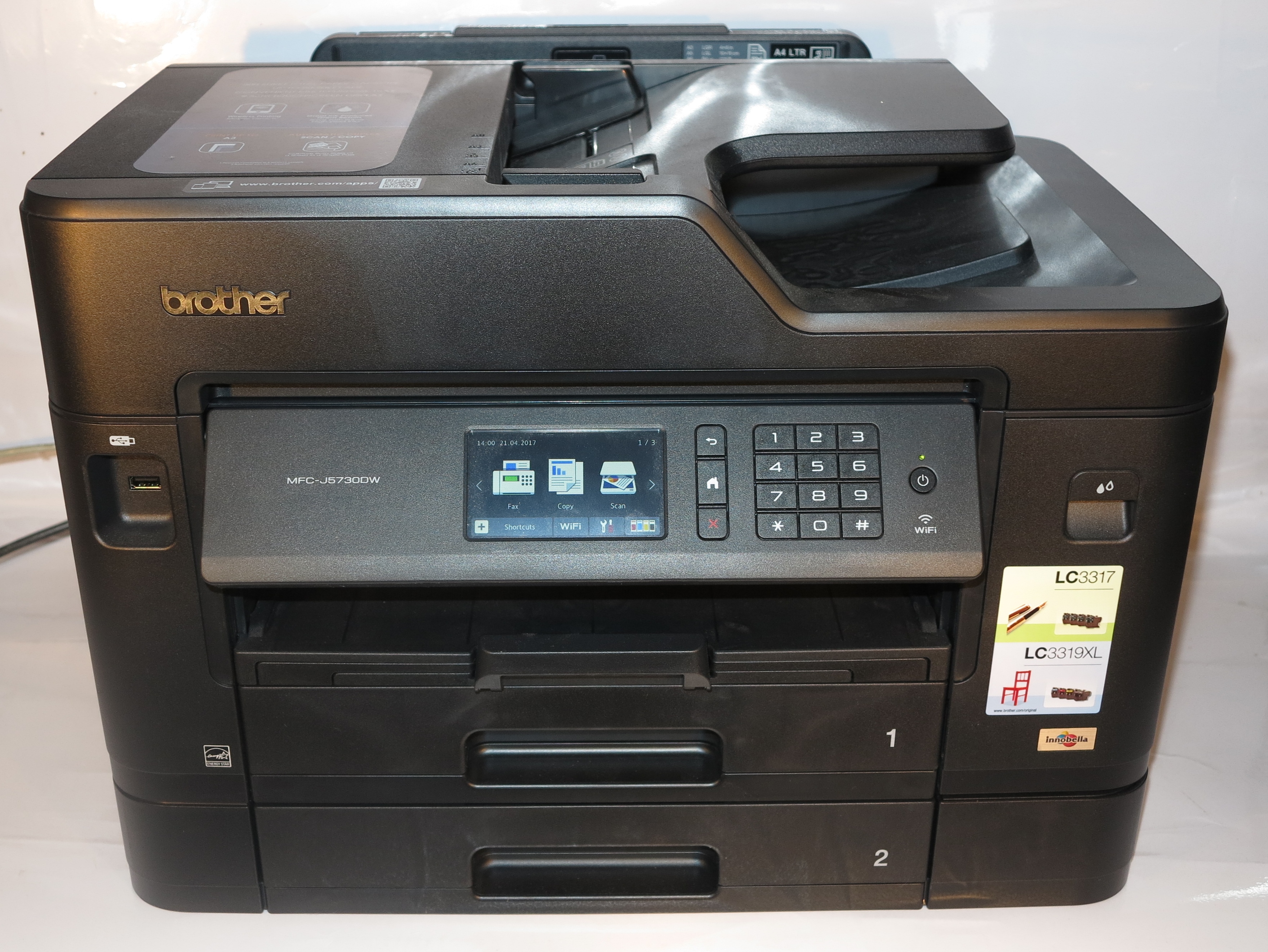
Brother MFC-J5730DW multifunction inkjet printer

Brother MFC-J5730CDW fax-equipped multifunction which can be set up to forward incoming faxes to Dropbox or OneDrive

A “fax vault” function stores all incoming fax documents to a digital storage medium of some sort rather than printing them out. Then the user enters a code and selects a “print stored faxes” function to print out the documents. Such setups could allow functions like printing out selected faxes such as those that relate to the work they are dealing with, or forwarding the documents to another fax machine like the one installed at a convenience store or newsagent to be collected there. Some machines also provide a “forward to email” function where they send the received fax document via email as a TIFF-FAX file or a PDF file.

Some of these setups may provide PIN-protected dial-in access to allow users to enable or disable this function or forward documents to a nominated fax machine from the nearest telephone like their home phone. The functionality could also be facilitated through a Web page or mobile-platform app for a granular operating experience.

The most basic form of this kind of storage is in RAM memory in the machine, but a power failure can have you lose all the documents you have received. Better implementations of this storage can be in the form of non-volatile storage like a hard disk or solid-state storage device including an SD card or flash memory installed in the machine, or the data is held on a network storage like a NAS.

For example, HP implemented integrated flash memory within the LaserJet Pro CM1415fnw that I reviewed. This was in lieu of using RAM which is vulnerable to power failure, also leading to that printer implementing a comprehensive “fax vault” function,

Brother have come close to this ideal by equipping some of their printers with “Fax Forward To Cloud” functionality provided as a machine app where documents can be held in a Dropbox or similar online-storage account. But this feature still requires the user to have documents printed out as they come in.

As I review a fax-capable multifunction printer, I applaud manufacturers who offer this function in the proper manner in their products especially if it is feasible not to print documents that are held on the storage. As well, I applaud manufacturers who implement non-volatile memory technology, preferably user-upgradeable technology or use of external, network or common cloud-based storage for incoming faxes.

The feature is important to prevent others from seeing confidential faxes which come in through the machine thus assuring client confidentiality and privacy along with intellectual-property protection for professionals.

How to achieve this better

The manufacturers could implement flash memory in their fax-capable MFCs to avoid risk of document loss during power failures.

This can be taken further with the ability for the user to install standard-form storage devices like SDXC cards, M.2 or 2.5” SATA storage devices within the machine to allow the user to install higher-capacity storage devices at a later time; or a USB port to allow the connection of USB Mass-Storage devices like memory keys or external hard disks. SD-based cards or M.2 SSD sticks can work well with the manufacturer’s desire to maintain a compact design for their desktop multifunction printer devices.

Similarly, simplified resource-discovery protocols for NAS devices could make these devices discoverable by equipment other than regular computers. This could be facilitated through a Samba (open-source SMB implementation) client on the multifunction that implements the SMB protocol most of the NAS units use.

To protect the data on the mon-volatile storage device against further snooping should the non-volatile media unit be stolen, the fax-enabled multifunction printer could implement encrypted storage or simply encrypt the files associated with fax operation. File-based encryption can also work with data stored on a NAS unit.

The large capacities offered by newer cost-effective storage media would cater to businesses in the legal profession who are having to deal with large legal documents as a matter of course, or doctors who receive graphically-rich documents like medical imaging.

It also encourages the use of the non-volatile storage medium in these machines for storing fax documents yet to be transmitted such as with scheduled faxing or attempting to transmit a document to a machine that is busy or not answering. The benefit also applies when your machine is busy printing large documents and wants to keep itself available for other incoming faxes.

For regular printing from a network, the non-volatile storage option can allow for enqueued printing where each job waits on the storage medium until it is printed out. This can also work well with secure print-job release where you enter a code that you predetermine to collect your job before the job is turned out. It can also allow manufacturers to implement remote printing, public-printing facilities and the like as part of a multifunction’s feature set.

Let’s not forget scanning, where an efficient workflow can be created. Here, a user could scan many originals at the machine then go to their computer or mobile device to take them further by “picking them up” from the machine’s storage. A multifunction with advanced abilities could even have the ability to, for example, recognise many small originals like snapshot photos, business cards or till receipts that are scanned at once and create separate files for each original.

Conclusion

Having a digital fax vault as part of a small-business or SOHO-grade fax-capable multifunction’s feature set can be of value to professionals who place high value on client confidentiality.

Computers that are secure by design are less likely to be bugs

Article

Dell XPS 13 8th Generation Ultrabook at QT Melbourne rooftop bar

Running modern always-updated operating systems and applications on your laptop is a way to keep your computing environment safe and secure.

Should you be scared of your laptop’s webcam? | ZDNet

Previous Coverage

Regular operating systems and their vulnerability to security threats

My Comments

An article appeared about whether one should be scared of their computer’s integrated Webcam and microphone. Here, a Webcam and microphone integrated in a computer or monitor or a USB Webcam that is always plugged in could turn the computer in to a surveillance device. But it highlighted the fact that recent versions of operating systems and productivity applications are “secure by design” when used to default settings.

It went through two different “what-if” hacking scenarios with different software combinations to see how hard they were to penetrate in order to “open up” the Webcam. The trigger point was to receive a “loaded” document with instructions that the user must follow, something that can be done through an email phishing attempt. Here, the document would have a macro that would install malware to open up the Webcam and stream its vision remotely.

The first scenario involves a Windows 10 computer running the latest version of Microsoft Word while the second scenario involved MacOS 10.14 Mojave and the latest version of LibreOffice. All operating systems and applications were run in the default protected mode but MacOS Mojave was temporarily configured to admit software from other sources in order to admit LibreOffice on to the Mac.

What was highlighted was the recent operating systems’ flagging or blocking of questionable software when the article’s author was asked to click on the required link within the document. The operating systems having their own basic endpoint-protection software underscored the ability to keep users safe from rogue software. Even productivity application software running documents supplied by email or from questionable sources in a protected mode to inhibit the execution of macros was also highlighted.

Creative Labs LiveCam Connect HD Webcam

Webcams, whether external like this one or integrated in a computing device, aren’t able to be bugs if you keep your computer software up-to-date with the latest patches and have it running “secure by default”.

This meant that neither the Webcam nor the microphone could not be accessed without the user knowing. It was demonstrating the recent “secure by design” approach of newer regular-computer environments that assured the average user of their data security. You may harden that attack surface by masking an integrated Webcam that is part of your computer or monitor, or disconnecting an external Webcam.

Unless you need to, keep your computer’s operating system, applications and endpoint-security utilities running in a “default-for-security” manner. This also includes updating them to the latest version, preferably with the software updating themselves.

If you are supporting other systems, don’t disable the computing environment’s security features unless you are sure they need to be disabled. Also educate the other users about data-security risks including the security warnings that will pop up on their computer.

If you are dealing with an old computer that is running a very old operating system and application software that doesn’t have the “secure by design” approach, you may have to cover or disconnect the Webcam. This is more so if it is found to be running the software “out of the box” without any patches or updates applied to it.

In most cases, the “secure-by-design” approach of most modern computing environments allows us to be able to use regular or mobile computer equipment in a secure manner.

Connected novelties and toys–security and useability issues that affect this product class

Giftware chook (rooster)

Connected versions of classic novelties and giftware will be subject to severe scrutiny

An issue that is rearing its ugly head is the rise in availability of connected novelties and toys. They are toys, novelties, giftware, seasonal decorations and other items that are able to connect with your computer or network. This connectivity function is often sold as one of the key marketing features with it able to work with an online service of some sort.

When I talk of toys, I don’t just talk of what children play with with but also other toys that adults end up playing with. These can include the so-called “executive toys” that live on the office desk for one to keep the other hand busy while they are on the phone.

Who typically sells these products

Toys and novelties are typically sold through a large range of online and bricks-and-mortar retailers, whether they be toy stores, gift stores, souvenir outlets or multi-facet outlets including department and discount stores. In some cases such as rural areas, a store like a newsagent’s could even sell novelties or toys.

Another factor is that novelties are given away to people and businesses as a gift or premium. This can typically happen as part of a “loot bag” offered out at conferences or tradeshows or simply used as a giveaway during a presentation to encourage audience participation.

Christmas wreath

Seasonal decorations that connect to the Internet can also be a security or setup risk

The common factor here is that most of the outlets that sell this kind of product are staffed by people who don’t have much technological know-how. This can affect the procurement process affecting whether the item exhibited at the gift fair should be stocked, or providing customer advice during and after the sale including how to get the connected novelty fully operational.

Artisans who make these gifts and novelties

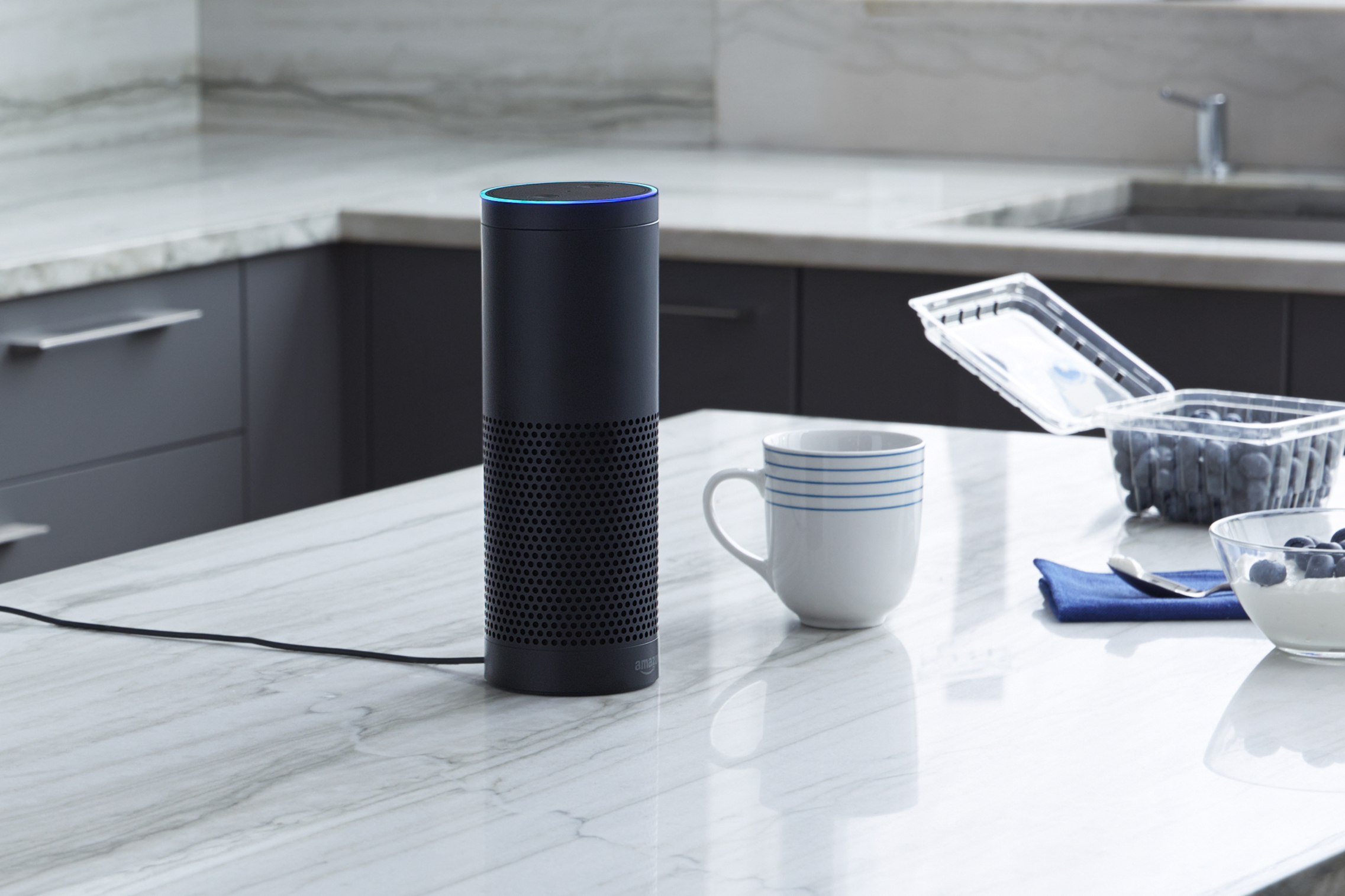
Amazon Echo on kitchen bench press photo courtesy of Amazon USA

Your Amazon Echo will soon be expected to work with a wide range of toys and novelties

There is also the fact that craftspeople like to make various toys, novelties, gifts and other items and sell them directly to customers or on a wholesale basis. But they do want to add some extra functionality like musicality or flashing lights to some of their product lines.

Typically, if they want this extra functionality in these gifts that they make, they have someone else make and supply the necessary components like clockwork movements or electronic-circuit kits to fulfil the extra functionality in a pre-assembled form.  Then the artisan installs the pre-assembled mechanisms or circuits in the toy or gift as part of putting the whole thing together.

It allowed these artisans to focus on their craftwork and build the items they want to sell, while being able to offer a wide range of goods. The same comments that apply to finished goods also apply to the various components and kits that are being sold to these artisans for their projects.

In this case, the artisans have to be aware of what they procure when they are being sold a “connected functionality” kit for installation in their projects. For them, they have to be aware of customer-support issues including setup and data-security issues regarding this extra functionality.

Connected modules for construction sets and similar hobbies

The same concept also extends to construction-set platforms like Meccano, Lego and FischerTechnik where children and adults build items using the pieces that are part of the respective platforms. In this case, anyone to do with these platforms could offer connected modules or kits that have the ability to control one or more items in their platform-based project like a motor, light or solenoid using an “Internet Of Things” approach. Here, these modules have to be able to seen as equivalent to a connected toy or novelty, especially if the idea is to implement cameras, microphones or GPS sensors.

It also applies to model railways, track-based car-racing sets and the like where they can be extended with functionality modules sold by the set’s vendor or a third party catering to these hobbies. Again the modules also need to be designed for security if they are capable of being part of the Internet of Things.

Use of these items

There is the desire for people to buy these toys and novelties as gifts for others in their life. It also includes the fact that the recipient wants to get the item “up and running” as soon as possible.

This will involve having the device connected to a host device through Bluetooth or USB or to a home network for proper reliable use. It should be about a standard process that is implemented for onboarding including the installation of any extra software.

Key security issues

A key security issue concerning the connected toy, novelty or similar device is that it can be an espionage item presented in an innocuous form. It can concern us both at home and in the office because we can easily be talking about items that are confidential and sensitive in our personal and business lives.

This was highlighted in a crime-fiction form to the Germanic viewership in Europe through the Munich-based Tatort “Wir Kriegen Euch Alle” (We Get You All) episode shown there on Sunday 9 December 2018. This story was focused around a connected doll that was given by strangers to various childrens’ families in middle-class Munich and was used as a surveillance tool to facilitate crimes against the families.

It underscored that Germany has some very strict policies where the sale of surveillance devices that are disguised as innocuous items isn’t allowed in that country. But, in the story, these dolls were imported in to Munich from a location in Austria which is a short drive away and facilitated by the Schengen Agreement in the European Union.

Let’s not forget the recent cyberattacks such as the Mirai botnet that were facilitated by dedicated-purpose devices like network-infrastructure equipment and videosurveillance cameras which were running compromised software. Then there are factors regarding data-storage devices and “bag-stuffer” novelties given away during business conferences where there is the possibility of them being loaded with questionable software.

What would I like to see

Security

There has to be identification on the toy’s or novelty’s packaging about what kind of sensors like location sensors, microphones or cameras that the device has, as well as whether the device transmits data to online services. This includes whether the device does this directly or via intermediary software running on other computer devices such as mobile devices running companion mobile-platform apps. Even a hang tag attached ti the novelty could highlight what kind of sensors or online services it uses which would be important for those items sold without packaging.

Preferably, this can be achieved through standard graphical symbols indicating the presence of particular sensors or the use of online services and social networks. It can also identify whether the toy’s or novelty’s functionality are dependent on these sensors or online services.

App stores and other software platforms that host “connector” software have to implement stringent permissions for these kind of devices especially if they use a microphone, camera or location sensor. There could be standards on whether the software is allowed to record from these sensors over a long time or keep the recording persistent on the host device or online service.

A limitation I would also like to see for connected toys and novelties that if they work with another computing device including a smart speaker, the connection can only be effectively within the same premises. This can be tested through the use of a peripheral-grade connection like Bluetooth or USB to a computing device or limiting the range of discovery for network-based devices to that of the same logical private network or subnet. Here, it represents all the devices on the LAN side of a home-network’s router and excludes devices existing on other logical networks served by the same physical device like “guest” or “community” networks.

As far as Bluetooth is concerned, the toys should implement authentication processes during the setup phases. Then the device ceases to be able to be discovered once it is paired with a host device. It is like what we are seeing with Bluetooth headsets and similar devices that have been recently released. They may also have to work on a limited radio range to prevent successful connection from a distance.

There should also be a simple “factory-reset” process to allow the user to place the toy or novelty in to setup mode, effectively wiping data from the device. This allows a recipient to effectively “claim possession” of the device as if it is new, avoiding the situation where they may be given something that is compromised to do what someone else wants it to do. It also applies to situations where you are dealing with ex-demo stock or gift-fair samples.

This should also apply to online services associated with these toys or novelties where the user has proper account control for the device’s presence on that service and any data collected by that device.

There are devices that observe particular functions according to a particular device class supported by many platforms like a novelty nightlight or illuminated Nativity scene that works with a “smart-home” setup or a novelty Bluetooth speaker. These devices have to work according to the standards in force for that device class and its connection to the host device or network. It is more important where the device may perform further tricks while running alongside dedicated vendor-created software but is able to have basic functionality without this software.

A software-level security approach could be achieved through an open-source or peer-reviewed baseline software that ticks the necessary boxes. This would apply to the firmware installed in the device and any apps or other companion software that is required to be run on other computing devices for the novelty to operate. It also includes a requirement that this software be reviewed regularly for any bugs or weaknesses that could be exploited, along with compliance requirements.

This could be assessed according to a set of European norms because the continental-European countries are very concerned regarding privacy thanks to their prior history.

As far as modules for integration in to toys, novelties and giftware is concerned, the modules should meet the same requirements as finished products that would have the same functionality. Craftspeople should also be aware of data security and user privacy issues when it comes to choosing modules for their projects that are dependent on computer devices or networks.

Setup and Connectivity

Another area that is a sore point for connected toys and novelties is bringing these devices on board for you to use. In a lot of cases, this is exacerbated through awkwardly-written instructions that can test one’s patience and not much knowledge about what is needed for the device to work fully.

The device packaging could use Wi-Fi, Bluetooth or other standard logos to indicate what kind of connectivity it needs to operate fully. This is to be highlighted with the “app store” logos for various operating-system app stores if the device is dependent on companion apps for full functionality. Similarly, use of other official platform logos can be used to identify compatibility with platforms like smart-TVs or voice-driven home-assistants.

Simple-yet-secure setup and onboarding procedures are to be paramount in the design of these devices. For Bluetooth-based devices, they should use “simple-pairing” such as pressing a button on the device to make them discoverable. This is even made easier with a trend towards “out-of-the-box” discoverability if the device isn’t paired with any host. Then the user activates their host device in “Bluetooth Scan” mode to discover the device,  subsequently with them selecting the device through its presentation name.

Windows, Android and iOS are even implementing simplified device-discovery routines for Bluetooth devices, with the ability to lead users to visit the app store to install complementary software. This will make things easier for users to get the toy or novelty up and running.

Wi-Fi-based devices would have to use WPS-PBC push-button setup, Wi-Fi Easy Connect, or other simplified setup processes for integration with the home network. It also applies to other network connection standards where you have to enrol the device on to that network.

Smart-home devices that implement Zigbee, Z-Wave and similar standards also have to implement simplified discovery protocols implemented in these standards to bring them on-board.

In relationship to security, I underscored the need for use of device-class standards as much as possible. But it also applies to connectivity and useability where a device that honours device-class standards is also easier to use because you are operating it the same for its peers.

Conclusion

This year will become a time where security and useability will be of critical importance when toys, novelties and other similar goods that connect to the home network and the Internet are designed and sold to consumers. Here, these issues may avoid these kind of toys ending up in disuse due to security or setup issues.


You can find out what Alexa has recorded

Article

Amazon Echo on kitchen bench press photo courtesy of Amazon USA

You can find out what Amazon Alexa has recorded through your Echo device

How To Find Out What Your Alexa Is Recording | Lifehacker

My Comments

Recently, the computer press went in to overdrive about an Amazon Echo setup that unintentionally recorded and forwarded a family’s private conversation and forwarded it to someone in Seattle. Here, the big question that was asked was what was your Amazon Echo or similar smart speaker device recording without you knowing.

Amazon Echo, Google Home and similar voice-driven home-assistant platforms require a smart speaker that is part of the platform to hear for a “wake word” which is a keyword that wakes up these devices and has them listening. Then these devices capture and interpret what you say after that “wake word” in order to perform their function. One of the functions that these devices may perform is audio messaging where they could record a user’s message and pass that message on to another user on the same platform.

I had previously covered the issue of these voice-driven assistants being at risk of nuisance triggering including mentioning about the XBox game console supporting a voice assistant that triggered when an adman on a TV commercial called out a spot-special for the games console by saying “XBox On Sale” or “XBox On Special”.

Here, I recommended the use of a manual “call button” to make these devices ready to listen when you are ready or a “microphone mute” toggle to prevent your device being falsely triggered. As well, I recommended a visual indicator on the device that signals when it is listening. This is a practice mainly done with voice-assistant functionality that is part of a video peripheral’s feature set or software that runs on a platform computing device. Google’s Home smart speaker instead uses the microphone-mute button to allow you to control its microphone.

But you can check what Alexa has been recording from your Amazon Echo or other Alexa-compatible speaker device and delete private material that she shouldn’t have captured. This is also useful if you are troubleshooting one of these devices, identifying misunderstood instructions or are developing an Alexa Skill for the Alexa ecosystem.

  1. Here you launch the Amazon Alexa mobile-platform app on your smartphone. If you are using the Amazon Alexa Website (http://alexa.amazon.com) as previously mentioned on this site, there is a similar procedure to go about identifying your Amazon Echo sessions.
  2. Then you tap on the hamburger-shaped “advanced operation” icon on the top left of your screen.
  3. Tap on Settings to bring up a Settings menu for your setup. Go to the History option in the Alexa Account section of that menu.
  4. Here, you will see a list of interactions with any Alexa-ecosystem hardware or software front-end related to your Amazon account. These will be categorised by what has been understood and what hasn’t been understood. There is an option to filter the interaction list by date, which is handy if you have made heavy use of your Amazon Echo device through the months and years.

You can play each interaction to be sure of what your Alexa device or software has recorded. With these interactions, the current version of the interface only allows you to delete each unwanted interaction on by one. The effect of the deletion is that the interaction, including the voice recording, disappears from your account and the Amazon servers. But this could degrade your Amazon Alexa experience due to it not having much data to work on for its machine-learning abilities.

Here, at least with the Amazon Alexa ecosystem, you have some control over what has been recorded so you can remove potentially-private conversations from that ecosystem.