Tag: Z-Wave

Moving towards a converged smart-home experience

Article

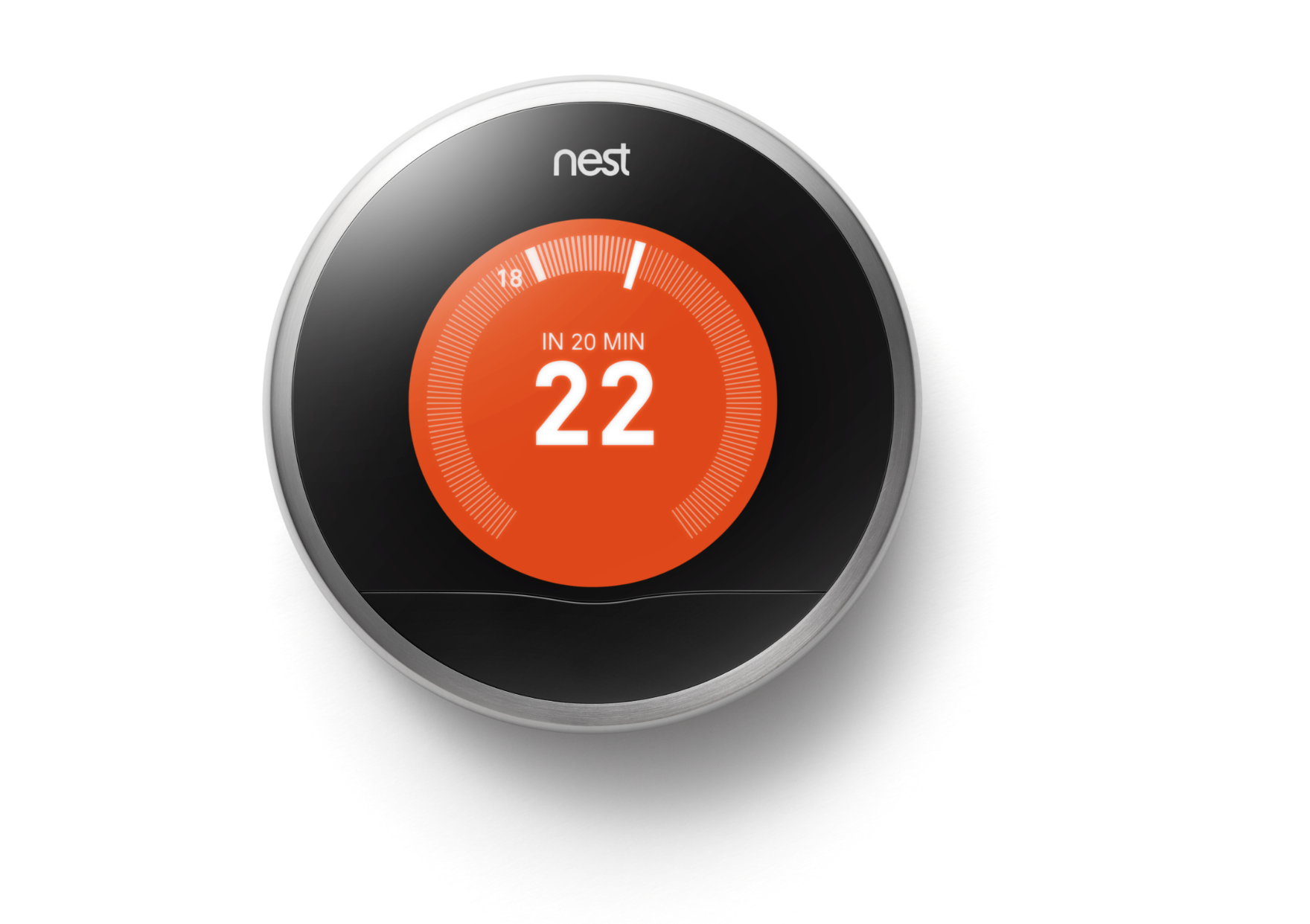
Nest Learning Thermostat courtesy of Nest Labs

The smart home is moving towards a converged approach for managing the many protocols associated with controlling devices like these room thermostats

Interoperability: CHoIP, Zigbee, Z-Wave, OCF } Parks Perspectives (Parks Associates)

My Comments

There are at least four key smart-home standards (CHoIP, Zigbee, Z-Wave and Open Connectivity Foundation) that work across multiple levels of the protocol stack for this kind of usage. Most of these have backing from some of Silicon Valley’s big names like Amazon, Apple and Google and some will work on particular low-power wireless transports like Zigbee and Z-Wave.

The problem that will come about is the apparent disparity between these standards both at transport / media layers and at the higher layers like the application layer. What will come about is to achieve software-level convergence between the various standards, typically to provide some sort of logical interlinking between them.

This will be worked on for both device-to-device and cloud-to-cloud use cases. The former arrangement would best describe where a device like a sensor or control device is simply reporting to another device like a heating system while the latter would describe setups that liaise with online services but could represent multiple smart-home systems within the same property.

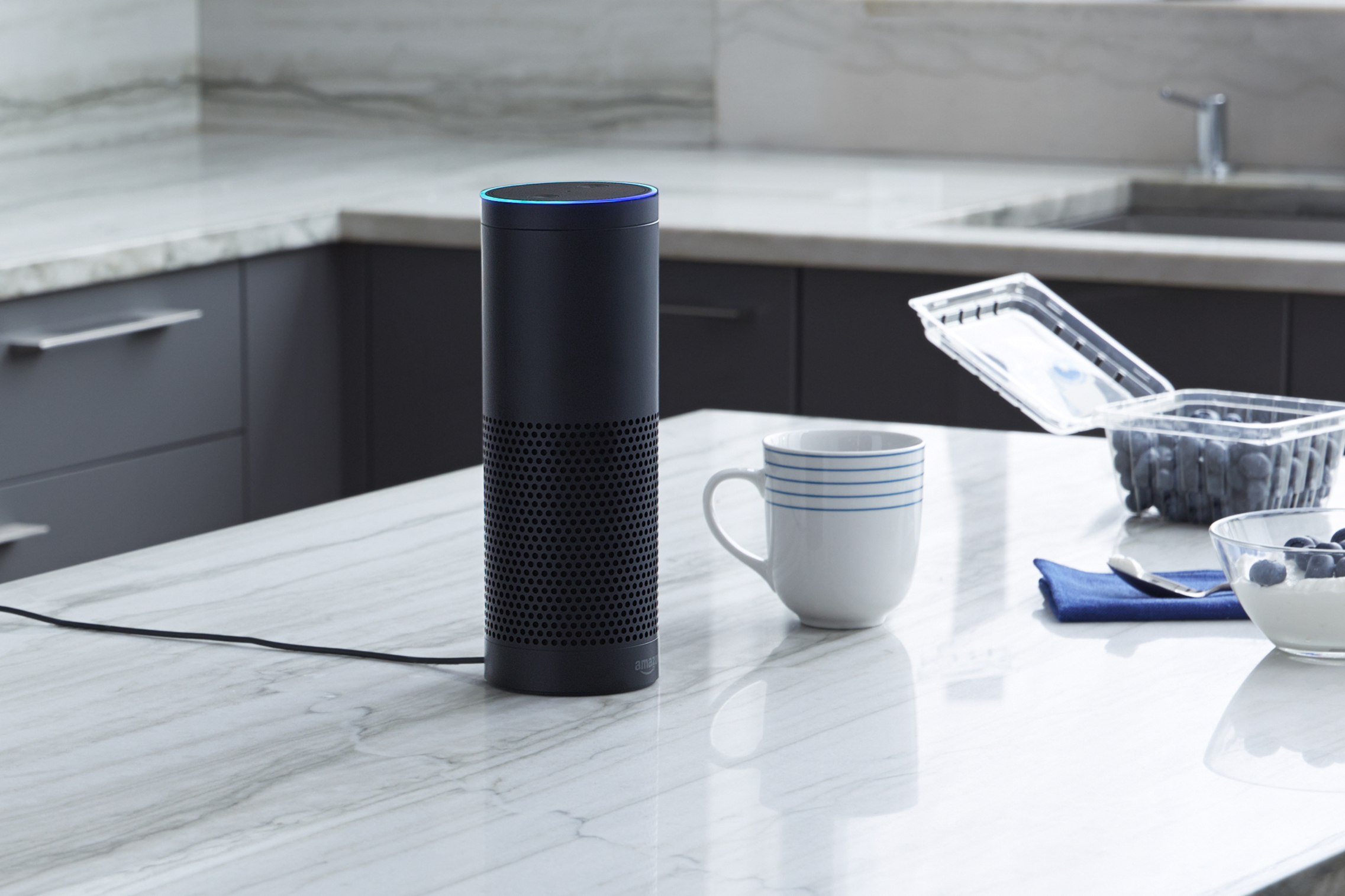
Amazon Echo on kitchen bench press photo courtesy of Amazon USA

It is more so as smart speakers of the Amazon Echo kind become part of the smart home

A question that will come up is having a standard to logically identify devices by their function, capabilities and attributes in a consistent manner no matter the protocol and vendor. This includes exchanging commands, status reports and events between the devices and others dependent on them.

As well the reality for most of us would be to “start small” and build out a smart-home setup. This may involve dealing with room-based or function-based logical clusters with multiple endpoint devices reporting to cluster-based “hub” devices. In this situation, these “hubs” may end up having to share information with each other to have the setup work as a larger one.

A good example of this may be a smart speaker based on a particular voice-driven home assistant platform that also has home-automation hub functionality being brought in to one’s home even while there is the home-automation central unit facilitated by the end-user’s telco as part of a multiple-play Internet-service deal already in service.

The same situation will also come about with smart-home devices having increased processing power and being able to do more; as well as factoring in a mix of older and newer devices that satisfy particular needs.

What I see that could be happening is the creation of a few shared-code or open-source software stacks that encompass the main home-automation protocols. It will then allow for a wider net to be cast when it comes to developing those smart-home solutions due to the ability for software developers to concentrate on the “rest of the package” for their solution without “reinventing the wheel”.

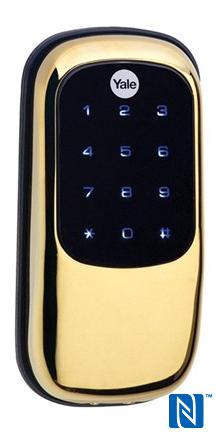
Yale uses modules to extend smart-lock functionality

Article

Use of a user-installable module allows these Yale smart locks to work with different connected-home systems

Yale Expands Assure Lock Line With New Smart Lever Lock | Z-Wave Alliance

My Comments

Yale have implemented the smart-lock approach in a very interesting way ever since that company released their Real Living Connected Deadbolt in to the North-American market.

Here, they designed an electronic lock as a basic platform device but built an expansion-interface arrangement in to this lock’s design. Here, users could install a retrofit module in to the battery compartment on the door’s inside to add on Zigbee, Z-Wave or August smart-lock connectivity to their lockset.

This approach has been rolled out to the Assure range of electronic deadbolt locks and lever locksets with the use of the same module type for the whole range. It also applies to the Lockwood Secure Connect product range offered in Australia which is based on the Yale designs.

A similar approach has been implemented in the UK for some of the Yale electronic door locks sold in that market. But the modules used with the UK locksets are different to the North-American modules due to the regional differences that affect how Z-Wave and Zigbee operate and the country’s preferred building-hardware form factors. One of these units is infact designed to replace the outside cylinder on a rim-mounted nightlatch or deadlatch to enable “smart lock” functionality to this common class of door lock.

All these modules are expected to be installed in a “plug-and-play” fashion where they simply add the extra functionality to the lock or bridge it to the smart-home ecosystem once you install the module. After you install these modules in the lockset, the only thing you need to do is to pair them with the smart-home or integrated-security ecosystem.

Even within the same form-factor, the electrical interface for these modules may be varied for later products which can raise compatibility issues. Similarly, some of the home-automation integrators tend to presume that a particular module will only work with their system.

They also work on a particular “Internet-of-Things” wireless interconnection rather than an IP-based home network, requiring them to use a network bridge to work with an online service. This bridge is typically provided as part of a security-and-home-automation ecosystem whether offered by a telco, security services firm or similar company.

What have I liked about this approach is the use of user-installable modules that are designed to work across a particular Yale smart-lock range. Here, these modules interlink with Yale or third-party smart-home setups with the ability to be replaced should you decide to move to a better home-automation system that uses a different Internet-of-Things interface.

It underscores the fact that, once installed, a door lock is expected to be in service for a very long time and this same requirement will be placed upon smart locks. This is even though new smart-home or smart-building technologies will appear on the horizon.

It is similar to how central-heating systems are being enabled for smart-home operation through the use of a room thermostat that has the “smarts” built in to it. These thermostats are designed to be powered by the host HVAC system and connect to that system according to industry-standard wiring practices that have been determined and evolved over a long time.

This approach can be taken further with other devices like major appliances that are expected to serve us for a long time. Even if a manufacturer wants to create an ecosystem around its products and accessories, it needs to keep the specifications for interlinking these products and accessories the same to allow users to implement newer devices in to the system.

It can also work properly with a self-install approach where the customer installs the necessary aftermarket modules themselves or a professional-install approach which involves a technician installing and commissioning these modules. The latter approach can also work well with manufacturers who offer “functionality” or “upgrade” kits that enable the use of these modules.

The ASSA Abloy approach to making sure your smart lock works with the smart-home system by using user-replaceable modules makes sense for this class of product. Here, you are never worried about the smart-lock ability being “out of date” just because you install a home-automation setup that suits newer needs.

What needs to happen with the retrofit approach is that the physical and electrical interface for add-on modules has to be consistent across the product range or device class for the long haul. There also has be be some form of compatibility should any design revisions take place. Similarly, using a common application-level standard can work well with allowing the same device and retrofit module to work with newer systems that adhere to the relevant standards.

These expectations may not really work well with system integrators, telcos and the like who prefer to be the only source for products that work with a smart-home system.

Here, it is the first time I have noticed a smart-home device designed to be upgraded over its long service life.

Staff panic buttons to drive networks to handle the Internet of Things

Article

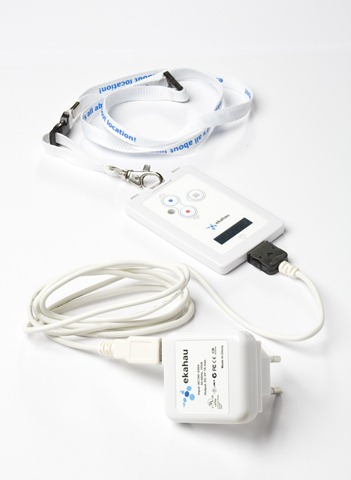
Ekahau Wi-Fi Pager Tag panic button

Emergency-alert buttons like this Ekahau Wi-Fi name-tag panic-button setup will be influencing network architecture for the Internet Of Things

The Hotel Panic Button Could Redefine Hospitality Networking | IoT World Today

My Comments

In some workplaces where staff work alone at night or other times where they are in danger, portable emergency-call buttons are often used. Initially they were the same size as an older garage-door opener but they are becoming the size of a pendant, badge or fob. As well, rather than these devices lighting up a separate alert panel, they light up a message or “throw up” a map with an indicator on a regular computer running building-security software to show where the danger is.

Initially, they were being positioned for very-high-risk workplaces like psychiatric care or the justice and allied settings. But other workplaces where staff work alone are seeing these devices as an important safety measure, usually due to various occupational health-and-safety requirements.

For example, hotels in the USA are moving towards having Housekeeping staff use these devices in response to workplace agreements, industry safe-work safe-premises initiatives or city-based legal requirements. But these systems are being required to work in conjunction with the Wi-Fi networks used by staff and guests for business and personal data transfer.

A device of the kind that I had covered previously on HomeNetworking01.info was the Ekahau Real Time Location System. This was a pendant-style “panic-button” device, known as the T301BD Pager Tag which had an integrated display and call button. It also had a setup that if the tag was pulled at the nexkstrap, it would initiate an emergency response.  I also wrote an article about these Ekahau devices being deployed in a psychiatric hospital as a staff emergency-alert setup in order to describe Wi-Fi serving a security/safety use case with the home network.

This application is being seen as a driver for other “Internet-of-Things” and smart-building technologies in this usage case, such as online access-control systems, energy management or custom experiences for guests. As I have said before when talking about what the smart lock will offer, the hotel may be seen as a place where most of us may deal with or experience one or more of the smart-building technologies. Also I see these places existing as a proving ground for these technologies in front of many householders or small-business owners who will be managing their own IT setups.

One of the issues being drummed up in this article is quality-of-service for the Internet Of Things whereupon the device must be able to send a signal from anywhere on the premises with receiving endpoints receiving this signal with no delay. It will become an issue as the packet-driven technologies like the Internet replace traditional circuit-based technologies like telephone or 2-way radio for signalling or machine-to-machine communication.

The hotel application is based around the use of multiple access points, typically to provide consistent Wi-Fi service for staff and guests. Such a setup is about making sure that staff and guests aren’t out of range of the property’s Wi-Fi network and the same quality of service for all network and Internet use cases is consistent throughout the building. Here, concepts like mesh-driven Wi-Fi, adaptive-antenna approaches, load-balancing and smart smooth roaming are effectively rolled in to the design of these networks.

Wi-Fi access points in the smart-building network will also be expected to serve as bridges between IP-based networks and non-IP “Internet-of-Things” networks like Bluetooth Low Energy (Bluetooth Smart), Zigbee, Z-Wave or DECT-ULE. These latter networks are pushed towards this application class due to the fact that they are designed to support very long battery runtimes on commodity batteries like AA Duracells or coin-style watch batteries. There will be an emphasis on localised bridging and the IP-network-as-backbone to provide better localisation and efficient operation.

These systems are being driven towards single-screen property-specific dashboards where you can see the information regarding the premises “at a glance”. I would reckon that operating-system-native applications and, perhaps, Progressive Web App versions will also be required to use operating-system-specific features like notification-panels to improve their utility factor in this context.

As far as the home network is concerned, I do see most of these technological concepts being rolled out to the smart home with an expectation to provide a similar service for householders and small businesses. This is more important as ISPs in competitive markets see the “Internet of Things” and improved Wi-Fi as a product differentiator.

The use of multiple Wi-Fi access points to cover an average home being made real for a home network thanks to HomePlug wireless access points, Wi-Fi range extenders and distributed-Wi-Fi systems that will bring this kind of localised Wi-Fi to the smart home. Typically this is to rectify Wi-Fi coverage shortcomings that crop up in particular architecture scenarios like multi-storey / split-level premises and use of building materials and furniture that limit RF throughput. It is also brought about thanks to the use of higher-frequency wavebands like 5GHz as Wi-Fi network wavebands.

There will be an industry expectation to require access points and similar devices to provide this kind of “open-bridging” for Internet-of-Things networks. This is more so where battery-operated sensor or controller devices like thermostatic radiator valves and smart locks will rely on “low-power” approaches including the use of Zigbee, Z-Wave or similar network technology.

It will also be driven typically by carrier-supplied routers that have home-automation controller functionality which would work with the carrier’s or ISP’s home-automation and security services.

To the same extent, it may require “smart-home / building-automation” networks to support the use of IP-based transports like Wi-Fi, HomePlug and Ethernet as an alternative backhaul in addition to their meshing or similar approaches these technologies offer to extend their coverage.

In some cases, it may be about Zigbee / Z-Wave setups with very few devices located at each end of the house or with devices that can’t always be “in the mesh” for these systems due to them entering a “sleep mode” due to inactivity, or there could be the usual RF difficulties that can plague Wi-Fi networks affecting these technologies.

DECT-ULE, based on the DECT cordless-phone technology and is being championed by some European technology names, doesn’t support meshing at all and IP-based bridging and backhauls could work as a way to extend its coverage.

Such situation may be rectified by access points that use a wired backbone like Ethernet or HomePlug powerline.

In the context of the staff panic button use-case, it will roll out to the home network as part of a variety of applications. The common application that will come about will be to allow the elderly, disabled people, convalescents and the like who need continual medical care to live at home independently or with support from people assuming a carer role.

This will be driven by the “ageing at home” principle and similar agendas that are being driven by the fact that people born during the post-war baby boom are becoming older as well as the rise of increased personal lifespans.

Similarly, this application may also be underscored as a security measure for those of us who are concerned about our loved ones being home alone in a high-risk environment. This is more so in neighbourhoods where the risk of a violent crime being committed is very strong.

But I would see this concept work beyond these use cases. For example, a UK / European central-heating system that is set up with each radiator equipped with a “smart” thermostatic radiator valve that is tied in with the smart-home system. Or the use of many different control surfaces to manage lighting, comfort and home-entertainment through the connected home. This is something that will rise up as most of us take on the concept of the smart home as the technology standardises and becomes more affordable.

What is being highlighted is the requirement for high quality-of-service when it comes to sending “Internet-of-Things” signalling or control data as our networks become more congested with more gadgets. Similarly, it is about being able to use IP-based network technology as a backhaul for non-IP network data that is part of the Internet-of-Things but providing the right kind of routing to assure proper coverage and quality-of-service.

Are we going to expect more from distributed Wi-Fi setups?

Article

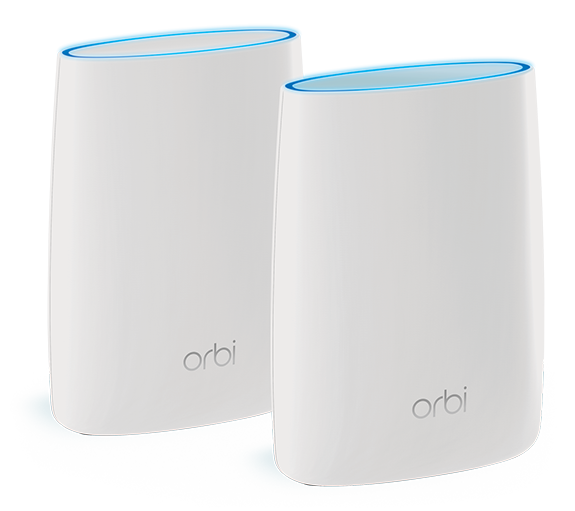
NETGEAR Orbi distributed WiFi system press image courtesy of NETGEAR

We could be expecting more from distributed-Wi-Fi devices of the NETGEAR Orbi ilk thanks to 802.11ax Wi-Fi and the Internet of Things

Distributed Wi-Fi: How a Pod in Every Room™ Enables Connected Smart Homes | Wi-Fi Now Blog

My Comments

The Wi-Fi Now consortium wrote up a blog article where we are to expect more from a distributed Wi-Fi installation especially in the context of Internet Of Things and the smart home.

One of the key drivers for this issue will be the 802.11ax standard for Wi-Fi wireless networks. This is intended to be the successor to the current 802.11ac but also is about high throughput and the ability for multiple devices to work at once from the same network. As well, it is expected to yield high-efficiency operation with an experience similar using an Ethernet network that uses a switch like when you have devices connected to your home network’s router via its Ethernet LAN ports.

According to the article, 802.11ax with its increased throughput is pitched as being suitable for newer broadband-service technologies like fibre-to-the-premises, DOCSIS 3.1 HFC cable-modem and 5G mobile broadband. In the context of the distributed Wi-Fi network, 802.11ax will be positioned for use as a wireless backhaul between the access-points and the edge router that links to the Internet.

But the article places an expectation on these access-point pods being installed in every room due to the increased number of Wi-Fi-based network-enabled devices connected to the home network. There is also an expectation that these access points will support Bluetooth and/or Zigbee as well as Wi-Fi thus becoming a localised network bridge for smart-home and Internet-Of-Things devices based on these wireless technologies. But I would place in the same scope Z-Wave, DECT-ULE and other similar “Internet Of Things” wireless technologies.

Previously this kind of functionality was offered through separate network bridges that interlinked a Bluetooth, Zigbee or similar-technology device to your home network via Wi-Fi or Ethernet.

Such equipment was typically offered as an accessory for a smart-home device like a smart lock by the device’s manufacturer and you weren’t sure if this piece of equipment would work with other smart-home devices implementing the same wireless-link technology. Or it was offered as a “smart home hub” which worked with devices using a particular wireless technology and supporting certain function classes. But these hubs offered various smart-home controller functions including remote management as long as you were using particular apps or services.

This new approach could allow for an increased number of IoT devices in each room “talking” with the access-point pods and this data moves along the backhaul to the “edge” router for that “smart-home-as-a-service” setup. The article also sees it as allowing for an IoT device, especially one that is battery-powered, not to be part of a large Zigbee, Z-Wave or Bluetooth mesh thus leading to increased device reliability. I would also see it become relevant with setups that use technologies like DECT-ULE which use a “hub and spoke” topology.

For this concept to work properly, the network-bridge devices that interlink Zigbee or similar IoT wireless technologies to an IP-based network have to work independent of particular smart-home controller software. Then the smart-home controller software has to be able to work with any IoT-based device no matter which of these network bridges they are talking to as long as they are on the same logical network. This situation would be of concern with portable user-interface devices like remote controls that are likely to be taken around the premises.

Although this article is Wi-Fi focused, I would still see the wired network being important. For example, some house designers and builders are even wiring the homes they design with Ethernet whether as standard or as an option while the home is being built or renovated. As well, there is powerline networking based on either HomePlug AV500 or AV2 standards. Here, these wired-network technologies are still viable as a backhaul connection alternative especially if you are dealing with building materials and techniques like double-brick or sandstone construction, or foil-lined insulation that can slow down Wi-Fi wireless communications.

But could these wireless-network access-point “pods” be simply a dedicated device installed in each room? It could be feasible for a device that offers other functionality that benefits from the network to be an access point or one of these “pods” in its own right. For example, a network-capable printer or a consumer-electronics device like a home-theatre receiver could connect to an existing network’s backhaul but also be an access point in its own right.  In this context, a Smart TV installed in a lounge area further down the end of the house could become an access point or smart-home “pod” to cover that end area.

The idea has been proven in the form of the Amazon Echo Plus smart speaker which has a built-in network-bridge function for Zigbee smart-home devices. This is alongside the ability for it to be a controller for these devices in context with the Amazon Alexa ecosystem.

What is being put forward with the Wi-Fi NOW “Pod In Every Room” concept is the idea of a single logical network with a high-speed wireless data backbone and access-point devices serving all wireless networking applications for both regular data transfer and smart-home/IoT applications. As long as the approach is driven by common open standards without dependence on particular technology owned by one vendor, then there is the ability for this approach to multi-function Wi-Fi networking to work properly.

Z-Wave to be the first standards group to mandate secure IoT

Article

Nest Learning Thermostat courtesy of Nest Labs

Z-Wave now requires a secure-by-design approach for Internet Of Things devices using its technology like these room thermostats

IoT gear will need better security to win a Z-Wave badge | PC World

Previous coverage on this topic

A Clear Reality Surfaces With The Internet Of Things

EU wants to establish a security baseline for Internet Of Things

August responds to its smart lock’s security weaknesses by patching its software

My Comments

The recent Mirai botnet denial-of-service cyber-attacks including an attack against a data-security journalist have raised serious questions regarding designing the software for dedicated-purpose devices like network-infrastructure devices and the “Internet Of Things”. Here, it raised concern regarding default or hard-coded passwords along with poorly-maintained software as being a few of the issues that lead to lax security proactices for the dedicated-purpose devices.

This led to the European Union wanting to call a baseline standard for device-software security, with a customer-facing indicator similar to energy-efficiency labels on appliances or nutrition-rating labels on foodstuffs. Here, the standard wanted to look at “default-for-security” setup routines along with the issue of software maintenance.

But Z-Wave who establish a short-range wireless-connectivity standard for home-automation devices have had to answer this issue by requiring that devices using this technology implement their Security 2 (S2) secure-operations framework before the device can wear the Z-Wave logo. It is similar to various standards logos like Dolby noise reduction, DLNA or HDMI where equipment has to be compliant to these standards before they can show these logos and customers can see that logo as an indicator of compatibility.

Here, the requirement includes the use of a human-readable PIN number and/or a machine-readable QR code for authenticating devices to a Z-Wave network. As well, Z-Wave setups must implement a strong secure key exchange along with implementation of a Transport Layer Security 1.1 data tunnel for IP setups. It is mandatory for the endpoint devices like light bulbs, light switches and thermostats along with “hub” and similar devices that connect Z-Wave devices to the home network and Internet.

A question that may be raised with certain device classes like smart locks or security systems is whether a PIN number that you set using the device’s control surface, especially an “administrator” or “master” PIN number, does constitute a PIN number for the Security 2 (S2) framework.

At the moment, what Z-Wave have done is to address the issue of “secure setup” for this class of device. They haven’t dealt with the issue of software maintenance which is still a thorn in the side for dedicated-function devices and this may be something that others in the industry may need to deal with.

Internationaler Funkaustellung 2015-Part 4-Home Automation and the Internet Of Things

IFA LogoPreviously, in my series about the Internationaler Funkaustellung 2015 fair in Berlin, I had covered computing and home network trends like Intel Skylake chips leading to improved performance for desktop and portable computers and the steady rise of 802.11ac Wave 2 Wi-Fi wireless and HomePlug AV2 powerline networks. This was followed up with home entertainment technology which was centered around 4K UHDTV becoming more mainstream, the arrival of 4K UHD Blu-Ray Discs and HDR TV technology.

Home Automation

There has been a rise in the number of home-automation systems appearing on the European market with companies offering a new home-automation platform or building out their existing platform with new sensor and control devices. Most of these systems implement Zigbee or Z-Wave and use a hub or central unit that links to your home network to allow monitoring and management of these systems from your smartphone or Web-connected computer.  Some of these systems may have some sensor or output devices work with your home network’s Wi-Fi segment rather than Zigbee or Z-Wave.

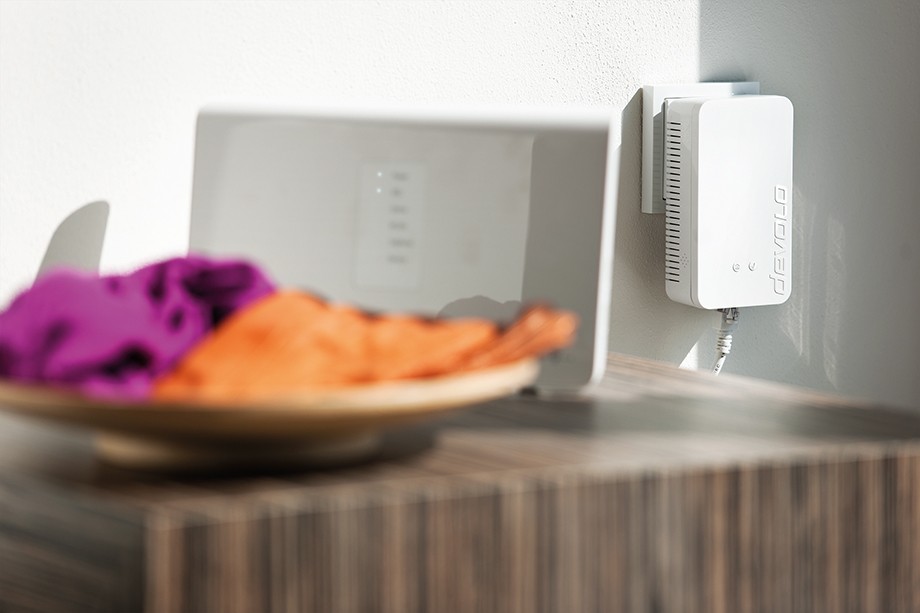
Devolo Home Control Central Unit (Zentrale) press photo courtesy of Devolo

Devolo Home Control Central unit connected to router

Devolo have built out the Devolo Home Control platform with more devices. This Z-Wave system started off with a central unit, a wall-mount room thermostat, a thermostatic radiator valve, a smoke alarm and a plug-in appliance module which turns appliances on and off and reports their power consumption. The central unit can link with your home network via an Ethernet or, thankfully, a HomePlug AV 500 connection both of which are more realistic in this application than Wi-Fi wireless. Now they have built it out with a motion detector, a reed-switch-based door/window contact sensor, a water sensor to detect leaky washing machines or flooded basements, and a humidity sensor. They also added an indoor siren to provide an audible alert to user-defined events; along with a wall-mount switch, light dimmer and blind/shutter controller that have to be installed by an electrician and connected to AC wiring. This system is managed by a mobile-platform app and can signal events by email or SMS text messaging.

D-Link have also built out their myDLink home-automation platform which uses Wi-Fi for some applications and Z-Wave for others. This system is based around a Connected Home Hub which connects to your home network via Wi-FI or Ethernet and connects to the Z-Wave-based devices. Here, they have an appliance module and motion sensor that connects directly via Wi-Fi along with a smoke alarm, siren, water sensor, 3-in-1 magnet/reed door sensor which also senses room temperature and light level, 3-in-1 motion sensor which also senses room temperature and light level, and smoke alarm.

Samsung just lately took over the SmartThings home automation initiative and brought it under their banner. This system again is based around a home-automation hub which works with Z-Wave or Zigbee along with your home network but can work with devices from other vendors like the Yale Real Living deadbolts or the Honeywell Lyric thermostats. They have also shown the SleepSense bed sensor which slips under your mattress and registers how much sleep you are getting.

Philips are building out the Hue LED-based lighting range with the Hue+ lighting strip which is effectively a string of lights. Here, you can adjust colour and control the light from your smartphone like you can with other Philips Hue devices and this can be built out to 10 metres by adding a 1-metre extension strip.

Appliances

Increasing more of the appliance manufacturers are working towards an increasingly-sophisticated “app-cessory” approach to online enablement where your smartphone or tablet becomes an extra control surface that exposes increased functionality like notifying you on your smartphone when the laundry is done so you can start the next load as quickly as possible. But it is also driven by the manufacturers implementing an interlink with their resources to facilitate assisted cooking and similar functionality.

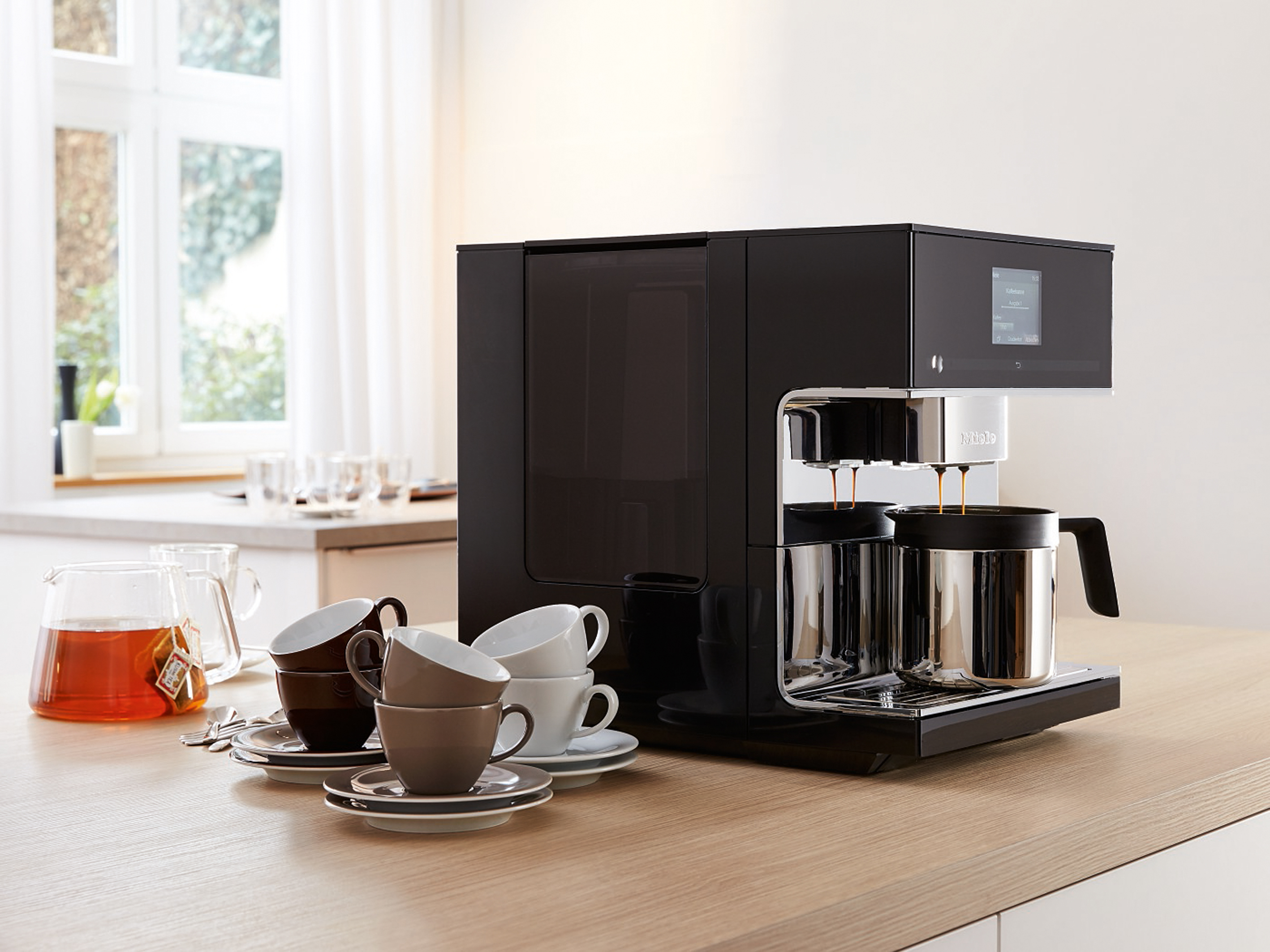
Miele CM7 countertop bean-to-cup coffee machine press picture courtesy of Miele

Miele CM7 countertop bean-to-cup coffee machine

Miele has brought in the Edition Con@ct washing machine and dryer which implements an automatic detergent dispensing system and lets users know using their smartphone and the Internet if they need more of the detergent cartridges. As well, they are extending this concept to dishwashers so the app reminds you when to get dishwasher powder or tablets. They also are releasing the US-sized ovens and range-style cookers in to Europe because of the fact these bring out the “gourmet” in some European cultures. Their new CM7 touch-operated bean-to-cup superautomatic espresso coffee machine has been released as their foray in to the countertop coffee machine space and implements a “jug” function for making large quantities of coffee or milk as well as a cartridge-based automatic descaler. Miele’s newer electric induction cooktops are implementing the TempControl function for frying so you can get those eggs, sausages or “best of the kitchen” fry-up just right.

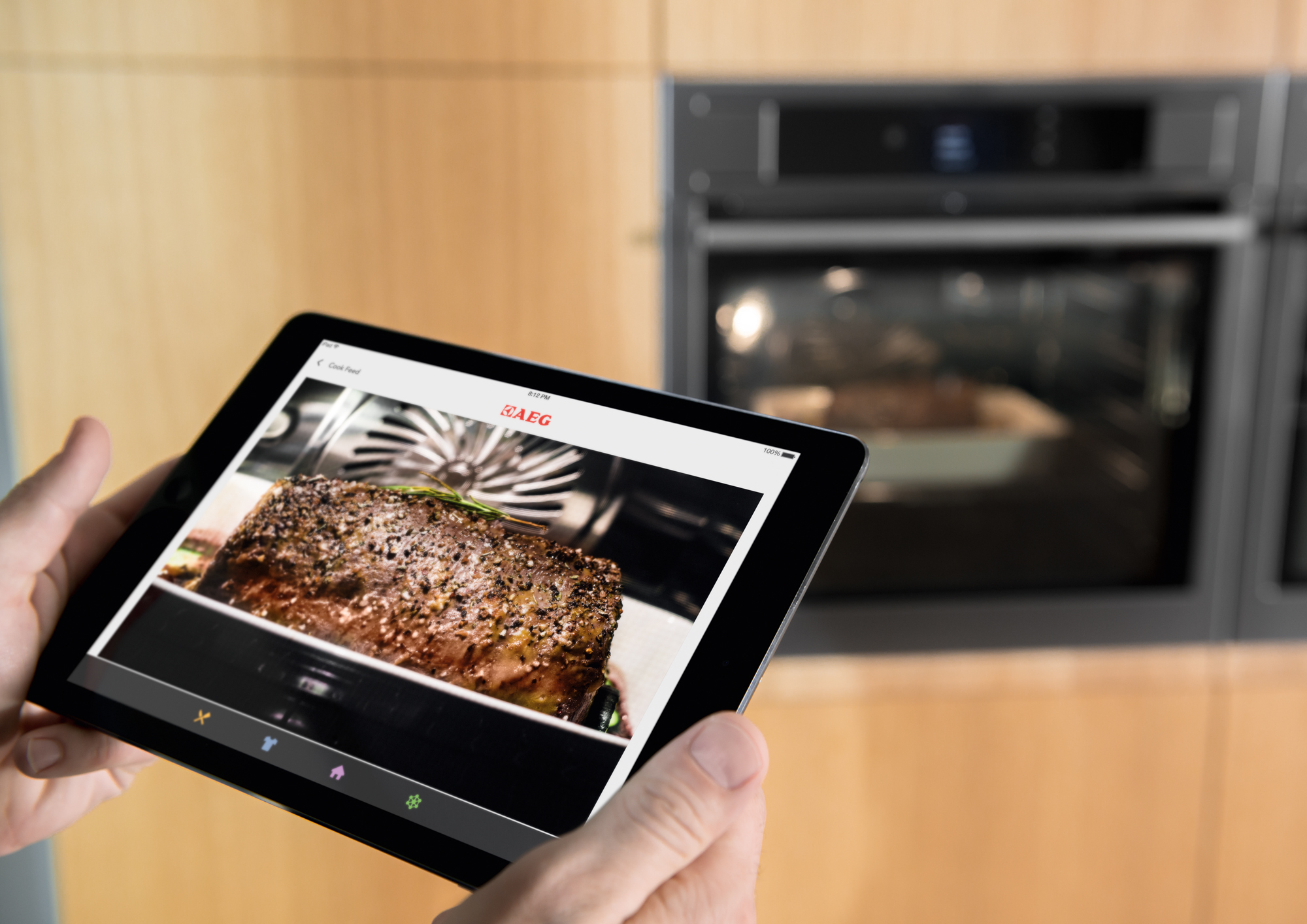
AEG Pro Combi Plus Smart Oven press picture courtesy of the Electrolux Group

AEG Pro Combi Plus smart oven – you can see how it’s cooking from your iPad

Electrolux have been showing their vision for the Internet Of Everything at this year’s IFA as far as their appliance brands are concerned. One application that they want to underscore with AllJoyn and the AllSeen Alliance is assisted cooking. One of their brands, AEG, has come forward with some connected cooking ideas including the ProCombi Plus Smart Oven. This takes the “app-cessory” concept further by using an integrated camera so you can peek at what is cooking in that oven using your smartphone or tablet which is connected via Wi-Fi.  The mobile device app will have access to their recipe catalogue which is searchable and sortable by diet, cost, occasion, ingredients and technique along with access to AEG’s social-Web channels. The ProCombi Plus Smart Oven is one of those ovens that implements wet and dry cooking in the same space so you can steam-cook the fish and roast some potatoes in the same space. The Hob2Hood rangehood is one of the first rangehoods that uses the hob or cooker as a control surface and will work with AEG’s cooktops.

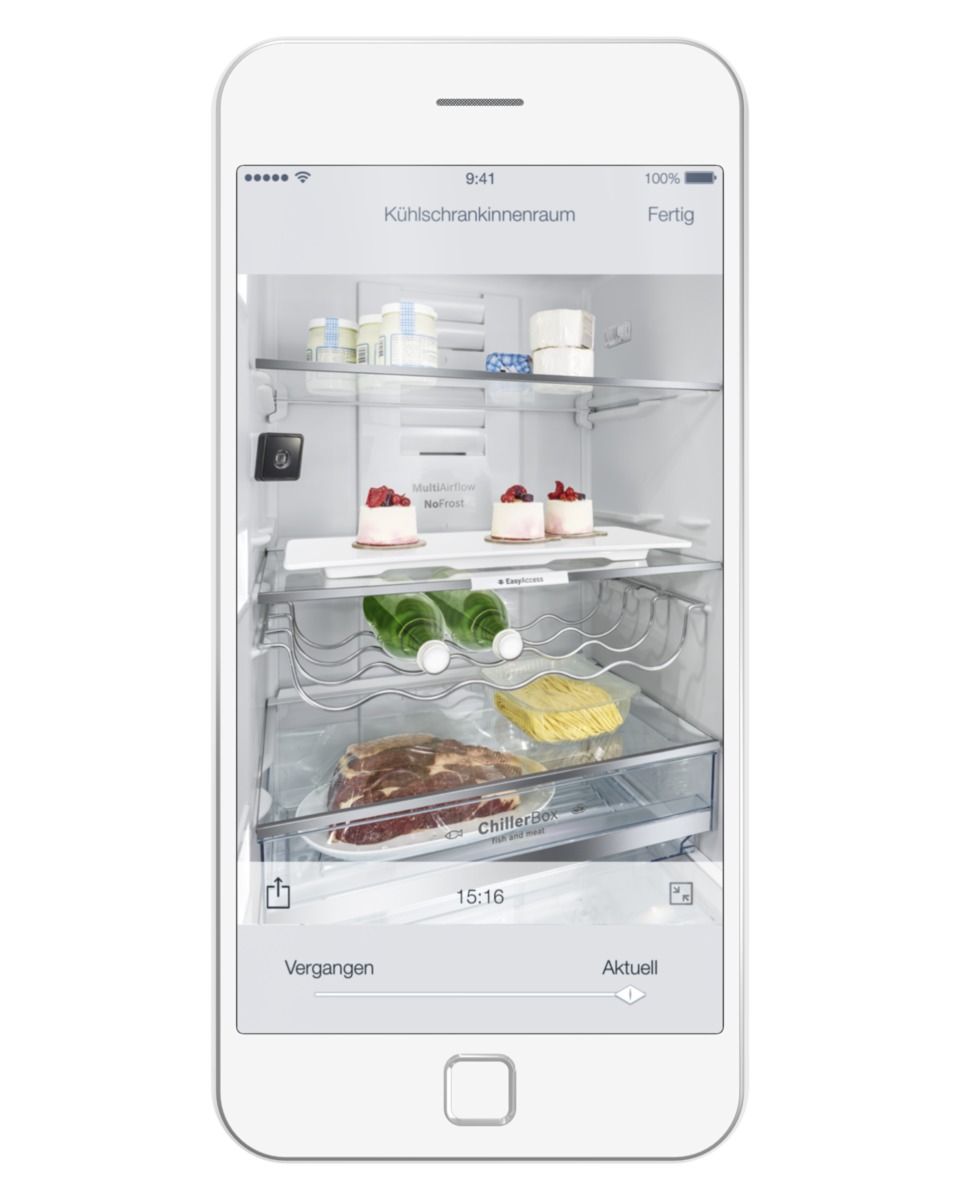
Bosch Home Connect press picture courtesy of Robert Bosch AG

You can see in your Bosch fridge using your smartphone courtesy of Home Connect

Bosch Home Appliances has also headed down the connected appliance path with a fridge that has an integrated camera so you can see what is in there on your smartphone or tablet. As well, they also have other “app-cessory” functionality including system diagnostics across all of the appliance classes including their built-in bean-to-cup coffee machine. Let’s not forget that Bosch are releasing cooktops that are equipped with sensors for optmum cooking.

KitchenAid used the IFA 2015 to capitalise on the fad for sous-vide cooking by launching the Chef Touch Sous-Vide collection. This consists of a vacuum sealer, steam oven and freezer pitched for this technique with an ask of approximately EUR€10000. It isn’t just about that famous electric mixer anymore., W

Whirlpool are launching their Bauknecht sub-brand which is pitched at a “life-balanced” lifestyle for the millenial generation. This courts households with a family and career focused lifestyle and encompasses washing machines, dryers and fridges controlled by the BLive mobile app. For example, you can tell your Bauknecht washing machine what material your clothes in your washload are and the machine determines the best cycle for that job.

Samsung AddWash washing machine press picture courtesy of Samsung

Samsung AddWash washing machine – you can add that sock mid-cycle

Samsung had fielded a front-load washing machine that has a door which you can open during its cycle so you can add laundry that had missed the start of the cycle like a sock’s mate. Here, you can pause the cycle and this small door unlocks while the water stays in the machine when you add that item. It also is a connected appliance which supports smartphone notification.

Philips has introduced a range of devices that work with your smartphone and tablet for “cradle to grave” personal wellbeing. For example, they have an ultrasound scanner so you can scan yourself during pregnancy and see how the new baby comes up on your mobile device. They also have the uGrow in-ear thermometer to measure baby’s temperature and show it on your smartphone as well as a baby monitor. The SoniCare electric toothbrush uses your mobile device to show you how to best clean your teeth wile the Smart Shaver 7000 system becomes an electric shaver, skin buffer or beard trimmer. They even provide a location tracking device for seniors who have the wanders.

Other brands have come to the fore like Haier with a fridge that has a door that becomes a window to what’s in there and the Neato Botvac which is a robot vacuum cleaner that connects to your home Wi-Fi network and uses your smartphone or tablet as its control surface.

What is showing up here is that the Internet Of Things is being seen as an essential product differentiator for large and small appliances while some manufacturers are building out home-automation platforms to get us going in this field. These goals will be centered around smartphones and tablets being control surfaces. Who knows what next year will bring.

Part 1 – Personal Computing Trends

Part 2 – Wearables and the Home Network

Part 3 – Home Entertainment

Part 4 – Home Automation and the Internet Of Things

NuTone joins in the smart-home bandwagon

Article

NuTone Announces Smart Home Line | SmallNetBuilder

From the horse’s mouth

NuTone

Product Page

My Comments

NuTone is an American brand that has been associated with integrated home systems like central vacuums or intercoms for a long time. Most of you may know this name for their Food Center integrated appliance system which has a motor base integrated in to the kitchen bench where you attached a special food-processor bowl or blender jug in to a panel for them to work.

But they are cutting in to the smart-home scene by supplying a collection of smart-home sensors that work to the Z-Wave standard. They claim that this device can work with most Z-Wave home automation hubs like the Securifi Almond+ router.  These include light and appliance control modules either as an integrated or plug-in variant along with a garage-door opener module and the devices were developed along with Nortek.

One of the devices that they have offered is a “smart fixture control” which is simply a Z-Wave relay box that can control other devices by virtue of a relay. This can appeal to anyone who wants to integrate this kind of control in to different devices which just respond to a switch being opened or closed.

What I have seen of NuTone’s effort is to release a range of Z-Wave smart-home modules is that they put their faith in the concept of the devices being compatible with standards-based Z-Wave home-automation systems on an application level. Here, they weren’t supplying a “home automation” hub or home-network gateway for these devices and expecting their customers to bond them with whatever Z-Wave-compliant home automation hub they were using. It is something that will be considered important as

This attitude appeals to people who are starting out with a so-called “starter kit” comprising of one or two plug-in light or appliance modules and a home-automation hub, then want to extend the control ability to more appliances. As well, a person who uses a network-enabled Z-Wave home automation hub that answers the “Internet Of Things / Internet Of Everything” call doesn’t need to displace this device just because they are enrolling a few new devices in to the system for network-wide and Internet-based control.

I would see this opening up wider paths for home automation becoming increasingly mainstream as people become aware of the “Internet Of Everything”.

Securifi to release home-automation-capable routers

Article

Touchscreen-enabled routers double as home automation hubs | Engadget

From the horse’s mouth

Securifi

Almond routers

Product Page

My Comments

Previous, if you were to integrate home automations or the “Internet Of Everything” to your home network, you had to use a separate “bridge” device for sensor devices that worked with Zigbee or Z-Wave. Most of these devices worked as a control surface for these devices such as showing their current status or turning appliances on at certain times or in response to certain events.

Now Securifi have built up the latest iteration of their Almond series touch-controlled routers and integrated Zigbee in them and Z-Wave in the Almond+ premium version. Both these devices can be set up to work as wireless access points or range extenders as well as routers.

They have the ability to show the current state of nominated sensors or allow you to control the sensors from the router’s touchscreen. But they also have a time-switch functionality or triggered functionality so that an appliance can come on or off according to certain conditions. These use the application-based standards associated with Zigbee and Z-Wave which is on an open-frame basis.

As well, Securifi have been working on iOS and Android apps that provide the ability to manage the home-automation ability from your smartphone’s or tablet’s screen. This may mean that you can check whether that heater in your room was actually on using your iPhone’s display and turn it off remotely as you are getting in your car rather than run in to check that it is off as I have seen before. As well, you could avoid having to glance in that rear-view mirror as you drive out slowly from home to check if that garage door is closing properly.  Securifi could extend the Almond app to work with the iOS and Android in-car, wearable and voice-assistant functionalities in order to show the various status reports on your dashboard or smartwatch or allow you to ask Siri or Google Now the current status of various appliances.

Could this be a chance for router manufacturers to integrate the home-automation hub functionality in some of their products? Here, it could open up the path for more of the smart-home ideas to come across for most people and reduce the need for extra boxes to be part of your home network.

Internet Of Things connectivity issues

Article

Don’t get sidetracked: Connecting the residential IoE | The Beacon (Wi-Fi.org)

My Comments
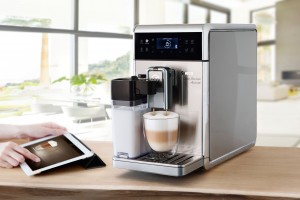
Saeco GranBaristo Avanti espresso machine press picture courtesy of Philips

Appliances like this coffee machine are now working with dedicated mobile platform apps.

As the “Internet Of Things” or “Internet Of Everything” becomes ubiquitous in one’s lifestyle, there will always be some key issues with implementing this concept. It doesn’t matter whether it is for our health, wellbeing, convenient living or security that these issues will come in to play.

The core issue around the initial complexities will be due to use of network transports that don’t work on Internet-Protocol methodologies that have been established well before the Internet came to fruition in the mid-1990s. Rather, some of these implement an industry-specific data transport that requires the use of a so-called “bridge” between the non-IP transport and the IP transport.

Current implementation issues

Filling your computing devices with apps for each device and cloud service
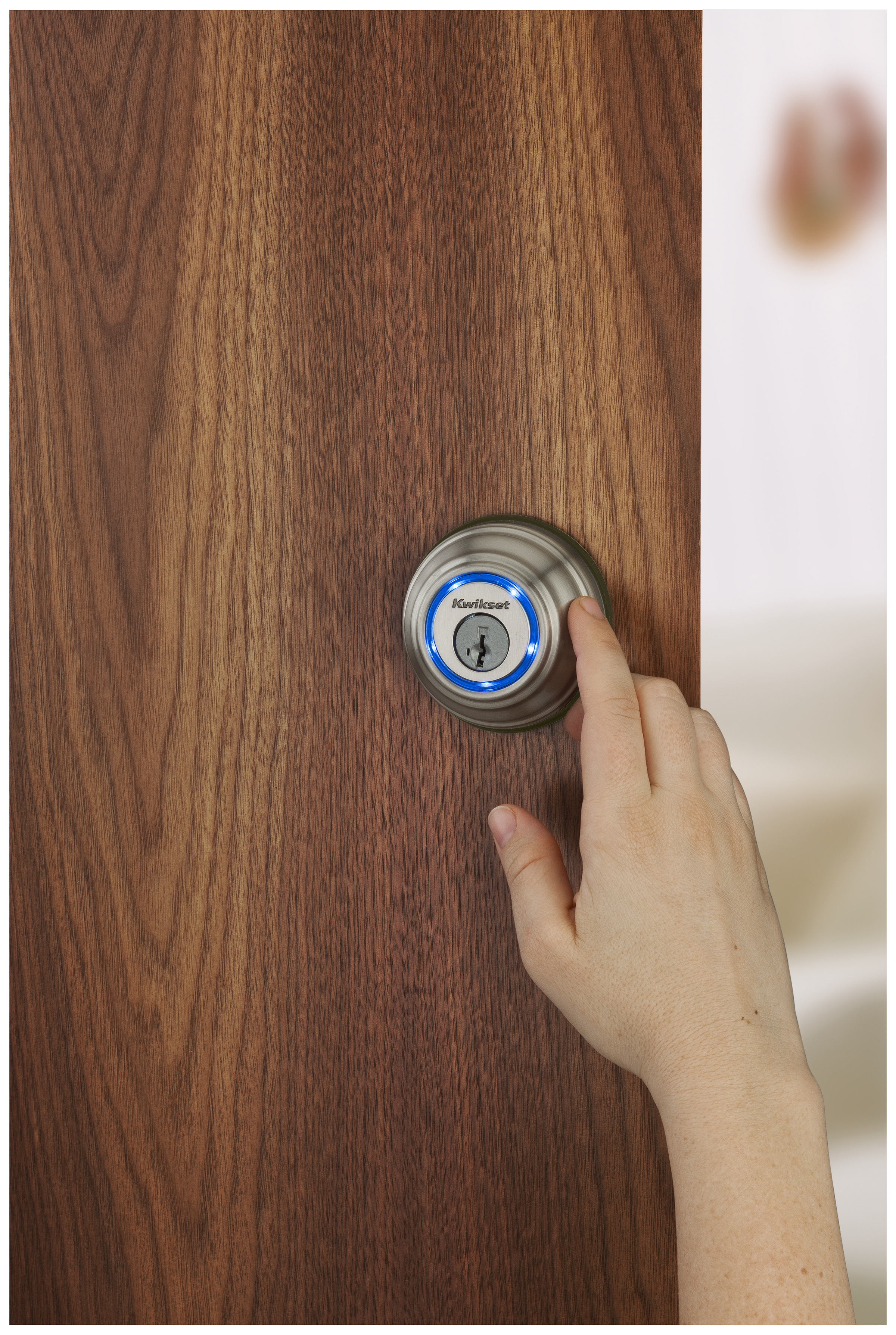
Kwikset Kevo cylindrical deadbolt in use - Kwikset press image

The Internet Of Things should be about allowing these smart locks to work with other home-automation devices

At the moment, a lot of devices that offer control by smartphone require the use of vendor-developed apps and as you add more devices with this capability to your network, you end up filling your mobile device with many different apps. This leads to user confusion because you end up with having to work out which app you use to work with which device.

The same issue also affects cloud-based services where each vendor impresses on users to use the vendor’s supplied apps to benefit from these services. Again this leads to operator confusion which typically we would have noticed when we use social-media, over-the-top messaging or cloud-storage front-ends on our computing devices for each social-media, messaging or cloud-storage service.

This kind of situation makes it harder for one to develop software that makes best use of a device’s functions because they have to engineer a device to work specifically with a particular vendor’s devices. It brings us back to the days of DOS-based software where games vendors had to write the driver software to allow their software to interface with the computer system’s peripherals. This made it harder for customers to determine if that program they are after was to be compatible with their computer hardware.

Home-control systems and the home network

One issue that was highlighted was linking devices that use non-IP networks like Zigbee, Z-Wave or Bluetooth to the IP-based home network which works on Cat5 Ethernet, Wi-Fi and/or HomePlug. Typically this requires the use of a network-bridge device or module that connects to one of the Ethernet ports on the home-network router to link these devices to your home network, the Internet and your mobile devices.

Multiple bridge devices being needed
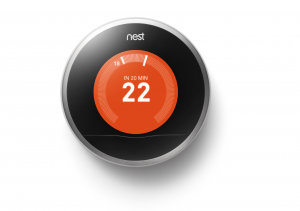
Nest Learning Thermostat courtesy of Nest Labs

… such as this room thermostat

The main question that was raised was whether we would end up with multiple bridge devices because each non-IP sensor or controller system was working in a proprietary manner, typically bound to a particular vendor’s devices or, in some cases, a subset of the devices offered by that vendor.

The worst-case scenario is a vendor who implements a Zigbee-based distributed heating control system for a UK-style hydronic central heating system that has thermostatic radiator valves for each radiator. In this scenario this system’s components will only link to the Internet and home network using the network bridge supplied by that vendor even though it works on the Zigbee network. But if you introduce a lighting system provided by another vendor that uses Zigbee technology, this system may require the use of another bridge that is supplied by that vendor for network-based lighting control.

Support for gradual system evolution

Also there is the issue of installation woes creeping up when you install or evolve your home-automation system. Some of us like the idea of “starting small” with local control of a few devices, then as funds and needs change, will change towards a larger more-capable system with Internet and mobile-device connectivity. The issue that is raised here is that a vendor could impress upon us to buy and install the network bridge before we start out installing the home-automation devices rather than enrolling the network bridge in to an established control system at a later date. In some cases, you may have to perform a reset operation upon all of the existing components and re-configure you system when you install that network bridge.

This also underscores the situation where a vendor may allow in-place upgrading and integration of a device known to have a long service life like most major appliances, HVAC or building-security devices. This is typically achieved through the use of an expansion module that the user or a technician installs in the device and this device gains the extra functionality. Here, it should be required for the device to be integrated in to the “Internet Of Things” network without you having to reset your network or do other difficult tasks.

To the same extent, one could easily start a system around one or more older devices, yet install newer devices in to the system. For example, you have a UK-style central heating system that is based around an existing boiler that has support for an advanced heating-control system if you choose to have a control module retrofitted to that unit and this module has an LCD touchscreen as its user interface.

You purchase this module and ask the central-heating technician to install it in your boiler so you can save money on your fuel bills. Here, this system uses a room thermostat which you start out with but also can work with thermostatic radiator valves and you buy and attach these valves to the radiators around the house to improve the heating efficiency and these devices work together properly, showing the results on the module’s LCD touchscreen.

Subsequently the boiler reaches the end of its useful life and you replace it with a newer more efficient model that has integrated support for the heating-control system that you implemented but in a newer form. Here, you don’t want to lose the functionality that the room thermostat or the thermostatic radiator valves offered, but want to fully benefit from what the new unit offers such as its inherent support for modulated output.

Needs

Task-focused application-level standards

The needs highlighted here are to implement task-focused application-level standards that work for the purpose of the device and support a simplified installation routine. As well, the role of any bridge device implemented in an “Internet Of Things” setup is to provide a proper application-level bridge between different medium types independent of device vendor.

But what are these task-focused application-level standards? These are IT standards that are focused on what the device does for that class of device rather than the device as being a particular model from a particular vendor. An “Internet Of Things” example would be a smart thermostat that is known to the other devices as a “HVAC thermostat” with attributes like current temperature, setpoint (desired-comfort-level) temperature, setpoint schedules and other comfort-control factors. This makes it easier for other devices to interact with these devices to, for example set up a situation-specific “preferred” room temperature for your heating when you use a particular user-code with your building alarm system or have a weather-forecast service cause the temperature to be adjusted in a manner to suit an upcoming situation.

Some good examples of the application-level standards are the UPnP Device Control Protocols for IP networks, or the Bluetooth application profiles. In one case, the Bluetooth Human Interface Device profile used for the Bluetooth keyboards, mice and remote controls was based on the USB Human Interface Device standards used for these similar devices. This simplified the design of host operating systems to design interoperability with Bluetooth and USB input devices using code that shared the same function.

Ability for a fail-safe network

An issue that is starting to crop up regarding the Internet Of Everything is being sure of a fail-safe network. This is in the form of each device in the network always discovering each other, control devices controlling their targets every time and sensor devices consistently providing up-to-date accurate data to their target devices.As well, a device that has a “standalone” function must be able to perform that function without being dependent on other devices.

Some devices such as smart locks have to he able to perform their essential functionality in a standalone manner if they lose connectivity with the rest of the network. This can easily happen due to a power cut or a network bridge or the Internet router breaking down.

Network bridges that work with multiple non-IP standards

As well, manufacturers could be challenged to design network bridges that work with more than two connection types such as a bridge that links Zigbee and Z-Wave home-automation devices to the one IP network using the one Ethernet connection.

This would include the ability to translate between the different non-IP standards on a task-based level so that each network isn’t its own silo. Rather, each device could expose what it can do to or the data it provides to other devices in the same logical network.

This may come to the fore with the concept of “meshing” which some standards like Zigbee and Z-Wave support. Here, a network can be created with each node being part of a logical mesh so that the nodes carry the signals further or provide a fail-safe transmission path for the signals. The “bridges” could work in a way to create a logical mesh with IP networks and networks that work on other media to use these other paths to create a totally fail-safe path.

Conclusion

It will take a long time for the “Internet Of Everything” to mature to a level playing field as it has taken for desktop and mobile computing to evolve towards to that goal. This will involve a lot of steps and place pressure on device manufacturers to implement these upgrades through the long working life of these devices.

UPnP+ links non-IP devices to wide-area networks

Article

UPnP+ links non-IP devices to wide-area networks | EETasia

My Comments

The recent extension of the UPnP Device Architecture specifications, known as UPnP+ is being worked on at the moment by the UPnP Forum. This is to extend the reach of the UPnP Device Architecture specification sets to satisfy certain new realities.

One key reality is to make UPnP work properly with the “Internet Of Everything” concept. This is where devices are able to interlink with each other and share their information in a manner not dissimilar to the concept associated with the Internet.

It will be achieved with native support for IPv6 across IP networks. This takes advantage of the huge number of addresses this standard offers compared to the legacy IPv4 which most of the Internet works on at the moment.

As well, a SensorBridge Device Class will be defined. This caters for the “bridge” device that links sensors and similar devices that work on non-IP networks with IP-based networks. The article talked of the non-IP wireless-sensor networks as being Zigbee, Z-Wave and ANT which take advantage of low-power low-overhead operation suited for those fields. These devices could be represented by “black-box” devices that stand between an Ethernet or Wi-Fi-based home network and the sensors or controllers such as the Honeywell Evohome Mobile Access Kit, but could also be represented as software integrated in either a router that also has a Zigbee or Z-Wave interface or a smartphone, tablet or laptop with Bluetooth 4.0 Smart interface.

There will also be inherent support for cloud-based “hosted” services to be part of the UPnP ecosystem. Of course, I find that the term “cloud” alludes a lot to services hosted by other parties away from the main home network, typically to provide remote access from smartphones, tablets and other computers connected via the Internet. In the context of “Internet Of Everything”, it could extend to service providers like utilities or monitored-alarm companies using this data to participate in the “Smart home” concept.

I would see this come in to its own with home and other networks that are operating along the line of “Internet Of Everything” and this could be supported with newer devices that have newer UPnP+ firmware in place.