Using Facebook to tackle teen suicide

Article

Teens meet on Facebook to talk about suicide

My Comments

I have often heard remarks about the negative influence of Facebook and other social networks on teenagers’ lives and how they use these services. But this article has highlighted how a group of teenagers have used this service to reach out to teenagers on this sensitive topic by setting up an open group which can act as a forum on this topic.

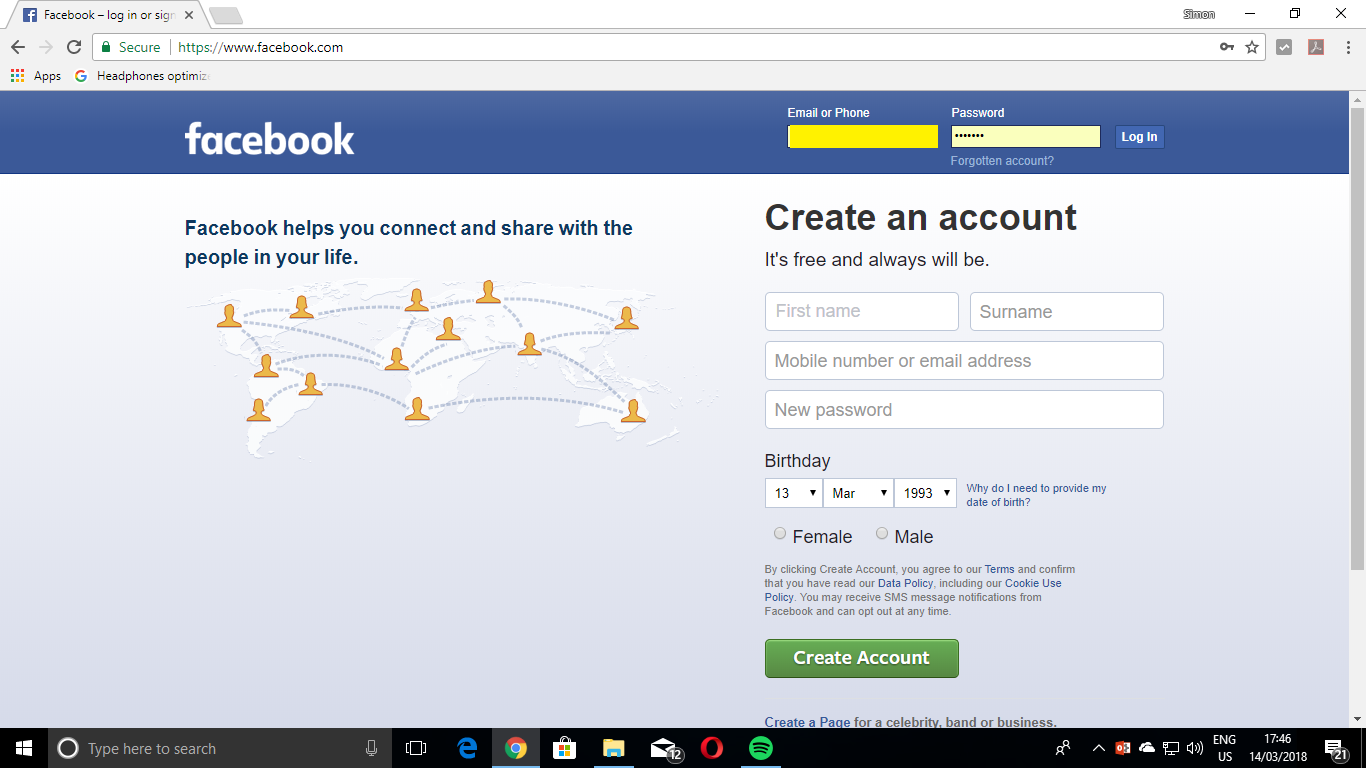
They took the fact that nearly every teenager has Facebook presence and they often vent their feelings on their Facebook Wall as I have seen before. This group effectively became a forum to raise a subject that is normally considered taboo. I had a look at the forum and there were even images and referenced to people who have lost people that were close to them in this manner.

I would like to see this group exposed not just to Australian media but to worldwide media because this isn’t just an Australian issue but a worldwide issue.

For further help on this topic, I have published a list of some of the organisations looking in to the suicide and depression issue but there will be a similar organisation operation close to you.

Australia
Lifeline 13 11 14
Suicide Call-Back Service 1300 659 467
Suicide Line 1300 651 251
Beyond Blue 1300 22 46 36
United Kingdom
Samaritans 08457 90 90 90
Ireland
Samaritans 1850 60 90 90
USA
1-800 SUICIDE (HopeLine)
- Kristin Brooks Hope Center
1-800-SUICIDE
Send to Kindle

Tablets–another screen for the TV viewing area

Article

The tablet will be the center of the connected lifestyle — Online Video News

My comments

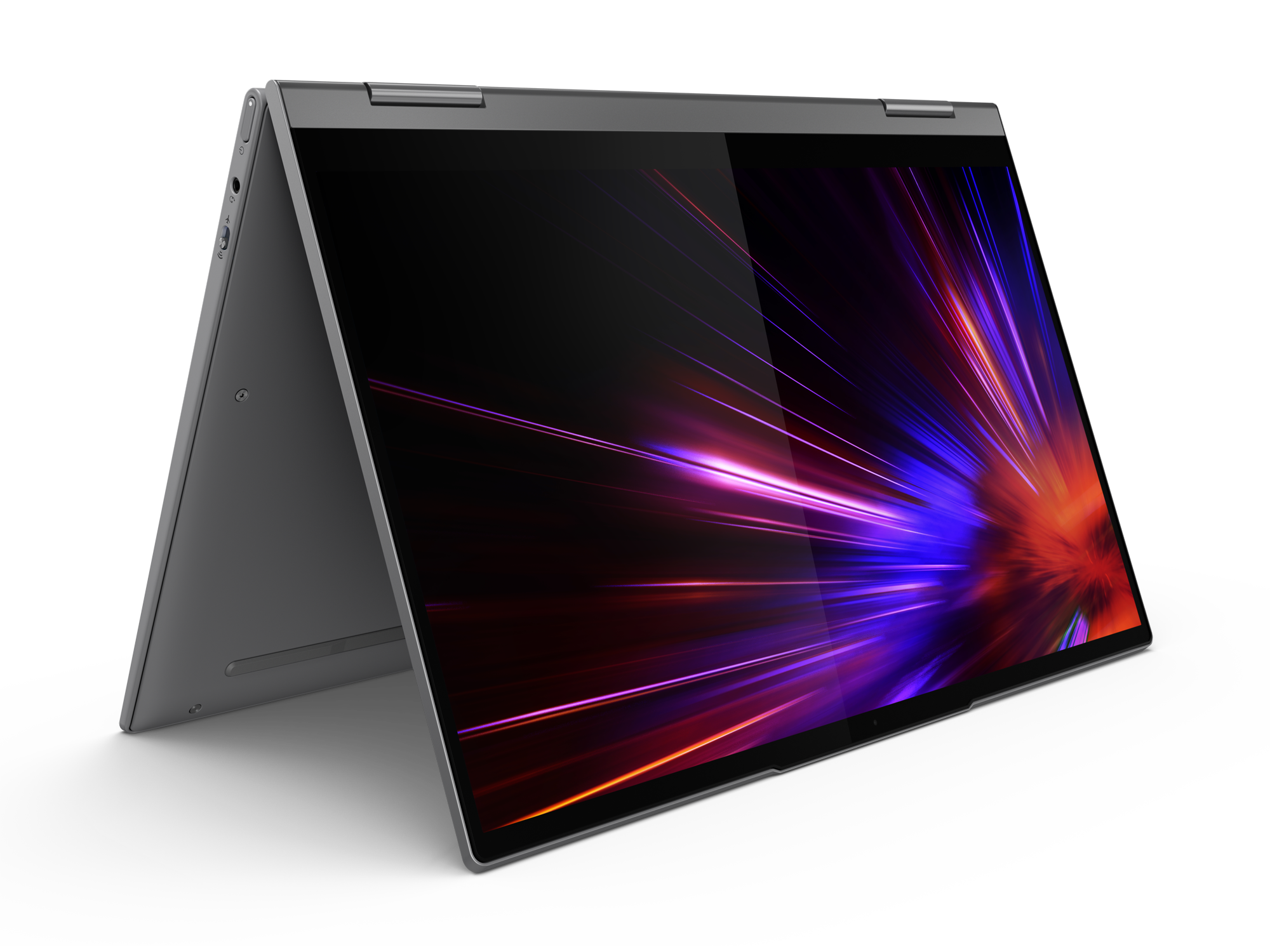
Acer Iconia Tab A500 tablet computerThis article is affirming the idea of using a tablet computer like the Apple iPad or the Acer Iconia Tab in the lounge room as you watch TV. Some people may object to this because of the “too many screens” argument. But of course, you will still look at the big screen for the video content.

Small personal TV

One of the most common TV-related apps for the iPad and tablets of its ilk is as a personal screen for viewing content. This could be in the form of downloading or streaming the content to the tablet device and has been subjected to various legal strangleholds with Hollywood.

But it also has been taken further with broadcast-LAN tuner adaptors which tune in and stream TV content to these tablets once controlled via a special app. As well, the use of DLNA media player software can allow you to view video content held on your home network through these devices.

Remote control for large screen

Another application of interest is for the tablet to work as a remote control for the large-screen TV. Here, this would work with apps delivered by TV and set-top-box manufacturers to the various app stores for the tablet platforms.

It would work hand in glove with programming your PVR, use of interactive-TV applications or even using the interactive functions of a Blu-Ray disc; as well as navigating an increasing array of TV channels.

Of course, I have a doubt about this when it comes to activities where you need instant response. I would like to be sure that you tap MUTE on the tablet and you are sure that the racecaller voice that is part of that commercial isn’t heard the moment you press it for example.

As well some manufacturers may limit this function to their tablets, especially if the tablet is the same brand as the TV in question; usually as a way to reinforce brand loyalty.

Show downloaded content on large screen

In a similar way to the previous “small personal TV” application, a tablet computer can be used to show content on the large television or video projector. This can be through a direct connection from the tablet’s miniHDMI socket or AV-out jack to the TV or by pushing the content to an Apple TV or DLNA network media player.

But wait there’s more:

Internet browsing concurrent with TV viewing

A very common application that I have noticed with smartphones and tablets is to engage in Internet use while watching TV. Examples of this include researching a TV programme on IMDB or a concept that was used in the TV program; using the tablet as a persistent scoreboard during a sports game or updating the Social Web during a TV show. I have expanded on the “persistent scoreboard” application in this site by mentioning an increasing number of “scoreboard apps” that are available for most sports codes and leagues and the role of these apps in enjoying your favourite sports fixtures.

The persistent scoreboard could be an app in itself or simply an always-refreshed Web page; and could remind you of where the players stand in that match you are watching. In some cases, the apps provide access to player / team information as well as on-demand video replays or interactive progress maps. Of course, you could head over to other commentary sources for comments other than what the TV commentators are barking about.

As I have seen, a lot of TV shows are integrating the Social Web very tightly in to their programming fabric. This can be typified with selected Twitter and Facebook comments being read out by the compere or a ticker with Twitter comments crawling across the bottom of the screen. Even news and public-affairs events will have official or unofficial tickers running on Twitter or Facebook as people post up comments on these events using the Social Web.

The tablet computer may work better than the “smart TV” Social-Web apps because the TV usually works with one account at a time and you won’t see the show’s video occupying the screen as you post your comment. One or more tablets (or small computers) can perform this function in an individual manner for individual viewers,

Setup requirements

In most cases, a Wi-Fi connection to the home network and broadband connection is all that is needed if the tablet is just being used at home; and would be necessary for network-media-adaptor use. This could allow you to buy a Wi-Fi-only model if it is to stay primarily at home or not be used with an external wireless-broadband router on the road.

Conclusinon

As I have said, the tablet is now working as a supplementary screen in the TV lounge area rather than just as an ebook reader and email terminal.

Send to Kindle

Twitter–who see what and when

Another increasingly-popular social network service is Twitter. This was intended as a “microblogging” service but some people have been implementing it as another social network.

Like the similar Facebook article that I have written for Facebook novices, this will list who will see which information you post when you use Twitter. Here, I would recommend this as a bookmark or favourite or as something to print out and keep near the computer or have available on the business intranet.

Twitter lexicon

Tweet A public Twitter post. Also to leave a public post on Twitter
Follow To subscribe to a Twitter user’s Tweets (public comments)
Follower A person who subscribes to a user’s Tweets. Is also capable of receiving direct messages from the users they follow.
Hashtag A reference tag that is preceded by a # (hash) symbol and is used for filtering Tweets on a topic. Used primarily in front of cities, TV shows, brands, etc.
Mention or Reply A Tweet that features a Twitter user with that user’s name preceded by an @ symbol.

Who sees what

What you do Who sees this  
When you post a Tweet All your Twitter Followers  
When you Retweet someone’s else’s Tweet All your Twitter Followers Your followers will see the original Tweet suffixed by “Retweeted by <your_user_name>”
When you reply to someone else’s Tweet or mention another user in your Tweet All your Twitter Followers The Tweet will have the other person’s username preceded by the @ symbol and the user will be able to see the mentions or replies in the “reply / mention” filter
When you send a direct message to a Follower Only that specific Follower that you address Your Follower has to be following you to be able to be contacted by a Direct Message

What to do where on Twitter

General comment or broadcast message Post a Tweet Be careful what you write as all followers or potential followers can see what you write.
Reply to someone else’s Tweet or mention a Twitter user where confidentiality isn’t required Post the tweet using the Reply or Mention tools Again, be careful what you say when you write these posts.

This can be good for congratulating the user or offering some sympathy on an event they Tweeted about.

Direct private message to a Follower Post a Direct Message  


If someone follows you on your Twitter account, it may be a good idea to check that person out when you receive the notification by email. Here, you could then consider following that person and being able to use direct messaging as appropriately.

It is also worth noting that a lot of social Twitter users use “textspeak” (abbreviations and acronyms for common expressions used when sending SMS messages) when they send out Tweets. So you may have to use resources like the Urban Dictionary to help you understand some of this lingo.

Send to Kindle

Use of the Ekahau Real-Time Location System in a residential or small-business environment

I have been talking by e-mail to Mika Kouhia from Ekahau about the use of their WiFi-based real-time location technology in the typical home or small-business network. The applications that may come to mind here will typically cover an emergency-response / nurse-call system that is an integral part of the at-home care of elderly, infirm or convalescing people; or small businesses, especially those who are partners to large business, who need to track assets in a similar manner to what is done by large organisations.

What is the main complication that concerns the Ekahau Real-Time Location System

The main complication that limits this technology is the fact that most of the wireless networks deployed in this space only have one access point, typically the one that is integrated in to a wireless router. You may be lucky to use this technology on a wireless network that has an extra access point such as a wireless router that is repurposed as an extension access point and connected to the main router via a HomePlug powerline link or one of those access points that work with a HomePlug powerline backbone.  On the other hand, you would have to deploy “infrared beacons” around the premises and rely on the Wi-Fi wireless link provided by the router as primarily a communications link.

The infrared beacons work on a similar infrared frequency to the remote controls used to control the majority of TV sets and other consumer-electronics devices in circulation. Thus they won’t interfere with the passive-infrared sensors used in most security systems or automatic “sensor-light” setups because these sensors are tuned to an infrared frequency emitted as part of body heat.

The primary reason for implementing the technology in the home

Ekahau T301BD Wi-Fi Pager Tag

The primary implementation that I was talking about with Mika was to use their T301BD Wi-Fi Pager Tag which hangs around the neck of a person. This tag has an integrated display and two function buttons that also work as emergency-call buttons. As well, if the tag is pulled on the neckstrap, it can initiate an emergency response. The tag supports direct paging with push-button response, which can allow it to work with a “response-check” setup where if the user doesn’t respond within a certain time to a call, the system initiates emergency action. The display could come in handy by showing the person’s name, which would be a good help with people who have memory-loss disorders.

In this implementation, there may be the need to establish Internet access to the pager tag in order to permit this device to work as part of a solution provided by an external service provider. This may involve use of hardware or software on the network that provides at least dynamic DNS functionality and integration with UPnP IGD-enabled routers to provide access to the tag. The functionality could be extended to provide local nurse-call functionality with in-house location display through a local screen and / or Web page available through the home network.

Similarly, the pager tag could work with other technology to assist people who have memory-loss disorders by enabling the use of electronically-generated “reminder screens” for particular tasks. This is relevant to an article that I wrote about in my blog concerning technology that is to assist the elderly in their daily lives. Here, I had talked about a kitchen equipped with various technologies like pico-projection systems, RFID and Wii-style motion sensors to provide reminders through different food-preparation tasks.

How this could be taken further

Ekahau should then consider studying this application as a technology that suits the current home-driven health-care direction.

Here, we are dealing with an older population as people of the baby boom move in to the later years of life and more people live longer. As well, there is more emphasis on home-based health-care so as to provide patients with the dignity of being looked after in their own home environment. This also includes an emphasis on independent living for elderly people, including having younger relatives be part of the older person’s life in a support role.

Similarly, there are disabled or chronically-ill people who want to be in the familiarity of their own home and family and these people can be able to work as carers, whether alone or alongside paid staff members who work on a rostered system.

The supporting software could be integrated in to computing devices that work on any of the common desktop-computing, handheld-computing, set-top box or embedded-device platforms in order to establish an assistive-technology ecosystem in the home.

Send to Kindle

Facebook – Who sees what I write and where do I write that post

I have been approached by Facebook newbies (novices) about messages that they write or read as part of their Facebook sessions and have thought about publishing this “at-a-glance” guide about who sees what you write. Feel free to print this off and pin it near your computer or keep the permalink as a ready URL on your browser’s Favourites / Bookmarks or intranet page. Nowadays the Facebook Wall is referred to as a Timeline but still serves the same purpose.

When I write here on Facebook, who sees it?

Place Intended Recipient Other readers
My Wall (Timeline), as a Status Update Myself My Facebook Friends
My Facebook Friend’s Wall (Timeline) My Facebook Friend My Facebook Friends, The correspondent’s Facebook Friends
“Send <Facebook Friend’> a message” The Facebook Friend who is receiving the message No-one
A conversation with my Facebook Friend in Facebook Chat The Facebook Friend at the other end of the chat
The Wall (Timeline) of a Group I am a member of All Facebook users who are members of that Group My Facebook Friends
The Wall (Timeline) of a Page I am a Fan of – Just Fans Facebook users who visit the “Just Fans” tab of the Page
Comments that you leave about a Post on the Wall (Timeline) Facebook Friends who can see the Post Your Facebook Friends – reference to comment, details if they click through

Where should I write this in Facebook?

Object of Conversation Where to write Notes
Direct private message to correspondent “Send Correspondent A Message” Arrives in correspondent’s Facebook Inbox
Facebook Chat (if they are online)
Message to correspondent which isn’t intended to be confidential Correspondent’s Wall (Timeline) Appears on my Wall and my Correspondent’s wall
General comment or broadcast message My Wall (Timeline) Think carefully before you write. You may intend it for your Facebook Friends but the wrong comment may be perceived by a Facebook newbie (novice) as embarrassing in front of their Friends.
Comment in response to a Status Update, Photo, Link or whatever you see on Facebook Comments option for the Status Update, etc Think carefully before you leave that comment. As above, it may be intended to the author of the comment, posted photo, etc but the wrong comment may be perceived as embarrassing or hurtful.
Message for a Group or Fans of a Page The Group’s Wall (Timeline) or the “Just Fans” part of a Page
Send to Kindle

Facebook Tip: Is someone saying things “off the wall” on the (Facebook) Wall about you? Who can read it?

Today (November 26) , a close friend of mine had a very bad experience with Facebook where he was pilloried by one of his Facebook Friends. He had become aware of this through viewing his Homepage and feared that he was going to be embarrassed by the post-writer in front of his other friends who have Facebook presence. This may be the usual reaction of many social-network users, especially Facebook users, when someone else posts something stupid on their Wall or page about the user.

If someone writes a post to their Wall, all of the post-writer’s Facebook Friends can see that post on their Home Pages which they see when they log in, and on the author’s Profile. But this post doesn’t appear on their own Profile. Nor can any of their other Facebook Friends see this post unless they have the post-writer as their Facebook Friend. A different situation may occur if someone writes the remark on someone else’s Wall. This may have it that the friends of both parties may see the remark.

It still is worth checking for mutual friends between the post-writer and yourself, especially if any of the mutual friends have become “sworn enemies” such as through a personal, workplace or business fall-out. A good utility to install on your Profile is the “Friend Wheel”, which allows you to see “who’s got whom” of your Friends in the Friend List. This tool, which I have on my Profile, draws a circle with all your friends as “nodes” and rules lines that indicate Facebook links between your friends. When you click on the “Click to enlarge” option, you will be provided with a dynamic circle where you can highlight a person’s name and it will show just their friends.

Similarly, browsing in the post-writer’s Profile may be of use so you can determine who are their Friends, especially any Mutual Friends. This is especially true where people browse around friends’ profiles to find out if the person they are after is on the social network.

Once you understand this situation, you can reduce the panic that you may feel with yourself in front of your friends if someone says something “off the wall” on their Wall.

Send to Kindle

Avoiding “online scalping” when buying event tickets online

Buying concert tickets online can be risky warns Consumer Direct : Directgov – Newsroom

My comments

After I heard the radio ad on Heart 106.2 London about consumer rights concerning online ticket sales in the UK while testing out an Internet radio that I was reviewing for the blog, I thought that this is an issue worth touching on in an international context.

As well, a friend who I know very well told me that whenever an alternative-music festival sells its tickets, all of the tickets are sold out within 10 or 15 minutes of them being available.As soon as this fact is announced, the tickets are immediately hawked on bulletin boards and similar locations on the Internet at heavily-marked-up prices.

I had gone through the advice but looked at it from an international and trans-national perspective so as to allow for those travellers who buy tickets for events they want to attend while they travel.

Advice – from UK news release but suited for international application

The first thing to do is to check the event’s or venue’s official website for information concerning ticket availability. Then prefer to deal with online box offices that are well-known.

If you are buying for an overseas event, find out whether your local online box office can sell the tickets for the overseas event? It may be possible if the event’s ticket agency is part of a chain with an international footprint. If the tickets are only available through ticket agencies located in the country where the gig is, find out how you can make sure you can get the ticket. Some agencies may forward it to your home or business address or they may forward it to the address of where you are staying. In most cases you could arrange to collect the ticket at the event’s box office or have the ticket sent to you as an e-ticket. It may also be worth asking whether you can pay for the tickets now so you can lock the transaction to the current exchange rate. If you are organising your travel through a travel agent, it may be worth getting their help in organising tickets to the overseas event.

As well, shop around the reputable online outlets for the best prices for the event. Check for a full street or postal address – don’t just rely on an e-mail address.

Don’t rely just on “domains of credibility” like nation-specific top-level domains usually associated with your country or established Western nations such as “.com.au” or “.co.uk” to determine the geographic location of the company. This is because there aren’t methods to check this location and it can be easy to set up a forwarding address and "out-of-country" phone number to fool authorities. It may be wise also to do a “whois” search on the domain to locate its owner’s details.

The website, especially the form where you enter your credit-card details, should have encryption. This is indicated with https at the start of the URL and a closed padlock on the address bar or a complete key icon on the  bottom of the browser’s user interface. If you use Internet Explorer 7 or 8, Firefox, Safari or other newer browsers, you are at an advantage if the address bar is green or you see a similar indication on the address bar because of extended-validation SSL certificate. These have stronger credibility and authenticity tests than the regular SSL certificate.

Find out what you are being charged for in the transaction – the seat price, booking fee, transaction charges as well the seat you are being allocated or class of patronage you are in for.

Check for delivery costs if they deliver the tickets by post or courier. These shouldn’t apply for “collect-at-venue” tickets or “e-tickets” that you print out on your printer.

A credit card is your ally because in a lot of cases your credit-card issuer can offer you protection. This is often facilitated by various consumer-protection laws in most countries as well as business agreements that the card networks have established.

It may be worth checking “secondary agency” and anti-scalping laws in your location and/or the location where the event is hosted in (if the event you are buying tickets for is overseas) to be sure whether the tickets are meant to be sold.

Make sure that you can get a refund of all fees if the event is cancelled. This is more important for some sports events that may be cancelled if there is adverse weather.

If you do have queries about the tickets being sold, it may be worth checking with your local government-run consumer-affairs department or the similar department in the country you are travelling to if the event is overseas. In the latter case, it may also be worth visiting the country’s “online-government” portal or contacting their embassy or consulate in your country.

Conclusion

I have often found that a campaign that concerns online consumer protection that is ran in one country can have merit when it concerns transactions that are performed from or within another country, It may differ in certain details like local contact details or country-specific practices but the basic elements are the same the world over. Sometimes, if you listen to an ad for a campaign like this one via Internet radio or see it as an ad in an overseas Web site or “expat’s” newspaper, the basic elements may be conveyed in the ad, with location-specific details when you “descend further” to the associated Website.

Send to Kindle

Telstra’s Mum 2.0 Videos about social networking

This series of short video lessons produced by Telstra gives a very good explanation about social networking sites like Facebook and how to use these sites sensibly. They are mainly pitched at older folk who most likely don’t understand these sites and describe a Facebook profile in a similar way to your home that you had just moved in to.

They talk of the primary concepts such as

  • adding online friends such as Facebook Friends to your profile
  • uploading pictures to your profile and what pictures you should upload
  • use of the social network site’s applications like FunWall, FarmTown, the many Facebook Gifts application and online “love meters”
  • joining online groups and “fan pages” within the social network and
  • tuning your privacy settings for your needs

If you are viewing the videos from this blog post, there will be a series of video thumbnails at the bottom of the video screen when the videos finish.

This will augment some of the posts that I have put up in my blog about getting the most out of Facebook and other social networks.

Send to Kindle

Social-networking sites help families in touch

 Networking sites help families in touch | The Age (Melbourne, Australia)

My comments on this topic

This article describes how the social-networking site is existing in the context of keeping the family in touch. A common but obvious application may be a teenager who is travelling overseas during “gap year” or a child who is on an exchange-student placement or similar program wanting to keep “home” up to date with whatever is going on during their travels.

Similarly, some users use these services as another tool to keep in touch with long-distance relatives and friends. This can help in reducing the number of long-distance phone calls needed to keep in regular touch.

The article talked of the possibility of parents doing something embarrassing on the teenager’s Facebook or MySpace page such as putting up embarrassing photos best reserved for the 21st or making embarrassing comments about the child’s status updates or photos, which could lead to parents and teenagers not establishing the electronic friendships that are part of the social networking service. It talked of adopting a “look but don’t touch” attitude to these pages and only commenting if you have something witty to say for example. If you do need to contact them directly, use the social-networking service’s direct-messaging function or, if they are online, use the text chat function. These techniques can also be used to set up a VoIP chat session using Skype, Windows Live Messenger or Yahoo Messenger.

Other key factors that I have observed is the technological confidence barrier that exists between the young and the old, especially those didn’t experience computer technology in their younger lifetime. This is often exacerbated through fears of privacy abuse, the shock of others knowing your wider circle of friends and relatives amongst other things when using a social-network site.

Similarly, some of these social networks are now partnering with most application and content-delivery platforms to provide a direct interface to electronic picture frames, smartphones / PDAs, set-top boxes and similar devices. This may be in the form of a “widget” or server-updated slide; direct-link to a suitably-sized Web front; or a client-side application; and can allow a summary view of what is going on with Facebook from these devices. Some of the applications may allow a quick update or photo upload from the device’s user interface. These can be useful for monitoring what is going on with your family at all times without needing to visit the desktop or laptop computer regularly.

Once you can understand what the social network site is all about, you can then use it as another tool for keeping your family circle together.

Send to Kindle
Page 1 of 212»
 
Recent Comments Tags

Sponsors

HomeNetworking01.Info

Latest PDF issue

Switch to our mobile site