Product Review – OXX Digital Classic DAB+ tabletop Internet radio

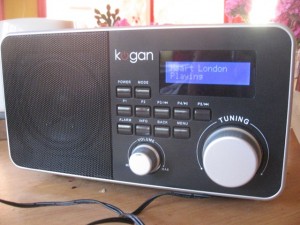
OXX Classic V Internet radioI am reviewing another of the Internet radios that are in that “mantel-radio” form factor like the Kogan Internet radio that I previously reviewed. From what I have noticed, it was as though it was the Kogan radio but without an iPod dock and in a glossy white cabinet.

The set is connected to mains power via a mains cord that is attached to the set rather than the usual AC adaptor that plugs in to the set. This is more in line with the traditional mantel radio or most of the clock radios that are currently ins use and will be likely to benefit people who have to deal with crowded power outlets and powerboards,

The set uses a bitmap LCD display which yields a large clock display whenever it is turned off and provides a useable menu display. The knobs are of an equal shape and all the buttons are lined up under the display in a single row. This may impair useability for older people because the labelling is too small.

On the other hand, the volume control is a real analogue volume control rather than the rotary encoder that I have used on most Internet radios and other recent consumer electronics. This will appeal more to mature people who want greater control of the set’s output volume – I have even heard that a sign of a person’s maturity is knowing that the volume control can be turned down rather than always up!!!!

Connectivity

Kogan and OXX Internet radios

Kogan and OXX Internet radios alongside each other

Like the Kogan table radio, there is an auxiliary input for external audio equipment like MP3 players and Discmans as well as a headphone jack which you can use as an external speaker jack when connected to active speakers.

It also excels on network connectivity through the provision of an Ethernet socket for use with wired networks, including HomePlug powerline networks. The wireless-network connectivity has been improved through support for WPS “push-push” setups as well as network profiles for multiple different wireless networks.

Use

There are four preset buttons for each of the operating bands as well as support for integration with the “www.wifiradio-frontier.com” Internet-radio portal. This then allows for a larger list of preferred stations to be kept consistent across multiple sets.

The unit also has improvements in other areas like dead-programme “clean-up” with DAB multiplexes for sets that are moved between towns or whenever the multiplexes are rearranged. Similarly there is also an equaliser function with fiver tone presets and manual adjustment for bass and treble. There wasn’t a loudness-compensation control on the manual tone adjustment unlike other Frontier radios with similar firmware.

It does work well with DLNA media services, especially the TwonkyMedia Server that is part of the Western Digital MyBook World Edition network hard disk. At the moment, it only works as a media player that can be operated from its control surface.

Bitmap display on OXX radio

Bitmap display on OXX radio

When this set is run at a loud volume, it sounds as loud as the Kogan set, which is loud enough to cut over noisy kitchen appliances for example.

Limitations and Points of Improvement

One main limitation that I have experienced is the tendency to work on a small buffer which causes the radio to “start and stop” especially when playing some overseas Internet radio stations. It may be also limited through problems with Wi-Fi networks that may be difficult in some areas. The problem may also become worse as more people “hit on to” Internet radio – the new “short-wave” band, and servers don’t work well for quality of service. Other radios don’t seem to be as sensitive to this problem as much as this model.

A point of improvement that I would like to see would be steps to make the set more ergonomic and easier to use. For example, I would like to make the buttons more prominent so they are easier to find. This is more so for the on-off button and the mode button. As well, the LCD display could be better replaced with one of the monochrome OLED displays to improve on readability, or could be engineered to fill the display panel space more to make better use of that space.

Other than that, there wasn’t any other main limitation with this particular set for its class.

Conclusion

Although there is the limitation with the set working on a small buffer and being more prone to “start-stop” behaviour with Internet radio, it can work well as a tabletop radio / network media player for an office, waiting room, small shop or kitchen. I wouldn’t recommend this set for use in a workshop or similar location because of the glossy finish being more susceptible to damage that occurs in those areas.

Following the UK election on the Internet

This year, the UK election has become a “cliffhanger” election with all the sagas concerning government “sleaze” and expenses rorts. There is even a lot of speculation about a “hung parliament” existing in Westminster. It is now easy to monitor this count from wherever you are in the world with your computer and / or your Internet radio.

The BBC offer the best resources for this information. Their news.bbc.co.uk Web site is running an always-updated “dashboard” view with bar graphs for each party and a voting map for the whole of the country. You can delve further to monitor your electorate or an electorate that is critical to the election.

If you tune your Internet radio to BBC Radio 4 or find this station using vTuner, Reciva or RadioTime to play through your computer, you can hear a running commentary on the count with interviews from past and present MPs as well as declared counts as they come through.

The main newspapers like the Telegraph or Times also will offer a ticker or “dashboard” view of the election count through their Internet sites as well

Product Review – Revo IKON stereo table Internet radio (Frontier Internet Radio platform)

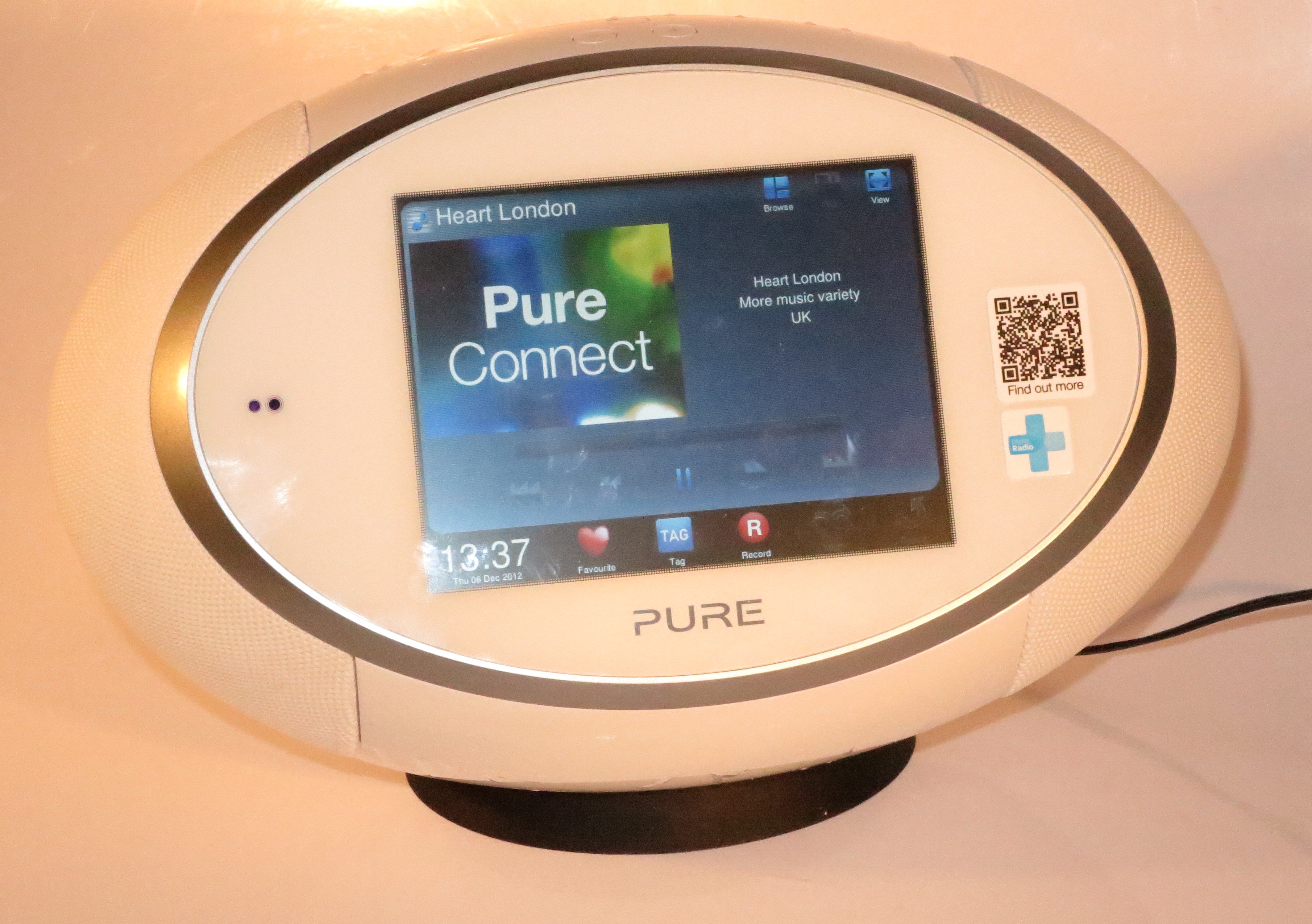
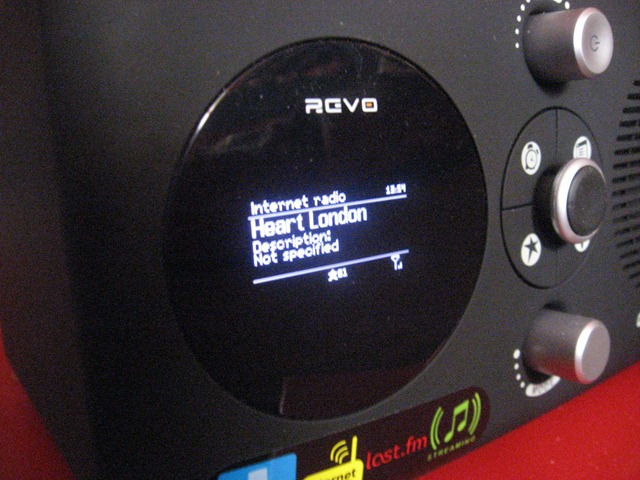
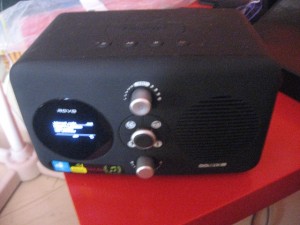
I am reviewing the Revo IKON, which is the first Internet radio that I have reviewed to be designed in a similar manner to a classic boombox. Here, it has been designed with that similar footprint in mind and also is equipped with stereo speakers that are angled outwards.

Description

The unit actually has an oval shape and has a pop-out iPod dock on the front, under a colour LCD touchscreen which is the set’s main user interface. The volume knob and the power button are located on top of the set, although the volume knob is a rotary-encoder type which doesn’t show on the display what volume position you have set it to.

Operation and Sound Quality

The colour LCD touchscreen is easy to read and the user interface that it presents to you when you select stations or other options is similar to an automatic teller machine that uses a touch-screen. The home menu shows a list of all the sources available – DAB, FM, Internet, LAST.FM, Media Player (UPnP AV), iPod dock and auxiliary input.

It also comes with a remote control which offers volume control, snooze / sleep control, transport control for the UPnP media player function or attached iPods, LAST.FM song voting as well as the ability to turn the unit on and off. You don’t have the ability to change stations or sources from this remote control.

If you are using the Internet radio mode, you can’t have ready access to the preset stations like you can with DAB or FM where you press a star icon to see the preset list. Instead, you have to meander around the menus to see the preset list. This can be an annoyance to those who tune in to local RF-based radio and are likely to visit Internet radio programs frequently and can be a pain for older users.

The unit works with DLNA-compliant media servers but you have to use the touchscreen or remote control to navigate the DLNA media server. This is common with Internet radios because Frontier or Reciva, who make most of the firmware for these radios don’t support “three-box” operation using UPnP AV Control Points.

The set supports LAST.FM and can allow users to “scrobble” (expose listening habits to LAST.FM) content from LAST.FM content or from content from a UPnP AV / DLNA media server.

The set has a “clean-up function” that makes it easier to manage changes to the DAB station list, which can be of importance if it is taken between locations or the DAB multiplexes in a city are being re-arranged.

Revo IKON - iPod dock exposed

iPod dock exposed

The set has a similar tone control to the previously-reviewed Revo Domino, where you can select one of five tone presets or set up a customised tone preset. Here, you have bass and treble controls and a loudness-compensation switch. Infact, the “normal” tone preset is with flat bass and treble settings and with loudness compensation switched on.

Speaking of the sound, the sound quality is very similar to most of the low-end to mid-range portable radios made through the late 1970s to early 1980s. It can also fill a small to medium-size room with sound in an intelligible manner.

Connectivity

The set can work with WiFi networks that use conventional WPA2-PSK passphrases or can be “bonded” to routers that support WPS “push-button” configuration. This function should be made available not as a WiFi network option but as part of the setup wizard. It can store the parameters relating to four different WiFi networks, which can be useful for home networks with more than one SSID or if you take the radio between multiple locations.

This radio also has an Ethernet socket which adds plenty of flexibility to how it is connected to the Internet. Here, you could connect it to a HomePlug or MoCA “existing-wires” segment using the appropriate bridge adaptor, a WiFi network that it can’t connect to using a WiFi-client bridge or directly to to an Ethernet network like in business premises.

There is only one external output socket in the form of an SPDIF optical socket for connection to a digital amplifier, home-theatre receiver or a digital recorder like a MiniDisc deck. This is limiting as far as outputs are concerned because a set like this could benefit from an analogue output like a headphone jack (to connect to headphones or external active speakers) or a line output jack (to connect to another amplifier or a cassette deck).

Advantages

One main advantage with this set is the stereo sound provided by the two speaker systems built in to the unit. This is an advantage compared to the Internet radios that I have been reviewing in the blog so far. The other main advantage that this set has is the ability to work with an Ethernet network rather than just a WiFi wireless network, which opens up a world of flexibility.

Other features that I like include the colour display, improved DAB handling and support for stations that present logos as part of their Internet-radio streams.

Limitations and Points of Improvement

One main limitation with the Internet radio function is the inability to access the preset-station list from all of the Internet-radio screens unlike what you can do with FM and DAB. This limitation could be rectified through a software update and impairs an otherwise very good Internet radio.

The other limitation with this set is the lack of a headphone jack or line-level output. This also limits the flexibility that the set could offer as far as connection to external audio equipment is concerned.

Conclusion and Placement Notes

Other than the few limitations concerning output connectivity and ready access to Internet-radio presets, this radio does have a lot going for it as a general-purpose Internet table radio.

It would work well as a radio for a kitchen, office or small shop, especially if it is used as a direct replacement for an older boombox or iPod dock or as an upgrade from a single-speaker Internet radio like the Revo Domino or Kogan Internet radio.

BBC reception problem now rectified for Kogan Internet radios

Kogan Internet table radio

Kogan Internet table radio - BBC updates now available

Over the last few months, those of you who own a Kogan Internet/DAB+/FM table radio, which I have reviewed in this blog in November, wouldn’t have been able to receive any Internet radio services from the BBC. It may be of concern to UK expats or Anglophiles who have bought this radio primarily to listen to the sound of the BBC radio stations that broadcast there like BBC Radio 4. The symptom was typically in the form of the radio showing “Network Error” when you select a BBC radio service. This was because the BBC were doing a technical re-engineering of their online radio streams and were moving away from the original Real-Audio streams to newer technologies.

vTuner had updated their “master” Internet radio directory which services Frontier-based sets as well as a lot of other Internet-radio designs to reflect the BBC changes. The set manufacturers had to then roll out the updates to each of their set designs through the over-the-air updates. In the case of this Kogan table radio, it took a frustrating long time for the update to materialise because the OEM who makes these sets had to make sure it was working properly before releasing the update.

As of 18/03/2010, Kogan have rolled out the updated directory to these radios and next time you turn on the set and select “Internet radio”, you will have an “update notice” appear on the display. Press the INFO button in response to this “update notice” and wait for the update to complete. The radio must not be disconnected from the power at all during this process. The progress of the update is highlighted with a “fuel gauge” bar that appears on the bottom row of the display and when the set is updated, the display will show “Press SELECT to continue”. At this point, press the large “tuning knob”, and the set will restart and, a while later, the last Internet radio station that you listened to will play.

Then you can tune to the BBC stations using the menu system or recall any BBC stations that you previously allocated to the preset buttons. This update does not affect any other functionality or personal settings that you have established when using this set.

If you had bought one of these radios and the BBC reception problem had made you think of returning the radio to Kogan, now you don’t need to do so because of this update/

Product Review – Revo Domino Internet table radio (Frontier Internet Radio Platform)

I am reviewing one of Revo’s latest Internet radios – the Domino FM/DAB+/Internet table radio which one of many of the radios appearing in this class.Revo Domino 2

This set comes in a charcoal-grey rubber-textured housing, with a joystick on the front as the main selection control. It also has a knob for selecting between operation modes and another knob to turn the volume up and down. As well, you turn the radio on and off by pressing this knob in a similar manner to most car radios.

The display is in the left “porthole” on the front of the set and is a small OLED display with a similar “off-white” colour to the vacuum-fluorescent displays on most consumer electronics made by Sony and Panasonic.

Revo Domino - display close-up There is an integrated iPod dock that is covered by a removable panel and the set came with Apple-style iPod inserts that work with whichever iPod or iPhone you have.

It also comes with a card-style remote control which, like its stablemate, allows for operation from a distance and allows for direct access to the locally-preset stations.

Setup

This process is similar to most Frontier-platform Internet radios like the Kogan and the Revo iBlik. The set is capable of supporting “quick-setup” with WPS “push-button-setup” routers and is the first one that I have reviewed to offer this method/ But this option isn’t made as part of the Network Setup Wizard, rather you have to go to System Settings – Network menu and select “PBC setup” to instigate this kind of setup.

It is also the first Internet radio that I have reviewed that supports multiple wireless-network profiles (SSID and security-parameter combinations). Here, this set can remember the profiles for the four last-used wireless networks but the user can delete a particular network profile from the list.Revo Domino - remote control

Operation

It works in a manner similar to the other Internet radios that I have tried, with a “mode selector” and heavy use of menus. The unit also supports FM radio with RDS and DAB/DAB+ digital radio for regular RF-based radio service. The aerial for this is a telescopic rod one that is clipped vertically on the back of the unit so you don’t have to unclip it when you just need to extend it upwards.

The set stores 10 preset stations for each “band” – FM, DAB and Internet radio; and you select them by pressing the star button and highlighting the station with the joystick then pressing the joystick to hear it. To set a station as a preset, you press the star button to show preset list, then hold joystick button in until “Preset saved” comes up on display. For Internet radio, this is in addition to the favourite stations that you have identified at the wifiradio-frontier.com Website.

The set works properly with a UPnP AV / DLNA home media network and the transport controls on top of the set allow you to move across the music collection that you are playing.

The set can work as a replacement for the old clock radio in the bedroom. The Alarm button on the front of the set is for enabling different previously-set alarm times when the set is off or to set the alarm times when the set is on. You can set two different alarm times and determine what to wake to – buzzer, FM station, DAB station, Internet station or iPod for each alarm time. Like the iBlik that I reviewed previously, you can set an alarm event to occur on a particular date, every day, every weekday or every weekend. When the alarm sounds. all the buttons on the unit reset the alarm. The joystick works as “snooze button” and repeated pressing of it allows you to extend the snooze time. There is a sleep-off timer that causes the set to stop playing after a known time. but you have to go through the menus to start the sleep timer, something you wouldn’t do if you are very tired and just want to drift off to music.

There is inherent support for the last.fm “personal-music” service which can “learn” your music tastes from music played from your iPod, last.fm’s Internet radio service or a UPnP AV media server.

Sound quality

The Revo Domino is the first Internet radio that I have reviewed to have tone controls. These are found under “Equaliser” option in “System Settings” menu. There are 5 preset tone settings plus a user-determined tone setup – bass, treble and loudness-compensation.

The NXT “dual-radiator” speaker allows for some “punch” in the sound without suffocating the vocals when music is played. It also reproduces speech very clearly and the set can put up a significantly loud volume without distorting. This can be of benefit if you need to use it in noisy environments.

This unit has the similar output level to most radios of its kind, enough to fill a reasonably-size room with easily–identifiable music and can compete with the noise emitted by typical kitchen appliances.

Points for improvement

There are a few places where the Revo Domino could be improved.

One is that the OLED display could be made a bit larger. This could improve its useability, especially if the user doesn’t have good eyesight, which may be common with senior citizens.

It also could benefit from having a headphone jack installed, which can cater for late-night listening or for playing it through an active speaker system.

Conclusion and placement notes

Beyond the above-mentioned limitations associated with a small display and the lack of a headphone jack, there isn’t anything much else that I could fault this set on.

Here, I would recommend that the Revo Domino be best sold as a “step-up” Internet radio / iPod-dock combination for use in the kitchen, office, workshop, or small shop. It can also work well as a clock radio even though you have to go in to the Main Menu to set the alarm or enable the sleep timer.

The Android-driven Wi-Fi cordless phone that thinks it’s a smartphone

News and Blog articles

DSP Group’s Android DECT / Wi-Fi Home Phone Reference Design Has Me Drooling | eHomeUpgrade

DSP Multimedia Handset – Android Based Home Phone | Android Community

From the horse’s mouth

DSP Group’s “video brochure” available on YouTube

DSP Group’s Web page on this phone

My comments on this phone

Most of the news concerning Android is focused on smartphones that are pitched as cellular mobile phones. But this phone is an intent to take Android to a new territory – the home cordless phone which is used as a household’s “common phone”.

Here, it uses VoIP technology through a Wi-Fi network (which nearly all home networks are based around) but can work as a DECT-based cordless phone. But it can work with a home network by providing DLNA functionality, access to home automation, consumer-electronics control; as well as being a hand-held Internet terminal. Telephony service providers like Telstra can customise the phone to suit their needs such as providing a branded customer experience like they do with mobile phones. This can also extend to hosted-PBX providers providing this phone as part of an IP-based business phone system for a small business.

This has been achieved through the use of Google Android as the phone’s operating environment and the phone being able to gain access to applications provided for the Google Android MarketPlace. This can open up this home phone for all sorts of innovative applications. I would also extend this to business-related applications including order-entry for restaurants or tourist information for the hospitality industry.

This phone has become the first reference design for an in-home / in-premises cordless phone to have an interface and level of functionality that puts it on a par with today’s smartphones. It will also definitely appeal to the competitive “triple-play” marketplace that is being built out in different countries around the world and could herald the beginning of a new age of “in-premises” telephony.

First production car with Internet radio to be presented at Geneva Auto Show

Article

Mini Countryman to be first production car with internet streaming radio? – Engadget

MINI Connected Technology Adds New Infotainment Options, Debuts in Geneva | Motor Trend (USA)

My comments

Previously, I had talked in this blog about the idea of Internet radio in the car and the way this goal would be achieved. Now BMW have integrated Internet radio functionality of the kind that the Kogan Wi-Fi Internet Radio, the Revo iBlik RadioStation and the Pure Evoke Flow provide in to the Mini Countryman as part of the Mini Connected infotainment pack.MINI Connected Internet radio press picture

The article had described some of the gaps about how this goal would be achieved, but I would reckon that the technology would be based on a user-supplied 3G USB dongle or tethered 3G phone; or an integrated 3G modem working with a user-supplied USIM card. They talked of the idea of choosing a few stations from a directory akin to the vTuner / Frontier Silicon or Reciva Internet-radio directories and allocating them to presets so you can “switch around” your favourite streams. The author had suggested that there may be a reduced station list and that, for example, his favourite “speed-metal” Internet station may not be in the list. But if the software works in a manner similar to Frontier’s “wifiradio-frontier” or Pure’s “Lounge” portals, he could be able to add the “speed-metal” Internet station.

There is a strong likelihood of this feature being available as part of the“connected” infotainment packs supplied by vehicle builders to high-end vehicles at the moment but it could be made available to the aftermarket car-audio scene soon.

Internet radio in the car – why not?

A few weeks ago, a young teenager friend of mine had the Kogan internet radio, which I previously reviewed a sample of and had bought, “tuned” to an Iranian pop-music station that was broadcasting via the Internet. This youth, who had just turned 18 and was about to get his driver’s licence, was asking whether Internet radio in the car would be a reality.

Issues that limit this concept

One of the main issues would be for the wireless-broadband standards like 3G and WiMAX to support media-streaming in a reliable manner and at a cost-effective rate. Recently, there were issues with AT&T raising concerning about Apple iPhone users drawing down too much data, especially multimedia and another 3G provider wrote in to their subscriber terms and conditions a prohibition against media streaming.

The main issues were how these networks handle real-time content and whether they can stream this content reliably when the vehicle is travelling at highway speeds or faster. This also includes how to achieve this cost-effectively without limiting users’ ability to enjoy their service.

One way that it could be mitigated would be for mobile carriers and ISPs to look towards providing “sweeter” wireless-broadband deals, such as integrating voice and data in to single plans. Similarly,the providers could optimise their services to cater fir this kind of use.

Ways of bringing Internet radio to the speakers

Internet radio functionality integrated in car audio equipment

In this setup, the car-audio equipment, whether as part of the in-dash “head unit” or as an accessory tuner box, has access to a TCP/IP LAN and Internet through a modem or an outboard router. It uses any of the common Internet-radio directories like vTuner or Reciva to allow the user to select any of the audio streams that they want to listen to.

Wireless broadband modem integrated in or connected to car audio equipment

The car-audio equipment would have a wireless-broadband modem integrated in the unit or connected to it. The latter situation could be in the form of a USB “dongle” plugged in to the unit, or a mobile phone that supports wireless broadband being “tethered” by USB or Bluetooth to the unit. If the setup involves an integrated modem or an attached USB “dongle”, the setup may use authentication, authorisation and accounting data from a SIM installed in the unit or “dongle”; or simply use the data from a phone that uses Bluetooth SIM Access Profile.

This practice had been implemented in a Blaupunkt car stereo which was being used as a “proof-of-concept” for Internet radio in the car.

Use of an external wireless-broadband router

This method involves the use of a mobile wireless-broadband router which has an Ethernet connection and / or USB upstream connection with a standard “network-adaptor” device class along with a WiFi connection. Of course, the device would have a wireless-broadband connection on the WAN side, either integrated in to it or in the form of a user-supplied USB modem dongle or USB-tethered mobile phone. A typical example of this device would be the “Autonet” WiFi Internet-access systems being pitched for high-end North-American Chrysler-built vehicles or the “Ford Sync” integrated automotive network available on high-end North-American Ford-built vehicles that gains Internet access with a user-supplied USB wireless-broadband dongle.

Here, the car-audio equipment would have a network connection of some sort, usually an Ethernet connection or a USB connection that supports a common “network interface” device class and would be able to “pick up” Internet radio as mentioned before.

Internet radio functionality integrated in an Internet-access terminal

At the moment, this will become the way to bring Internet radio to most car setups in circulations for some time. The setup would typically represent a mobile phone or laptop computer with an integrated or connected wireless-broadband modem. This would have software or Internet access to the Internet-radio directories and stream the audio through Bluetooth A2DP, an FM transmitter or hardwired through a line-level audio connection, a cassette adaptor or an FM modulator.

Increasingly, there is interest from car-audio firms and Internet-media software firms to establish an application-programming interface between a computer or smartphone running selected Internet-radio directory software and the car sound system. This would typically require use of Bluetooth or USB and use a control method of navigating the directory, in a similar manner to how most current-issue car-audio equipment can control an attached Apple iPod.

The primary platform where this activity may take place would be the Apple iPhone, because of it being the most popular programmable smartphone platform amongst the young men whom the car-sound market targets.The setup was demonstrated at the Consumer Electronics Show 2010 in the form of Pioneer and Alpine premium head units controlling a front-end app for the Pandora “custom Internet radio” service installed in an iPhone connected to the head unit via the special connection cable that comes with that unit.

On the other hand, if a smartphone or MID that is linked to the head unit via Bluetooth A2DP does support the AVRCP profile properly, an Internet-radio application installed on that smartphone could achieve the same goal. This would require that the directory applications are able to expose links to the AVRCP commands and requests.There will also have to be requirements to allow “source selection” between multimedia applications through the AVRCP protocol.

Further comments

This concept will become part of the “connected vehicle” idea which provides real-time access to navigation, telematics, communication and entertainment in a moving vehicle or craft, especially as companies involved in this segment intend to differentiate their offerings. It may also be very desireable as an alternative to regular radio in those areas where most regular radio broadcasts leave a lot to be desired.

Once the cost and quality of wireless broadband Internet is brought down to a level that is par with reasonably-priced wired broadband service, then the concept of Internet radio in the car will become reality.

Internet radio in the car – why not?

A few weeks ago, a young teenager friend of mine had the Kogan internet radio, which I previously reviewed a sample of and had bought, “tuned” to an Iranian pop-music station that was broadcasting via the Internet. This youth, who had just turned 18 and was about to get his driver’s licence, was asking whether Internet radio in the car would be a reality.

Issues that limit this concept

One of the main issues would be for the wireless-broadband standards like 3G and WiMAX to support media-streaming in a reliable manner and at a cost-effective rate. Recently, there were issues with AT&T raising concerning about Apple iPhone users drawing down too much data, especially multimedia and another 3G provider wrote in to their subscriber terms and conditions a prohibition against media streaming.

The main issues were how these networks handle real-time content and whether they can stream this content reliably when the vehicle is travelling at highway speeds or faster. This also includes how to achieve this cost-effectively without limiting users’ ability to enjoy their service.

One way that it could be mitigated would be for mobile carriers and ISPs to look towards providing “sweeter” wireless-broadband deals, such as integrating voice and data in to single plans. Similarly,the providers could optimise their services to cater fir this kind of use.

Ways of bringing Internet radio to the speakers

Internet radio functionality integrated in car audio equipment

In this setup, the car-audio equipment, whether as part of the in-dash “head unit” or as an accessory tuner box, has access to a TCP/IP LAN and Internet through a modem or an outboard router. It uses any of the common Internet-radio directories like vTuner or Reciva to allow the user to select any of the audio streams that they want to listen to.

Wireless broadband modem integrated in or connected to car audio equipment

The car-audio equipment would have a wireless-broadband modem integrated in the unit or connected to it. The latter situation could be in the form of a USB “dongle” plugged in to the unit, or a mobile phone that supports wireless broadband being “tethered” by USB or Bluetooth to the unit. If the setup involves an integrated modem or an attached USB “dongle”, the setup may use authentication, authorisation and accounting data from a SIM installed in the unit or “dongle”; or simply use the data from a phone that uses Bluetooth SIM Access Profile.

This practice had been implemented in a Blaupunkt car stereo which was being used as a “proof-of-concept” for Internet radio in the car.

Use of an external wireless-broadband router

This method involves the use of a mobile wireless-broadband router which has an Ethernet connection and / or USB upstream connection with a standard “network-adaptor” device class along with a WiFi connection. Of course, the device would have a wireless-broadband connection on the WAN side, either integrated in to it or in the form of a user-supplied USB modem dongle or USB-tethered mobile phone. A typical example of this device would be the “Autonet” WiFi Internet-access systems being pitched for high-end Chrysler vehicles or the “MyFord” integrated automotive network that gains Internet access with a user-supplied USB wireless-broadband dongle.

Here, the car-audio equipment would have a network connection of some sort, usually an Ethernet connection or a USB connection that supports a common “network interface” device class and would be able to “pick up” Internet radio as mentioned before.

Internet radio functionality integrated in an Internet-access terminal

At the moment, this will become the way to bring Internet radio to most car setups in circulations for some time. The setup would typically represent a mobile phone or laptop computer with an integrated or connected wireless-broadband modem. This would have software or Internet access to the Internet-radio directories and stream the audio through Bluetooth A2DP, an FM transmitter or hardwired through a line-level audio connection, a cassette adaptor or an FM modulator.

Increasingly, there is interest from car-audio firms and Internet-media software firms to establish an application-programming interface between a computer or smartphone running selected Internet-radio directory software and the car sound system. This would typically require use of Bluetooth or USB and use a control method of navigating the directory, in a similar manner to how most current-issue car-audio equipment can control an attached Apple iPod.

The primary platform where this activity may take place would be the Apple iPhone, because of it being the most popular programmable smartphone platform amongst the young men whom the car-sound market targets.The setup was demonstrated at the Consumer Electronics Show 2010 in the form of Pioneer and Alpine premium head units controlling a front-end app for the Pandora “custom Internet radio” service installed in an iPhone connected to the head unit via the special connection cable that comes with that unit.

On the other hand, if a smartphone or MID that is linked to the head unit via Bluetooth A2DP does support the AVRCP profile properly, an Internet-radio application installed on that smartphone could achieve the same goal. This would require that the directory applications are able to expose links to the AVRCP commands and requests.There will also have to be requirements to allow “source selection” between multimedia applications through the AVRCP protocol.

Further comments

This concept will become part of the “connected vehicle” idea which provides real-time access to navigation, telematics, communication and entertainment in a moving vehicle or craft, especially as companies involved in this segment intend to differentiate their offerings. It may also be very desireable as an alternative to regular radio in those areas where most regular radio broadcasts leave a lot to be desired.

Once the cost and quality of wireless broadband Internet is brought down to a level that is par with reasonably-priced wired broadband service, then the concept of Internet radio in the car will become reality.

Ethernet AV – What could it mean for the home media network?

 Will home networks bank on Ethernet?

One of the next points of research that will be appearing for the home network is “Ethernet AV” or “AV-optimised networking”. The main goal with this research is to deliver time-sensitive content like music or video over an Ethernet-based network so it appears at each endpoint at the same time with the bare minimum of jitter or latency.

This research is being pitched at any application where a data network may be used to transport AV information. In the home, this could include multi-room installations where the same programme may be available in different rooms or multi-channel setups where a Cat5 Ethernet, Wi-Fi or HomePlug network link may be used to distribute sound to the rear-channel speakers. In a vehicle or boat, the Cat5 Ethernet cable could be used as an alternative to analogue preamp-level or speaker-level cable runs to distribute audio signals to the back of the vehicle or through the craft. The same method of moving AV signals can appeal to live-audio setups as the digital equivalent of the “snake” – a large multi-core cable used to run audio signals between the stage and the mixing desk that is located at the back of the audience. It can also appeal to the use of IP networks as the backbone for broadcast applications, whether to deliver the signal to an endpoint installed in a home network like an Internet radio or IPTV set-top box; or to work as a backbone between the broadcast studios and multiple outputs like terrestrial radio/TV transmitters and/or cable/satellite services.

The main object of the research is to establish a “master clock” for each logical AV broadcast streams within the home network that represents a piece of programme material. This then allows the endpoints (displays, speakers) to receive the same signal packets at the same time no matter how many bridges or switches the packets travel between the source and themselves.

Once this goal is achieved at the Ethernet level of the OSI stack, it could permit one to implement software in a router to provide Internet broadcast synchronisation for endpoints in a logical network pointing to the same stream. This means that if, in the case of Internet radio, there are two or more Internet-radio devices pointing to one Internet broadcast stream, they appear to receive the stream in sync even if one of the devices is on the wireless segment and another is on the Cat5 Ethernet segment.

This issue will need to be resolved in conjunction with the quality-of-service issue so that time-sensitive VoIP and audio/video applications can have priority over “best-effort” bulk data applications like e-mail and file transfer. Similarly, the UPnP AV / DLNA standards need to implement a quality-of-service differentiation mechanism for bulk transfer compared to media playback because there is the idea of implementing these standards to permit media-file transfer applications like multi-location media-library synchronisation and portable-device-to-master-library media transfer. Here, bulk transfer can simply be based on simple “best-effort” file practices while the time-critical media synchronisation can take place using higher QoS setups.

The other issue that may need to be resolved over the years is the issue of assuring quality-of-service and AV synchronisation over “last-mile” networks like DOCSIS cable, ADSL and FTTH so that IP broadcasting can be in a similar manner to classic RF-based broadcasting technologies. This also includes using the cost-effective “last-mile” technologies for studio-transmitter backbone applications, especially if the idea is to serve “infill” transmitters that cover dead spots in a broadcaster’s coverage area or to feed small cable-TV networks.

Once these issues are sorted out, then the reality of using an IP network for transmitting media files can be achieved.

Page 1 of 212»

Categories

Archives

Referral Programs and Sponsors

Link Disclaimer

All links to products, services or organisations mentioned in this blog exist primarily as a convenience for readers when they read any of the articles posted herein